


If your team tracks ERP implementation tasks, support tickets, or cross-department requests in Jira, you already know how fast manual updates pile up. Someone forgets to change a status, a ticket sits untouched for days, and finance leaders lose visibility into where a project actually stands. Jira workflow automation fixes that by letting rules, not people, handle the repetitive parts of moving work forward.
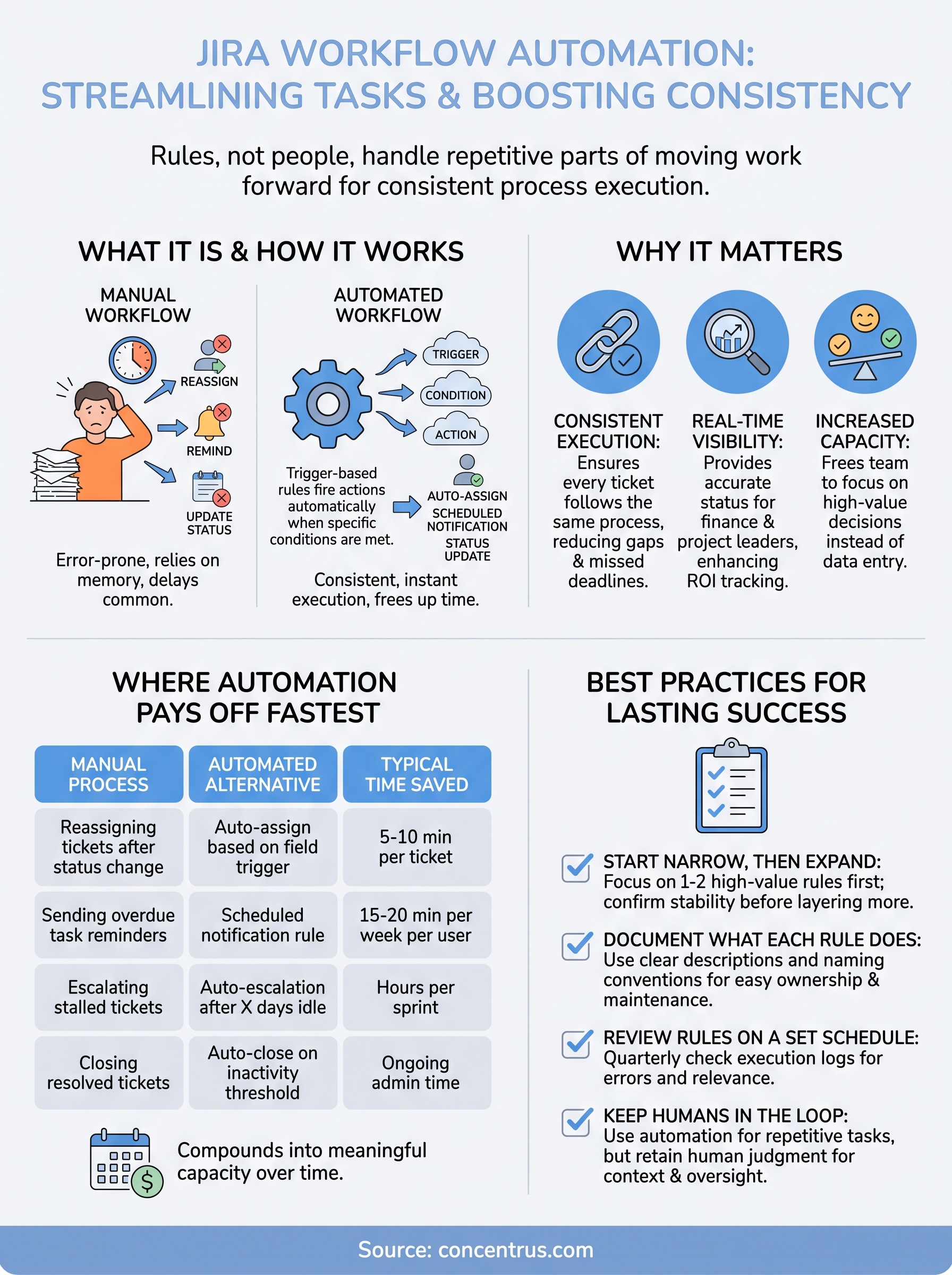
At its core, Jira workflow automation means setting up trigger-based rules that fire actions automatically when specific conditions are met, like reassigning a task when a field changes or notifying a stakeholder when a deadline approaches. Instead of relying on someone to remember every step, the system enforces consistent process execution across every ticket, every time.
This matters directly for teams running ERP projects, since Concentrus builds ROI tracking into every implementation phase, and tools like Jira often sit alongside NetSuite or Acumatica to manage tasks and accountability. This article walks through what Jira workflow automation actually is, how the rule engine works, and practical examples you can apply to cut manual work and keep projects moving on schedule.
Why Jira workflow automation matters for your team
Teams that manage ERP rollouts, support queues, or cross-department requests inside Jira eventually hit the same wall: manual status updates don’t scale. A project coordinator tracking 200 open tickets can’t reliably remember to move every card, ping every stakeholder, or flag every overdue task. Manual ticket management creates gaps, and those gaps show up later as missed deadlines, duplicated work, or finance leaders asking why a milestone slipped without warning. Automation closes that gap by making the workflow itself responsible for consistency, not the memory of whoever happens to be logged in that day.
The hidden cost of manual handoffs
Consider a typical ERP implementation task queue. A developer finishes a configuration item and marks it done, but nobody notifies the QA lead, so testing starts two days late. Multiply that delay across dozens of tasks and a project timeline slips without anyone catching it until a status meeting. Automated handoffs remove that lag by triggering the next action the instant a condition is met, whether that’s a status change, a due date, or a field update. Jira workflow automation essentially replaces the informal, error-prone relay race between team members with a rule that fires the same way every single time.
Consistent automation turns Jira from a passive tracking tool into an active project manager that never forgets a step.
Where automation pays off fastest
Not every ticket needs a rule, but high-volume, repetitive processes benefit immediately. Here’s where teams typically see the fastest return:

| Manual Process | Automated Alternative | Typical Time Saved |
|---|---|---|
| Reassigning tickets after status change | Auto-assign based on field trigger | 5-10 min per ticket |
| Sending overdue task reminders | Scheduled notification rule | 15-20 min per week per user |
| Escalating stalled tickets | Auto-escalation after X days idle | Hours per sprint |
| Closing resolved tickets | Auto-close on inactivity threshold | Ongoing admin time |
Over a full quarter, these small savings compound into meaningful capacity, freeing project leads to focus on decisions instead of data entry.
Visibility that finance leaders actually trust
Finance leaders overseeing ERP investments care less about ticket mechanics and more about whether the project is hitting its committed milestones. Real-time visibility into task status, without waiting for a manual update, gives CFOs and project sponsors a clearer read on whether an implementation is tracking toward its ROI targets. Concentrus builds this kind of milestone accountability directly into its ROI Roadmap™ methodology, and Jira automation supports that same discipline at the task level, so nothing depends on someone remembering to send a status email. When the tool enforces the process, the numbers reported upward are the numbers that actually happened, not a best guess pulled together the morning of a review meeting.
How to set up Jira workflow automation step by step
Building your first automation rule takes less time than most teams expect, usually under fifteen minutes once you know where to look. Jira’s built-in automation engine lives inside every project under Project Settings, so you don’t need a separate app or plugin to get started. The interface uses a simple rule structure: a trigger, optional conditions, and one or more actions, and Atlassian documents the full rule library in its automation for Jira guide.
Mapping the trigger before you touch the rule builder
Before opening the builder, identify the exact moment that should kick off the automation. Common triggers include a status change, a field update, a scheduled time, or an issue being created. Trigger accuracy matters more than rule complexity; a poorly scoped trigger fires too often or misses the cases you actually care about.
Get the trigger right first, because every downstream action inherits whatever mistake you build into it.
Building the rule in five steps
Once the trigger is clear, follow the same basic sequence every time:
- Open the project’s Automation tab and select “Create rule.”
- Choose your trigger, such as “Field value changed” or “Issue transitioned.”
- Add conditions to narrow the scope, like a specific issue type or project component.
- Define the action, whether that’s reassigning a ticket, sending a notification, or updating a field.
- Test the rule against a real ticket before turning it on for the full project.
Doing this consistently prevents rules from firing unintended actions across unrelated tickets.
Testing before you trust it
Running a test cycle matters more than skipping straight to production. Jira lets you audit rule execution through a log that shows every trigger fired and every action taken, so rule auditing becomes part of your rollout rather than an afterthought. Verify the rule against three or four sample tickets covering edge cases, not just the obvious happy path, before rolling it out to the whole team.
Real-world examples of Jira workflow automation
Seeing automation in a real ERP context makes the concept click faster than any abstract explanation. Below are four scenarios pulled from the kind of task queues Concentrus sees during NetSuite and Acumatica implementations, each showing the trigger, the action, and why it matters to the project.
Escalating stalled configuration tasks
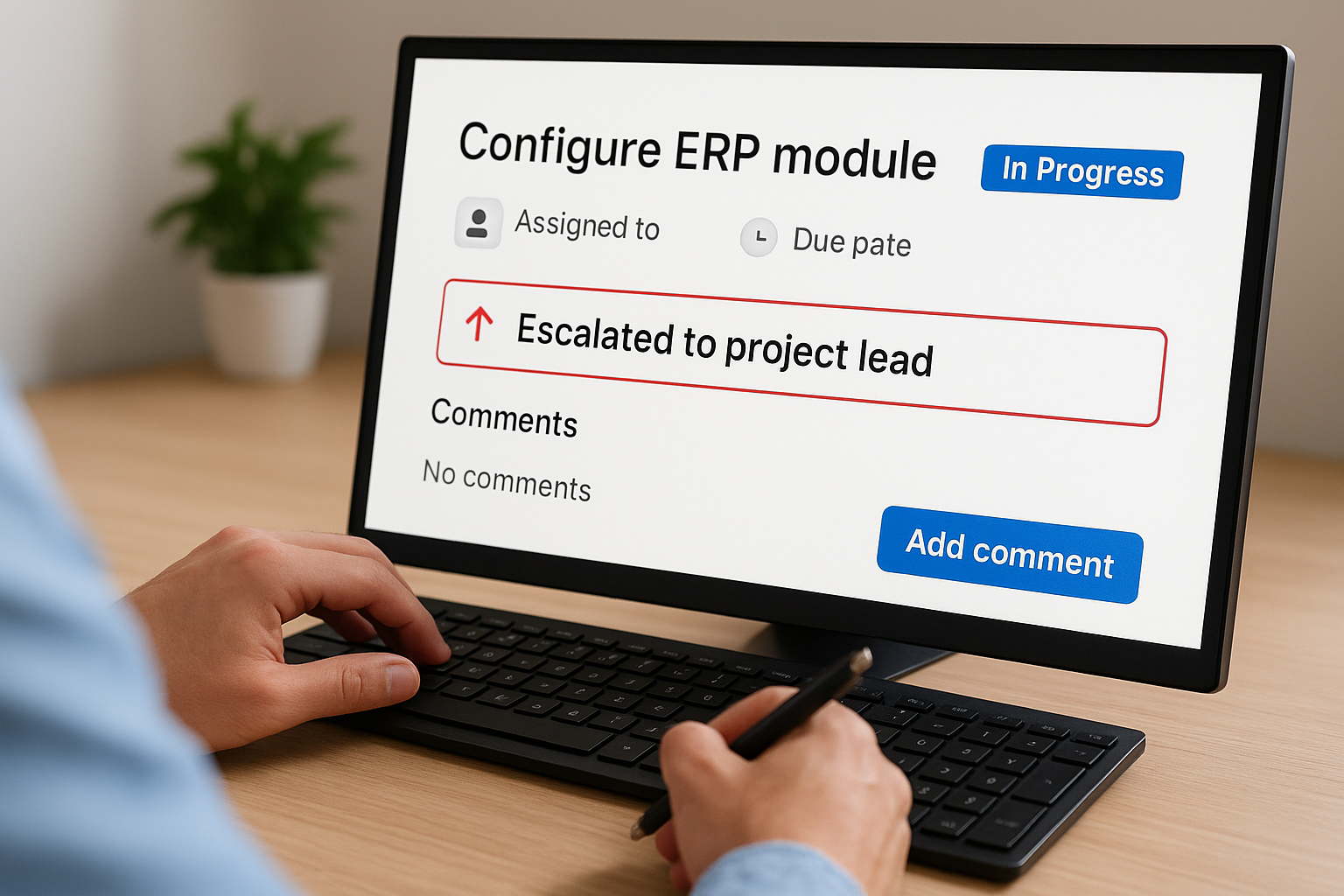
On a typical implementation, a configuration ticket sits in “In Progress” for a week with no comments, and nobody notices until the weekly status call. A rule that triggers when a ticket stays untouched past a set threshold, then auto-escalates it to the project lead, catches that gap before it costs a milestone. Stalled ticket detection like this protects the timeline without requiring anyone to manually audit every open item.
Auto-assigning tasks by department
When a ticket’s component field changes to “Finance” or “Supply Chain,” a rule can instantly reassign it to the right specialist instead of waiting for a project coordinator to notice and route it manually. This kind of conditional assignment keeps specialized work moving even when the person managing the board is buried in other priorities.
Notifying stakeholders on milestone completion
When a ticket tagged as a milestone moves to “Done,” a rule can fire an automatic notification to the finance leader tracking that phase of the ERP rollout. This gives CFOs the same real-time visibility Concentrus builds into its ROI Roadmap™ methodology, without anyone drafting a status update by hand.
The best automation examples aren’t clever, they’re just the boring handoffs nobody wants to do manually every day.
Closing resolved support tickets automatically
Support queues fill up with resolved tickets that sit open because nobody circles back to close them. A rule that auto-closes tickets marked “Resolved” after a set inactivity period keeps the board clean and gives accurate backlog numbers to anyone reviewing team capacity.
Each example follows the same pattern: a clear trigger, a narrow condition, and one dependable action, which is exactly the structure worth reusing across your own project’s recurring bottlenecks.
Best practices for lasting automation success
Building a rule is the easy part. Keeping your automation useful six months later takes discipline most teams skip. Rule maintenance matters as much as rule creation, because Jira projects change shape constantly, new components get added, teams reorganize, and a rule that made sense in January can quietly break in June without anyone noticing until a ticket falls through the cracks.
Start narrow, then expand
Resist the urge to automate everything in your first sprint. Teams that succeed long term start with one or two high-value rules, confirm they work cleanly, then layer on more once the first ones prove stable. Scoped rollouts like this avoid the tangled mess of overlapping rules that fire on the same trigger and produce conflicting actions, which is one of the most common reasons teams abandon automation altogether.
Automation that nobody understands six months from now isn’t automation, it’s a liability waiting to surface at the worst time.
Document what each rule does and why
Every rule should have a short, plain-language description of its purpose, visible to anyone on the team, not just the person who built it. Without this, rule ownership becomes a guessing game the moment the original creator changes roles or leaves the company. A simple naming convention, like tagging rules with the department and trigger type, saves hours of confusion later.
Review rules on a set schedule
Schedule a quarterly review of every active automation rule, checking execution logs for errors, unused triggers, or actions that no longer match current project structure. Here’s a short checklist worth running each quarter:
- Confirm each rule still fires on the intended trigger
- Check for duplicate or conflicting rules on the same issue type
- Remove rules tied to closed projects or retired workflows
- Verify notification recipients are still accurate
Keep humans in the loop for judgment calls
Automation handles repetitive, rule-based decisions well, but it shouldn’t replace human judgment on anything requiring context, like whether a stalled ticket reflects a real problem or just a planned pause. Balanced oversight keeps automation as a support system rather than a black box nobody trusts, which is exactly the trust CFOs and project leads need when they’re relying on Jira data to confirm ERP milestones are actually on track.
Turning automation into everyday efficiency
Jira workflow automation isn’t about chasing every possible rule you could build. It’s about removing the handoffs that cause real delays, the ones that quietly push milestones back while nobody notices until a status meeting forces the question. Start with one clear trigger, test it against real tickets, and expand only once that rule earns your trust. Do that consistently, and Jira stops being a passive tracker and becomes a system that enforces the discipline your project already needs.
For ERP implementations specifically, that discipline matters even more, because task-level delays translate directly into missed financial milestones. Automated accountability at the ticket level supports the same ROI discipline Concentrus builds into every NetSuite and Acumatica engagement, where every project phase ties back to a measurable outcome. If your ERP project needs that same level of financial accountability behind the scenes, not just cleaner tickets, talk to Concentrus about your ROI Roadmap.