

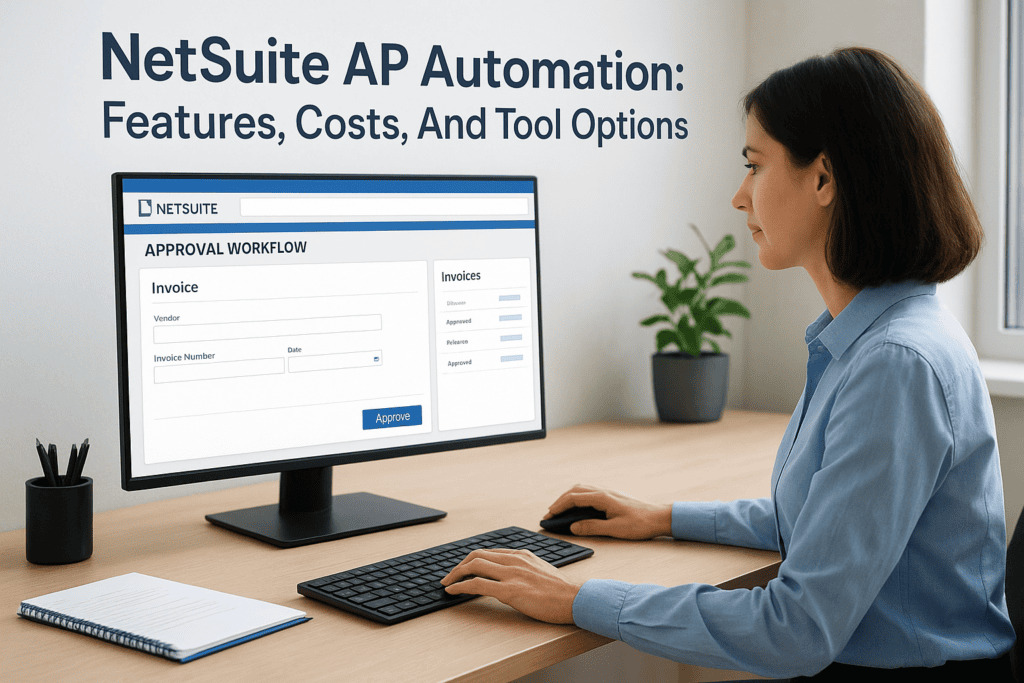
Manual accounts payable eats hours every week, matching invoices to purchase orders, chasing approvals, keying data into spreadsheets, and fixing the errors that inevitably follow. If your finance team runs on NetSuite, you already have a system built to centralize this work. NetSuite AP automation takes it further by replacing repetitive, error-prone steps with rules-based workflows that handle invoice capture, coding, approval routing, and payment execution with minimal human intervention. The result is faster processing, fewer mistakes, and tighter control over cash flow.
But here’s where it gets complicated. NetSuite offers native AP capabilities out of the box, and there’s also a growing market of third-party tools that plug directly into your environment. Some are lightweight. Others add OCR, AI-driven matching, and multi-entity support that go well beyond what NetSuite provides natively. Choosing the wrong option can mean paying for features you don’t need, or worse, building workarounds for ones you do.
This article breaks down what NetSuite can handle on its own, what third-party AP automation tools bring to the table, and how to evaluate costs and fit for your business. At Concentrus, we implement and optimize NetSuite for midsized companies through our ROI Roadmap™ methodology, so we’ve seen firsthand how the right AP automation setup can shave days off close cycles and give finance leaders the visibility they need to make confident decisions.
What NetSuite AP automation includes
NetSuite ships with a solid set of native AP capabilities that cover the core steps from bill creation through payment. NetSuite AP automation in its native form centers on three main areas: structured invoice entry, configurable approval workflows, and integrated payment processing. Each area reduces the manual steps your team handles today, though how much depends on your current setup and how thoroughly the system has been configured.
Invoice capture and data entry
NetSuite lets you create vendor bills manually through its interface or receive them through an email capture inbox. Bills attach directly to purchase orders and vendor records, and NetSuite’s three-way matching logic checks that the bill, PO, and receipt quantities align before posting. This eliminates a significant amount of back-and-forth between your AP team and procurement.
Native data entry still requires someone to key in line items unless you add an extraction tool. Most midsized companies using NetSuite lean on third-party integrations or optical character recognition connectors through SuiteApps to handle capture and reduce manual keying. Without that addition, your team is still entering data from PDFs or paper invoices by hand.
Approval workflows and routing
NetSuite’s SuiteFlow engine powers its workflow automation, and you can build rules that route bills to approvers based on amount thresholds, vendor type, department, or subsidiary. Once an approver receives a task, they can action it directly in NetSuite or via email notification, and the system logs every action with a timestamp for compliance and audit readiness.
A well-configured approval workflow in NetSuite can cut approval cycle time from days to hours by eliminating the need to manually notify, follow up, and track down sign-offs.
Complex multi-entity or multi-currency environments often need additional configuration or scripting, and that work adds to your implementation timeline and ongoing admin load. Mapping your exact approval rules before you start building saves you from retrofitting logic later, which is a costly mistake that shows up repeatedly in underperforming NetSuite environments.
Payment execution and reconciliation
Once bills are approved, NetSuite supports ACH, check, and electronic funds transfer payments through its native payment processing tools. You can batch payments by vendor, due date, or payment method, which supports cash flow planning and helps avoid late fees. Bank reconciliation connects to NetSuite’s bank feeds, matching payments to transactions automatically where records align.
Payment approval controls let you require a second sign-off before funds leave the account, which is a basic but important safeguard against fraud. For companies running multiple entities or subsidiaries, intercompany payment flows add another layer of configuration but stay within the same NetSuite environment, which keeps reporting clean and keeps your finance team working from a single source of truth rather than stitching together data from separate systems.
Why automate AP in NetSuite
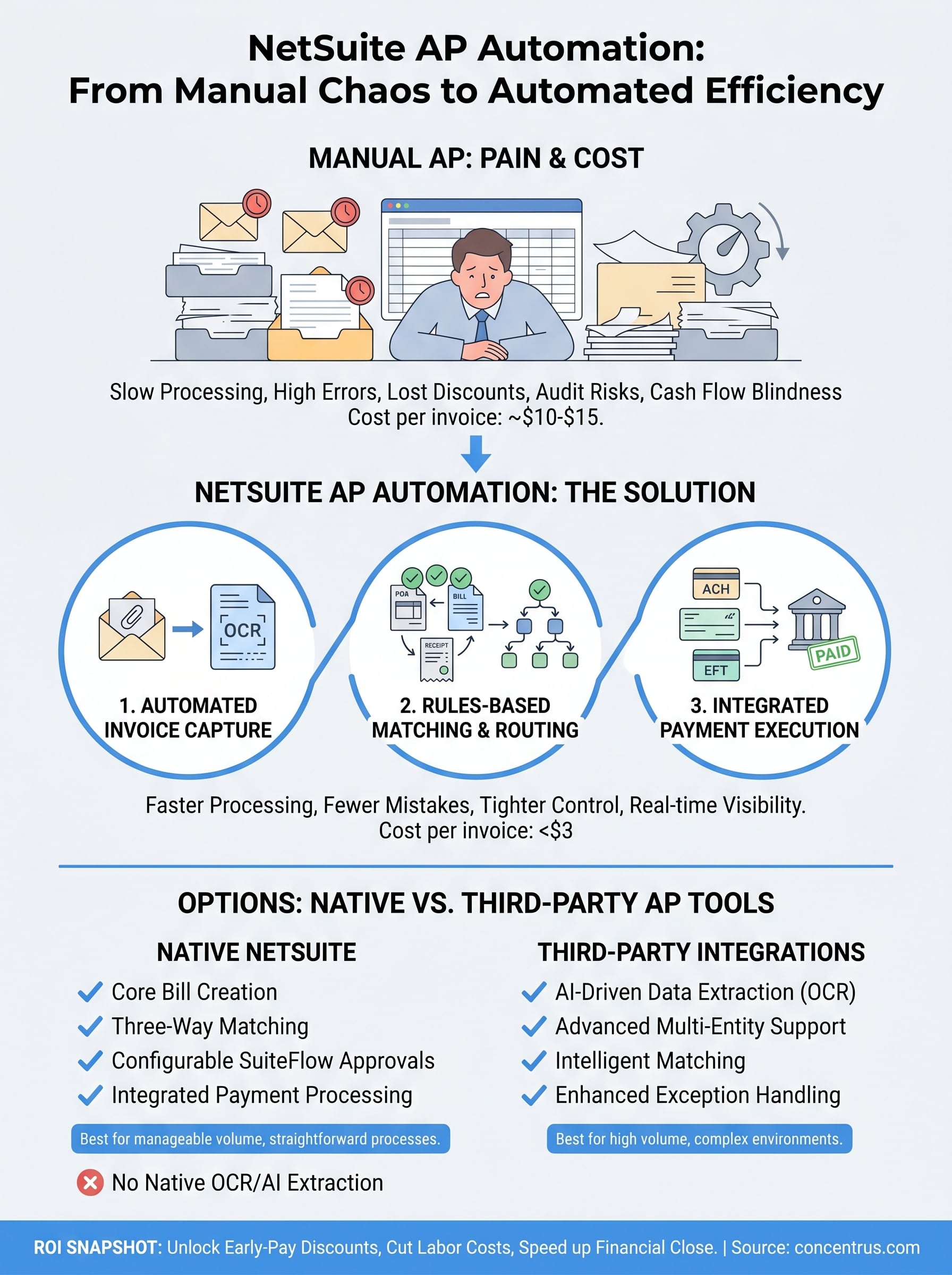
Manual AP processing carries a real cost that most finance leaders underestimate. Processing a single invoice by hand involves receiving, sorting, keying, matching, routing, chasing approvals, and filing, and every step adds labor time and creates opportunities for error. When you multiply that across hundreds or thousands of invoices per month, the accumulated time, cost, and risk start affecting your close cycle, your vendor relationships, and your ability to forecast cash flow with confidence.
The hidden costs of staying manual
Your AP team isn’t just slow when they work without automation; they’re also exposed to preventable financial losses. Duplicate payments, missed early-pay discounts, and late payment fees are direct hits to your bottom line that often go unnoticed until someone runs a detailed audit months later. Beyond the dollar impact, manual processes make compliance harder because approval chains live in email inboxes rather than a system where every action is logged with a timestamp and tied to a specific vendor record. When auditors or leadership ask for documentation, reconstructing that paper trail takes hours your team doesn’t have during a close.
A single missed early-pay discount on a large vendor invoice can cost more than a full month of AP automation software fees.
What NetSuite AP automation changes for your team
NetSuite AP automation shifts your team’s focus from data entry and approval chasing to exception handling and higher-value work. When the system routes bills, sends reminders, and matches transactions automatically, your staff handles only the cases that genuinely require human judgment, such as a vendor billing discrepancy or an invoice that falls outside normal spending patterns. That shift lets a lean finance team process higher invoice volumes without adding headcount, which matters directly when your business is growing faster than your back-office capacity.
Your reporting improves at the same time. Real-time visibility into outstanding liabilities, approval bottlenecks, and upcoming payment obligations gives you the data to manage cash flow proactively rather than reacting to surprises at month-end. For CFOs and controllers at midsized companies, that level of clarity supports faster financial closes, stronger forecasting accuracy, and more confident decisions about when and how to deploy working capital across the business.
How NetSuite AP automation works end to end
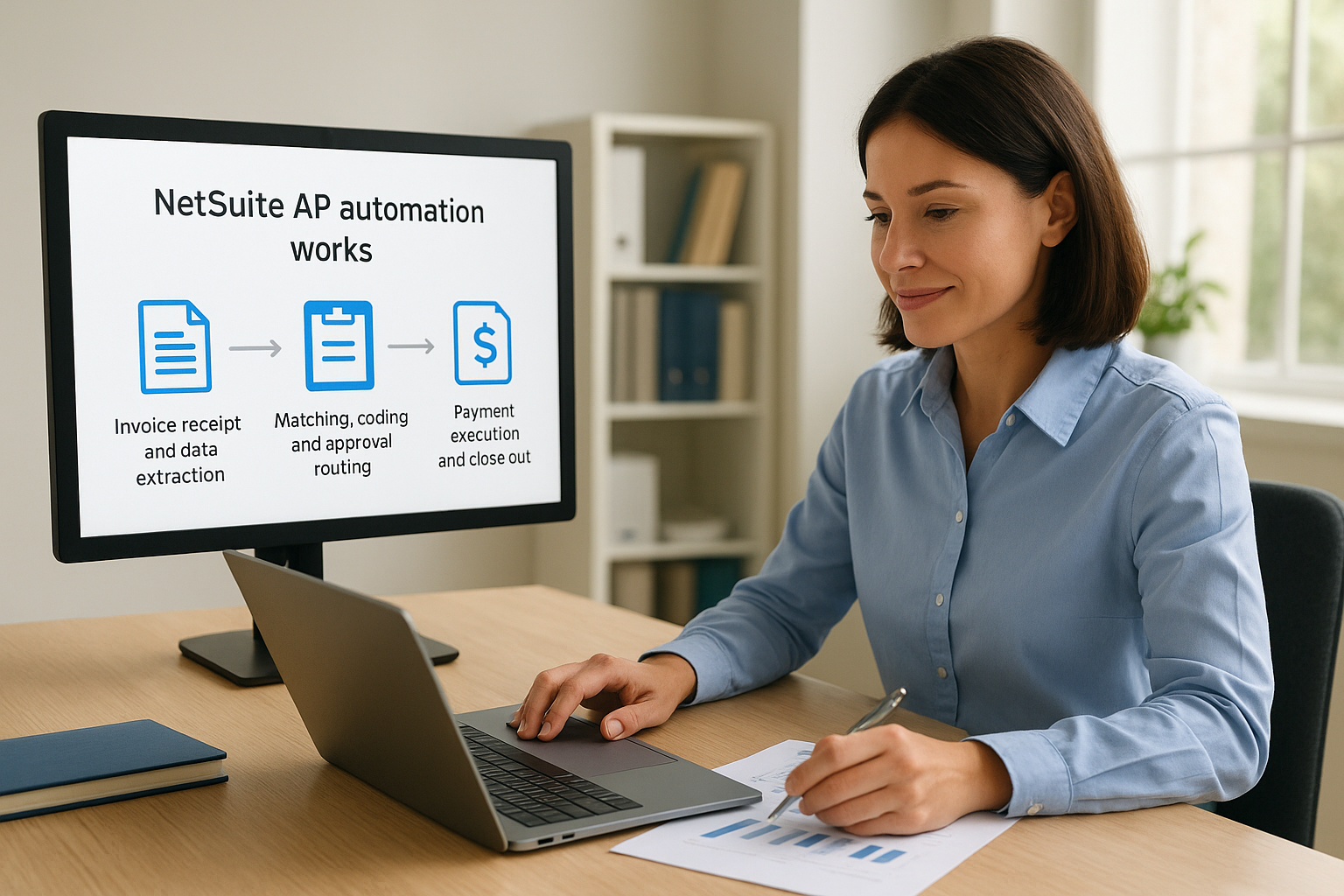
Understanding the full sequence helps you identify exactly where your current process breaks down and where netsuite ap automation can recover the most time. The workflow moves through three connected stages: capturing and extracting invoice data, routing it through matching and approvals, and then executing and reconciling the payment. Each stage hands off to the next with minimal manual intervention when the system is properly configured.
Invoice receipt and data extraction
Every automated AP cycle starts when a vendor invoice arrives. NetSuite receives bills through an email inbox, EDI feed, or direct upload, and if you have an OCR or AI extraction layer connected, the system pulls vendor name, invoice number, line items, and amounts without anyone keying a single field. The extracted data maps to the matching vendor record and, where applicable, the open purchase order already sitting in your system.
Extraction accuracy improves significantly over time when the tool learns from your specific vendor formats, which is why the first 60 to 90 days of a new AP automation setup matter most.
Matching, coding, and approval routing
Once the data lands in NetSuite, three-way matching logic compares the bill against the purchase order and goods receipt to confirm quantities and amounts align. Bills that pass matching move into automated GL coding based on rules you define by vendor, category, or department. From there, SuiteFlow routes the bill to the right approver based on your configured thresholds, and the approver receives a task in NetSuite or a notification by email with a direct link to review and act.
Any bill that fails matching or falls outside your defined rules gets flagged for human review rather than stalling the entire queue. This exception-based approach keeps clean invoices moving fast while giving your team focused visibility into the ones that actually need attention.
Payment execution and close-out
Approved bills move into a payment batch where NetSuite groups transactions by due date, vendor, and payment method before sending ACH or check payments. The system updates the vendor record, clears the open liability, and matches the outgoing payment against your bank feed automatically. Your reconciliation workload drops sharply because the system has already linked every payment back to the original bill, PO, and approval chain.
NetSuite AP automation costs and ROI math
Before committing to any AP automation setup, you need a clear picture of what you’ll pay and what you’ll get back. NetSuite AP automation costs vary significantly depending on whether you rely on native tools, add a third-party solution, or combine both. Running the math upfront keeps you from approving a budget based on sticker price alone without accounting for the full implementation and ongoing admin load.
What you’ll spend
Costs fall into a few predictable categories. NetSuite’s native AP and workflow tools come included in your existing license, so there’s no incremental software fee for SuiteFlow or basic bill management. What you do pay for is the configuration work to build approval rules, set up matching logic, and connect payment processing. That setup typically runs $5,000 to $20,000 in consulting fees depending on the complexity of your environment and how many entities or subsidiaries you’re managing.
Third-party AP automation tools add a separate subscription layer. Most platforms price by invoice volume or user seat, with monthly fees ranging from $500 to $3,000 or more for midsized companies. Add implementation costs, data mapping, and training, and your first-year total for a full AP automation stack commonly lands between $15,000 and $50,000.
Where the ROI shows up
The return is measurable when you tie it to specific process metrics. Manual invoice processing costs between $10 and $15 per invoice when you factor in labor, error correction, and approval time, according to industry benchmarks. Automated processing typically drops that figure below $3. If your team processes 500 invoices per month, that gap produces annual savings in the range of $42,000 to $72,000 in labor cost alone.
The fastest ROI from AP automation usually comes from capturing early-pay discounts that your manual process was too slow to take advantage of.
Reduced late fees, lower audit prep time, and faster close cycles add to the financial case. When you build your ROI model, include the value of the finance hours redirected from data entry to analysis, because that shift in how your team spends its time compounds over every reporting period.
Native vs third-party tool options
The decision between native NetSuite features and a third-party AP tool comes down to invoice volume, process complexity, and how much manual work your team still carries today. NetSuite’s built-in capabilities cover the fundamentals well, but they stop short of what high-volume or multi-entity environments typically need. Understanding that gap clearly helps you invest only in what your actual process requires rather than buying features that end up sitting unused.
What NetSuite handles natively
NetSuite’s native AP tools work well for companies processing a manageable invoice volume with straightforward approval chains and consistent vendor formats. You get bill entry, three-way matching, SuiteFlow-based routing, and payment batching without paying for a separate platform. Configuration effort replaces software cost, but your admin team carries the ongoing burden of maintaining and updating those workflows as your business grows.
The biggest limitation is invoice capture. NetSuite does not include OCR or AI-driven data extraction natively, which means someone on your team is still keying line items from PDFs and emailed invoices unless you add a SuiteApp or separate integration. For low-volume environments, that gap may be manageable. For companies handling hundreds of invoices per week, it creates a consistent bottleneck that limits how much the rest of the automation can actually help.
When a third-party tool makes sense
Third-party AP automation platforms built for NetSuite add the extraction, matching intelligence, and exception management layers that native tools skip. These platforms connect directly to your NetSuite environment through APIs or certified SuiteApp integrations, so data flows into your existing vendor records without duplicate entry or manual imports. You keep NetSuite as your system of record while the external platform handles the upstream work before any human touches a transaction.
The right third-party tool should reduce your team’s handling of routine invoices to near zero, leaving them to focus on exceptions and discrepancies that genuinely require judgment.
NetSuite AP automation delivers its strongest results when extraction, matching, and approval operate as one connected sequence. When evaluating third-party options, prioritize certified NetSuite integrations, pricing tied to your actual invoice volume, and a clearly scoped implementation plan so you know exactly what you’re committing to before you sign.
Next steps
You now have a clear picture of what netsuite ap automation covers natively, where third-party tools close the gap, and how to build a realistic ROI case before you commit to anything. The right move depends on your current invoice volume, your approval complexity, and how much time your team loses every month to manual steps that a well-configured system should handle automatically.
Start by auditing your existing AP process. Map every manual touchpoint from invoice receipt through payment reconciliation and identify where delays and errors concentrate. That audit gives you a concrete baseline to measure against, which makes your business case sharper and your implementation scope tighter.
If you want a partner who ties every configuration decision to measurable financial outcomes, Concentrus brings that accountability to every engagement. Reach out to the team at Concentrus to see how the ROI Roadmap™ methodology applies to your specific AP environment.