


If your warehouse team still reconciles inventory counts in spreadsheets while your ERP shows a different number, you already know the cost of disconnected systems. Fishbowl warehouse management software was built to close that gap for companies running QuickBooks or looking for a lighter-weight inventory tool, giving warehouse staff barcode scanning, bin tracking, and pick-pack-ship workflows without a full ERP overhaul.
This article breaks down exactly what Fishbowl does inside a warehouse and how its pieces fit together. You’ll see how it handles multi-location inventory, manages work orders and kitting, and connects to shipping carriers and accounting platforms so stock counts stay accurate from receiving dock to invoice.
We also look at where Fishbowl fits in the bigger picture. Midsized companies often start with Fishbowl and later outgrow it as order volume, integrations, or financial reporting demands increase, at which point ERP platforms like NetSuite or Acumatica become the more scalable choice. Understanding Fishbowl’s actual capabilities now, including its real-time tracking and reporting limits, helps finance and operations leaders decide whether it still fits or whether it’s time to plan the next step.”
Why warehouse management matters for ERP-driven finance leaders
Warehouse accuracy isn’t an operations problem you can hand off and forget. It shows up directly on your balance sheet. Every miscounted SKU, delayed pick, or stale reorder point turns into a distorted inventory valuation, and that distortion flows straight into cost of goods sold, gross margin, and your monthly close. If you’ve ever had to explain a surprise inventory write-down to your board, you already know how expensive “close enough” tracking really is.
Finance leaders evaluating fishbowl warehouse management need to think past pick-and-pack efficiency and look at what the data actually feeds. Fishbowl’s barcode scanning and bin-level tracking exist to produce clean, timely numbers that your accounting system can trust without manual adjustment. When that connection breaks, whether from a sync delay or a workaround someone built to patch a gap, you lose the real-time visibility that makes forecasting and cash flow planning reliable.
Warehouse accuracy isn’t an operations metric. It’s a direct input into your gross margin and your next board conversation.
Growth exposes these weaknesses fast. A company running three warehouses and 5,000 SKUs can usually get by on decent processes and forgiving margins. Push that to twelve locations, kitted assemblies, and multi-currency vendors, and the tolerance for error shrinks while the financial stakes grow. That’s exactly when ROI accountability becomes the deciding factor rather than a nice-to-have.
So before you evaluate features or compare platforms, ask what warehouse accuracy is actually costing you today: in write-downs, in manual reconciliation hours, in decisions made on numbers you don’t fully trust. That answer determines whether Fishbowl still fits your operation or whether you’re already paying the price of outgrowing it.
Key features of Fishbowl warehouse management
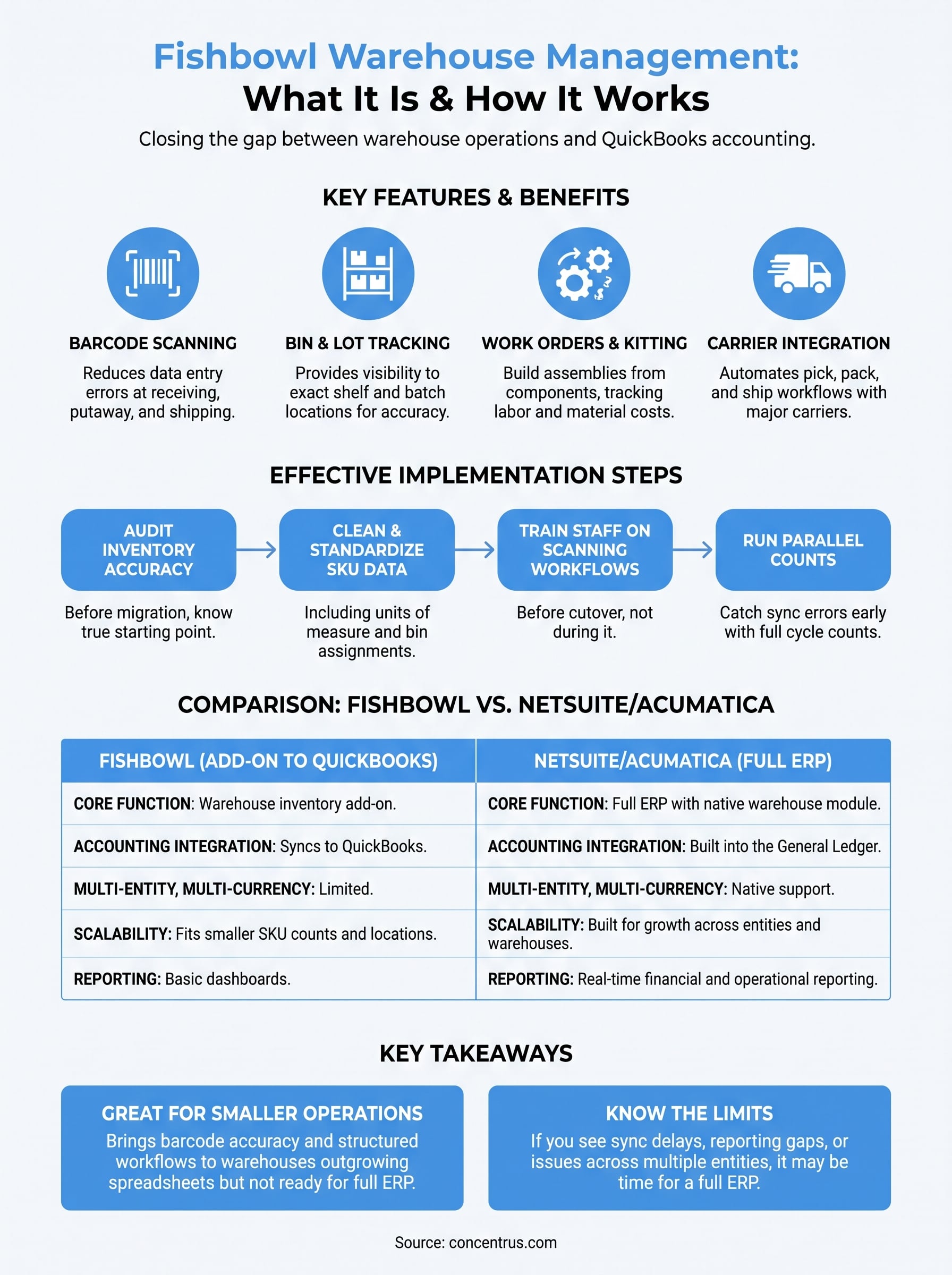
Fishbowl builds its warehouse tools around a handful of core capabilities that solve the accuracy problems finance leaders care about most. Barcode scanning cuts data entry errors at receiving, putaway, and shipping, while bin and lot tracking gives you visibility down to the exact shelf and batch, which matters when you’re chasing a recall or auditing inventory value.

Beyond scanning, Fishbowl handles the workflows that trip up spreadsheet-based operations:
- Work orders and kitting: build assemblies from component inventory and track labor and material costs against each build
- Multi-location transfers: move stock between warehouses with a documented trail instead of a phone call and a hope
- Reorder point automation: trigger purchase orders before you stock out, based on real usage data
- Pick, pack, and ship workflows: integrate with major carriers to generate labels and update tracking automatically
The features matter less than whether they produce numbers your accounting team can trust without adjustment.
Fishbowl also connects to QuickBooks for accounting sync, which is exactly why companies choose it in the first place. That same simplicity becomes a constraint once your reporting needs outgrow what a QuickBooks-anchored system can support.
How to implement Fishbowl warehouse management effectively
Getting fishbowl warehouse management to actually deliver clean numbers takes more than installing the software and handing out barcode scanners. You need a data migration plan that accounts for every open work order, every bin location, and every SKU variant before go-live, or you’ll spend the first quarter reconciling ghosts instead of trusting the system.
The implementation plan matters more than the software license, because bad data in a new system is still bad data.
Build the rollout around these steps
- Audit current inventory accuracy before migration, so you know your true starting point
- Clean and standardize SKU data, including units of measure and bin assignments
- Train warehouse staff on scanning workflows before cutover, not during it
- Run parallel counts for at least one full cycle to catch sync errors early
- Set reorder points based on actual usage, not gut feel from the old process
Skipping any of these steps is exactly how companies end up blaming the software for problems that started with the rollout.
Fishbowl vs. NetSuite and Acumatica for warehouse operations
Fishbowl works well as an add-on to QuickBooks, but it was never built to be a full ERP system. It manages inventory and warehouse workflows, then hands financial data to accounting software that has to make sense of it. NetSuite and Acumatica fold warehouse management directly into the general ledger, so a pick, a transfer, or a kitted assembly updates your financial statements in the same transaction, not through a nightly sync that can fail silently.

Fishbowl tracks inventory. NetSuite and Acumatica turn that inventory into financial truth without a translation layer in between.
| Capability | Fishbowl | NetSuite / Acumatica |
|---|---|---|
| Core function | Inventory and warehouse add-on | Full ERP with native warehouse module |
| Accounting integration | Syncs to QuickBooks | Built into the general ledger |
| Multi-entity, multi-currency | Limited | Native support |
| Advanced reporting | Basic dashboards | Real-time financial and operational reporting |
| Scalability | Fits smaller SKU counts and locations | Built for growth across entities and warehouses |
Once you’re managing multiple entities, complex kitting, or investor-grade reporting, that gap between inventory data and financial data starts costing you real time and real trust in the numbers.
Common warehouse management challenges and how to solve them
Most fishbowl warehouse management problems trace back to a handful of repeat offenders, not mysterious software bugs. Sync delays between Fishbowl and QuickBooks top the list, especially when transaction volume climbs past what the integration was designed to handle. Left unresolved, those delays create a lag between what your warehouse shows and what your books show, and that gap widens every month you ignore it.
Most warehouse problems aren’t software failures. They’re process gaps that the software exposes.
Other recurring issues show up in predictable places:
- Duplicate SKUs created when staff can’t find an existing item fast enough
- Stale reorder points that never get updated after demand shifts
- Manual overrides during peak season that never get reconciled afterward
- Multi-warehouse transfers logged late or skipped entirely under deadline pressure
Each of these is fixable with tighter process discipline and scheduled audits, not a software patch. But if you’re hitting these walls repeatedly across multiple entities or currencies, that’s a signal the platform has reached its ceiling. At that point, no amount of process tightening closes the gap, because the limitation is architectural, not procedural.
Choosing the right path for your warehouse operations
Fishbowl solves a real problem for smaller operations running QuickBooks: it brings barcode accuracy and structured workflows to a warehouse that’s outgrown spreadsheets but isn’t ready for a full ERP investment. That’s a legitimate stage, not a compromise, as long as your SKU count, entity structure, and reporting needs stay within its range.
Problems start when growth outpaces that range and nobody notices until the numbers stop reconciling. If you’re seeing sync delays, duplicate SKUs, or reporting gaps that process discipline can’t fix, you’re not dealing with a software bug. You’re looking at an architectural ceiling, and no amount of manual cleanup changes that.
Knowing which situation you’re in is the whole decision. If you’re already past Fishbowl’s ceiling, or want a clear-eyed read on whether you are, talk to Concentrus about what a full ERP move would actually deliver for your numbers.