

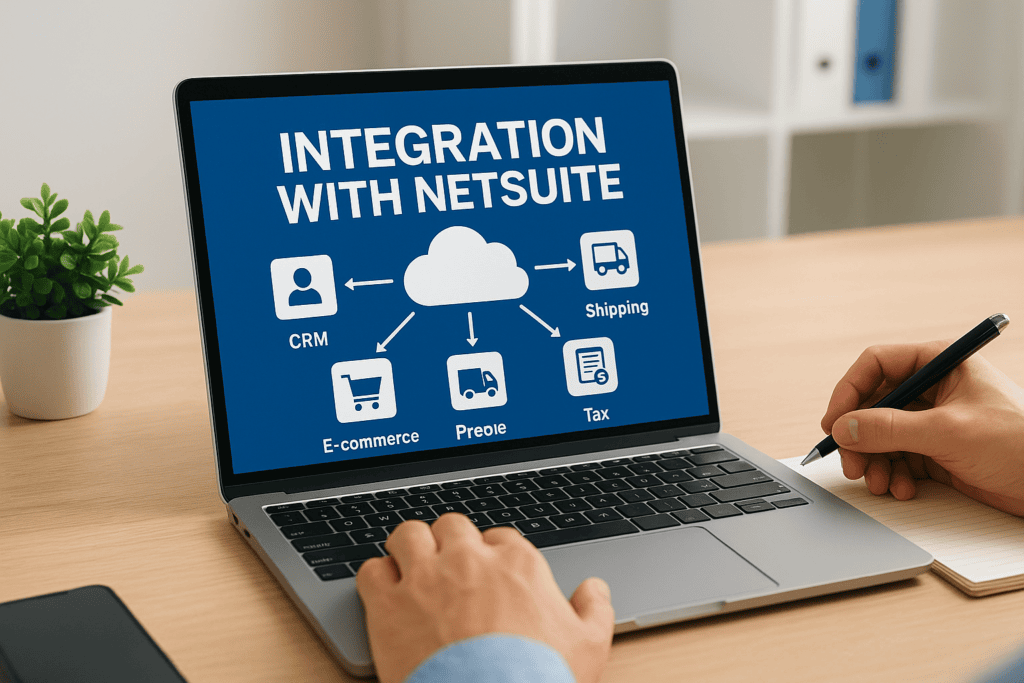
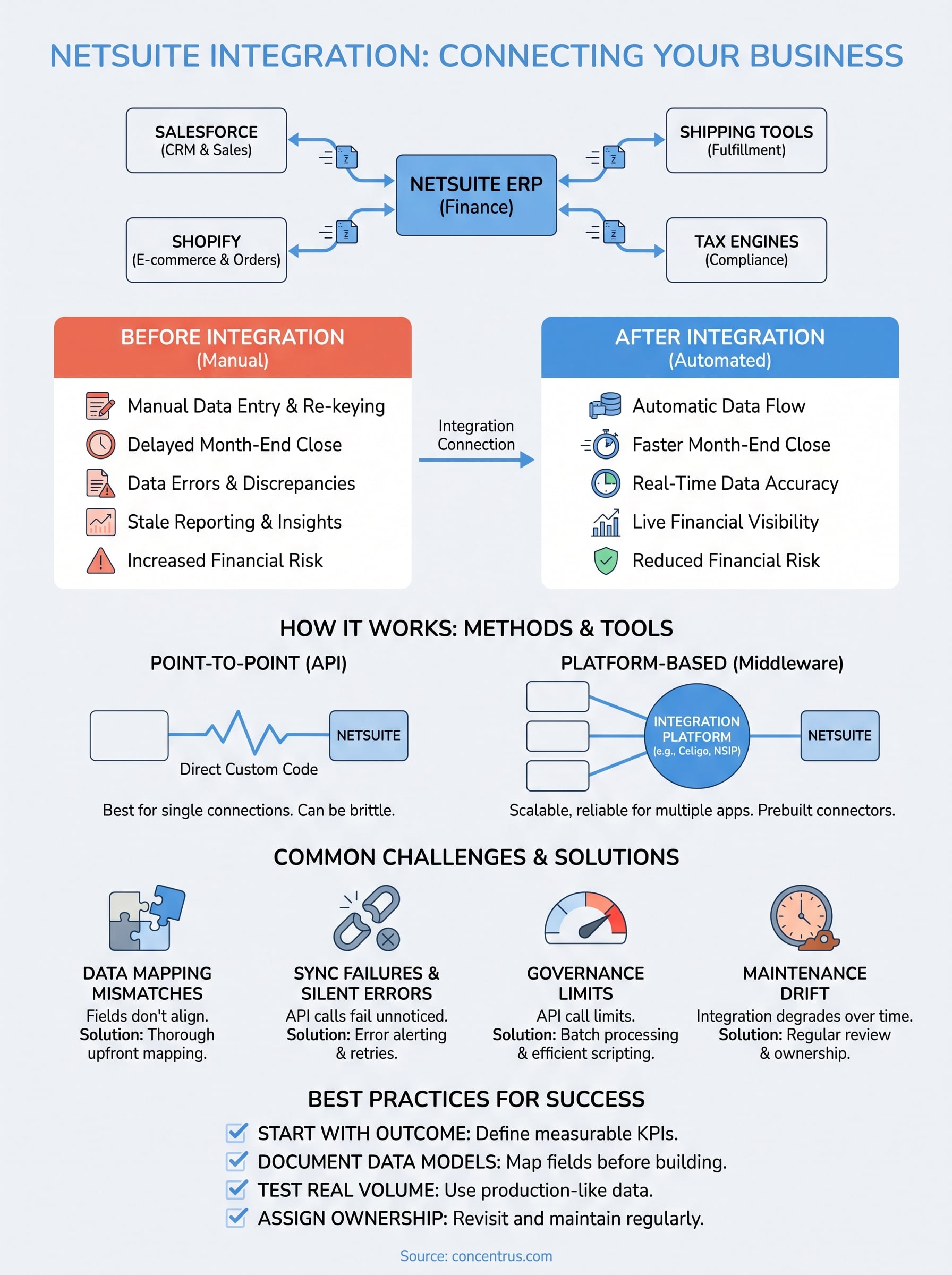
If your NetSuite instance runs finance while Salesforce runs sales and Shopify runs orders, you already know the pain of manual data entry between systems. Every disconnected app means someone on your team is re-keying numbers, reconciling spreadsheets, or waiting on month-end reports that should already be current. That’s the problem integration with NetSuite solves: it connects your ERP to the other applications your business depends on, so data moves automatically instead of by hand.
At its core, NetSuite integration means linking NetSuite to CRMs, e-commerce platforms, shipping tools, tax engines, or custom applications using the NetSuite API or a purpose-built integration platform. Oracle’s own NetSuite Integration Platform (NSIP) and third-party middleware like Celigo both exist to make these connections reliable and maintainable, rather than a pile of brittle scripts nobody wants to touch after the consultant leaves.
In this article, we’ll break down what NetSuite integration actually involves, how the API and platform options differ, and what a working setup looks like in practice. We work with CFOs who need their ERP data trustworthy the moment it lands, so we’ll focus on the choices that determine whether your integration delivers real financial visibility or just more data to untangle.
Why integrating NetSuite with other systems matters
Every CFO we talk to has the same story: month-end close takes days longer than it should because finance is chasing numbers instead of reviewing them. When NetSuite doesn’t talk to your CRM, warehouse system, or e-commerce platform, someone on your team becomes the integration. They export a CSV from Salesforce, reformat it, and upload it into NetSuite, hoping nothing got dropped in the process. That manual bridge is where NetSuite integration earns its keep, because it replaces error-prone busywork with a data pipeline that runs whether or not anyone remembers to run it.
The real cost of disconnected systems
Quantifying the damage helps make the case internally, especially when you’re asking for budget to fix it. Disconnected systems don’t just waste hours, they introduce financial risk that shows up later as write-offs, missed invoices, or audit findings.

- Duplicate or missing orders between your storefront and NetSuite, leading to inventory counts that don’t match reality.
- Sales reps quoting prices that don’t reflect current NetSuite cost data, squeezing margin without anyone noticing.
- Finance teams manually re-entering shipping and tax data, multiplying the chance of a transposition error.
- Delayed visibility into cash position because bank or AP data sits in a separate system until someone reconciles it.
A business that re-keys data between systems isn’t just slow, it’s flying on numbers that are already out of date by the time anyone reads them.
What real-time visibility unlocks for finance leaders
Getting this right changes what your finance function is capable of. Once integration netsuite-wide is in place, revenue recognition rules apply to orders the moment they hit NetSuite instead of at the end of the week when someone finally imports them. Reporting reflects what’s actually happening in sales, fulfillment, and cash, not a snapshot from three days ago. Reforecasting becomes a matter of pulling a live report rather than rebuilding a spreadsheet from five different exports.
Here’s a plain comparison of how the same tasks look before and after integration:
| Task | Without integration | With NetSuite integration |
|---|---|---|
| Order-to-cash | Manual entry from e-commerce or CRM into NetSuite | Orders flow into NetSuite automatically as they’re placed |
| Month-end close | Multiple reconciliations across systems | Data already matches, close shortens by days |
| Inventory accuracy | Periodic manual counts against spreadsheets | Real-time stock levels shared across systems |
| Tax calculation | Manual lookup or outdated rate tables | Automated via connected tax engine (e.g., Avalara) |
| Reporting | Built from exports, often stale | Live dashboards pulled directly from NetSuite |
Where integration pays off fastest
Midsized companies rarely have the luxury of a large finance team to absorb manual reconciliation work, which is exactly why integration with NetSuite tends to deliver ROI faster there than at larger enterprises with more headcount to throw at the problem. Growth is usually the trigger. Adding a second sales channel, expanding into new tax jurisdictions, or scaling order volume all multiply the manual work that integration would otherwise eliminate. If your team is already stretched thin reconciling three systems by hand, adding a fourth without a connection plan just compounds the problem.
Rescue situations tell a similar story, and we see them often. A company implements NetSuite, skips proper integration planning, and six months later finance still can’t trust the numbers because half the data arrives through manual workarounds. At that point, the fix isn’t just technical, it’s about rebuilding confidence that the ERP reflects what’s actually happening in the business. That’s the gap a deliberate integration strategy closes, and it’s why we tie every connection we build back to a measurable outcome, whether that’s a faster close, tighter margin visibility, or fewer reconciliation hours per month, rather than treating integration as a checkbox on an implementation plan.
How does NetSuite integration work
Underneath the buzzwords, NetSuite integration comes down to a handful of technical building blocks that move data in and out of the system. Oracle exposes NetSuite’s functionality through SuiteTalk, a SOAP and REST-based web services layer, and through RESTlets, which let developers build custom endpoints for specific business logic. Together these make up what most people mean when they say NetSuite API integration: a programmatic way to read, write, and update records like sales orders, invoices, and inventory items without anyone touching the NetSuite UI. SuiteScript, NetSuite’s JavaScript-based scripting language, often sits alongside the API to trigger actions, validate data, or reformat records as they cross the connection.
Point-to-point versus platform-based connections
How those pieces get wired together depends on the approach you pick. A point-to-point integration connects two systems directly through custom code calling the NetSuite integration API, which works fine for a single, simple connection but gets brittle fast once you add a third or fourth system. Platform-based integration routes everything through middleware instead, so each application connects once to the platform rather than to every other app individually.
The more systems you connect point-to-point, the more fragile your entire data flow becomes, which is exactly what a middleware layer is built to prevent.
Oracle’s own answer to this is the NetSuite Integration Platform (NSIP), built for teams that want native tooling rather than a third-party layer. Third-party platforms like Celigo offer prebuilt connectors for common apps, which can shorten build time considerably compared to custom API work.
Real-time sync versus batch processing
Timing matters just as much as method. Some data, like order status or inventory counts, needs to update the moment it changes. Other data, like a nightly financial reconciliation feed, works fine on a schedule. Here’s how the two approaches typically break down:
| Sync type | Best for | Trade-off |
|---|---|---|
| Real-time (API calls, webhooks) | Orders, inventory, pricing | Higher build complexity, needs error handling for failed calls |
| Batch (scheduled jobs) | Reconciliations, bulk imports, reporting feeds | Simpler to build, but data can be hours stale |
Very few integrations should run on batch alone once volume grows past a certain point, because stale inventory or pricing data causes real problems downstream in sales and fulfillment. Whichever method you choose, the connection still has to handle authentication, error logging, and retry logic, or you end up right back at manual reconciliation when a sync silently fails. That operational layer, more than the API itself, is usually what separates a NetSuite integration that holds up under real transaction volume from one that quietly breaks during your busiest month.
Which business systems commonly integrate with NetSuite
Most midsized companies aren’t connecting NetSuite to one other app, they’re connecting it to a handful, each solving a different operational gap. Knowing the common categories helps you spot which connections will actually move your numbers versus which ones are nice-to-haves. Integration netsuite projects tend to cluster around the same five or six system types regardless of industry, because the underlying problem, getting transactional data into finance without manual entry, repeats itself everywhere.
CRM and sales systems
Salesforce and HubSpot are the two most common CRM connections we build, and for good reason. Sales reps live in the CRM, but revenue recognition, invoicing, and margin data live in NetSuite. Without a connection, quotes get built on stale pricing and closed deals sit unbilled until someone manually creates the sales order. A working NetSuite integration here means an opportunity marked
How to choose the right NetSuite integration method
Picking the right approach starts with an honest look at how many systems you’re connecting and how fast that number is likely to grow. Choosing a NetSuite integration method isn’t a one-size-fits-all decision, and the wrong pick early on tends to show up later as a rebuild you didn’t budget for. A single, stable connection to one app might justify custom code against the NetSuite integration API directly. Add a third or fourth system, or plan to, and a platform approach almost always wins on total cost over two or three years.
Match the method to your system count and growth plan
Start by mapping every system that touches order, inventory, or financial data today, then add the ones you expect to bring on within the next 18 months. Fewer than three connections with no growth on the horizon can justify a lean, direct build. Three or more, or a roadmap that includes a new e-commerce channel, acquisition, or international expansion, points toward a NetSuite integration platform like Oracle’s own NSIP or a third-party option such as Celigo.
Weigh build versus buy
Custom code against the raw API gives you full control but puts the maintenance burden entirely on your team, or whoever you hire to keep it running. Platform tools trade some of that control for prebuilt connectors, monitoring, and error handling that’s already been tested against common failure points.
| Approach | Best for | Ongoing maintenance |
|---|---|---|
| Custom API build | One or two stable, well-defined connections | High, requires in-house or contracted developer support |
| Oracle NetSuite Integration Platform (NSIP) | Teams wanting native Oracle tooling | Moderate, still needs configuration oversight |
| Third-party middleware (e.g., Celigo) | Multiple systems, prebuilt connectors, faster deployment | Lower, but licensing costs recur annually |
Factor in cost beyond the initial build
Sticker price on a quote rarely tells the whole story. A cheaper custom build today can cost more over three years once you factor in developer hours every time NetSuite pushes an update that breaks a script. Platform licensing fees look like a bigger upfront number, but they usually include the connector maintenance and error monitoring you’d otherwise pay a developer to build and babysit.
The integration method that looks cheapest on day one is rarely the one that costs the least by year three.
Ultimately, the right choice depends on where your business is headed, not just where it stands today. Talking through your five-year systems roadmap with whoever builds your oracle netsuite integration, whether that’s an internal team or an outside partner, surfaces the growth triggers that should shape the decision now rather than after you’ve outgrown it.
Common NetSuite integration challenges and how to solve them
Even a well-planned NetSuite integration runs into friction, usually the same handful of problems regardless of which systems you’re connecting. Knowing what typically breaks lets you budget for it upfront instead of discovering it during your first busy season, when a failed sync costs you a lot more than a Tuesday afternoon.
Data mapping mismatches
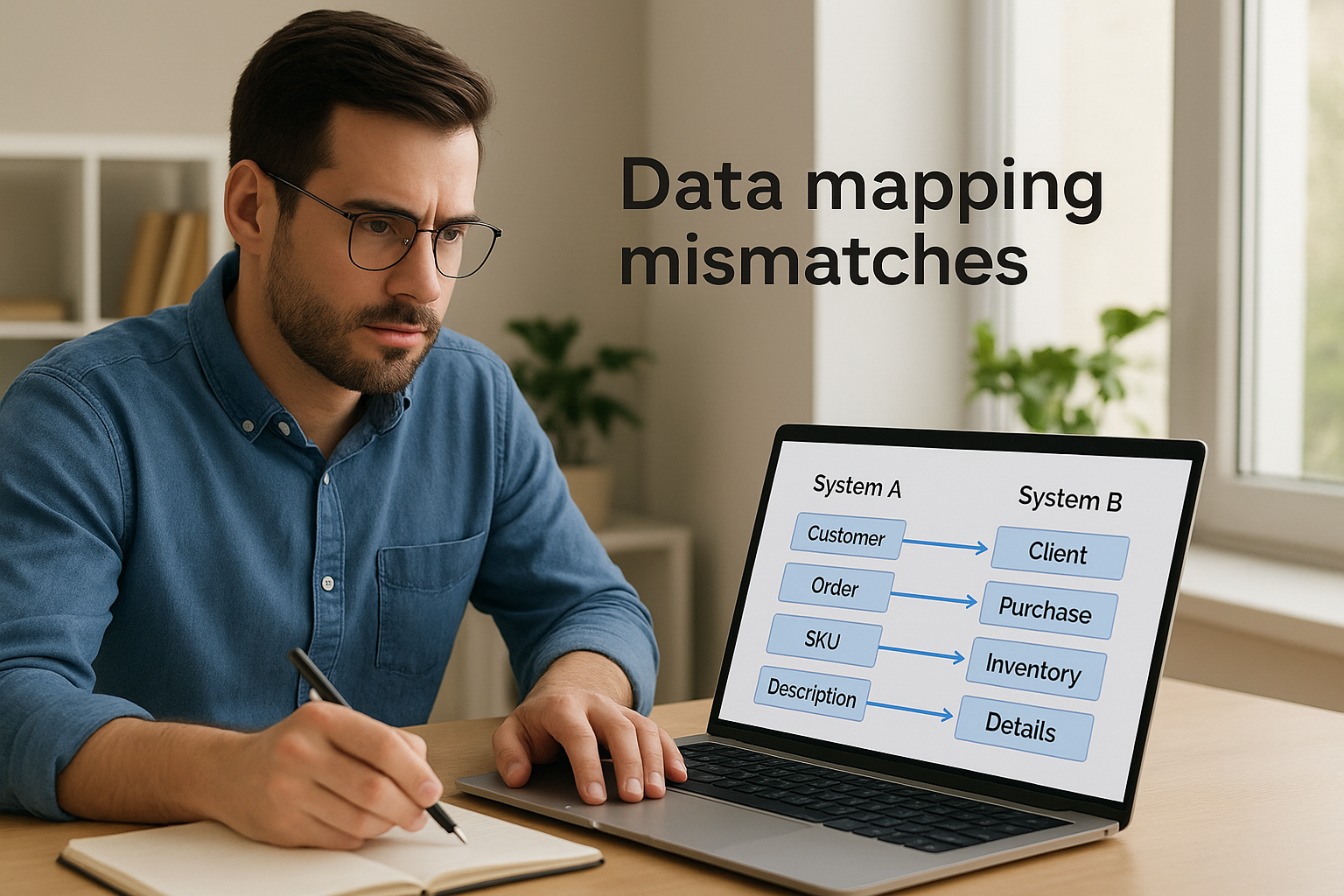
Fields rarely mean the same thing in two different systems. A “customer” record in Salesforce might carry billing details that NetSuite expects broken into separate entity records, and a SKU in Shopify might not match the internal item ID NetSuite uses for inventory tracking. Data mapping work catches most of this before go-live, but it takes someone who understands both systems’ data models, not just the API documentation. Skip this step and you get orders that sync but land against the wrong customer, or inventory counts that never reconcile because two systems are tracking different identifiers for the same product.
Sync failures and silent errors
API calls fail. Rate limits get hit, a field validation rejects a record, or a temporary outage on either end drops a transaction mid-sync. The real danger isn’t the failure itself, it’s a failure nobody notices for two weeks.
An integration without error alerting isn’t broken until someone finally checks, and by then the damage is already baked into your numbers.
Build in retry logic and alerting from day one:
- Automatic retries with backoff for transient failures like rate limits
- Error logging that captures the failed record, not just “sync failed”
- Email or Slack alerts routed to someone who’ll actually act on them
- A daily reconciliation check comparing record counts between systems
Governance limits and API throttling
NetSuite enforces governance limits on scripts and API calls to protect system performance, which means a poorly built integration can hit a ceiling during your busiest order days, exactly when you need it working most. Batch processing and efficient scripting reduce how often you bump against these limits. Oracle documents these limits directly in its SuiteScript governance guidance, and any developer building against the API should design around them rather than discover them in production.
Maintenance drift after go-live
Integrations that work perfectly at launch quietly degrade as NetSuite pushes updates, a connected app changes its own API, or someone adds a new field nobody told the integration team about. Assign clear ownership, whether internal or through your implementation partner, and revisit the mapping and error logs quarterly rather than waiting for something visible to break.
Best practices for a successful NetSuite integration
Getting integration with NetSuite right isn’t about picking the fanciest tool, it’s about a handful of disciplines that separate a connection that holds up from one that quietly rots after month three. We’ve rescued enough failed projects to know the pattern: the technical build usually works fine at launch, but the practices around it are what determine whether it still works a year later.
Start with the outcome, not the tool
Before anyone writes a line of code, define what the integration is supposed to fix in financial terms, whether that’s a faster close, cleaner margin data, or fewer reconciliation hours per week. Every NetSuite API integration we build ties back to a specific KPI, because a connection that moves data without moving a number is just infrastructure for its own sake. Skipping this step is how teams end up with a technically functional integration that nobody can point to a business result for.
An integration that isn’t tied to a measurable outcome is just a project waiting to be questioned at budget time.
Document the data model before you build anything
Write down how each field maps between systems, who owns each record type, and what happens when a value doesn’t match, before the first API call gets built. This document becomes the reference every developer, current or future, uses instead of reverse-engineering the logic from old code. Skipping this step is the single biggest reason integrations break silently months later, once the person who built it has moved on.
Test under real transaction volume, not sample data
A sync that runs cleanly against fifty test records can still choke on your actual order volume during peak season. Load test with data that resembles your real transaction mix, including the messy edge cases: partial shipments, mid-cycle price changes, duplicate customer records. Catching these failures in a test environment costs you an afternoon. Catching them in production costs you a busy Monday and a week of cleanup.
Assign ownership and revisit it on a schedule
Someone specific, not “the team,” needs to own the integration after go-live. Build a short recurring checklist and actually work through it:
- Review error logs monthly, not just when something visibly breaks
- Reconcile record counts between systems quarterly
- Re-test the connection after any major NetSuite release
- Update field mappings whenever a connected app changes its own schema
Without a named owner, maintenance drifts, and drift is exactly what turns a solid integration into next year’s rescue project.
The takeaway on integrating NetSuite
Good integration with NetSuite isn’t a technical afterthought you bolt on after go-live, it’s the difference between an ERP that reflects reality and one that finance quietly stops trusting. Whether you’re connecting a single CRM or building out a full NetSuite integration platform across CRM, e-commerce, tax, and shipping, the method you pick and the discipline you apply afterward determine whether that connection still holds up in year two.
Getting there means matching your integration approach to your actual growth plan, building in error alerting from day one, and tying every connection back to a number your CFO cares about. Skip any of those steps and you’re setting up the exact rescue scenario we get called in to fix.
If your NetSuite integration already feels shaky, or you’re planning one and want it built around measurable ROI from the start, talk to Concentrus before you write the first line of code.