

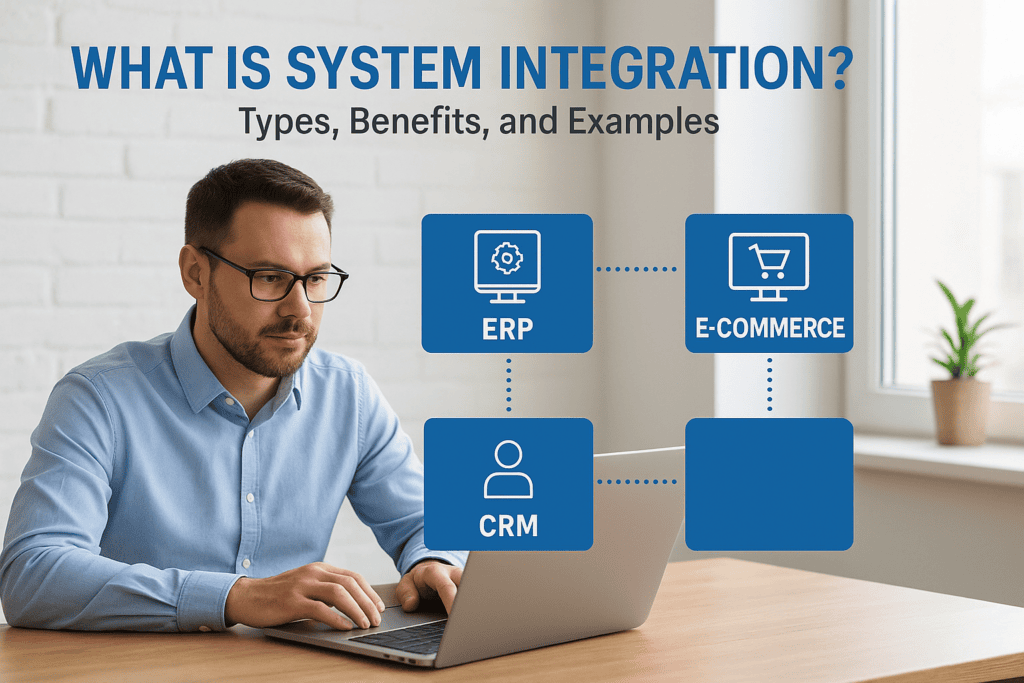
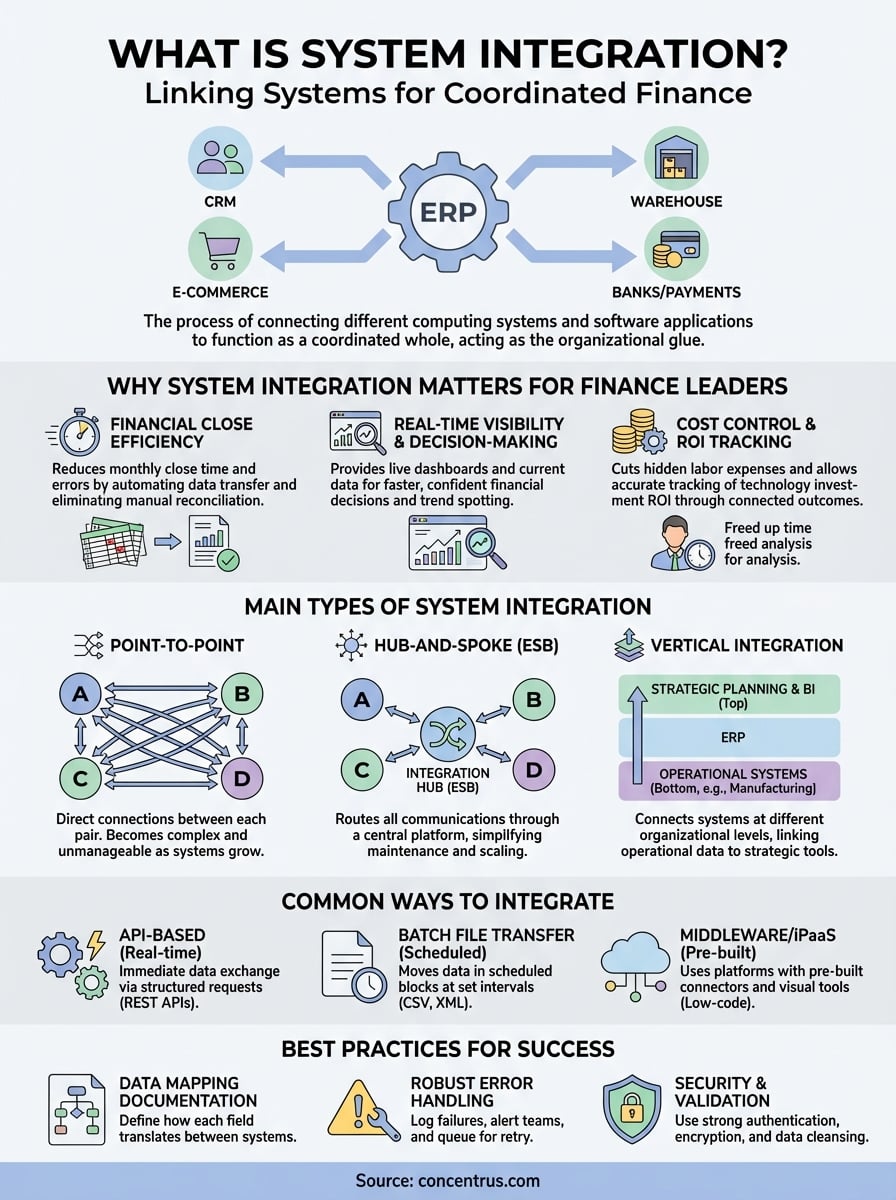
Your ERP doesn’t operate in isolation. It connects to your CRM, e-commerce platform, warehouse management system, and dozens of other tools that keep your business running. The glue holding all these pieces together? That’s what is system integration, the process of linking different computing systems and software applications so they function as a coordinated whole.
For CFOs and finance leaders at midsized companies, understanding system integration isn’t optional. Every disconnected system means manual data entry, reconciliation headaches, and delayed financial closes. At Concentrus, we see this daily when implementing and rescuing NetSuite and Acumatica ERP systems, integration failures are among the top reasons ERP projects underdeliver on ROI.
This article breaks down system integration into practical terms: the different types you’ll encounter, how implementation actually works, the measurable benefits for your organization, and real-world examples that show integration in action. Whether you’re planning a new ERP rollout or trying to fix a fragmented tech stack, this guide gives you the foundation to make informed decisions.
Why System Integration Matters for Finance Leaders
Your finance team spends hours reconciling data between systems that should talk to each other automatically. Every month, you watch your team manually export reports from your CRM, copy numbers into spreadsheets, cross-check against your warehouse system, and pray the figures match what’s in your ERP. This isn’t just inefficient, it’s financially dangerous. Integration failures cost your organization in ways that directly hit your bottom line: delayed closes, inaccurate forecasts, compliance risks, and the opportunity cost of having your best finance talent doing data entry instead of analysis.
Understanding what is system integration means recognizing it as a strategic financial lever, not just an IT project. When your systems communicate seamlessly, you transform how quickly and accurately you can close books, forecast cash flow, and respond to market changes. For midsized companies, this difference often determines whether you scale successfully or get trapped in manual processes that can’t keep pace with growth.
Financial Close Efficiency and Accuracy
Integrated systems cut your monthly close time by eliminating the reconciliation nightmare. When your order management system feeds directly into your ERP, which connects to your bank and payment processor, you don’t need three people spending two days making sure revenue figures align. The data flows automatically, and discrepancies trigger alerts immediately rather than surfacing weeks later during an audit.
Manual data transfer between disconnected systems introduces error rates of 1-5%, which compounds across multiple touchpoints and can materially misstate your financials.
Your close cycle shrinks from 10 days to 3 when you eliminate redundant data entry. More importantly, you gain confidence in your numbers because the same transaction doesn’t get interpreted differently by separate systems. One source of truth means your revenue recognition, cost accounting, and financial statements all reference identical underlying data.
Real-time Visibility and Decision-Making
Disconnected systems force you to make decisions based on outdated information. By the time you’ve manually compiled last month’s reports, market conditions have shifted and opportunities have passed. Integration gives you live dashboards that pull current data from every corner of your operation, letting you spot cash flow issues, margin erosion, or inventory problems while you can still act on them.
Finance leaders who implement proper integration report making faster, more confident decisions because they’re not second-guessing whether their data is complete or current. You see order patterns, customer payment behavior, and operational costs in real time, which lets you adjust pricing, manage working capital, and allocate resources based on actual conditions rather than historical guesses.
Cost Control and ROI Tracking
Every integration you skip costs you in hidden labor expenses. Calculate the actual hours your team spends on manual data tasks, multiply by their fully loaded cost, and you’ll find tens of thousands of dollars annually disappearing into preventable busywork. That money should fund strategic initiatives, not reconciliation spreadsheets.
Proper integration also lets you track ERP ROI accurately by connecting your system investments to measurable outcomes. When your ERP talks to all your operational systems, you can trace exactly how process improvements affect cash conversion cycles, fulfillment costs, and gross margins. This visibility proves which technology investments deliver returns and which need adjustment.
The Main Types of System Integration
Understanding what is system integration starts with knowing that not all integrations work the same way. Your organization faces distinct scenarios that demand different architectural approaches, and choosing the wrong type costs you time, money, and flexibility. The three primary integration types each solve specific business problems, and finance leaders need to recognize which fits their ERP implementation and existing tech stack.
Point-to-Point Integration
This approach creates direct connections between each pair of systems that need to communicate. Your ERP talks straight to your CRM, your warehouse system connects directly to your shipping platform, and your payment processor links individually to your accounting software. You build a dedicated pathway for every relationship, which works well when you only need to connect a handful of systems.
Point-to-point integration becomes problematic as your technology ecosystem grows. When you add your tenth system, you suddenly need to manage dozens of individual connections, each with its own maintenance requirements, failure points, and security protocols. The complexity multiplies faster than most organizations anticipate.
Hub-and-Spoke (ESB) Integration
Hub-and-spoke architecture routes all your system communications through a central integration platform, often called an Enterprise Service Bus (ESB). Instead of building individual connections between every system pair, each application connects once to the hub, and the hub handles translation and routing between them. This centralized model scales much better than point-to-point when you’re managing multiple systems.
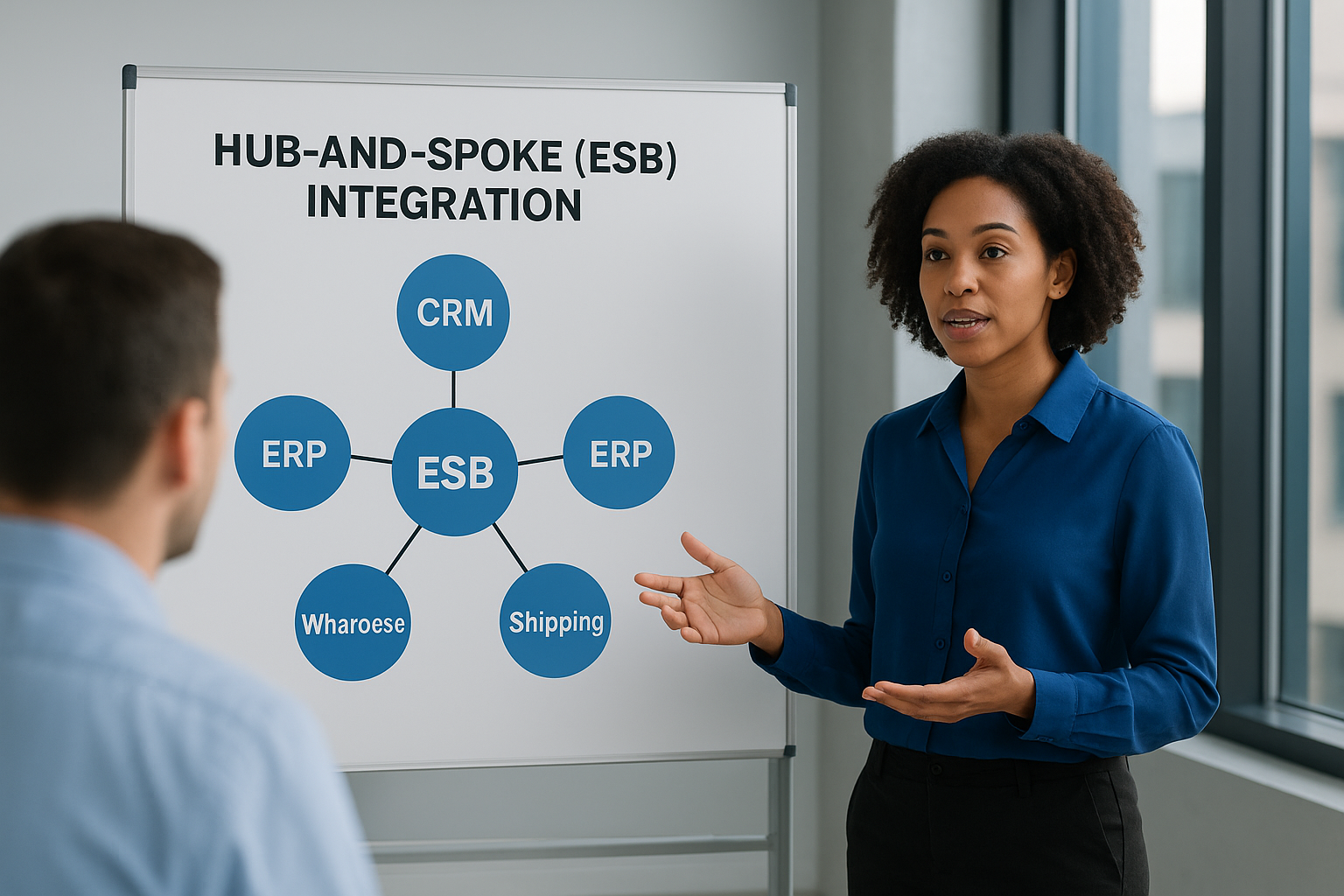
Hub-and-spoke architecture reduces the number of connections from n(n-1)/2 in point-to-point to just n connections, dramatically simplifying maintenance as your tech stack grows.
Your integration hub becomes the single control point where you monitor data flow, enforce security policies, and manage system dependencies. When you need to add a new application or upgrade an existing one, you only modify the hub connection rather than updating every system that talks to it.
Vertical Integration
Vertical integration connects systems that operate at different levels of your organization, typically linking operational systems to strategic planning tools. Your shop floor manufacturing system feeds data upward to your ERP, which rolls up to your financial planning and business intelligence platforms. This type focuses on hierarchical data flow rather than lateral system-to-system communication.
Common Ways and Patterns to Integrate Systems
Beyond choosing an integration architecture, you need to select the technical approach that actually moves data between your systems. The method you pick determines how quickly information flows, how much IT resource you’ll need to maintain it, and whether your integration can handle your transaction volumes. Finance leaders often inherit integration decisions made by IT teams, but understanding these patterns helps you evaluate whether your current approach supports your financial reporting and operational needs.
API-Based Integration
Application Programming Interfaces (APIs) let your systems exchange data in real time through structured requests and responses. When your e-commerce platform processes an order, an API call immediately creates the corresponding record in your ERP, updates inventory levels, and triggers fulfillment workflows. This synchronous communication means your financial data stays current without waiting for batch processes to run.

Modern REST APIs dominate enterprise integration because they use standard web protocols that most systems already support. You avoid proprietary connection formats and can often implement integrations using pre-built connectors from your ERP vendor or third-party providers. The downside: API integrations require more ongoing monitoring since connection failures happen in real time and can disrupt business processes if not handled properly.
Batch File Transfer Integration
Batch processing moves data in scheduled blocks rather than transaction by transaction. Your systems export files (typically CSV, XML, or JSON format) at set intervals, another system picks up these files, validates the contents, and imports the data into its own database. This pattern works well for high-volume operations where real-time updates aren’t critical, like nightly GL journal imports or weekly inventory reconciliation.
Batch integration typically runs during off-peak hours to avoid system performance impacts, making it suitable for large data volumes that would overwhelm real-time APIs.
Middleware and iPaaS Platforms
Integration Platform as a Service (iPaaS) solutions like Dell Boomi or Celigo provide pre-built connectors and workflow tools that sit between your applications. These platforms handle the technical complexity of data transformation, error handling, and connection management without requiring custom code for each integration. You configure integration flows through visual interfaces, which speeds implementation and makes maintenance accessible to business analysts rather than requiring dedicated developers.
Real-World System Integration Examples in ERP
Seeing what is system integration in practice clarifies why these connections matter more than abstract definitions. Your ERP becomes exponentially more valuable when it exchanges data with the operational systems that run your daily business. These real-world examples show how midsized companies use integration to eliminate manual work, accelerate financial closes, and gain visibility that directly improves decision-making. Each scenario represents integration patterns we implement regularly at Concentrus during NetSuite and Acumatica deployments.
E-commerce to ERP Integration
Your Shopify or BigCommerce store generates orders that need to flow immediately into your ERP for fulfillment processing, inventory updates, and revenue recognition. Integration creates the customer record, transfers order details, updates available inventory, and posts the transaction to your general ledger without anyone touching a spreadsheet. This real-time connection means your warehouse knows what to ship, your inventory counts stay accurate, and your revenue appears in financial reports the moment the sale completes.
Beyond basic order flow, sophisticated integrations handle returns processing, customer credit management, and promotional pricing synchronization. When a customer initiates a return through your web store, the integration automatically creates the RMA in your ERP, adjusts inventory reserves, and ensures the refund posts correctly to both your accounting records and payment processor.
CRM and ERP Synchronization
Connecting Salesforce or HubSpot to your ERP gives your sales team real-time visibility into customer account status, outstanding invoices, and order history while they’re still on the phone with prospects. Your customer service team sees current inventory availability and can provide accurate delivery dates based on actual ERP data rather than outdated guesses. This bidirectional sync means sales opportunities closed in your CRM automatically create customer records in your ERP, complete with credit terms and pricing agreements.
Integrated CRM-ERP connections reduce quote-to-cash cycle time by 30-40% by eliminating the manual handoffs between sales and operations teams.
Financial System Connections
Your bank feeds connect directly to your ERP through automated clearing house (ACH) integrations, importing daily transactions that your system matches against outstanding invoices and bills. Payment processors like Stripe or Authorize.net post completed transactions with full reconciliation details, eliminating the manual matching that typically consumes days during month-end close. Tax compliance platforms such as Avalara calculate rates in real time as transactions occur, ensuring your sales tax accruals stay current rather than requiring quarterly true-ups that surprise you with unexpected liabilities.
Risks and Best Practices for Successful Integration
Understanding what is system integration includes recognizing where implementations fail and how to avoid those pitfalls. Your integration project can deliver exceptional ROI or become a maintenance nightmare that drains resources for years. The difference comes down to planning for failure scenarios, maintaining proper documentation, and building integrations that can adapt to change without requiring complete rebuilds every time a vendor updates their API.
Common Integration Risks to Avoid
Your biggest threat isn’t technical complexity but scope creep that turns a focused integration into an enterprise-wide transformation. You start by connecting your ERP to your CRM, then someone suggests adding the warehouse system, payment processor, and shipping platform. Before you know it, you’re managing dozens of dependencies without having properly tested the core integration. This scattered approach creates fragile connections that break when any single system changes.
Data quality issues multiply across integrated systems because errors propagate automatically. When your source system contains duplicate customer records or inconsistent product codes, those problems flow downstream and corrupt your financial reporting. You need validation rules and data cleansing processes before integration begins, not after you discover your GL is full of mismatched transactions.
Poor integration planning accounts for 60% of ERP project failures, with most organizations underestimating the effort required for data mapping and exception handling.
Security vulnerabilities emerge when you connect systems without proper authentication protocols and encryption standards. Each integration point becomes a potential entry point for unauthorized access if you’re passing credentials in plain text or storing API keys in unprotected configuration files.
Essential Best Practices
Start with comprehensive data mapping documentation that defines exactly how each field translates between systems. Your finance team needs to understand what “customer number” means in the CRM versus the ERP, and where discrepancies should trigger manual review rather than automatic processing. This documentation becomes your troubleshooting guide when integration issues arise six months after go-live.
Build proper error handling into every integration workflow. Systems fail, networks drop, and APIs return unexpected responses. Your integration needs to log these failures, alert the appropriate team members, and queue failed transactions for retry without requiring manual intervention for every hiccup.
What To Do Next
You now understand what is system integration means for your organization: the technical approaches, the business benefits, and the risks that derail implementations. Your next step depends on where you stand today. If you’re planning an ERP implementation, start by mapping which systems need to connect and defining the data flows that matter most to your financial close process and operational visibility. Document these requirements before selecting an integration approach.
Organizations struggling with underperforming integrations or fragmented tech stacks need expert guidance to assess what’s salvageable and what requires rebuilding. At Concentrus, we specialize in both implementing new ERP systems with proper integration planning and rescuing failed projects where disconnected systems prevent you from achieving ROI. Our ROI Roadmap™ methodology ensures every integration decision ties directly to measurable financial outcomes rather than just technical complexity. Contact our team to discuss how we can help you build integrations that actually deliver the efficiency gains and visibility your finance organization needs.
References
Oracle NetSuite. (n.d.). ERP integration: Strategy, benefits, and best practices. Oracle NetSuite.
https://www.netsuite.com/portal/resource/articles/erp/erp-integration-strategy.shtml
AppseCONNECT. (n.d.). Why iPaaS delivers faster ROI than custom integrations.
https://www.appseconnect.com/why-ipaas-delivers-faster-roi-than-custom-integrations/
DCKAP. (n.d.). What is iPaaS? Examples, benefits, and use cases.
https://www.dckap.com/blog/ipaas-examples-benefits-and-use-cases/