

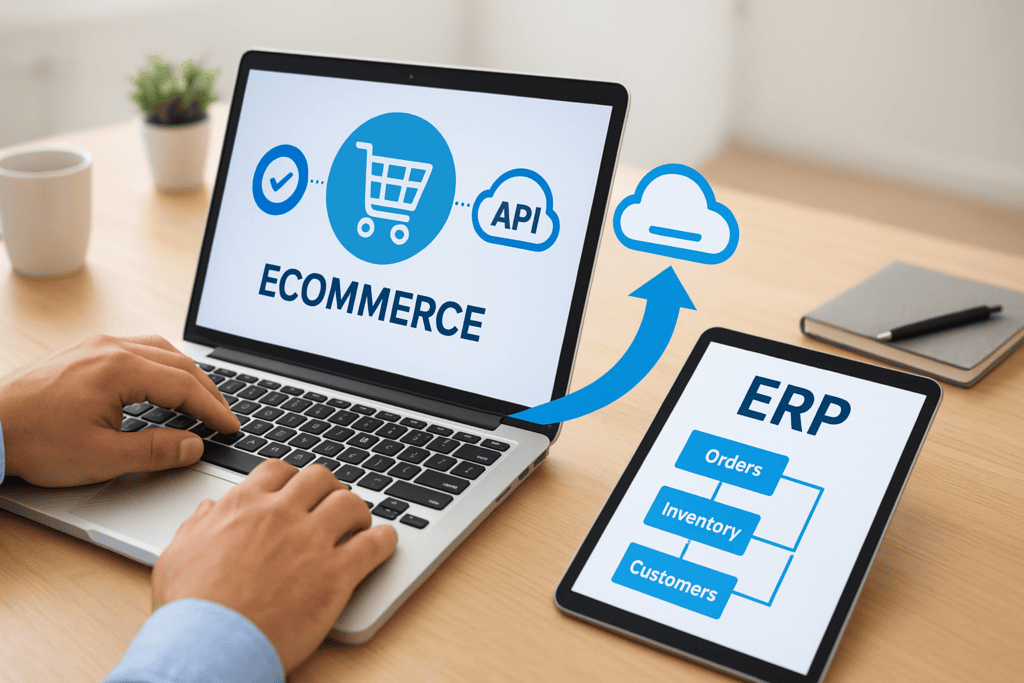
Your online store takes an order, and someone still has to key it into your ERP by hand. Inventory counts drift between systems. Finance closes the month using three spreadsheets that don’t quite agree. If that sounds familiar, you’re feeling the cost of running ecommerce and ERP as separate systems instead of one connected operation.
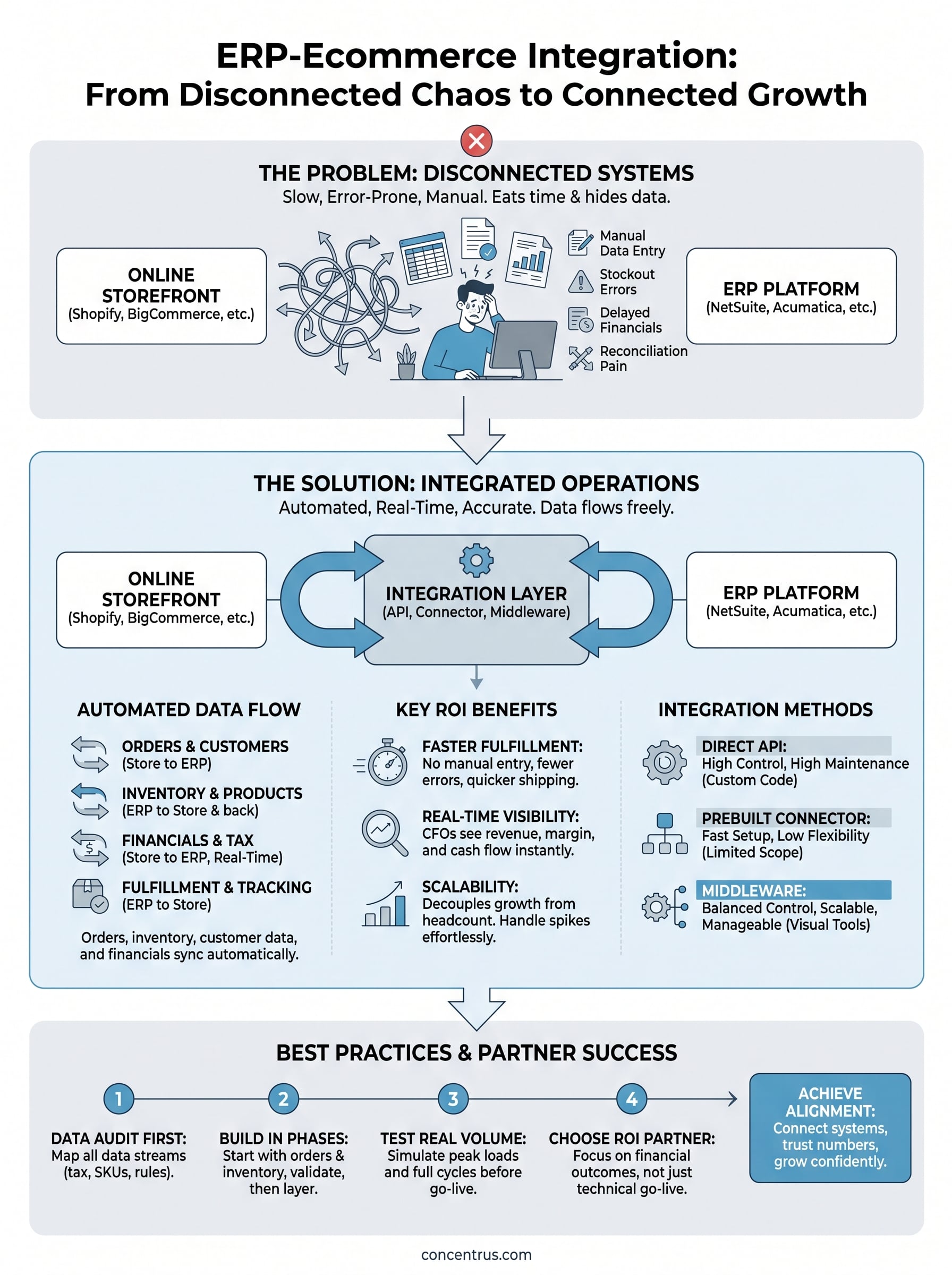
ERP integration with ecommerce connects your online storefront (Shopify, BigCommerce, Magento, or similar) directly to your ERP platform (NetSuite or Acumatica) so orders, inventory, customer data, and financials flow automatically in both directions. No manual re-entry, no stale stock counts, no reconciling numbers at month-end. Done right, it gives your finance team real-time visibility into revenue, margin, and cash flow the moment a sale happens.
This article breaks down what ERP-ecommerce integration actually involves, how the data connections work under the hood, and the concrete benefits midsized companies see once it’s in place, from faster order fulfillment to cleaner financial reporting. We’ll also cover the best practices that separate integrations that deliver measurable ROI from ones that just add complexity, so you know what to look for before you start.
Why ERP integration matters for growing ecommerce businesses
Growth exposes every crack in a disconnected system. When you’re processing 20 orders a day, manual entry into your ERP is annoying but survivable. At 200 orders a day, that same process eats a full-time employee’s week and introduces errors that compound into bad financial data. ERP integration with ecommerce becomes less of a nice-to-have and more of an operational necessity right around the point where your order volume outpaces your team’s ability to babysit it manually. Most midsized companies hit that wall faster than they expect, especially during peak seasons or after a marketing push that drives a spike in traffic.
The hidden cost of manual order entry
Every order that gets keyed in by hand is a chance for a typo, a missed line item, or a shipping address error. Multiply that across hundreds of orders a month and you get chargebacks, return shipments, and customer service tickets that never needed to exist. Beyond the errors, there’s the labor cost itself. A staff member spending three hours a day copying order data from your storefront into NetSuite or Acumatica isn’t doing anything that adds value to the business. That’s a sunk cost with no upside, and it scales with your growth instead of shrinking.
Manual order entry doesn’t just cost time, it costs accuracy, and accuracy is what your finance team depends on to close the books.
Inventory accuracy and the stockout problem
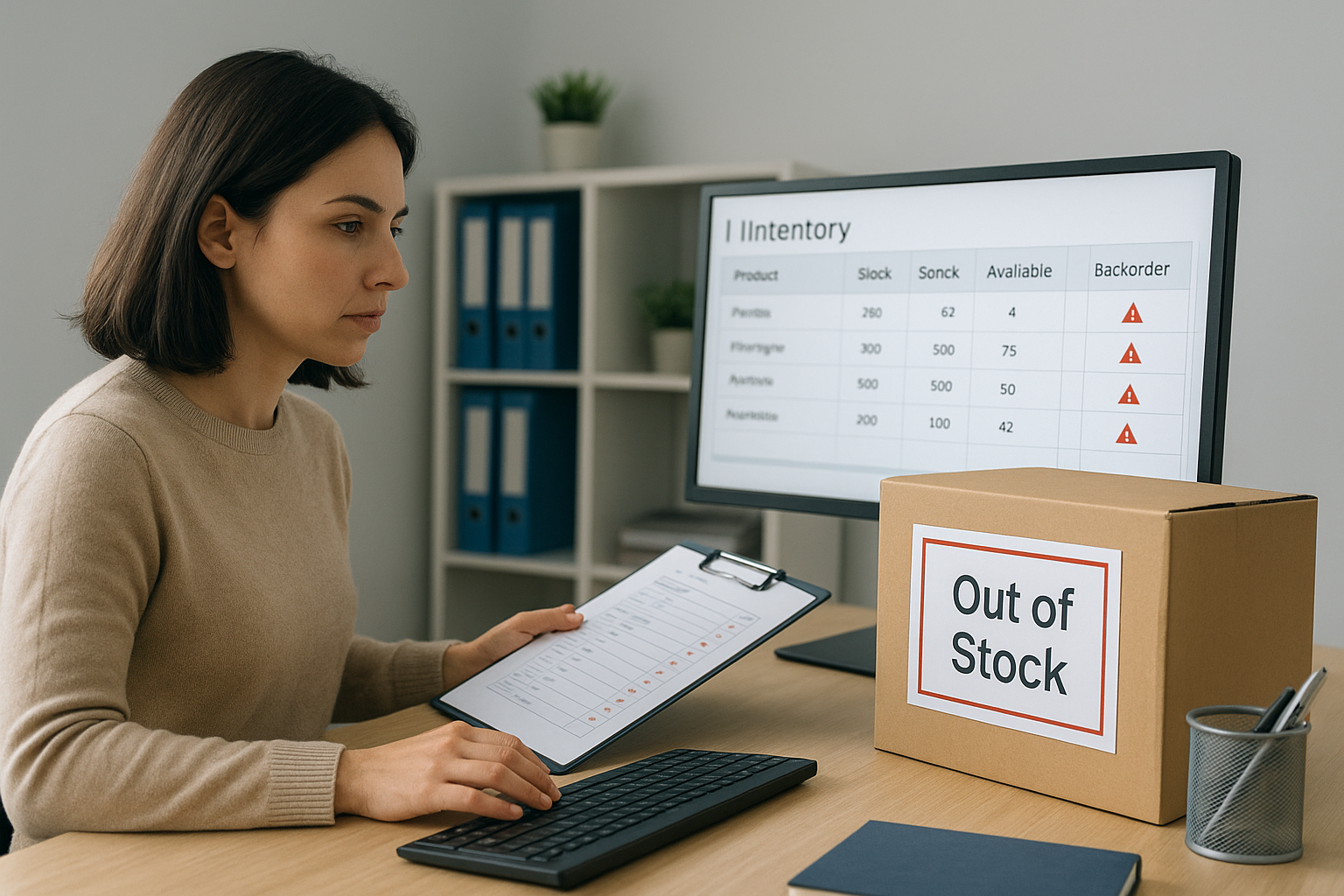
Without real-time inventory sync, your ecommerce platform has no idea what’s actually sitting in your warehouse. You end up overselling items that are out of stock, which damages customer trust, or you hold back inventory as a buffer, which ties up cash you could deploy elsewhere. This gets worse the moment you sell across multiple channels, a website plus Amazon plus a wholesale portal, because now three systems are all guessing at the same stock number independently. Integrated ERP and ecommerce systems solve this by making inventory counts update automatically the moment a sale, return, or receipt happens anywhere in the business, so every channel is working from the same truth.
Financial visibility CFOs actually need
Finance leaders don’t just want faster order processing, they want numbers they can trust the moment they need them. When ecommerce integration with ERP is working properly, every transaction posts directly to the general ledger with the right revenue recognition, tax treatment, and cost of goods sold already applied. That means your CFO isn’t waiting until the third week of the month to find out what margin actually looked like in week one. Consider the difference in what a finance team can see with and without integration:
| Metric | Disconnected systems | Integrated ERP-ecommerce |
|---|---|---|
| Revenue visibility | Delayed, batch-updated | Real-time, order-by-order |
| Inventory accuracy | Manual reconciliation, often days behind | Automatic, synced at time of transaction |
| Month-end close | Multiple spreadsheets, manual matching | Data already reconciled in the ERP |
| Margin analysis | Reconstructed after the fact | Available as sales happen |
| Error rate on orders | Higher, tied to manual entry volume | Lower, driven by system logic instead of typing |
That kind of visibility isn’t a convenience, it’s what lets a CFO answer a board question about margin trends without pulling an all-nighter first.
Scaling without adding headcount
One of the most underappreciated benefits of ERP and ecommerce integration is that it decouples growth from headcount. A well-connected system can absorb a 3x jump in order volume without adding a single new person to process orders, because the integration is doing the repetitive work that used to require hands and eyes. That’s the kind of scalability a midsized company actually needs when a new sales channel takes off or a seasonal spike hits. Instead of scrambling to hire temp staff for data entry, your team spends its time on exceptions and customer service, the things that actually require human judgment.
Why this matters more as you grow, not less
Growing companies often assume they can “deal with integration later” once things settle down. In practice, the opposite is true. The more channels, SKUs, and order volume you add, the more expensive it gets to unwind manual processes and the more financial risk you carry in the meantime. Businesses that wait usually end up doing a rescue project instead of a straightforward implementation, which costs more in both time and money. Tackling ecommerce ERP integration while you’re still small enough to do it cleanly is almost always cheaper than fixing it after the cracks have turned into structural problems.
How ERP integration with ecommerce actually works
At its core, ERP integration with ecommerce works by connecting two systems that were never designed to talk to each other, so a piece of software sits between them and translates data back and forth. Your storefront speaks one language (order objects, cart data, product listings), and your ERP speaks another (sales orders, general ledger entries, inventory records). The integration layer, whether that’s a direct API connection, a prebuilt connector, or middleware, maps fields between the two so a customer placing an order on your website automatically becomes a sales order in NetSuite or Acumatica without anyone touching a keyboard.
The connection point between systems
Behind the scenes, most integrations rely on application programming interfaces (APIs), which let one system request or send data to another in a structured, predictable format. When a customer checks out, your ecommerce platform fires a signal, often called a webhook, that tells the integration layer a new order exists. The integration then pulls the order details, checks them against business rules you’ve set (tax codes, shipping methods, customer records), and pushes a properly formatted transaction into your ERP. This happens in seconds, not hours, which is the entire point.
The integration layer is the translator that lets your storefront and your ERP agree on what just happened, in real time.
A typical order’s journey, step by step
Watching one order move through an integrated system makes the whole thing concrete. Here’s what actually happens between a customer clicking “buy” and your finance team seeing the transaction:
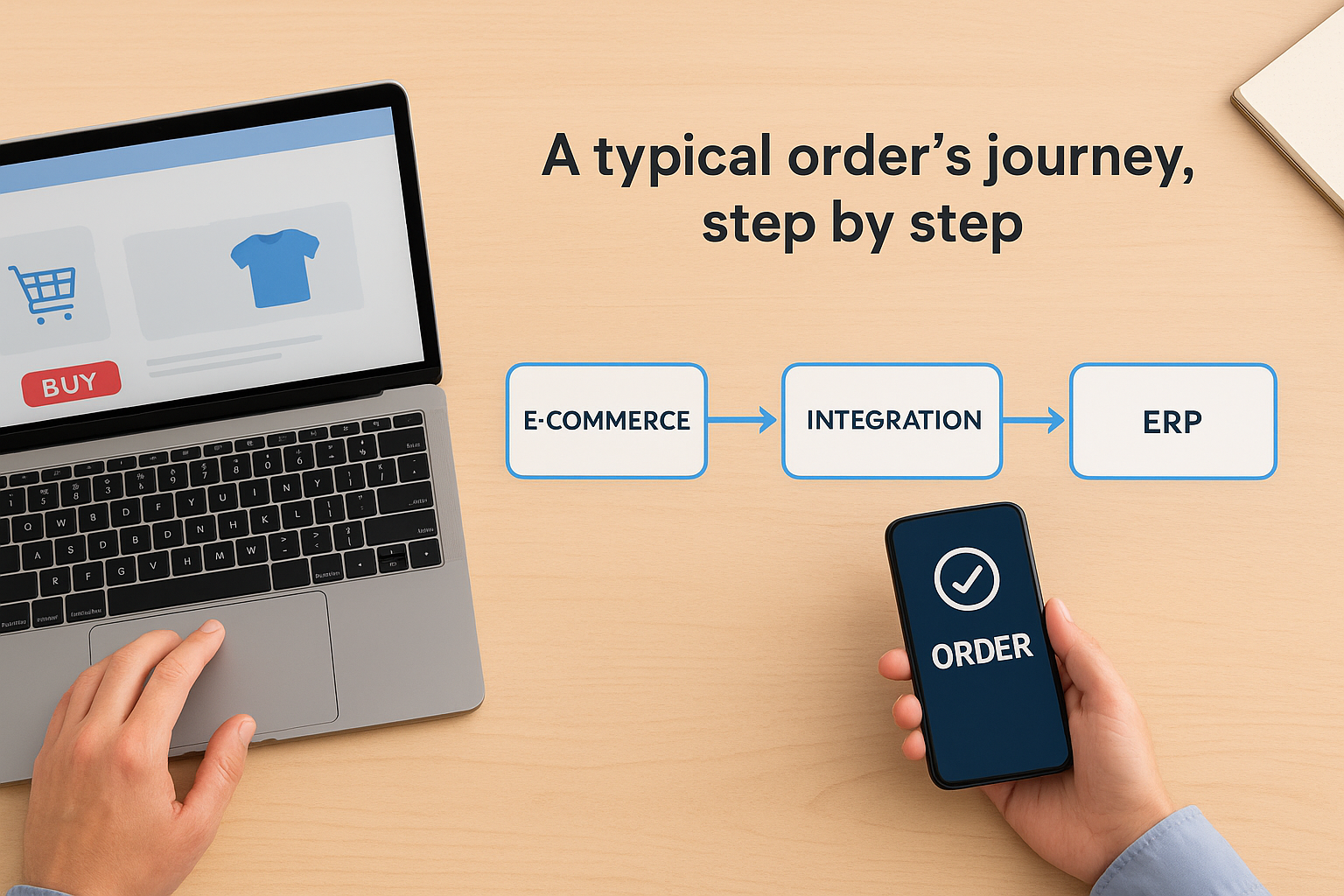
- Customer places an order on your ecommerce platform.
- The platform sends order data (items, quantities, customer info, payment status) to the integration layer.
- The integration checks inventory availability in the ERP and confirms the order can be fulfilled.
- A sales order is created automatically in NetSuite or Acumatica, with the correct pricing, tax, and customer record attached.
- Inventory counts update in real time, reducing available stock across every connected sales channel.
- Once the order ships, tracking and fulfillment status sync back to the ecommerce platform so the customer gets an accurate update.
- Revenue, cost of goods sold, and margin post to the general ledger, ready for your finance team to review.
None of those steps require someone copying data from one screen into another.
One-way sync versus two-way sync
Setup usually determines whether this integration works properly or becomes another source of bad data. A one-way sync pushes information in a single direction, typically orders flowing from your storefront into the ERP, which is simpler to build but leaves inventory and pricing updates stuck manually going the other way. A two-way sync keeps both systems updated continuously, so when your ERP adjusts stock after a warehouse receipt, that change reflects on your storefront within minutes, not days. Most midsized companies need two-way sync to get real value, because half-connected systems create the same reconciliation headaches you were trying to eliminate, just in a different spot.
What data flows between your ERP and ecommerce platform
Knowing that data moves between systems is one thing. Knowing exactly what moves, and in which direction, is what actually helps you scope a project or troubleshoot one that’s misbehaving. Ecommerce and ERP integration isn’t a single data feed, it’s several distinct streams running at once, each with its own rules about timing and direction. Understanding these streams separately makes it much easier to spot where a broken integration is actually failing.
Order and transaction data
Orders are the most obvious data type, but they carry more than just a product list. Every order that crosses the integration layer includes line items, quantities, pricing, discounts, shipping method, tax jurisdiction, and payment status. Getting tax codes and shipping rules mapped correctly matters more than most people expect, because a single misconfigured field can post revenue to the wrong account or apply the wrong sales tax across an entire region. This is usually the first data stream companies build, since it delivers the most obvious labor savings.
Inventory and product data
Product and stock data flows in both directions almost constantly. Your ERP holds the master inventory count, warehouse locations, and product attributes, while your storefront needs those numbers updated in near real time to avoid overselling. New SKUs, price changes, and bundle configurations typically originate in the ERP and push out to ecommerce, while stock depletion from a sale flows back the other way immediately.
If your inventory data isn’t syncing in real time, you’re not really integrated, you’re just automating the delay.
Customer and account data
Customer records need to match across systems too, or you end up with duplicate accounts, inconsistent credit terms, and support tickets tied to the wrong history. Addresses, contact information, order history, and any negotiated pricing or credit limits should sync so your finance and sales teams are looking at the same customer profile no matter which system they open.
Financial and fulfillment data
Once an order ships, fulfillment status, tracking numbers, and return information need to flow back to the storefront so customers get accurate updates without a support call. On the financial side, revenue recognition, cost of goods sold, and margin data post directly to the general ledger, which is exactly what lets your CFO see accurate numbers without waiting for month-end reconciliation.
| Data type | Typical direction | Why it matters |
|---|---|---|
| Orders and line items | Ecommerce to ERP | Eliminates manual entry, reduces errors |
| Inventory levels | ERP to ecommerce (and back) | Prevents overselling, keeps stock accurate |
| Product catalog and pricing | ERP to ecommerce | Keeps listings current across all channels |
| Customer records | Bidirectional | Avoids duplicate accounts, keeps credit terms consistent |
| Fulfillment and tracking | ERP to ecommerce | Gives customers accurate shipping updates |
| Financial postings (revenue, COGS, margin) | Ecommerce to ERP | Feeds real-time financial reporting |
Seeing these streams laid out makes one thing clear: erp integration with ecommerce touches nearly every operational and financial process in the business, not just order processing. That’s exactly why scoping the data flows correctly upfront saves you from rebuilding half the integration six months in.
Integration methods: APIs, connectors, and middleware
Once you understand what data needs to move, the next question is how you actually connect the two systems. There isn’t one right answer here. The method you pick shapes how much it costs to build, how much it costs to maintain, and how much flexibility you have as your business changes. Most ecommerce erp integration projects fall into one of three approaches, and picking the wrong one for your situation is one of the most common ways companies overspend on something that should have been straightforward.
Direct API integration
Building a direct API connection means your development team, internal or contracted, writes custom code that talks directly to both your ecommerce platform’s API and your ERP’s API. This gives you the most control. You decide exactly what data moves, how often, and under what conditions. It also means you own every bit of maintenance. When NetSuite pushes an update or your ecommerce platform changes its API version, someone has to update the code or things quietly break. Direct APIs make sense when your business has genuinely unique workflows that a prebuilt tool can’t handle, but for most midsized companies, that level of customization isn’t worth the ongoing maintenance burden.
Prebuilt connectors
A prebuilt connector is a packaged integration, often built by the ERP vendor or a third party, that already knows how to map common data fields between a specific ecommerce platform and a specific ERP. Think of it as a translator that’s already fluent in both languages instead of one you have to teach from scratch. Connectors get you running faster and cost less upfront than custom API work, but they’re only as good as the platforms they support. If your storefront runs on a less common platform, or your business has workflows the connector wasn’t built to handle, you’ll hit walls fast.
Middleware and integration platforms
Middleware sits between your ERP and ecommerce platform as a dedicated layer that manages the data flow, transformation, and error handling for you. Tools like Celigo fall into this category, and they’re often the right fit for midsized companies because they balance flexibility with manageability. Middleware platforms typically offer visual workflow builders, so your team can adjust business rules without writing new code every time something changes, and they usually come with built-in monitoring so you catch a failed sync before it turns into a financial reporting problem.
The integration method you choose should match your complexity, not your budget on day one. Underbuilding it here is the fastest way to pay for it twice.
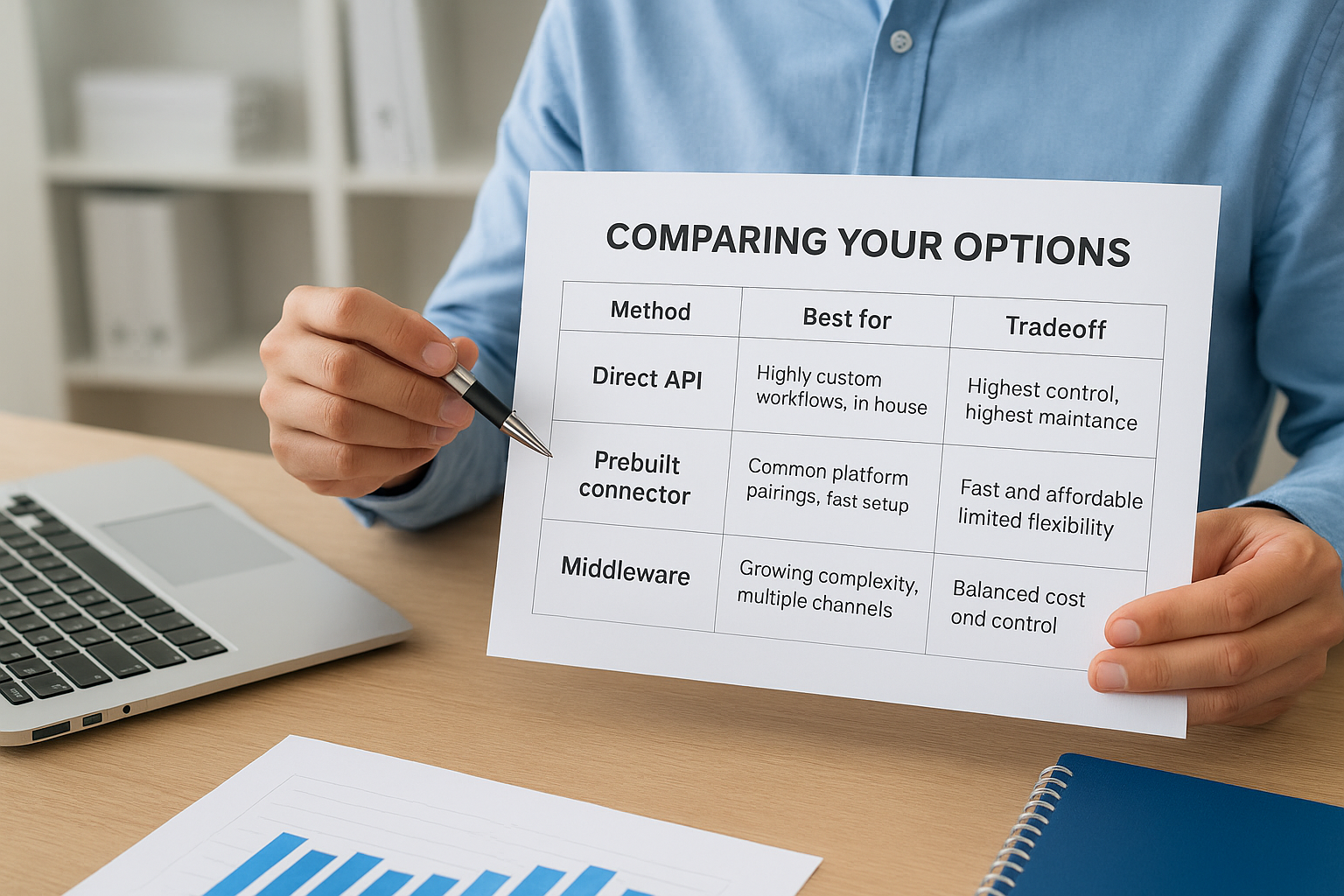
Comparing your options
| Method | Best for | Tradeoff |
|---|---|---|
| Direct API | Highly custom workflows, in-house dev resources | Highest control, highest maintenance burden |
| Prebuilt connector | Common platform pairings, fast setup | Fast and affordable, limited flexibility |
| Middleware | Growing complexity, multiple channels or systems | Balanced cost and control, requires initial configuration |
At Concentrus, we lean on the Concentrus Partner Network™ to bring in proven middleware and connector solutions rather than reinventing the wheel for every client. The right choice almost always depends on how many systems you’re connecting today and how many you expect to add in the next two or three years, not just what looks cheapest to set up right now.
Common integration mistakes that quietly erode ROI
Most integrations don’t fail outright. They limp along, technically connected, quietly generating small errors that compound into a real financial problem six months later. Spotting these mistakes early is the difference between an integration that pays for itself and one that becomes a permanent maintenance headache nobody budgeted for.
Treating integration as a one-time project
Companies frequently build the integration, watch it work on day one, and move on. But your ecommerce erp integration isn’t a project with an end date, it’s an operational system that needs monitoring, updates, and occasional rework as your business changes. Platforms push API updates. New sales channels get added. Product lines change shape. Without someone watching the connection, small breaks accumulate until an order silently fails to sync and nobody notices for a week.
Skipping field-level mapping decisions
It’s tempting to accept the default field mapping a connector or middleware tool offers out of the box. That works fine until you discover your tax jurisdictions weren’t mapped correctly, or a bundled SKU posts to the wrong revenue account. These aren’t hypothetical problems, they’re the kind of thing that surfaces during an audit or a board review, exactly when you don’t want surprises. Getting tax codes, revenue accounts, and SKU mapping right before go-live takes more time upfront but saves you from restating numbers later.
A misconfigured field doesn’t announce itself, it just quietly feeds your finance team the wrong number until someone catches it.
Ignoring error handling and exception alerts
Every integration will fail on some order, somewhere, eventually. A shipping address with a typo, a payment gateway timeout, a duplicate SKU. What separates a well-built integration from a fragile one is whether someone gets notified when that happens. Too many companies discover a failed sync only when a customer calls asking where their order is. Build alerting into the integration from day one so exceptions get flagged and resolved within hours, not discovered by accident.
Underestimating multi-channel complexity
Adding a second or third sales channel, Amazon, a wholesale portal, a retail POS, multiplies the number of places inventory and pricing need to stay in sync. Companies that built their integration for one channel often bolt on the next one without revisiting the architecture, which creates race conditions where two channels both think they have the last unit in stock. Plan for the channels you expect to add in the next two years, not just the one you’re launching with.

Letting the ERP and ecommerce teams work in silos
Finally, integrations quietly break down when the people managing the ERP side and the people managing the ecommerce platform never talk to each other. A pricing change made in one system without communicating it to the other team creates mismatches that take days to trace. ERP and ecommerce integration works best when both teams treat the connected system as shared infrastructure, with a single point of accountability for how data flows between them, not two departments each assuming the other owns the problem.
Best practices for a successful ERP-ecommerce integration
Getting erp integration with ecommerce right isn’t about picking impressive technology, it’s about disciplined process. The companies that see real ROI from their integration treat it like a business project with financial stakes, not a technical side task handed off to IT. The practices below come from watching integrations succeed and fail across dozens of midsized companies, and they apply whether you’re building your first connection or fixing one that’s already limping.
Start with a data audit, not a tool selection
Before you evaluate a single connector or middleware platform, map out exactly what data lives where and who owns it. Skipping this step is how companies end up rebuilding their ecommerce integration with erp six months after go-live, once they discover the tool they picked can’t handle a data type they forgot to account for. Your audit should cover:
- Every sales channel currently generating orders
- Current tax and shipping rule logic
- SKU structures, including bundles and kits
- Customer record fields used for credit terms or pricing tiers
Build in phases, not all at once
Ambitious teams often try to connect every data stream simultaneously, and that’s usually where projects stall. Phasing the rollout, starting with orders and inventory before layering in customer records and financial postings, lets your team validate each piece before adding complexity. Rolling out gradually also gives finance a chance to confirm the numbers look right at each stage, rather than discovering a posting error after three months of transactions have already flowed through.
Test with real order volume before go-live
A handful of test orders in a sandbox won’t reveal the problems that surface under real volume, like race conditions when two channels sell the last unit at once. Run your integration through a full order cycle, including returns, partial shipments, and backorders, using volumes close to what you actually process. Errors that only appear under load are exactly the ones that cost you money if they slip into production undetected.
The integrations that hold up under pressure are the ones tested under pressure, not the ones that just looked fine in a demo.
Document the mapping and train both teams
Write down every field mapping, business rule, and exception path before you consider the project finished. Undocumented logic becomes a liability the moment the person who built it leaves or moves to a different role, because nobody else knows why a certain tax code routes the way it does. Documentation also protects you during an audit, when someone needs to explain exactly how revenue gets recognized.
Training matters just as much as documentation. Both your ecommerce team and your finance team need to understand how the connected system behaves, what a failed sync looks like, and who to call when something breaks. Ecommerce erp integration services that stop at go-live without transferring this knowledge leave you dependent on the vendor for every small adjustment down the road.
Choosing the right ERP and integration partner
Picking the ERP itself matters, but for most midsized companies the bigger decision is who actually builds and supports the connection between that ERP and your storefront. Ecommerce erp integration services vary wildly in quality, and the gap between a partner who understands your industry and one who doesn’t shows up fast, usually in the form of a rescue project a year later. NetSuite and Acumatica both handle ecommerce integration well, but the platform choice matters less than whether the team implementing it has actually done this for a company your size, in your industry, with your order volume.
What separates a strong ERP fit from a weak one
Selecting between NetSuite and Acumatica isn’t about which one has more features on a spec sheet. It’s about which one fits how your business actually operates. A wholesale distributor with complex pricing tiers has different needs than a direct-to-consumer brand running flash sales. Look at how each platform handles the specific transaction volume, SKU complexity, and multi-channel setup you already have, not the generic capabilities in a sales deck.
The right ERP is the one that fits how your business actually runs, not the one with the longest feature list.
Questions worth asking before you sign anything
Before committing to any implementation partner, get direct answers to these:
- Have you built this exact integration (same ecommerce platform, same ERP) for another client, and can I talk to them?
- How do you handle field mapping for tax codes, revenue accounts, and SKU bundles specifically?
- What does your support model look like after go-live, and is it included or billed separately?
- Do you tie the project to measurable financial outcomes, or just to a go-live date?
- How do you handle exception alerts when a sync fails?
Vague answers to any of these are a warning sign. Specific answers, with real client examples, tell you the partner has actually done this work before.
Why ROI accountability should be part of the pitch
Too many implementation partners define success as “the system went live on schedule.” That’s a low bar. A erp integration ecommerce project should be judged by whether it delivered the financial outcomes you actually needed, faster close times, fewer stockouts, cleaner margin visibility, not just whether the technical connection exists. This is exactly why Concentrus builds every engagement around our ROI Roadmap™ methodology, tying the integration itself to specific KPIs agreed on before the project starts, so you’re not guessing at value after the fact.
Weighing partner size against attention
A massive integrator with hundreds of clients might have more resources, but you’re competing for their attention with every other account on their books. A smaller, focused firm that specializes in NetSuite and Acumatica rescue and implementation work, backed by a network like the Concentrus Partner Network™ for connectors and middleware, often delivers more hands-on accountability. Ask directly how many active clients your project team is juggling, and how quickly they respond when something breaks in production. That answer tells you more than any case study.
Bringing ERP and ecommerce into alignment
Every problem covered here, manual entry, stock mismatches, month-end scrambles, traces back to the same root cause: your storefront and your ERP treating each other as strangers. ERP integration with ecommerce fixes that by giving both systems a shared, real-time source of truth, so orders, inventory, and financials move automatically instead of through someone’s inbox. Getting there takes more than picking a connector off a shelf. It takes the right integration method, disciplined data mapping, and a partner who treats the project as a financial investment, not just a technical task with a go-live date.
Finance leaders who get this right stop reconciling spreadsheets and start trusting their numbers the moment a sale happens. If you’re weighing whether your current setup can scale, or you’re already dealing with an integration that’s quietly costing you accuracy and time, talk to Concentrus about building an ERP-ecommerce connection tied to the ROI you actually need.