

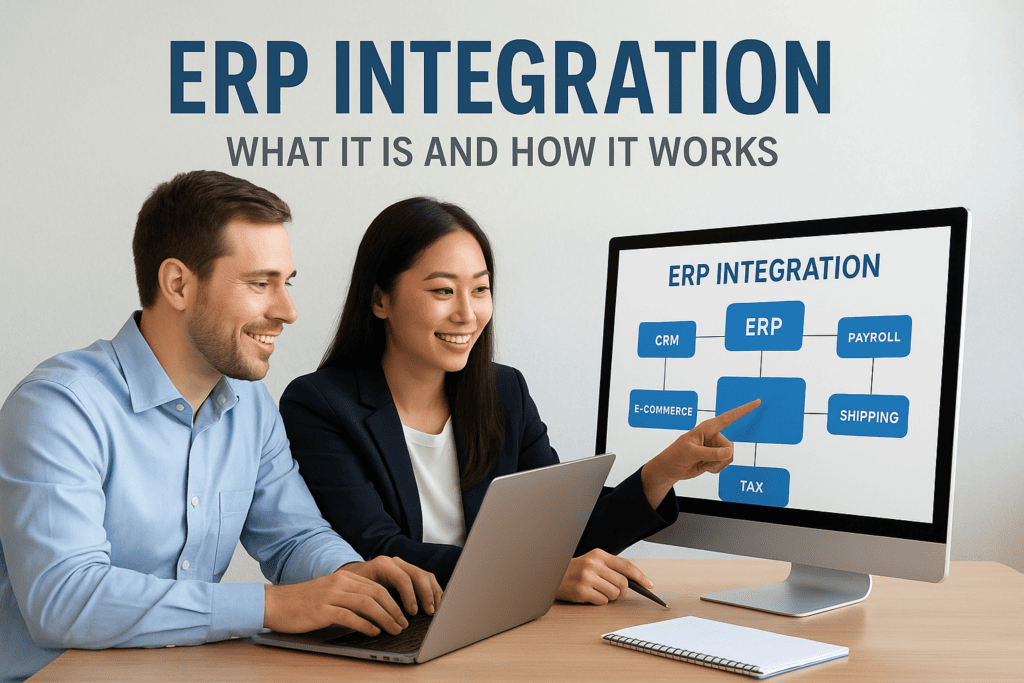
If your team still exports spreadsheets from your CRM to load into your ERP, or your warehouse software doesn’t talk to your general ledger, you already know the pain this article addresses. What is ERP integration? It’s the process of connecting your ERP system to the other software your business runs on, like CRM, e-commerce platforms, payroll, or shipping tools, so data moves automatically instead of getting re-entered by hand. The ERP integration definition sounds simple, but the mechanics matter a lot once you’re the one signing off on the project.
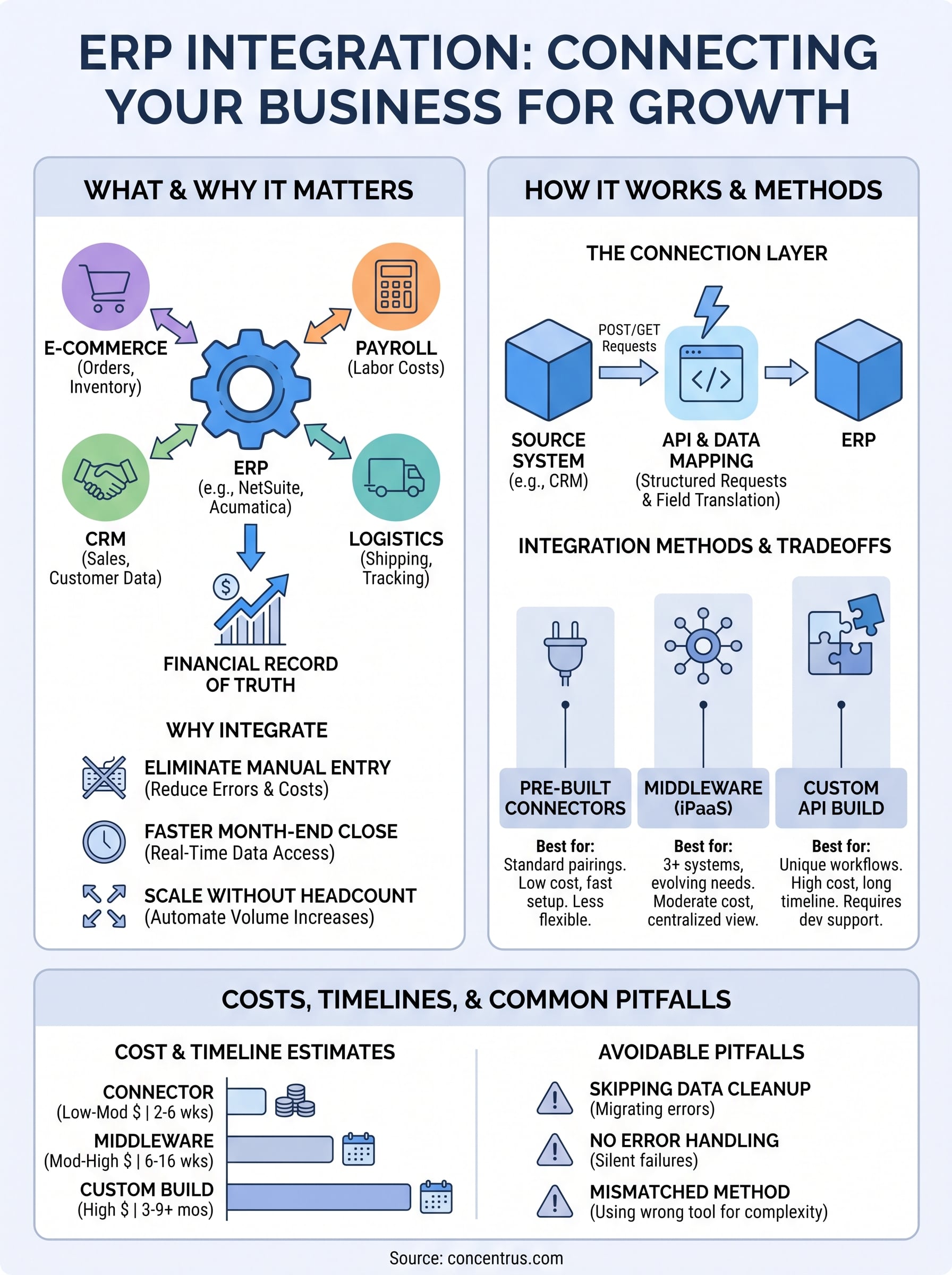
In practice, integration works through APIs, middleware platforms, or pre-built connectors that sync records like orders, invoices, and inventory levels in real time or on a schedule. The method you choose affects cost, speed, and how much ongoing maintenance your team takes on.
This article walks through how ERP integration actually works, the common integration methods you’ll encounter, and real examples of connecting systems like NetSuite or Acumatica to the tools finance and operations teams rely on every day.
Why ERP integration matters for growing companies
A midsized company on a single, disconnected ERP looks fine on the surface. Orders come in, invoices go out, the books close eventually. But dig into how the finance team actually spends its month, and you’ll usually find someone manually keying data between systems, reconciling numbers that should already match, or waiting two extra days for a report because three different tools had to be checked by hand. Growing companies hit this wall faster than anyone expects, usually right around the point where a second sales channel, a new warehouse, or an acquisition adds another system to the mix.
The real cost of manual data entry
Every manual handoff between systems is a place where errors creep in and time gets wasted. A sales order typed twice, once in the CRM and again in the ERP, is a chance for a wrong quantity, a mismatched price, or a shipping address that never made it across. Multiply that by hundreds of orders a month, and you have a finance team spending real hours just double-checking work that software should have done automatically.

| Manual process | Typical time cost | Risk introduced |
|---|---|---|
| Re-keying sales orders from CRM to ERP | 5-10 minutes per order | Wrong quantities, pricing errors |
| Exporting/importing inventory counts | 2-4 hours weekly | Stockouts, overselling |
| Reconciling e-commerce sales to the general ledger | 1-2 days at month-end | Delayed close, revenue misstatements |
| Manually updating shipping status | Ongoing, all day | Customer service delays |
Those numbers add up quickly once you multiply them across a full year, and they don’t even count the cost of the errors that slip through unnoticed until an audit or a customer complaint surfaces them.
Why disconnected systems slow down decision-making
Beyond the labor cost, disconnected systems create a visibility problem. If your ERP doesn’t get real-time inventory data from your warehouse system, you’re making purchasing decisions on numbers that are already stale. If your CRM and ERP don’t share customer data, your sales team quotes prices that don’t reflect current costs, and your finance team can’t forecast cash flow with any confidence. This is the gap that shows up in board meetings as “we don’t have good visibility into that” and it’s almost always a systems problem, not a people problem.
When your systems don’t talk to each other, your team spends its time reconciling data instead of using it.
CFOs feel this most acutely at month-end close. If your e-commerce platform, payroll system, and shipping tools all feed the ERP automatically, closing the books becomes a matter of reviewing numbers rather than assembling them from five different exports. Companies that integrate these systems routinely cut days off their close cycle, simply because the data is already where it needs to be when the close begins.
Scaling without adding headcount
Growth typically means more transactions, more systems, and more complexity, but it shouldn’t automatically mean more headcount just to keep data flowing between platforms. Companies that integrate their ERP with the rest of their software stack can absorb a 30% or 40% jump in order volume without hiring another data entry clerk, because the systems handle the volume that used to require a person. This is exactly the kind of measurable outcome that Concentrus builds into its ROI Roadmap™ methodology: integration isn’t a technical nice-to-have, it’s a line item that shows up directly in labor cost, error rate, and close speed.
Ultimately, the case for integration comes down to a simple question: is your team spending time managing data, or using it? Companies that answer honestly usually find that a meaningful chunk of finance and operations time goes toward manual reconciliation that a well-built integration would eliminate. That’s time that could go toward forecasting, margin analysis, or the strategic work CFOs actually want their teams doing. The next section breaks down how the connections behind that automation actually work, so you know what you’re evaluating when a vendor or consultant proposes an integration project.
How ERP integration works
Underneath every integration project sits a much less glamorous layer of plumbing: data mapping and authentication. Before any system can send information to your ERP, someone has to decide which field in the source system corresponds to which field in NetSuite or Acumatica, and how the two platforms will verify the connection is legitimate. Get this wrong and you end up with orders missing tax codes or customers duplicated under two different IDs, the kind of error that looks small until it hits your general ledger.
The connection layer: APIs and data mapping
Application programming interfaces, or APIs, are the standard way modern software talks to your ERP. Most platforms, including NetSuite and Acumatica, expose a REST API that lets an outside system push or pull records using structured requests. A typical sales order sync might look like this:
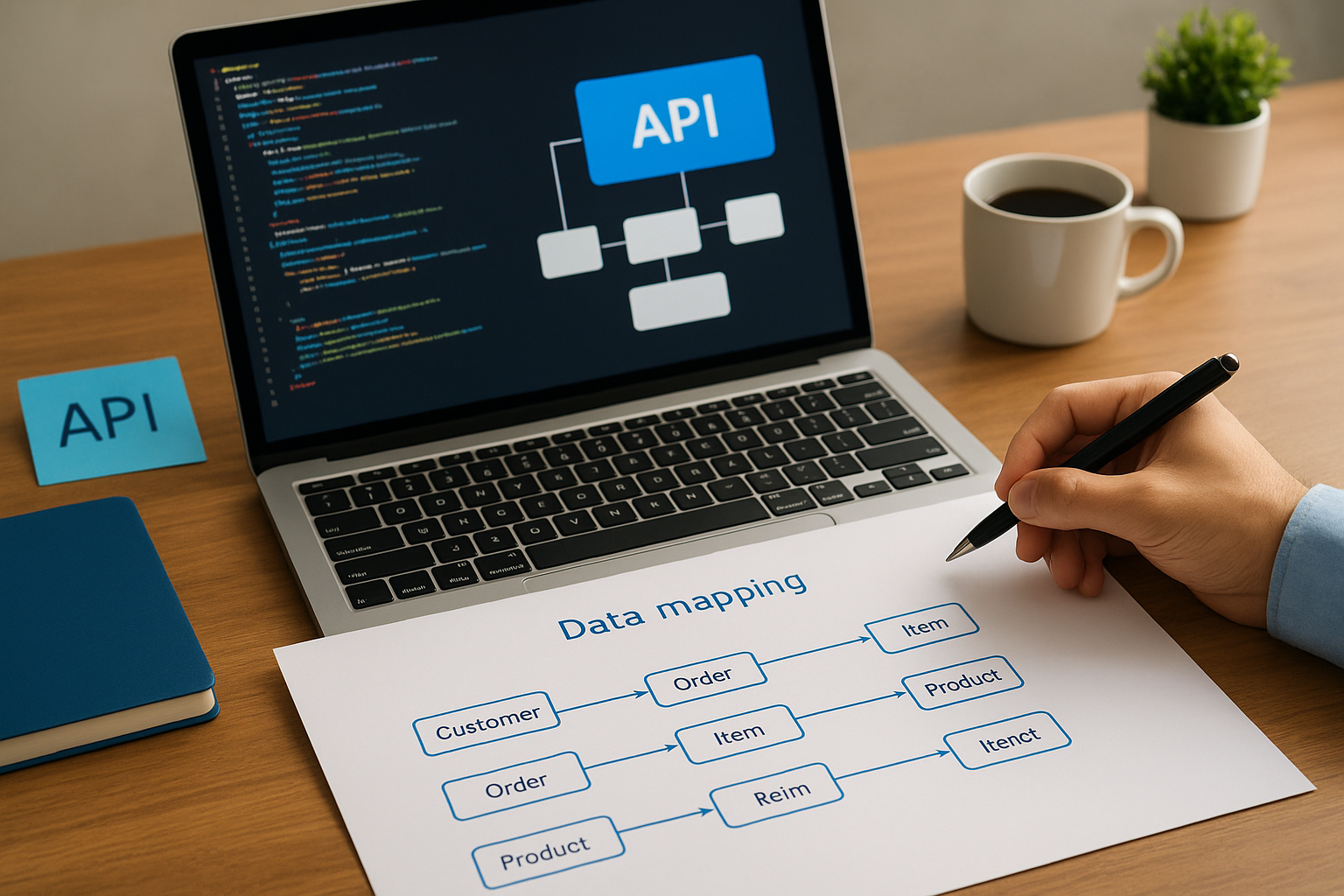
POST /services/rest/record/v1/salesOrder
{
  "entity": { "id": "4521" },
  "item": [
    { "item": { "id": "112" }, "quantity": 4, "rate": 89.00 }
  ],
  "tranDate": "2026-09-16"
}
That payload tells the ERP exactly which customer, item, quantity, and price to record, and it happens without anyone re-typing a single number. Field-level mapping decides how each value from the source system lands in the corresponding ERP field, and it’s where most integration bugs originate if the work gets rushed.
Good ERP integration is 20% code and 80% getting the data mapping right.
Real-time vs batch syncing
Not every connection needs to fire instantly. Shipping status updates or inventory counts often work fine synced every fifteen minutes, while payment confirmations or order creation usually need to happen in real time so customer-facing teams see accurate numbers immediately. Choosing sync frequency is a business decision as much as a technical one: real-time connections cost more to build and maintain, so they only make sense where the delay would actually hurt.
- Real-time (webhook-triggered): order confirmations, payment status, inventory holds
- Near real-time (5-15 minute intervals): shipping updates, stock level adjustments
- Batch (hourly or daily): payroll exports, historical reporting feeds, catalog updates
Where middleware fits in
Middleware platforms, sometimes called iPaaS tools, sit between your ERP and everything else, translating data formats and managing the connection so your internal team doesn’t have to write custom code for every integration. Tools like Celigo, part of the Concentrus Partner Network™, handle this translation layer and give finance teams a dashboard to monitor whether syncs are running cleanly, instead of finding out three weeks later that a connection silently failed and orders piled up unrecorded.
Common types of ERP integrations
Every ERP integration answers a different question, but they all share the same goal: keeping one system as the financial record of truth while everything else feeds it accurate, timely data. Once you understand what is ERP integration in practice, it helps to see the categories that come up again and again in NetSuite and Acumatica projects. Most midsized companies end up building three or four of these before they’re done, not because a vendor sold them extra work, but because each system solves a different operational gap.

CRM to ERP integration
Salesforce, HubSpot, and similar CRM platforms hold the customer relationship, but they shouldn’t hold the financial record. Integrating CRM with your ERP means a closed deal automatically creates a sales order, pulls the correct pricing and tax rules, and updates the customer’s credit status without a rep or a finance clerk touching a keyboard. Companies without this connection almost always find quotes that don’t match invoices, because the sales team was working off numbers that went stale the moment the ERP updated pricing.
E-commerce to ERP integration
Shopify, BigCommerce, and Amazon storefronts generate order volume fast, and that volume has to land somewhere accurate. This integration syncs orders, inventory levels, and payment confirmations between the online store and the ERP in near real time, so a customer never sees an item as available when the warehouse is already out. It also feeds revenue data straight into the general ledger, which matters enormously at month-end close.
The e-commerce connection is usually the first integration that pays for itself, because a single oversold item can cost more in refunds and customer service time than the integration itself.
Payroll and HR system integration
ADP, Paychex, and similar payroll systems need to push labor costs into the ERP for accurate job costing and departmental budgeting, particularly in manufacturing and services businesses where labor is a major expense. This connection typically runs on a batch schedule rather than real time, since payroll cycles are predictable and don’t require instant updates.
Shipping, logistics, and supply chain integration
Tools like ShipHawk track carrier rates, generate labels, and confirm delivery status, and feeding that data back into the ERP keeps order fulfillment accurate without someone manually updating tracking numbers on every order.
| Integration type | Data synced | Typical sync frequency |
|---|---|---|
| CRM to ERP | Orders, pricing, customer credit status | Real time |
| E-commerce to ERP | Orders, inventory, payments | Real time / near real time |
| Payroll to ERP | Labor costs, job codes | Batch (weekly/biweekly) |
| Shipping to ERP | Tracking, delivery confirmation, freight cost | Near real time |
| Tax compliance (e.g., Avalara) | Tax rates, exemption status | Real time |
Tax integrations like Avalara, part of the Concentrus Partner Network™, deserve their own mention, since incorrect sales tax calculation is one of the most common and expensive errors in growing multi-state businesses.
Choosing the right integration method
Three paths lead to a working ERP integration: pre-built connectors, middleware platforms, and custom API builds. Each one trades cost against flexibility, and the right choice depends less on what a vendor recommends and more on how many systems you’re connecting, how much those systems change over time, and how much internal technical capacity you actually have to maintain the connection after launch.
Pre-built connectors for common platforms
Built for popular combinations like Shopify to NetSuite or Salesforce to Acumatica, pre-built connectors get you running fastest because someone already solved the field-mapping problem for that specific pairing. Connectors work well when your business runs standard processes on mainstream platforms, but they lose their advantage fast the moment you need a custom workflow the connector wasn’t designed to handle, like a unique approval chain or an industry-specific pricing rule.
Middleware platforms for multiple connections
Once you’re integrating three or more systems, middleware starts to make more financial sense than stacking individual connectors. Platforms like Celigo, available through the Concentrus Partner Network™, give your team one place to monitor every sync, troubleshoot failures, and add new connections without starting from scratch each time. Middleware also handles error logging and retry logic automatically, which matters enormously when a connection fails silently at 2 a.m. and nobody notices until orders back up.
The fewer moving parts your team has to babysit manually, the more reliable your data becomes.
Custom API builds for complex requirements
Sometimes no connector or middleware template fits, usually because your business has a workflow specific enough that off-the-shelf tools can’t accommodate it, like a multi-entity consolidation process or a unique manufacturing routing. Custom builds cost more upfront and require ongoing developer support, but they’re the only option when the standard playbook genuinely doesn’t apply to how your business operates.
Matching the method to your situation
Understanding the tradeoffs side by side makes the decision much clearer than reading vendor pitches one at a time:
| Method | Best for | Setup cost | Maintenance burden |
|---|---|---|---|
| Pre-built connector | 1-2 standard platform pairings | Low | Low |
| Middleware (iPaaS) | 3+ systems, evolving needs | Moderate | Moderate, centralized |
| Custom API build | Unique workflows, no template fits | High | High, ongoing developer support |
Vetting a partner who’s implemented your specific combination of systems before matters more than the method itself, since even the right tool fails if the person configuring it doesn’t understand how NetSuite or Acumatica actually handles the underlying data. Xero-level accounting software can get away with generic connectors; a midsized company running multi-entity consolidations, complex tax rules, or industry-specific job costing usually can’t. That’s the judgment call worth spending real time on before signing a statement of work, because switching integration methods midstream costs far more than getting the choice right the first time.
Costs, timelines, and common integration pitfalls
Budgeting for an integration project without a clear scope is how most companies end up surprised by the final invoice. Integration costs vary widely depending on the method you choose and how many systems you’re connecting, but the range is wide enough that a vague quote should make you nervous rather than relieved. A single pre-built connector might run a few thousand dollars to configure, while a multi-system middleware project touching CRM, e-commerce, and payroll can climb into six figures once you factor in testing and data cleanup.
What integration actually costs
Pricing depends heavily on the number of endpoints, the complexity of the data being mapped, and whether your existing records are clean enough to migrate without extra work. Here’s a rough breakdown of what midsized companies typically see:
| Method | Typical cost range | Typical timeline |
|---|---|---|
| Pre-built connector | $2,000-$15,000 | 2-6 weeks |
| Middleware (iPaaS) build | $15,000-$100,000+ | 6-16 weeks |
| Custom API build | $50,000-$250,000+ | 3-9 months |
Government agencies and large enterprises publish similar cost-scaling patterns for system integration projects, and the U.S. Small Business Administration notes that technology integration costs for growing companies scale directly with the number of connected systems, not just their size.
The biggest hidden cost in ERP integration isn’t the build, it’s the data cleanup nobody budgeted for.
Timelines you can expect
Schedules slip most often at the data mapping stage, not during the actual coding or configuration work. Simple connector projects can realistically finish inside a month if your data is already clean, while projects involving multiple entities, custom fields, or years of inconsistent records regularly stretch a projected eight-week timeline into four or five months. Building in a discovery phase before quoting a firm date protects both sides from that gap.
Common pitfalls that derail projects
Most failed or over-budget integrations trace back to a small handful of avoidable mistakes:
- Skipping data cleanup before migration, which carries duplicate customers and inconsistent SKUs straight into the new connection
- Underestimating error handling, leaving no process for what happens when a sync fails silently overnight
- Choosing a method that doesn’t match complexity, forcing a pre-built connector to handle workflows it was never designed for
- No ownership after go-live, so nobody notices when a field mapping breaks after a software update
- Treating integration as one-time work instead of an ongoing relationship that needs monitoring and occasional rebuilding
Companies that hit several of these at once often end up with a stalled or broken project, which is exactly the situation Concentrus’s ERP Rescue Services were built to fix. Recognizing these patterns early, before signing a contract, costs far less than untangling them after the integration is already live and orders are already flowing through broken data.
The bottom line on ERP integration
ERP integration isn’t a technical checkbox, it’s the difference between a finance team that spends its month reconciling exports and one that spends its month analyzing results. Once you understand how APIs, middleware, and data mapping actually work together, the vendor pitches get a lot easier to evaluate, and the tradeoffs between pre-built connectors, iPaaS platforms, and custom builds stop feeling like guesswork.
Getting the method right the first time matters more than moving fast, since a poorly scoped integration costs far more to fix later than it would have cost to plan properly up front. That’s true whether you’re connecting your first e-commerce channel or untangling a payroll feed that’s been quietly breaking for months.
If you’re weighing your options for a NetSuite or Acumatica integration, or trying to figure out why an existing connection isn’t delivering the ROI it should, talk to Concentrus about building an integration tied to measurable financial outcomes, not just working code.