


Choosing a warehouse management system is one of those decisions that ripples through your entire operation, from inventory accuracy to order fulfillment speed to the financial metrics your CFO tracks every month. Infor WMS is a name that comes up frequently in those conversations, especially among midsized companies running complex distribution and manufacturing workflows.
But here’s the thing: a WMS doesn’t exist in isolation. It needs to work within your broader ERP ecosystem, and that’s where the evaluation gets nuanced. At Concentrus, we specialize in NetSuite and Acumatica ERP implementations built around measurable ROI, so we know firsthand how critical it is that every system in your tech stack earns its place. Whether Infor WMS is the right fit depends on your specific operations, your ERP strategy, and your growth trajectory.
This article breaks down Infor WMS’s core features, strengths, limitations, and ideal use cases so you can make that call with clarity rather than guesswork.
What Infor WMS is and how it works
Infor WMS is a warehouse management system built by Infor, a large enterprise software company. It handles the operational layer of your warehouse: receiving, putaway, picking, packing, shipping, and inventory tracking. The platform is designed to give your team real-time visibility into what’s in your facility, where it is, and how it’s moving. That sounds straightforward, but the execution behind those functions is what separates a capable WMS from a frustrating one.
The core architecture
Infor WMS runs on a multi-tenant cloud model through the Infor CloudSuite platform, though on-premise deployments still exist in older installations. The system organizes your warehouse into zones, locations, and tasks, and it directs your workers through those tasks using rules-based logic you configure to match your actual workflow. For example, you can set picking strategies based on FIFO, FEFO, or lot control, depending on whether you’re managing perishables, serial-tracked equipment, or general merchandise.
The configurability of task management is one of the areas where Infor WMS earns the most attention from operations teams evaluating enterprise-grade options.
How it connects to your operations
The system integrates with labor management, slotting optimization, and yard management, which means it doesn’t just manage shelves, it manages the flow of people, equipment, and vehicles across your entire facility. Infor WMS also supports RF scanning, voice-directed picking, and mobile devices, giving your floor staff multiple ways to work within the system. Integration with ERP platforms happens through APIs or native connectors, though the depth of that integration varies significantly depending on which ERP you’re running and how your data flows are structured.
Why Infor WMS matters for warehouse ROI
A WMS isn’t just an operational tool; it’s a financial lever. Infor WMS directly affects inventory carrying costs, labor efficiency, and order accuracy, all of which show up on your income statement. When your warehouse runs on manual processes or a lightweight system, you absorb costs that are easy to overlook until you add them up: excess safety stock, mis-picks, slow fulfillment cycles, and overtime driven by poor task sequencing.

The gap between a well-configured WMS and a poorly implemented one often runs into six figures annually for midsized operations.
Where the financial impact shows up
Your warehouse ROI comes from specific, measurable operational improvements, not from technology adoption in the abstract. Infor WMS drives value by reducing pick errors, improving inventory turns, and cutting the labor hours required per order. When you reduce your error rate, you spend less on returns processing and customer service. When inventory turns improve, your cash isn’t sitting on shelves. These aren’t soft benefits; they’re line items your finance team can track quarter over quarter.
Key areas where finance teams typically measure WMS impact:
- Order accuracy rate improvements
- Reduction in safety stock requirements
- Labor cost per order fulfilled
- Carrying cost as a percentage of inventory value
Key features and capabilities to know
Infor WMS packs a broad feature set, but understanding which capabilities actually move the needle helps you evaluate whether it fits your operation or just adds complexity.
Inventory control and task management
The platform gives you granular inventory control across multiple locations, lot numbers, serial numbers, and expiration dates. You can configure directed putaway and picking rules to match your specific workflow logic, which means the system guides workers through optimized task sequences rather than leaving decisions to individual judgment.

This rules-based approach is where Infor WMS earns its reputation for reducing pick errors in high-SKU environments.
Core inventory and task capabilities include:
- Lot, serial, and expiration date tracking
- FIFO, FEFO, and LIFO picking strategies
- Configurable task interleaving to cut travel time
- Real-time inventory visibility across zones and locations
Labor management and slotting optimization
Beyond the shelf, you get built-in labor management tools that track productivity against engineered standards. That data lets you identify bottlenecks and make staffing decisions based on actual performance. Slotting optimization tools analyze your order patterns and recommend product placement changes that reduce pick travel time, which compounds into measurable labor savings over time.
Pros, cons, and common tradeoffs
Infor WMS sits in the enterprise tier of warehouse management systems, and that positioning comes with real advantages and real costs. Understanding both sides upfront saves you from discovering the limitations after you’ve committed budget and deployment time.
Where Infor WMS delivers
The platform handles high-volume, complex warehouse environments better than most mid-market alternatives. Its configurability around task management, lot tracking, and labor productivity gives operations teams genuine control over how work gets done on the floor. Companies running multi-site distribution or regulated industries like food, beverage, or medical devices often find it fits their compliance and traceability requirements well.
The depth of Infor WMS’s inventory control logic is a legitimate differentiator for operations managing thousands of SKUs with strict lot or expiration requirements.
Where it falls short
The complexity that makes Infor WMS powerful also makes it expensive to implement and maintain. Configuration requires specialized expertise, which means your internal team will likely depend on consultants longer than with lighter alternatives. Integration with non-Infor ERP systems such as NetSuite or Acumatica adds another layer of technical work and ongoing maintenance. Smaller operations or companies with straightforward fulfillment workflows often find the system overbuilt for their actual needs, which drives up total cost of ownership without delivering proportional returns.
Best-fit use cases and who should pass
Not every warehouse operation needs the depth that Infor WMS brings. Before investing in implementation, you need to honestly assess whether your operational complexity and volume actually justify the platform’s cost and configuration demands. The wrong fit here leads to over-engineered solutions that slow your team down rather than speed them up.
Who gets the most value from Infor WMS
The platform fits best when your warehouse complexity justifies the investment. If you’re running multi-site distribution, managing regulated inventory like food, beverage, or medical devices, or processing thousands of SKUs with strict lot and expiration tracking, Infor WMS is built for that environment.
Operations with high transaction volume, strict compliance requirements, and dedicated IT resources see the clearest returns.
Companies that benefit most typically share these characteristics:
- Multi-site distribution networks
- Regulated inventory requiring lot or serial traceability
- High SKU counts with complex picking logic
- Dedicated warehouse operations teams with internal IT support
Who should look elsewhere
If your fulfillment workflows are relatively simple or your company lacks the internal resources to manage ongoing configuration, the platform will cost more than it returns. Companies running on NetSuite or Acumatica who need strong warehouse functionality often find better ROI through purpose-built ERP-native tools rather than layering in a separate enterprise WMS.
Final takeaways
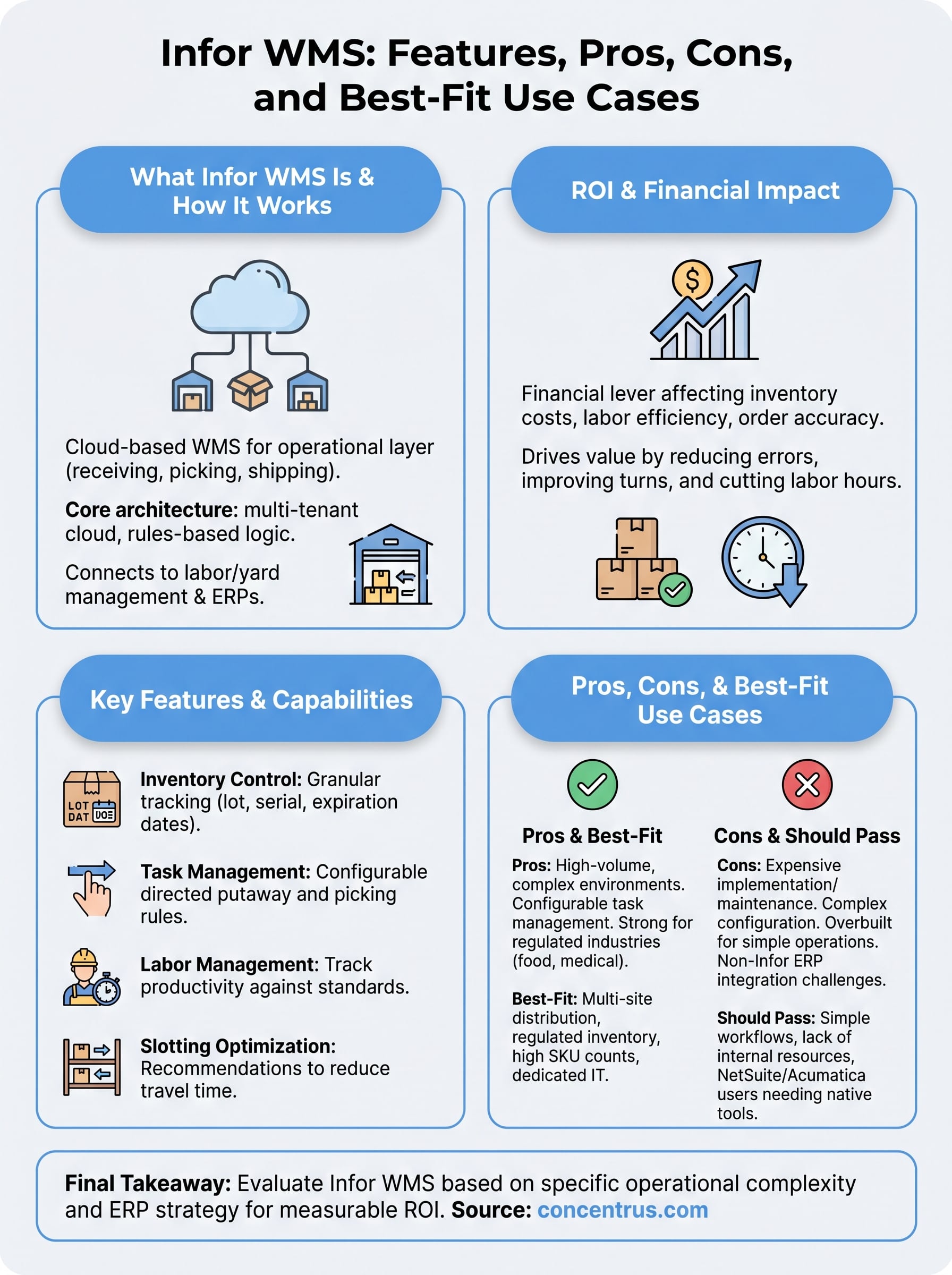
Infor WMS is a capable, enterprise-grade platform, but capability alone doesn’t justify the investment. If your warehouse runs high-volume, multi-site, or regulated inventory workflows, the platform’s depth in task management, lot tracking, and labor optimization can deliver real, measurable returns. If your operation is simpler or your ERP is NetSuite or Acumatica, you may be buying complexity you don’t need.
The bigger question isn’t whether Infor WMS is good. It’s whether it fits your specific operational complexity and your broader ERP strategy. A WMS that doesn’t integrate cleanly with your financial and operational data creates friction, not efficiency. That’s why evaluating warehouse tools in the context of your full ERP environment matters as much as evaluating them in isolation.
If you want to build a warehouse and ERP strategy around measurable ROI, connect with the Concentrus team to see how the right system combination supports your financial goals.