

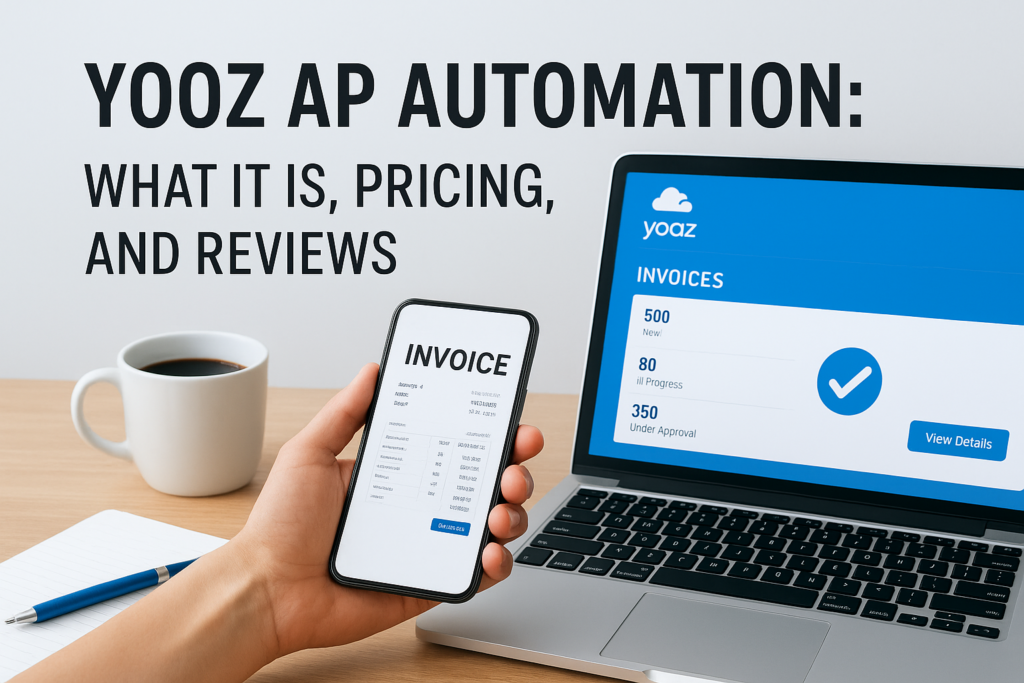
If you are evaluating yooz ap automation for your finance team, you are probably trying to solve a specific problem: too many invoices, too much manual keying, and not enough visibility into what is actually owed. Yooz has built a name for itself as a cloud based accounts payable platform that promises to cut invoice processing time and reduce errors through AI powered data capture. But before you sign a contract, you need real answers on what the software does, what it costs, and whether current users think it delivers.
This article gives you a straight answer to that question. We break down Yooz’s core capabilities, walk through its pricing structure as best it can be determined from public information and vendor conversations, and summarize what actual customers say in reviews on platforms like G2 and Capterra.
We also put Yooz in context for CFOs and finance leaders at midsized companies, since standalone AP automation tools like Yooz often need to work alongside or eventually get replaced by a full ERP system. If you are weighing point solutions against a broader ERP investment, this comparison will help you make a more informed call.
Why AP automation matters for finance leaders
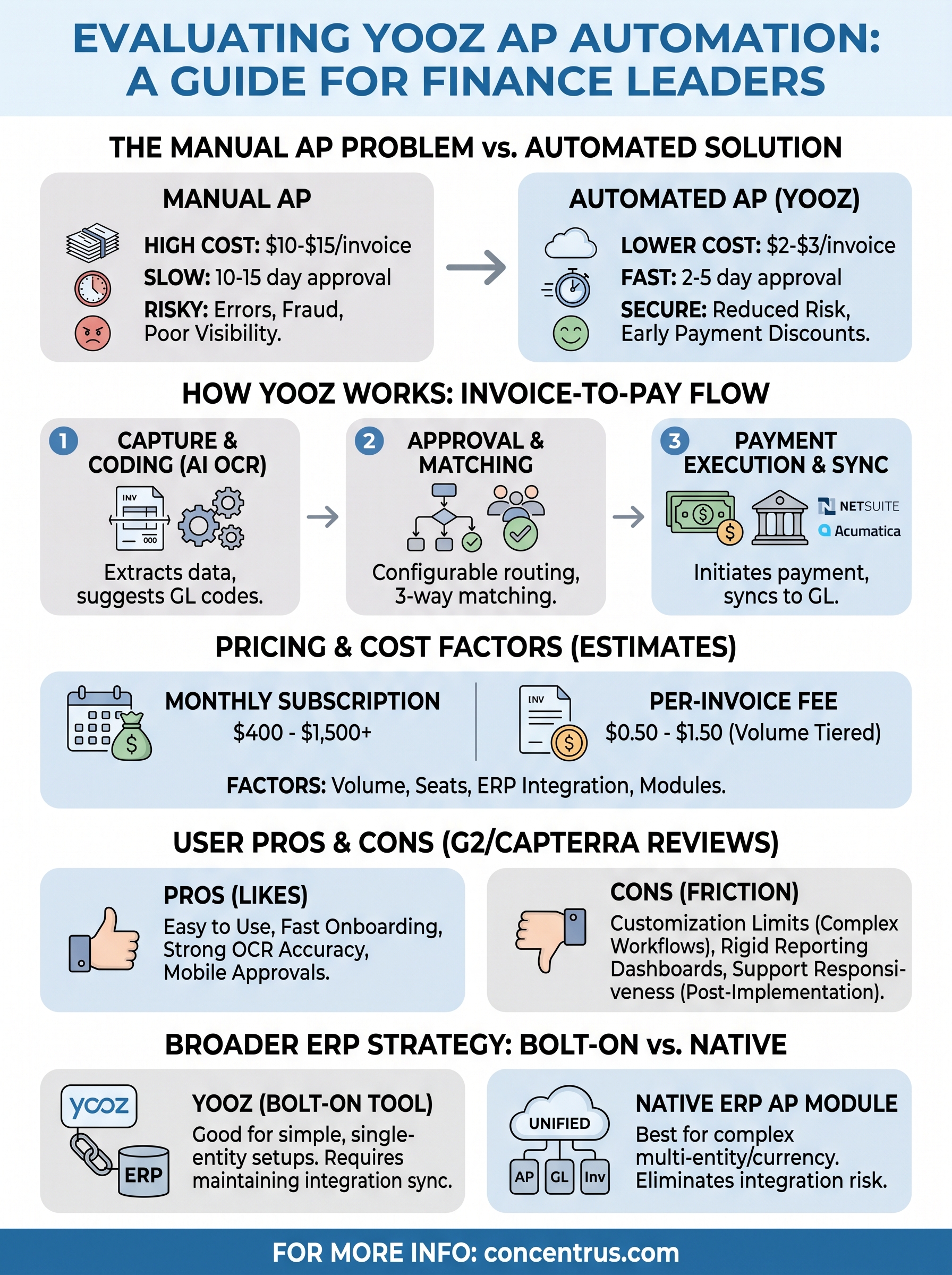
Manual accounts payable is expensive in ways that rarely show up on a single line item. Every paper invoice that gets keyed by hand, routed for approval over email, and matched against a purchase order by someone digging through file folders adds cost, delay, and risk to your close process. Finance leaders who still run AP manually typically see processing costs of $10 to $15 per invoice, according to research from the Institute of Finance and Management, compared to $2 to $3 for organizations running mature automation. That gap compounds fast once you’re processing thousands of invoices a month.
The real cost of manual AP
Beyond hard processing costs, manual AP creates three problems that matter directly to a CFO’s scorecard: slow month end closes, poor cash visibility, and exposure to duplicate payments or fraud. When invoices sit in inboxes waiting for approval, you lose the ability to capture early payment discounts and you lose real time insight into what you actually owe. That makes cash forecasting a guessing game instead of a data driven exercise.
| Metric | Manual AP | Automated AP |
|---|---|---|
| Cost per invoice | $10-$15 | $2-$3 |
| Average approval cycle | 10-15 days | 2-5 days |
| Duplicate payment risk | Higher | Significantly reduced |
| Early payment discount capture | Rare | Common |
Every extra day an invoice sits unapproved is a day your cash forecast is less reliable.
Why this matters more at midsized companies
Midsized companies feel this pain acutely because they often process enterprise level invoice volume without enterprise level headcount in the AP department. That mismatch is exactly why tools like Yooz AP automation exist: they promise to let a lean finance team handle a growing invoice load without adding bodies. For CFOs managing tight budgets and demanding growth targets, that combination of lower cost per invoice and faster approval cycles is not a nice-to-have, it is a direct lever on operating margin and working capital. Whether Yooz specifically delivers on that promise, and how it stacks up against a full ERP based approach, is what the rest of this article digs into.
How Yooz AP automation works from invoice to payment
Yooz positions itself as an end-to-end invoice-to-pay platform, meaning it aims to touch every step from the moment a vendor invoice arrives to the moment cash actually leaves your bank account. The platform pulls in invoices from email, scanned paper, EDI feeds, or a vendor portal, then uses its AI engine to read line items, vendor names, and totals without a human typing anything in.

Capture and coding
Once an invoice lands in Yooz, its optical character recognition and machine learning layer extract the key fields and suggest a general ledger code based on historical patterns. Users report the accuracy improves over time as the system learns your vendor coding history, though most teams still spot-check the first few months of results.
Approval routing and matching
Yooz then routes the invoice through a configurable approval chain, matching it against purchase orders and receiving records where a three-way match applies. This is the step that replaces email chains and sticky notes with a visible, auditable queue.
The value of AP automation lives or dies in how well the approval workflow actually mirrors your real approval policy.
Payment execution
After approval, Yooz can initiate payment through ACH, virtual card, or check, and syncs the transaction back to your general ledger. For companies running NetSuite ERP integration or Acumatica alongside Yooz, this sync step is where reliability matters most, since a broken connection here creates the exact reconciliation headaches automation was supposed to eliminate.
Yooz AP automation pricing: what to expect
Yooz does not publish a public price list, and that alone tells you something about how the deal gets structured. Every quote comes from a sales conversation, and the final number depends heavily on your monthly invoice volume, the number of approval users you need, and which modules you add beyond basic capture and routing. Most midsized companies report subscription pricing that lands somewhere between $400 and $1,500 per month, plus a per-invoice processing fee that can range from $0.50 to $1.50 depending on volume tiers.
What drives the final quote
Beyond raw invoice count, a few factors consistently move the price up or down in vendor conversations.
| Pricing factor | Impact on cost |
|---|---|
| Monthly invoice volume | Higher volume can lower per-invoice fee |
| Number of approver seats | More seats raise monthly subscription |
| ERP integration complexity | Custom connectors add setup cost |
| Payment execution module | Often priced separately from capture |
Any AP automation vendor quoting a flat number before seeing your invoice volume is guessing, not pricing.
Implementation and hidden costs
Getting an accurate quote means requesting a live demo and being ready to share real invoice counts, not estimates. Implementation fees for Yooz typically run separately from the subscription, and teams should ask directly whether ERP connector setup, training, and ongoing support are bundled or billed as add-ons. Skipping that question is the single most common reason companies get surprised by their first renewal invoice, so push for a written breakdown before you commit to a contract length.
Strengths and limitations reported by AP teams
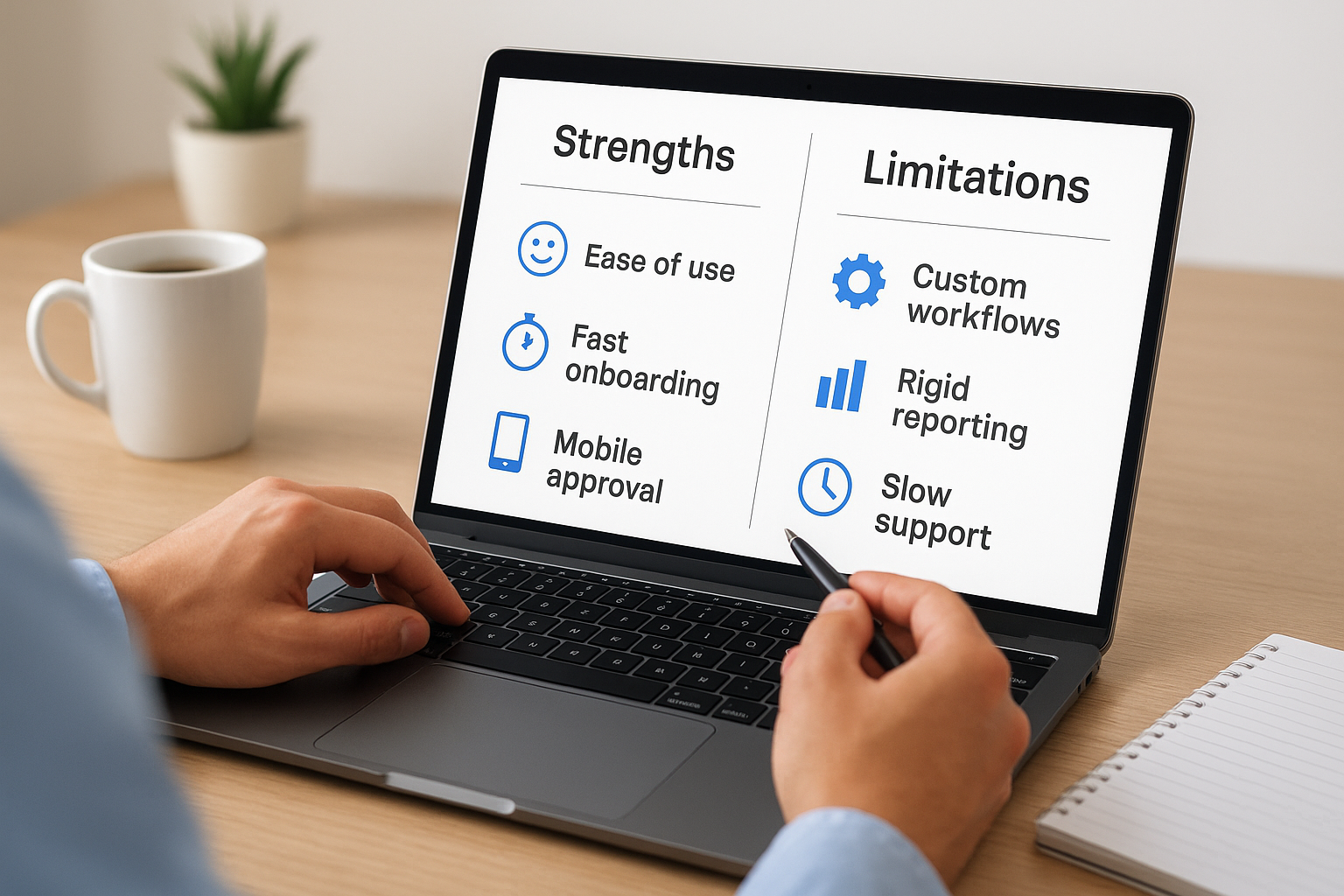
Reading through hundreds of Yooz reviews on G2 and Capterra, a consistent pattern emerges. Users praise the software for cutting manual data entry and speeding up approval cycles, but a recurring set of complaints shows up around customer support responsiveness and reporting flexibility once volume scales past a certain point.
What users like
Customers consistently call out the ease of use as a standout strength, noting that new AP staff can be trained on the platform in days rather than weeks. Reviewers also highlight strong OCR accuracy on standard invoice formats and a mobile approval feature that lets managers clear invoices from a phone during travel.
- Fast onboarding compared to legacy AP tools
- Reliable capture on typed invoices
- Mobile-friendly approval workflow
- Responsive setup team during initial rollout
Where teams report friction
Friction points cluster around three areas: customization limits on approval workflows for complex multi-entity companies, reporting dashboards that some finance teams find too rigid for custom KPI tracking, and support tickets that reviewers say can take longer to resolve after the initial implementation phase ends.
A tool that saves time on data entry but slows you down on reporting has just moved the bottleneck, not removed it.
Several reviewers running multi-subsidiary operations note that Yooz reviews skew more positive for single-entity companies with straightforward approval chains, and less enthusiastic once you add multiple currencies, entities, or complex three-way matching rules into the mix.
Fitting Yooz into your broader ERP strategy
Standalone yooz ap automation solves a real problem, but it solves only one piece of your finance stack. It sits on top of whatever general ledger you already run, which means every sync between Yooz and NetSuite or Acumatica has to be maintained, tested, and monitored as both systems get updated. That integration layer is exactly where a lot of midsized companies run into trouble months after go-live.
Point solution or platform decision
Growing companies eventually face a choice: keep stacking point solutions like Yooz onto an aging ERP, or consolidate AP automation into a modern ERP platform that handles invoice-to-pay natively alongside inventory, order management, and financial reporting. Native AP modules inside NetSuite or Acumatica remove the integration risk entirely, since there is no separate system to keep in sync.
The more separate tools you bolt onto your ERP, the more integration points you have to babysit during every upgrade.
Signs you have outgrown a bolt-on tool
A few signals suggest it is time to reassess:
- You are troubleshooting sync errors between Yooz and your ERP more than once a quarter
- Multi-entity or multi-currency invoices consistently need manual workarounds
- Your finance team wants unified reporting across AP, cash, and the general ledger
Companies at that stage often benefit more from a full ERP rescue or reimplementation than from adding another point tool. At Concentrus, we help finance leaders decide exactly where that line falls before they spend another dollar on integration work.
Choosing the right path for AP automation
Yooz can genuinely cut invoice processing time and reduce manual keying, and the reviews back that up for companies with straightforward, single-entity approval chains. But yooz ap automation is still a bolt-on tool sitting on top of your general ledger, not a replacement for it. If your invoice volume is modest and your entity structure is simple, that tradeoff may work fine for years. If you are already juggling multi-entity approvals, chasing sync errors, or asking your finance team to reconcile two systems instead of one, you are paying for integration risk that a native ERP module would eliminate outright.
The right call depends on where your company sits today and where it’s headed in the next two years, not just what a demo promises. Before you renew a contract or add another point solution, get a second opinion on whether your ERP itself is the real bottleneck. Talk to Concentrus about where AP automation fits in your broader ROI roadmap.