

Accounts payable is one of the most process-heavy functions inside any finance department, and manual invoice handling drains time, increases error rates, and slows down closes. Stampli AP automation addresses this by centralizing invoice processing, approvals, and payments directly on top of your existing ERP system, including NetSuite and Acumatica, the two platforms we implement and optimize here at Concentrus.
We work with CFOs and finance leaders at midsized companies every day, and a common question that comes up during and after ERP implementations is which AP automation tool actually fits. Stampli gets mentioned frequently, but evaluating it requires more than a glance at a features page. You need to understand how it integrates with your ERP, what it does well, where it falls short, and whether it aligns with the financial outcomes you’re trying to hit, faster closes, tighter controls, and measurable ROI on your technology stack.
This article breaks down Stampli’s core features, ERP integrations, pricing structure, and real user reviews so you can make an informed decision. We’ll also cover how it compares to alternatives and what to watch for if you’re running NetSuite or Acumatica. Whether you’re mid-implementation or looking to extend an existing ERP investment, this guide gives you the details that matter, without the sales pitch.
Why AP automation matters for finance teams
For most midsized companies, accounts payable still runs on a combination of email threads, spreadsheets, and manual data entry. The result is predictable: invoices get lost, approvals stall, and your team spends hours on tasks that should take minutes. When you’re trying to close books faster or gain real visibility into outstanding liabilities, a slow AP process becomes one of the biggest friction points in your entire finance operation.
The real cost of manual invoice processing
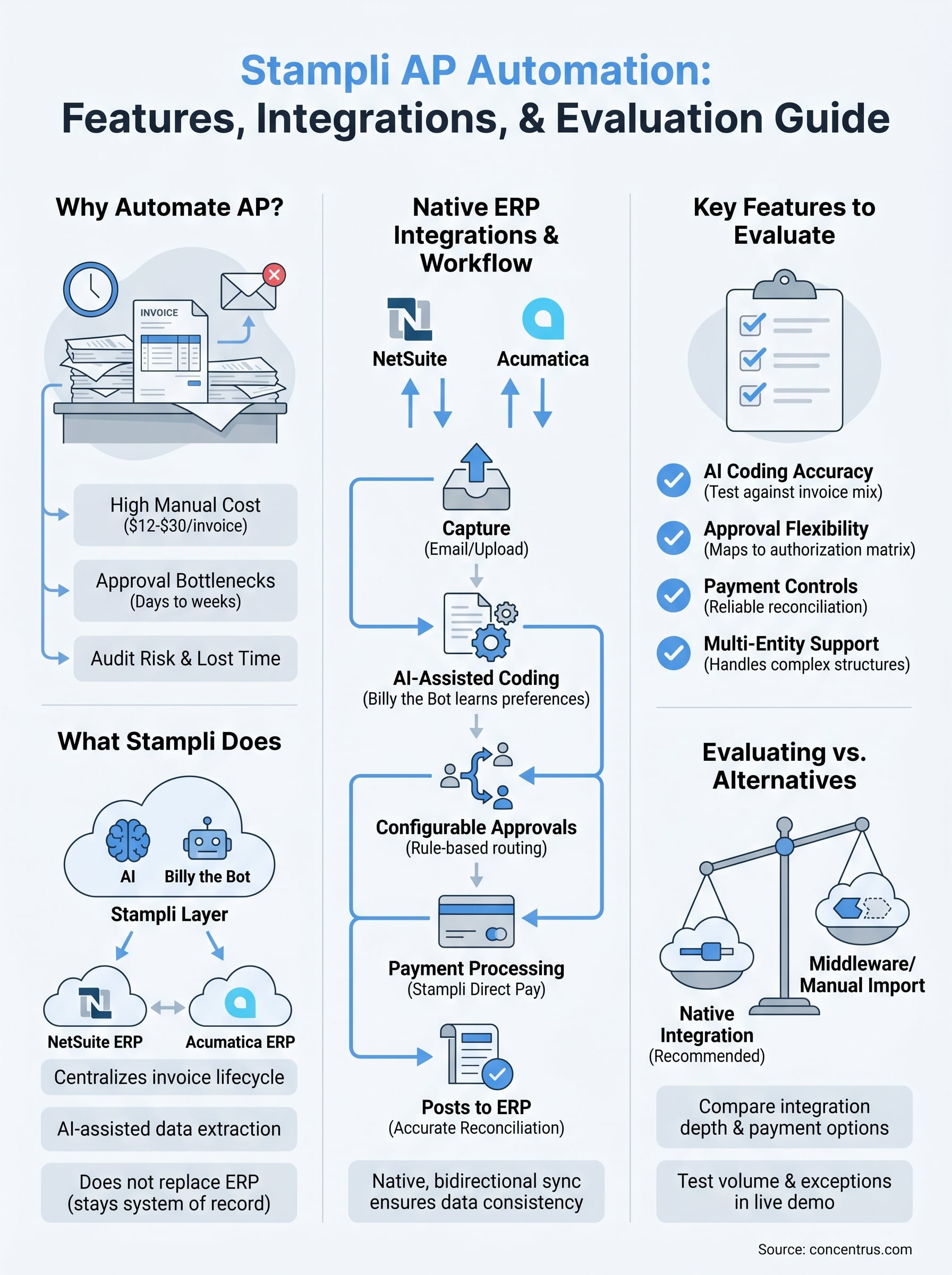
The cost of processing a single invoice manually ranges from $12 to $30, depending on your approval chain and how many people touch it. That number grows when you add late payment penalties, missed early-pay discounts, and the time your staff spends manually matching purchase orders to invoices. Every dollar lost to manual processing is a dollar that erodes the ROI of your ERP investment, which is exactly why finance leaders ask about tools like stampli ap automation during implementation reviews.
Manual invoice processing costs three to five times more than automated processing, according to benchmarks published by APQC.
Manual processes also create audit risk that compounds over time. When approvals happen in email and documentation lives in someone’s inbox, reconstructing an audit trail is slow and unreliable. For CFOs responsible for financial controls, that gap is not a minor inconvenience; it is a direct compliance exposure.
Where approval bottlenecks hit hardest
Approval delays are the most common reason invoices get paid late. When an invoice needs sign-off from three people across two departments, and those people are traveling or buried in other priorities, the payment cycle stretches from days into weeks. Vendors notice, and it directly affects the payment terms they’re willing to offer you going forward.
Your AP staff absorbs the internal cost of these delays as well. They spend time chasing approvers, re-sending reminders, and manually updating status trackers. That is not high-value work, and it pulls skilled employees away from the analysis and reporting that actually moves the business forward.
What better AP processes unlock
When you remove the manual bottlenecks, you gain more than processing speed. Automated AP gives your finance team real-time visibility into what is owed, what is approved, and what is still pending, without digging through a shared inbox or making calls. You can run accurate accruals, close faster, and catch duplicate invoices before they hit the ledger.
For CFOs running on NetSuite or Acumatica, the question is not whether to automate AP. The real question is which tool integrates cleanly with your ERP and delivers the controls and visibility your team needs to hit its financial performance targets.
What Stampli AP Automation does
Stampli AP automation is a cloud-based platform built specifically to manage the invoice lifecycle, from receipt to payment, without forcing your team to abandon the ERP they already use. Unlike some automation tools that require you to process invoices outside your core system and then sync data back, Stampli layers directly on top of your existing ERP, which means your chart of accounts, vendor records, and approval hierarchies stay intact.
How Stampli fits into your workflow
Stampli captures invoices by email or direct upload, then uses its AI engine, called Billy the Bot, to extract header and line-item data automatically and code it against your GL. That reduces the amount of manual data entry your team handles on every invoice. Once coded, the invoice routes to the right approver based on rules you configure, with all communication, questions, and decisions captured directly on the invoice itself rather than scattered across email threads.
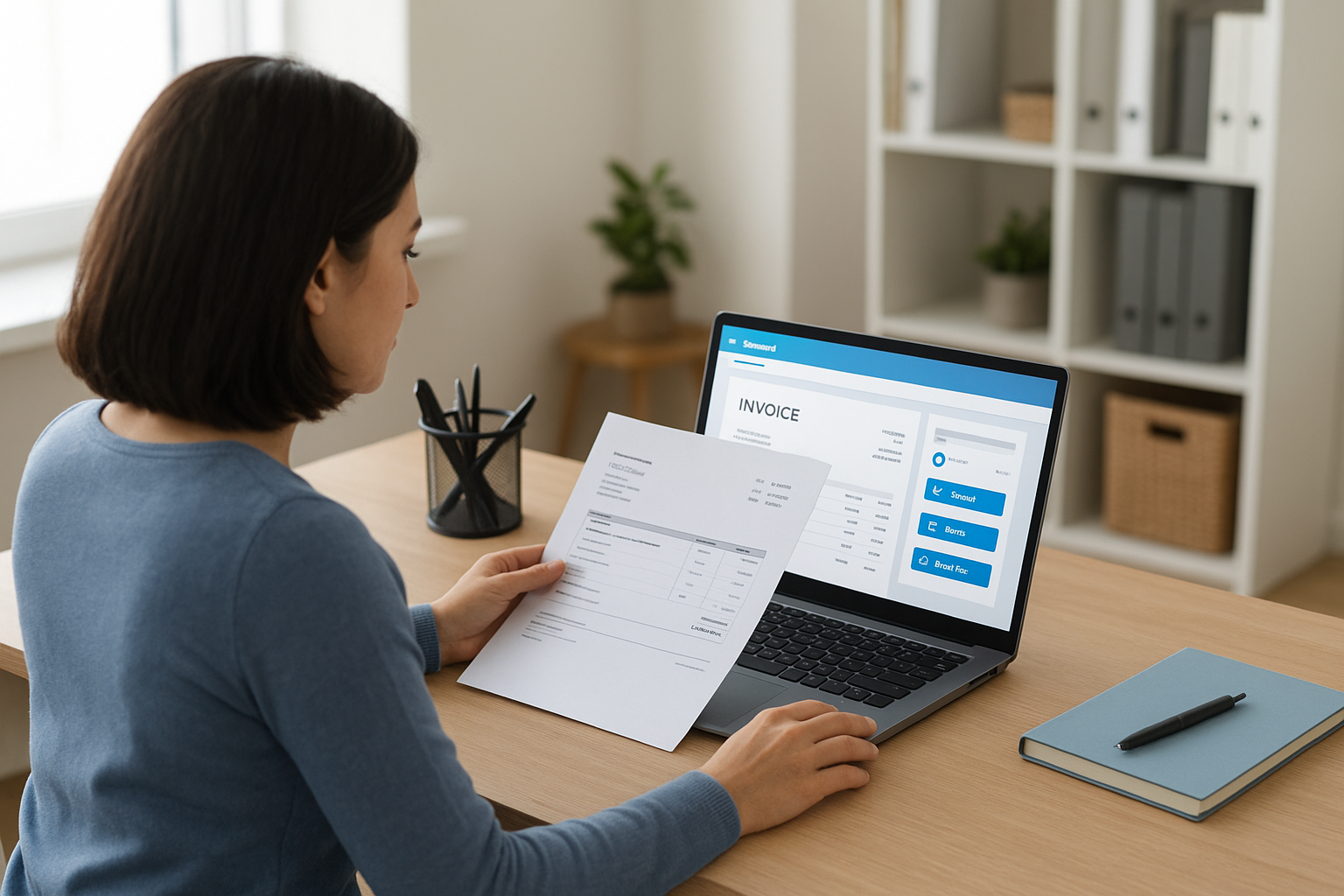
Centralizing invoice communication on the document itself is one of the most practical ways to cut approval cycle time and build a clean audit trail.
Your approvers work inside a simple interface that does not require ERP access or training, which removes one of the common reasons approval cycles drag out. Finance teams keep full control over coding, workflow rules, and exception handling, while approvers only see what they need to act on.
Where Stampli sits in your ERP stack
Stampli functions as a middle layer between your vendor communications and your ERP ledger. It does not replace your ERP; it handles the front-end work of capturing, routing, and approving invoices before that data posts into NetSuite, Acumatica, or whichever system you run. This design keeps your ERP as the financial system of record while removing the manual steps that slow down the process before an invoice ever reaches it.
Key features to evaluate in Stampli
When you evaluate stampli ap automation, you need to go beyond the marketing overview and focus on the features that will directly affect your team’s daily workflow and your financial controls. Not every feature will matter equally depending on your invoice volume, team structure, and ERP setup, so knowing which capabilities to test during a demo or pilot will save you from post-implementation problems.
AI-assisted invoice coding
Stampli’s AI engine, Billy the Bot, reads invoice data and suggests GL coding based on historical patterns in your system. Over time, it learns your coding preferences and reduces the manual review your team needs to handle on routine invoices. You should test this against your own invoice mix during any trial period, especially if you have complex multi-entity or multi-department coding that requires consistent accuracy.
The accuracy of AI coding improves significantly when your ERP has clean, consistent historical data for the bot to learn from.
Configurable approval workflows
Approval routing in Stampli is rule-based, which means you can define paths by vendor, invoice amount, department, or cost center. This flexibility matters if you run different approval chains across business units. You should verify that the workflow builder maps cleanly to your existing authorization matrix before committing, because rebuilding approval logic mid-implementation creates delays and frustration for your entire team.
Payment processing and controls
Stampli offers built-in payment capabilities through Stampli Direct Pay, which handles ACH, check, and virtual card payments directly inside the platform. This removes a separate payment step for your AP team, but you need to confirm that payment reconciliation posts back to your ERP accurately and does not create duplicate records or sync conflicts. For finance teams running tight month-end processes, payment reconciliation reliability is not optional. Gaps here can undermine the close speed and reporting accuracy that made AP automation worth pursuing in the first place.
Integrations and ERP fit
Integration quality is the single most important technical factor when evaluating stampli ap automation for your organization. A tool can have excellent AI coding and clean approval workflows, but if the connection to your ERP is unreliable or requires constant manual intervention to reconcile, you will trade one set of problems for another.
NetSuite and Acumatica compatibility
Stampli supports both NetSuite and Acumatica as native integrations, which means it syncs vendors, GL accounts, purchase orders, and invoice data bidirectionally rather than relying on flat file imports or manual exports. This matters because your ERP stays the system of record throughout the process. Invoices approved in Stampli post directly to the correct period in your ledger without requiring a second data entry step from your AP staff.

A native ERP integration reduces the reconciliation burden at month-end and keeps your financial data consistent across both systems without manual intervention.
For NetSuite users specifically, Stampli connects through NetSuite’s standard SuiteCloud infrastructure, which keeps the integration stable across platform updates. Acumatica users benefit from similar direct connectivity, with field mapping that aligns to Acumatica’s module structure so coding and approvals carry through accurately on posting.
What to verify before you connect
Before you finalize any integration, your team needs to confirm a few specifics that vary by company setup. Multi-subsidiary or multi-entity configurations require additional mapping to ensure invoices route to and post from the correct entity, and this is where integration gaps most commonly appear during implementations. You should also verify how Stampli handles purchase order matching within your ERP’s existing PO module, since some configurations require custom field mapping to maintain accuracy.
Run a test batch of invoices through the full cycle, from capture to ERP posting, before you go live. Catching sync issues during testing protects your close process and prevents data cleanup work later.
How to evaluate Stampli vs alternatives
Picking an AP automation tool comes down to more than comparing feature lists side by side. The right choice depends on how well a tool fits your ERP, your team’s workflows, and the financial outcomes you need to hit. When you evaluate stampli ap automation against alternatives like Tipalti, Bill.com, or Basware, start with your ERP as the anchor and work outward from there.
Key criteria to compare
ERP integration depth and payment flexibility are the two areas where AP tools differ most in ways that actually affect your day-to-day operations. Use this checklist to keep evaluations consistent across vendors:
- ERP integration method: Native connector vs. flat file import vs. third-party middleware
- Approval workflow flexibility: Rule-based routing vs. fixed templates
- AI coding accuracy: Verified against your invoice mix, not just demo data
- Payment options: ACH, check, virtual card, and international coverage
- Reconciliation reliability: How data posts back to your ERP ledger at close
- Multi-entity support: Whether the tool handles your subsidiary or intercompany structure
- Implementation timeline: How long until your team is fully operational
A tool that integrates natively with your ERP will almost always outperform one that requires middleware or manual exports, regardless of how strong its feature set looks on paper.
Questions to ask before you decide
Run every vendor through the same set of operational questions before you commit. Ask specifically how invoice data flows back into your ERP on posting, and request a live demonstration using your actual chart of accounts rather than a generic sandbox environment. If the vendor cannot demonstrate that clearly, treat it as a red flag.
Volume and exception handling are also worth testing directly. Ask what happens when an invoice hits a coding exception or an approver is unavailable, and trace that scenario through the full workflow. The vendors that handle edge cases cleanly are the ones that will hold up during your busiest close weeks.
Next steps for your AP stack
You now have a clear picture of what stampli ap automation does, how it integrates with NetSuite and Acumatica, and what to verify before you commit. The next move is to run a structured evaluation using your own invoice data, your actual approval workflows, and your ERP configuration, not a generic demo environment. Testing against real-world conditions is the only way to confirm whether a tool holds up where your process is most complex.
If you are mid-implementation or looking to extend an existing ERP investment with the right AP tooling, the integration and configuration decisions you make now will directly affect your close speed, reporting accuracy, and long-term ROI. Getting those decisions right requires both ERP expertise and a clear view of your financial targets. Talk to the Concentrus team to work through your AP automation options with advisors who know NetSuite and Acumatica from the inside out.