

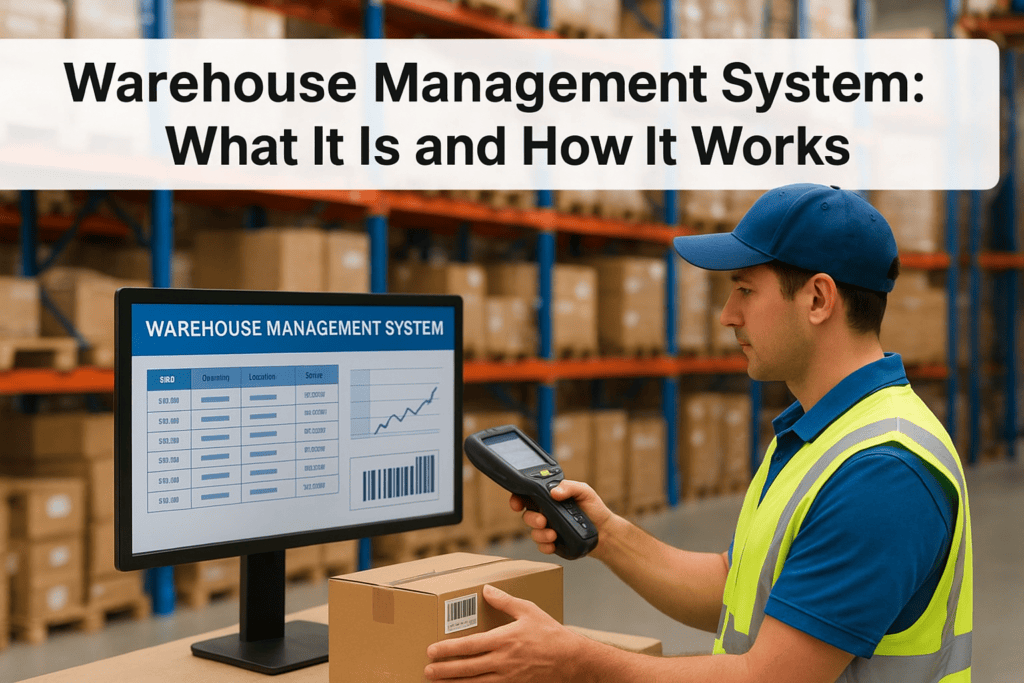
If your warehouse team is still tracking inventory on spreadsheets or fighting with a system that can’t talk to your ERP, you already know the cost: missed shipments, inaccurate counts, and finance chasing numbers that never quite match. A warehouse management system (WMS) is the software layer built to fix exactly that problem, and understanding it is the first step toward deciding if your operation actually needs one.
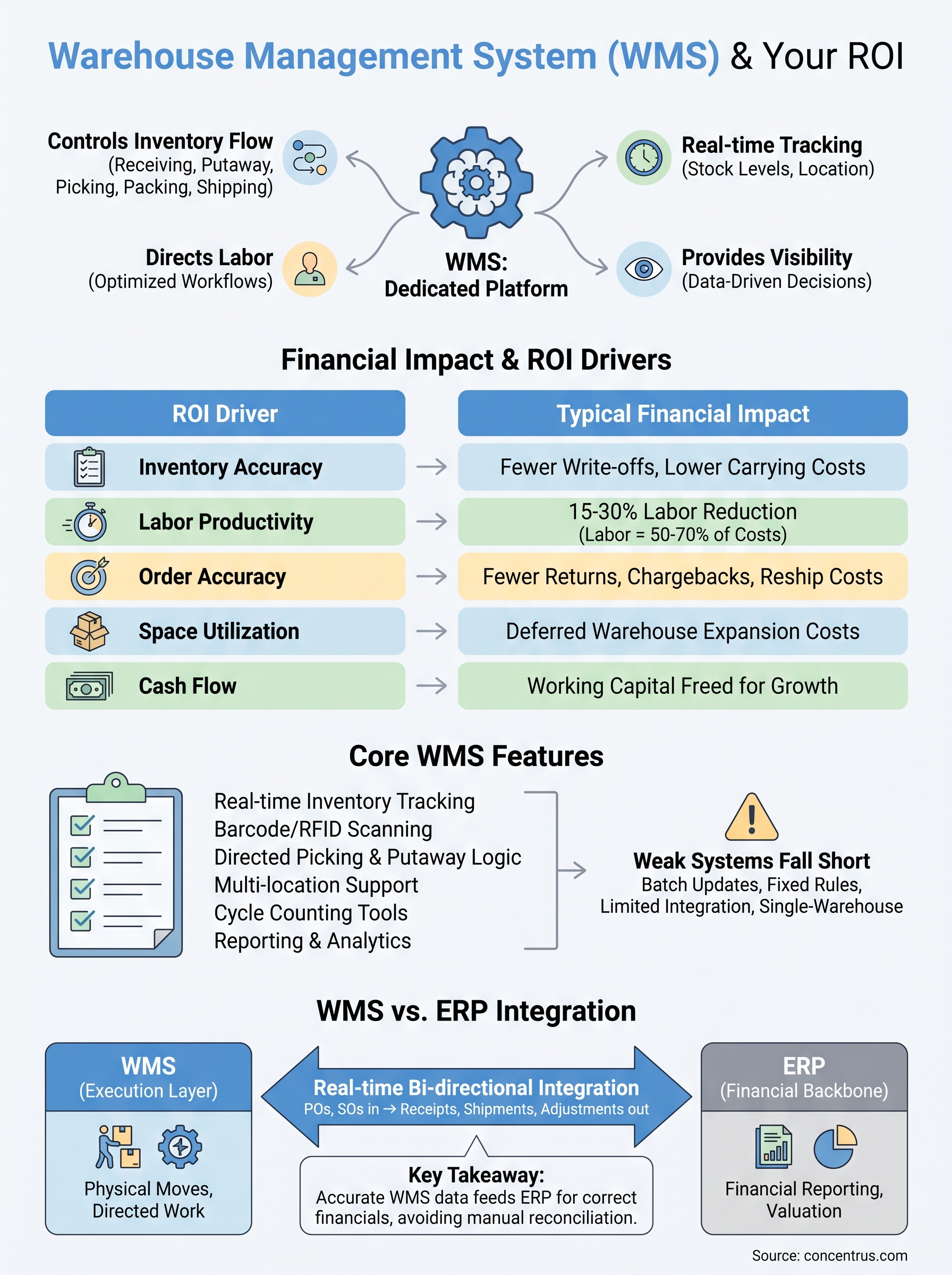
In plain terms, a WMS is a dedicated platform that controls how inventory moves through your warehouse, from receiving to putaway, picking, packing, and shipping. It tracks stock levels in real time, directs labor, and gives you visibility into every SKU at every stage, replacing guesswork with data you can act on.
This article breaks down what a WMS actually does day to day, the core functions that separate a real system from a glorified spreadsheet, and how it fits alongside your ERP rather than competing with it. If you’re a finance leader evaluating warehouse technology, you’ll come away knowing exactly what to look for and why it matters to your bottom line.
Why a warehouse management system matters for your ROI
CFOs don’t lose sleep over pick paths or dock scheduling. You lose sleep over margin erosion, write-offs, and labor costs that keep climbing without a clear explanation. A warehouse management system matters to your ROI because it attacks all three at once, turning warehouse operations from a cost center you can’t quite explain into a measurable, controllable part of the business.
The hidden cost of manual tracking
Manual and spreadsheet-based inventory tracking looks cheap until you count what it actually costs you. Every miscount triggers a cascade: a customer order can’t ship on time, a rush replenishment order gets placed at a premium, and your team spends hours reconciling numbers that should have matched in the first place. Overstock ties up working capital you could deploy elsewhere, while stockouts cost you sales and, eventually, customers. None of this shows up as a single line item on your P&L, which is exactly why it’s so easy to underestimate and so hard to fix without better data.
A warehouse management system turns inventory accuracy from a hope into a measurable, repeatable outcome.
Where the ROI actually shows up
A well-implemented WMS drives ROI through a handful of concrete levers, not vague promises of “efficiency.” The table below breaks down where finance leaders typically see the impact first.
| ROI Driver | What Changes | Typical Financial Impact |
|---|---|---|
| Inventory accuracy | Real-time counts replace periodic manual audits | Fewer write-offs, lower carrying costs |
| Labor productivity | Directed picking and optimized workflows | 15-30% reduction in labor hours per order |
| Order accuracy | Barcode/RFID scanning at every touchpoint | Fewer returns, chargebacks, and reship costs |
| Space utilization | Slotting logic based on demand and velocity | Deferred warehouse expansion costs |
| Cash flow | Better demand visibility reduces overstock | Working capital freed up for growth |
These aren’t hypothetical categories. Labor costs typically run 50-70% of total warehouse operating expense, so even modest productivity gains compound fast across a full year.
Why finance leaders should care beyond the warehouse floor
Tracking gets sloppy the moment inventory data lives in a system that doesn’t talk to your general ledger. Every discrepancy between physical stock and what your ERP shows forces someone, usually in finance, to investigate, adjust, and explain the variance to auditors or the board. A WMS that’s properly connected to your ERP eliminates that gap by feeding accurate, timestamped inventory data straight into your financial reporting, which means your cost of goods sold and inventory valuation reflect reality instead of last month’s cycle count.
Understanding this connection is also why so many ERP rescue projects trace back to warehouse operations that were never properly scoped in the first place. Companies buy an ERP expecting it to solve inventory visibility problems, only to discover the ERP’s native inventory module can’t handle the complexity of a real distribution or manufacturing floor. That gap is exactly where a dedicated WMS earns its keep, and it’s a big part of why the National Institute of Standards and Technology has documented supply chain visibility as a direct driver of operational resilience and cost control (see NIST’s supply chain risk management guidance at nist.gov). Get the WMS-ERP relationship right from the start, and you avoid rebuilding it later under pressure.
How a warehouse management system works day to day
Walk onto a warehouse floor running a real WMS and you’ll notice something immediately: nobody is guessing. Every worker has a handheld scanner or a screen telling them exactly what to do next, and every action they take updates the system in real time. That’s the core mechanic of a warehouse management system: it directs physical work and captures data simultaneously, so the record of what happened matches what actually happened.

The inventory flow from dock to dock
A shipment arrives, and the WMS already knows what’s expected because it pulled the purchase order from your ERP. Here’s the typical sequence it manages:
- Receiving: Scan incoming goods against the PO, flagging discrepancies before they become inventory problems.
- Putaway: Direct workers to specific bin locations based on velocity, size, or storage rules, not whatever shelf happens to be open.
- Inventory management: Track quantity, location, and status (available, allocated, damaged) for every SKU continuously.
- Picking: Generate optimized pick paths so workers aren’t crisscrossing the warehouse for a single order.
- Packing and shipping: Confirm the right items and quantities go into the right box, then generate labels and shipping documents automatically.
A WMS doesn’t just record what happened in your warehouse, it tells your team what to do next and confirms they did it right.
The data layer that ties it together
Behind every scan, every bin assignment, and every packed order sits a database updating in real time. This is what separates a WMS from a paper checklist or a static spreadsheet. When a picker scans an item, the system immediately decrements available inventory, updates the order status, and, if properly integrated, pushes that change toward your ERP for financial reporting. There’s no batch upload at the end of the day, no reconciliation gap between
Key features that separate a strong WMS from a weak one
Not every system marketed as a warehouse management system actually functions like one. Some are little more than inventory spreadsheets with a nicer interface, while others are stripped-down modules bolted onto an ERP that was never designed for complex warehouse logic. Knowing the difference before you buy saves you from a rescue project down the road.
Core capabilities you should never skip
Before evaluating vendors, check whether the platform actually delivers these functions, not just claims to:
- Real-time inventory tracking: Stock counts update the instant a scan happens, not on a nightly batch job.
- Barcode or RFID scanning: Manual data entry defeats the purpose of a WMS and reintroduces the errors you’re trying to eliminate.
- Directed picking and putaway logic: The system tells workers where to go and what to grab, based on rules you control.
- Multi-location and multi-warehouse support: If you operate more than one facility, the WMS needs to manage them as one connected network, not separate silos.
- Cycle counting tools: Ongoing, rule-based counts replace disruptive full physical inventories.
- Reporting and analytics: You need visibility into throughput, accuracy rates, and labor productivity without exporting data to a third tool.
A weak WMS tracks inventory after the fact. A strong one directs the work that creates accurate inventory in the first place.
Where weaker systems fall short
The gap between a strong and weak WMS usually shows up under pressure, during peak season, a rapid SKU expansion, or a new sales channel. Weaker systems handle simple, static operations fine but break down when complexity increases. Watch for these warning signs during evaluation:
| Weak WMS Signal | Strong WMS Behavior |
|---|---|
| Inventory updates in batches | Updates in real time, every transaction |
| Fixed putaway rules only | Dynamic slotting based on velocity and demand |
| Limited or no API integration | Native, bidirectional ERP integration |
| Single-warehouse design | Scales across multiple facilities and channels |
| Basic reporting only | Configurable dashboards tied to KPIs |
Integration capability deserves special attention here, because a WMS that can’t sync cleanly with your ERP just recreates the reconciliation headaches you’re trying to eliminate, only with better barcode scanners.
WMS vs. ERP: how the two systems work together
Questions about whether a warehouse management system replaces your ERP come up constantly, and the answer is no. Your ERP runs the financial and operational backbone of the business, general ledger, accounts payable, purchasing, and financial reporting. A WMS handles the physical execution layer inside the four walls of your warehouse. Neither one does the other’s job well, and trying to force one platform to cover both usually ends in a rescue project.
What each system is actually built to do
Getting this distinction wrong is the single biggest reason companies end up disappointed with either system. The table below lays out where each one owns the work.
| Function | ERP | WMS |
|---|---|---|
| Financial reporting | Owns it | Feeds data into it |
| Purchase orders | Creates and tracks | Receives against it |
| Inventory valuation | Records financial value | Tracks physical location and status |
| Pick, pack, ship logic | Not built for this | Owns it |
| Directed labor | No | Owns it |
| General ledger updates | Owns it | Never touches it directly |
An ERP tells you what your inventory is worth. A WMS tells you exactly where it is and what to do with it next.
Where integration actually happens
Value only shows up when these two systems talk to each other continuously, not through a nightly file transfer that leaves finance staring at stale numbers all day. Real integration means the ERP pushes purchase orders and sales orders to the WMS automatically, and the WMS pushes receipts, shipments, and inventory adjustments back to the ERP the moment they happen. This is exactly the kind of connection Concentrus builds through its ROI Roadmap™ methodology, tying warehouse execution directly to the financial outcomes your ERP is supposed to report.
X-ray your current setup and you’ll usually find the failure point sits right here, at the integration layer, not inside either system individually. Bidirectional, real-time syncing between ERP and WMS is what turns two separate tools into one accurate picture of your business. Skip that integration work, or treat it as an afterthought during implementation, and you’ll end up right back where you started: two systems, two versions of the truth, and finance stuck reconciling the difference by hand.
What this means for your next ERP decision
A warehouse management system isn’t a nice-to-have bolted onto your ERP, it’s the operational engine that determines whether your inventory data, your labor costs, and your financial reporting actually match reality. Get the WMS-ERP relationship wrong, and you’ll spend years reconciling numbers by hand while margin erosion hides in plain sight. Get it right, and warehouse operations shift from a cost center you can’t explain into a measurable driver of ROI.
Before you sign another software contract, ask whether the platform on the table actually integrates in real time with your financial system, or whether you’re setting up the next rescue project. That question matters more than any feature list a vendor hands you.
If you’re evaluating a new ERP, rescuing a failed one, or trying to figure out where your WMS gap actually lives, talk to Concentrus about building the integration that ties your warehouse to your bottom line.