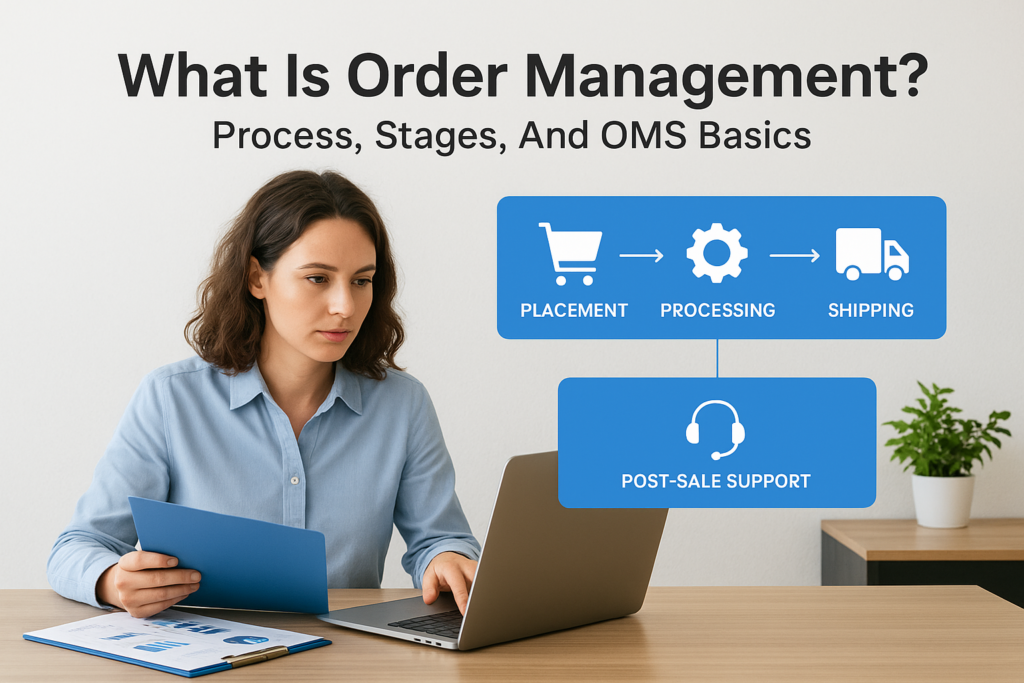
Every customer order triggers a chain of events, inventory checks, payment processing, picking, packing, shipping, and returns. When these steps run smoothly, customers get what they ordered on time, and your margins stay healthy. When they don’t, you’re looking at delayed shipments, oversold inventory, and finance teams scrambling to reconcile the mess. That chain of events is what order management actually is: the end-to-end process of receiving, tracking, and fulfilling customer orders across every channel your business sells through. Getting it right directly impacts cash flow, profitability, and customer retention.
For midsized companies handling growing order volumes, managing this process through spreadsheets or disconnected systems creates bottlenecks that compound fast. That’s where an Order Management System (OMS), often built into or connected to an ERP platform like NetSuite or Acumatica, becomes essential. At Concentrus, we implement and optimize these systems every day, and we’ve seen firsthand how a well-structured order management process transforms operational efficiency and financial visibility for finance leaders.
This article breaks down order management from the ground up: what it is, the stages involved, how an OMS works, and what to look for when your current process isn’t keeping pace with demand.
What order management includes
When people ask what is order management, they’re often thinking about the moment a customer clicks “buy.” But the process runs far deeper than that single transaction. Order management spans every activity from the point of sale through final delivery and even returns, touching your inventory systems, finance team, warehouse operations, and customer-facing communication at every step. For midsized businesses, this means coordinating across multiple departments and sometimes multiple sales channels at the same time.
A single poorly managed order can trigger a cascade of downstream problems: inaccurate inventory counts, delayed revenue recognition, and customer service escalations that eat into your team’s time.
Order capture and validation
Order capture is the entry point of the entire process. When a customer places an order, whether through your website, a sales rep, a wholesale portal, or a marketplace, that order needs to land in one centralized place and be validated immediately. Validation checks include confirming item availability, verifying pricing, reviewing customer credit status, and applying any discounts or tax rules before the order moves forward. Without this step, errors compound quickly. An order that enters your system with the wrong price or an unavailable SKU creates rework for your finance and warehouse teams.
Centralized capture matters especially for multichannel sellers. If each sales channel feeds into a separate disconnected system, your team ends up reconciling orders manually. An ERP with built-in order management, like NetSuite or Acumatica, removes that friction by routing every order into a single unified workflow regardless of source.
Inventory allocation and fulfillment
Once an order is validated, your system needs to allocate inventory to that specific order and trigger the fulfillment process. Allocation means reserving the right stock at the right location so two customers don’t get promised the same item. For businesses with multiple warehouses or distribution points, smart allocation logic routes orders to the nearest or most cost-effective fulfillment location based on rules you define.
Fulfillment covers picking, packing, label generation, and shipping documentation. This stage connects directly to your landed costs and labor expenses, so errors here translate into returns, re-shipments, and margin erosion that show up in your monthly financials.
Shipping, tracking, and delivery
Shipping execution involves selecting a carrier, generating tracking information, and sending confirmation to the customer. Your order management process should automatically update order status as packages move through the carrier network. Real-time tracking visibility reduces inbound customer inquiries and gives your operations team the data to handle exceptions like delays or lost shipments before customers escalate.
From a financial reporting standpoint, shipping data determines when revenue can be recognized. Depending on your terms, the revenue recognition trigger is the point of shipment or confirmed delivery, so accurate shipping records feed directly into your period-end close process.
Returns and post-sale processes
Returns management is the part of order management that most companies underinvest in. A return isn’t just a logistics event; it triggers inventory adjustments, restocking decisions, credit memo generation, and customer refund processing. Each of these steps needs to flow back through your ERP accurately so your inventory counts, accounts receivable, and financial statements stay clean.
Post-sale processes also include invoicing, collections follow-up, and warranty or service fulfillment for certain product types. When these activities run inside the same system that handled the original order, your finance team gains a complete audit trail and spends far less time chasing transaction history across disconnected tools.
The 4 stages of the order lifecycle
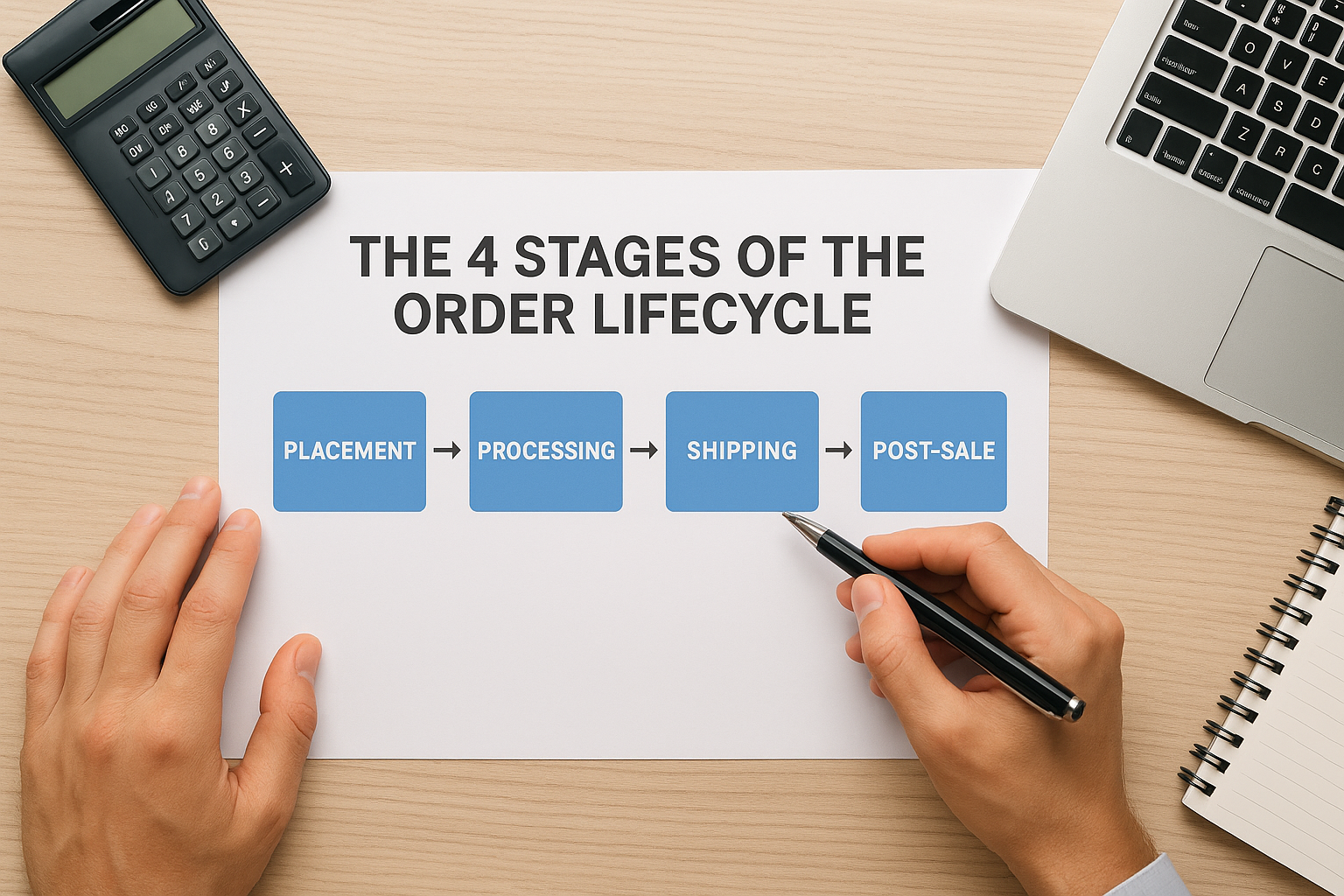
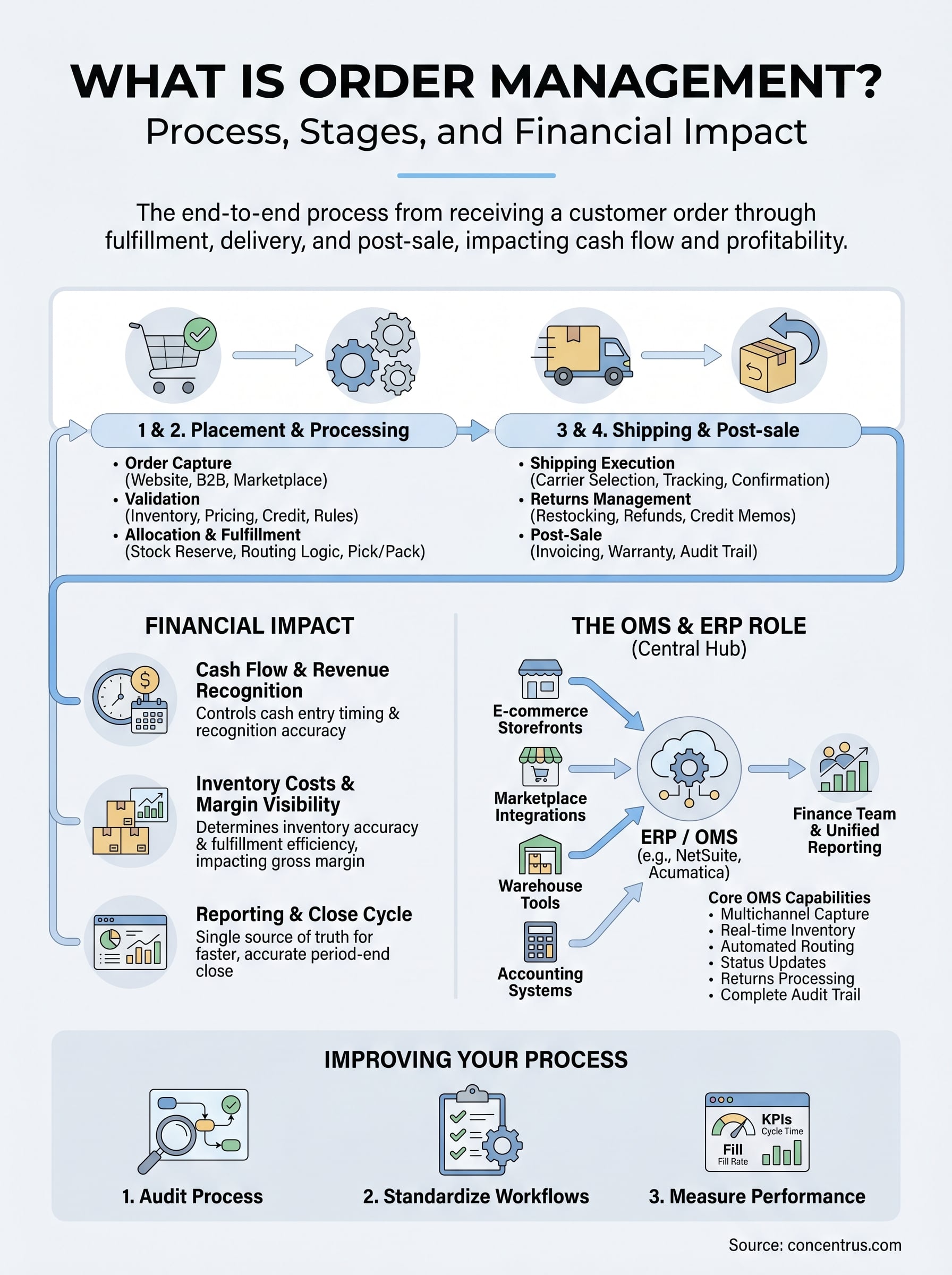
Understanding what is order management at a process level means mapping the four stages every order moves through: placement, processing, shipping, and post-sale. Each stage has its own dependencies and handoffs, and a breakdown at any point creates downstream problems that your finance team ends up reconciling at month-end. Knowing where your process is weakest gives you a clear starting point for improvement rather than chasing symptoms after the fact.
Stages 1 and 2: Placement and processing
Order placement begins the moment a customer submits an order through any channel your business supports. At this stage, your system validates the order details, checks inventory availability, confirms pricing, and reviews customer credit limits before anything moves forward. Skipping or automating this validation poorly means errors enter your workflow from the start, and correcting them downstream costs more time and money than catching them at entry.
Order processing follows immediately after validation clears. Your team or your system allocates stock to that specific order, generates pick lists for the warehouse, and prepares fulfillment documentation. For businesses with multiple warehouses, smart routing logic in your ERP determines which location fulfills each order based on proximity, available inventory, or business rules you define, keeping fulfillment costs and lead times as low as possible.
Stages 3 and 4: Shipping and post-sale
Shipping execution covers carrier selection, label generation, handoff to the carrier, and status updates back to the customer. Your order management process should push tracking data automatically so your customer service team isn’t fielding “where is my order” calls all day. Accurate shipment records also set your revenue recognition timing, which makes this stage directly tied to your financial reporting accuracy and period-end close.
Every day a shipment sits unconfirmed in your system is a day that revenue recognition and cash flow reporting lag behind what actually happened.
Post-sale processing includes returns, refunds, credit memos, and any warranty or service fulfillment tied to the original transaction. Returns trigger inventory adjustments, accounts receivable updates, and restocking decisions that all need to flow back into your ERP cleanly. When post-sale transactions run through the same system as the original order, your finance team keeps a complete audit trail and avoids manually reconciling data from disconnected sources at month-end.
Why order management matters to finance leaders
Most finance leaders think about order management as an operations concern, something for the warehouse and logistics teams to sort out. But what is order management if not a direct driver of your cash position, revenue accuracy, and gross margin? Every stage of the order lifecycle produces financial data that feeds your reporting, your forecasts, and your close cycle. When the process breaks down, the financial consequences land squarely on your desk.
Cash flow and revenue recognition
Order management controls when cash enters your business. From the moment an order is placed to the moment payment clears, every delay in processing, shipping, or invoicing pushes your receivables further out. For midsized companies running on tight working capital, a two-day lag in fulfillment confirmation can shift invoices from one period to the next, distorting your cash flow forecast and complicating your period-end close.
Revenue recognition accuracy depends entirely on clean, timestamped order and shipment records that tie back to your delivery terms.
Disconnected order data forces your finance team to chase transaction details manually, cross-referencing shipment logs, invoices, and carrier confirmations to confirm when revenue can be recorded. When your ERP handles the full order lifecycle, those records exist in one place, and your team spends time analyzing numbers rather than hunting them down.
Inventory costs and margin visibility
Inventory is one of the largest assets on your balance sheet, and order management determines how accurately that number reflects reality. Poor order management leads to overselling, phantom inventory, and excess stock that ties up cash without generating returns. Each of these problems shows up as margin erosion when you look at your financials at month-end, but the root cause is almost always a process failure earlier in the order lifecycle.
Your gross margin on any given product depends on fulfillment efficiency as much as it depends on pricing. Shipping errors, re-picks, returns, and re-shipments all carry real labor and freight costs that compress margins. When your order management process is structured and running through a connected ERP, you get visibility into fulfillment costs by order, by channel, and by product line, giving you the data to make pricing and operational decisions grounded in actual cost behavior rather than estimates.
How order management works across systems
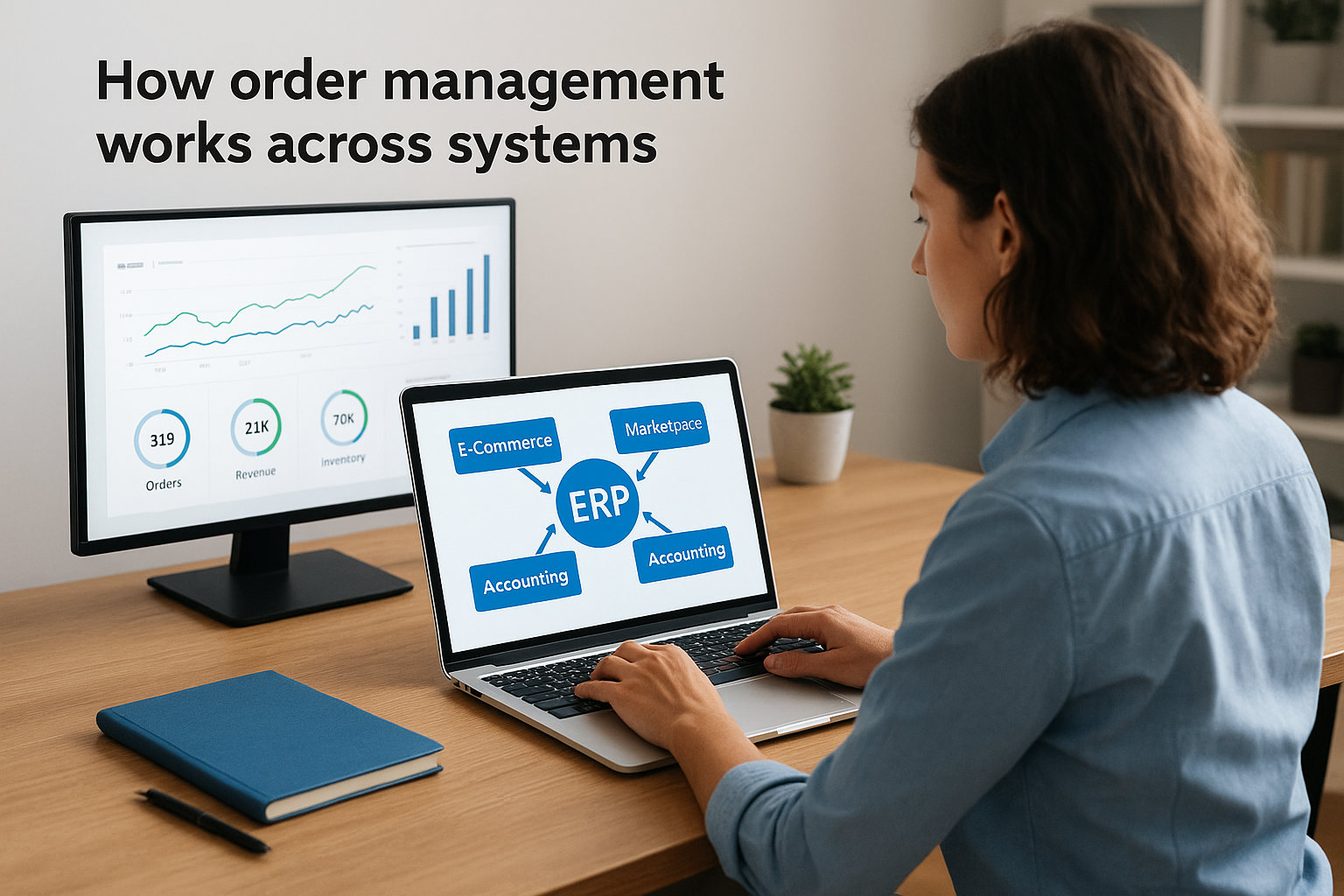
One of the clearest ways to understand what is order management in practice is to trace how order data moves through the systems your business already runs. Most midsized companies don’t operate from a single platform. They use a combination of e-commerce storefronts, marketplace integrations, warehouse management tools, and accounting systems, and order data needs to flow accurately between all of them for your process to function without manual intervention.
ERP as the central hub
Your ERP platform is where all order data should converge. When an order enters from any channel, your ERP captures it, checks inventory, triggers fulfillment, records the transaction, and updates your financial records in a single connected workflow. NetSuite and Acumatica both provide native order management modules that handle this end-to-end flow without requiring your team to manually move data between disconnected tools. When your ERP acts as the central hub, your finance team gets a single source of truth for open orders, shipped orders, and outstanding receivables without relying on exports or manual reconciliation.
The moment your order data lives in more than one system without automated synchronization, your financial reporting starts working from incomplete information.
A connected ERP also eliminates the duplicate records and fulfillment errors that come from teams working off separate data sources. When your warehouse, sales, and finance teams all pull from the same unified system, the decisions they make reflect actual order status rather than whatever version of the data they happen to have open.
Connecting your sales channels and warehouse tools
Most midsized businesses sell across multiple channels, whether that’s a direct website, a B2B portal, Amazon, or a field sales team. Each channel generates orders that need to land in your ERP automatically rather than through manual entry. Integration platforms connect your storefront and marketplace data directly to NetSuite or Acumatica, eliminating the manual import step that slows your team down and introduces pricing, quantity, and customer data errors that take time to unwind.
Your warehouse activity also needs to feed data back into your ERP in real time. When pick-and-pack actions, carrier scans, and shipment confirmations sync automatically, your order status, inventory counts, and revenue recognition records stay current without extra effort from your finance team. That accuracy is what allows your team to close faster and report with confidence at the end of every period.
Order management system basics and key features
When you ask what is order management at a systems level, you’re really asking how software handles every task that a disconnected manual process can’t keep up with at scale. An Order Management System (OMS) is the software layer that automates order capture, inventory allocation, fulfillment routing, shipment tracking, and post-sale processing inside a single platform. For midsized companies, the OMS is often built directly into an ERP like NetSuite or Acumatica rather than a standalone tool, which means order data and financial data share the same database from the start.
When your OMS and your ERP are the same system, your finance team stops waiting for operations to send reports and starts pulling answers on demand.
Core OMS capabilities
An OMS does more than record transactions. The features that matter most to your team are the ones that reduce manual work, prevent errors, and keep your data accurate without requiring someone to check it constantly. Here are the core capabilities to look for:
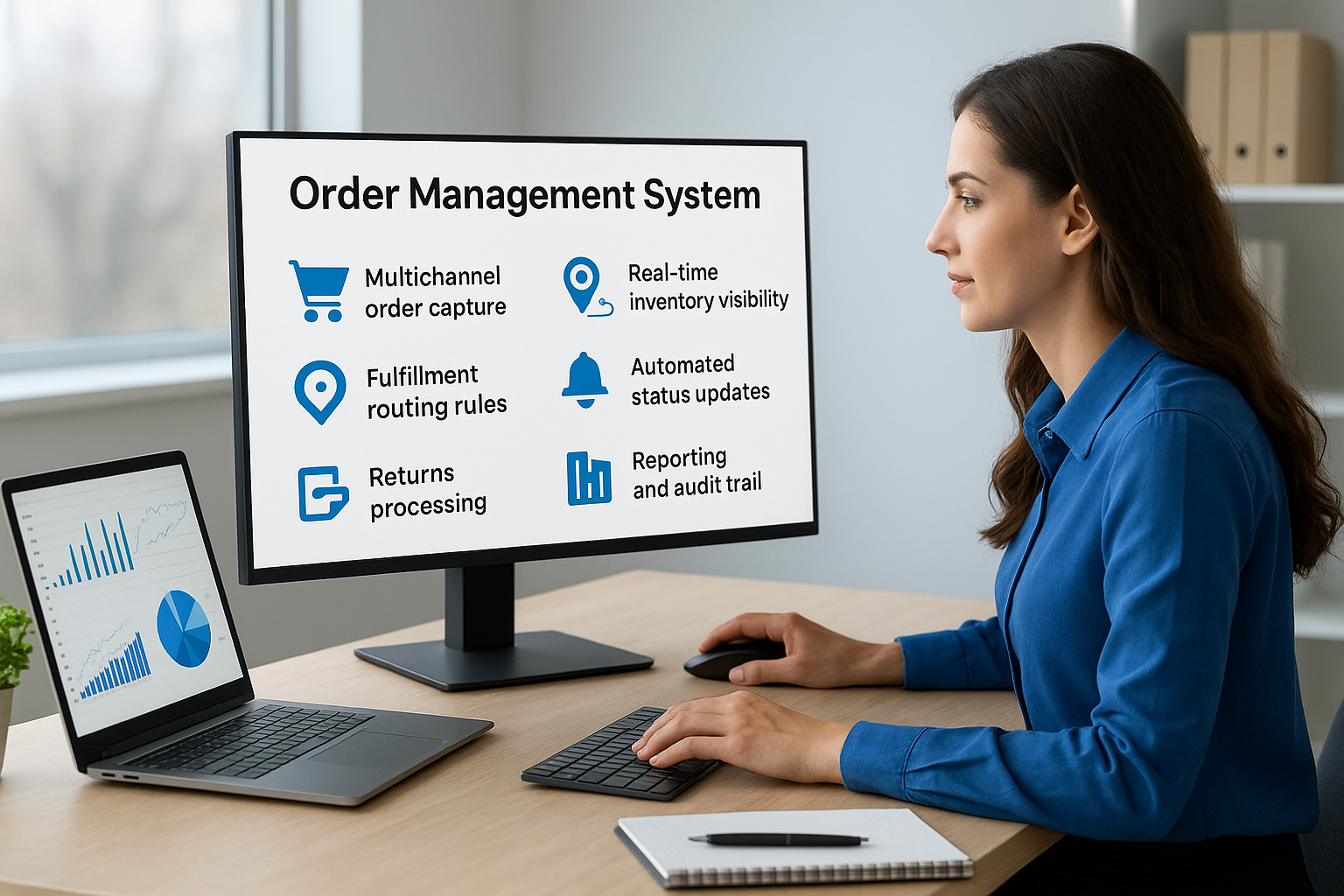
- Multichannel order capture: Pulls orders from every sales channel into one workflow automatically, with no manual imports
- Real-time inventory visibility: Shows available stock across every location so your system allocates accurately before confirming orders
- Fulfillment routing rules: Directs each order to the right warehouse based on proximity, cost, or inventory levels you define
- Automated status updates: Pushes shipment and delivery confirmations back to customers and into your financial records without manual entry
- Returns processing: Handles return authorizations, inventory adjustments, and credit memo generation inside the same system
- Reporting and audit trail: Gives your finance team a complete order history with timestamps for every transaction, supporting faster closes and cleaner audits
How an OMS connects to your ERP
Most OMS functionality in NetSuite and Acumatica runs natively within the ERP, which means order records, inventory movements, and financial postings happen in the same transaction. Your finance team doesn’t need to wait for a nightly data sync or reconcile exports from a separate order platform. Every fulfilled order posts directly to accounts receivable, updates inventory valuation, and creates the revenue recognition record your team needs at period-end. When you evaluate OMS options, the most important question isn’t which features the software lists. It’s whether those features run inside the same system your finance team uses every day.
How to improve order management in your ERP
Understanding what is order management at a conceptual level is only useful if you do something with it. Most midsized companies already have an ERP in place, but they’re using a fraction of its order management capabilities because the workflows were never fully configured or haven’t kept pace with how the business has grown. Improving your process doesn’t require replacing your platform. It requires going back into what you already have and closing the gaps.
Audit your current process first
Before you change anything, map out every step your orders currently move through, from capture to cash collection. Identify where your team intervenes manually, where data leaves your ERP and gets handled in a spreadsheet, and where errors tend to cluster. These friction points are where your improvement effort delivers the most immediate return.
A short process audit almost always surfaces two or three manual steps that your ERP can automate today without any customization.
Common gaps include orders that enter through one channel but get processed separately, fulfillment confirmations that don’t automatically post to accounts receivable, and return transactions that require manual journal entries. Each of these adds time to your close cycle and introduces error risk that compounds across every period.
Standardize your order workflows in your ERP
Once you know where your gaps are, configure your ERP to enforce a single workflow for every order type regardless of which channel it originates from. This means setting up validation rules, automated allocation logic, and status triggers so your team follows the same process every time without relying on institutional knowledge or individual judgment calls.
Workflow standardization also makes training faster and reduces the variance in how different team members handle edge cases like partial shipments, backorders, or split fulfillment. When the system guides the process, your outcomes become consistent and your data becomes reliable.
Measure fulfillment performance with the data your ERP already captures
Your ERP generates order cycle time, fill rate, return rate, and on-time delivery data with every transaction. Build dashboards that surface these metrics for your operations and finance teams regularly so problems get caught before they compound. Tying fulfillment performance to gross margin by order type or sales channel gives your finance team the visibility to identify where the process is costing money and prioritize fixes that improve both operations and financial outcomes.
Next steps
Now that you understand what is order management and how it connects to your cash flow, inventory accuracy, and financial close cycle, the next move is to assess where your current process actually stands. Map your order workflow from capture through post-sale, identify where manual steps slow your team down, and check whether your ERP is handling the full lifecycle or leaving gaps your team fills with spreadsheets and emails.
Most of the improvements that make the biggest difference don’t require a new platform. They require configuring the system you already have to work the way your business actually operates. If your ERP isn’t delivering that level of order management visibility, the problem is almost always in how it was set up, not in the technology itself. The NetSuite and Acumatica ERP consultants at Concentrus help midsized companies close those gaps and turn their ERP into a system that drives measurable financial results.