

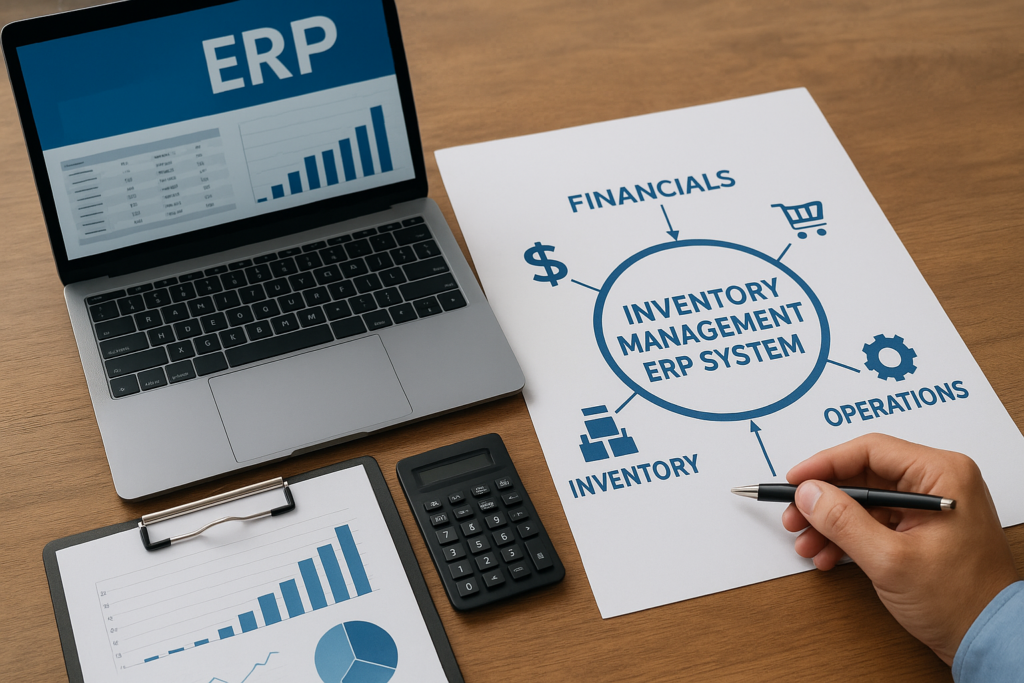
If you’re still tracking stock in spreadsheets or bolting a standalone inventory tool onto your accounting software, you already know the pain: mismatched counts, stockouts that surprise your sales team, and month-end closes that take days longer than they should. An inventory management ERP system fixes that by putting inventory data inside the same platform that runs your financials, orders, and operations, so every number ties back to one source of truth.
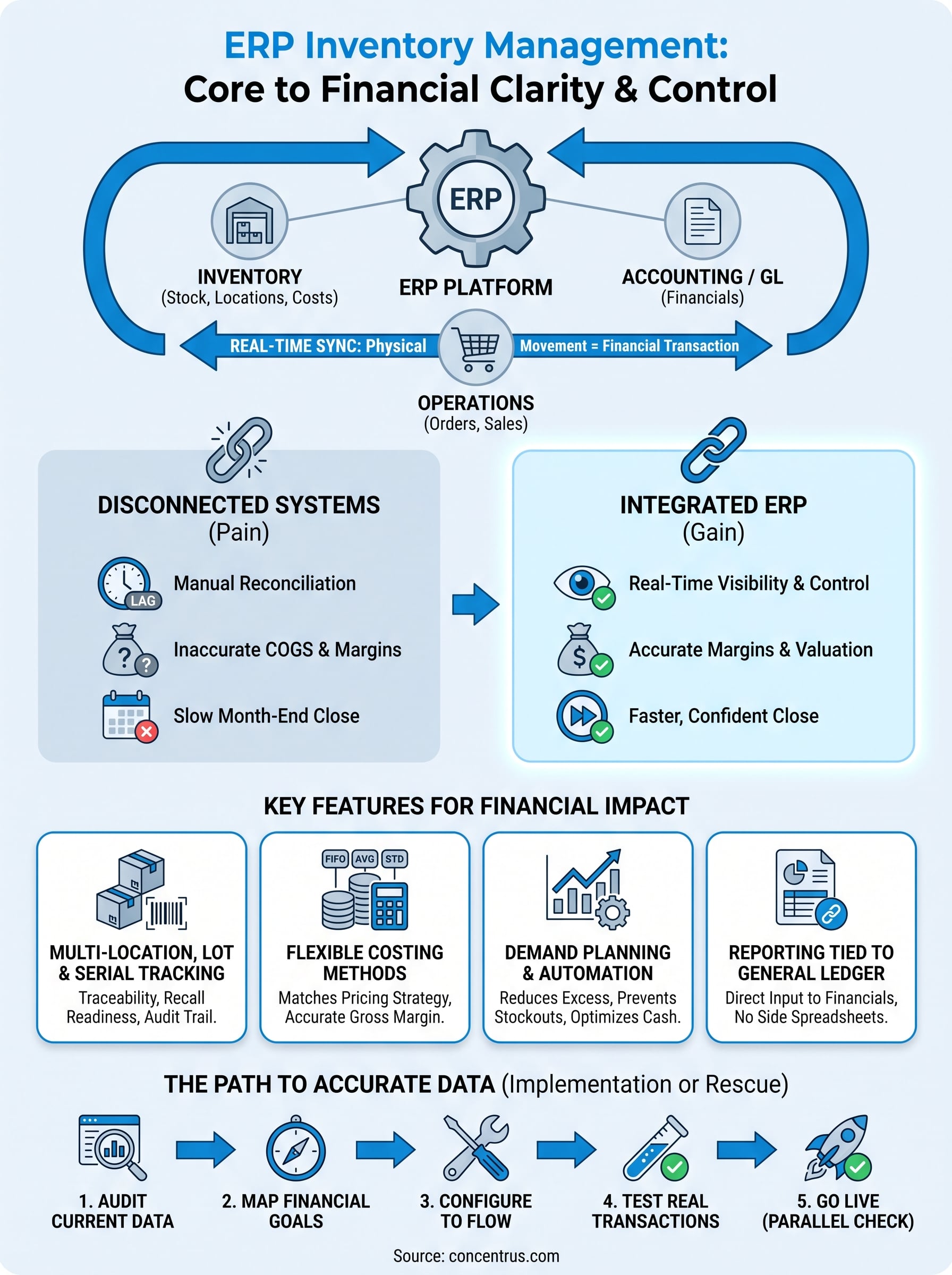
At its core, an ERP inventory management module tracks stock levels, locations, costs, and movements in real time, then feeds that data directly into purchasing, sales, and accounting workflows. That connection is what separates ERP from a bolt-on inventory app: when inventory moves, your general ledger, demand planning, and reporting move with it, automatically.
In this article, we’ll break down what an ERP system for inventory management actually includes, how the module works day to day, and what features matter most for midsized companies in manufacturing, distribution, or e-commerce. If you’re evaluating NetSuite, Acumatica, or another platform, this gives you the framework to compare options with your financial goals in mind.
Why inventory accuracy matters to your bottom line
Bad inventory data doesn’t just create warehouse headaches. It shows up directly in your financial statements, your cash position, and the decisions your leadership team makes every month. When counts don’t match reality, your cost of goods sold is wrong, your gross margin calculations are wrong, and every forecast built on top of that data inherits the error. For CFOs at midsized companies, this is exactly why erp inventory management deserves attention as a financial control issue, not just an operations concern.
The hidden cost of inaccurate stock data
Manual counts and disconnected systems create a lag between what’s actually on your shelves and what your books say is there. That lag compounds fast. A distribution company running weekly cycle counts might carry two or three days of stale data at any given moment, and during that window, sales reps quote availability that doesn’t exist, purchasing reorders stock that’s already sitting in a back room, and finance closes the books on numbers that need correcting later. Working capital gets tied up in excess inventory nobody can see, while stockouts on fast-moving items cost you sales you never even know you lost.
Inventory accuracy isn’t a warehouse metric. It’s a direct input into your cash flow and your margin.
How the numbers actually move
Consider what changes when a midsized manufacturer moves from spreadsheet-based tracking to a real inventory management erp system. Cycle counts that used to take a full day now run in hours because the system reconciles automatically. Carrying costs drop because purchasing orders against real demand instead of padded safety stock. And month-end close, which used to require finance to manually true up inventory valuation, shortens because the general ledger already reflects every transaction as it happens.
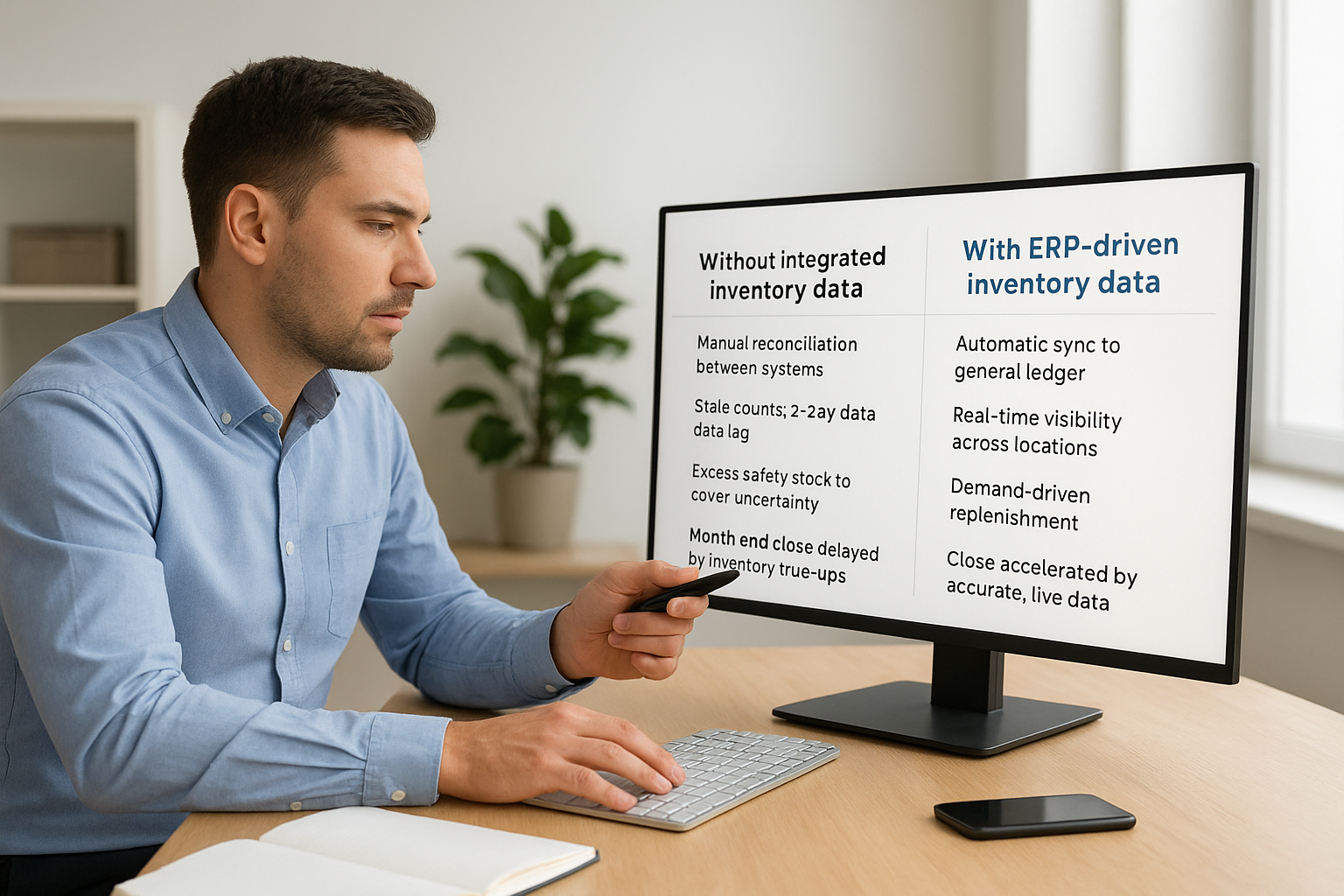
| Without integrated inventory data | With ERP-driven inventory data |
|---|---|
| Manual reconciliation between systems | Automatic sync to the general ledger |
| Stale counts, 2-3 day data lag | Real-time visibility across locations |
| Excess safety stock to cover uncertainty | Demand-driven replenishment |
| Month-end close delayed by inventory true-ups | Close accelerated by accurate, live data |
| Margin errors discovered after the fact | Margin visibility at the transaction level |
Why finance leaders should care more than operations does
Operations teams feel inventory problems as physical friction: wrong bins, missed shipments, frustrated warehouse staff. Finance feels it as distorted numbers. Every unit of inventory sitting on your balance sheet represents cash that isn’t available for payroll, growth initiatives, or debt service. If that inventory figure is inflated because of phantom stock or undercounted shrinkage, you’re making capital allocation decisions on a false picture. ERP and inventory management work together precisely because the platform ties physical stock movement to financial reporting in the same transaction, closing the gap between what’s true operationally and what’s true on paper.
Accuracy also protects you from a subtler risk: bad decisions made with confidence. A supply chain report built on outdated numbers looks just as clean and authoritative as one built on real-time data. Leadership acts on it the same way. The difference only surfaces later, when a reorder arrives too late or a customer cancels because you couldn’t fulfill an order you thought you could. Getting this right isn’t about chasing a perfect inventory count for its own sake. It’s about making sure every financial decision downstream, from pricing to procurement to cash forecasting, rests on numbers you can actually trust. That’s the standard we hold every NetSuite or Acumatica inventory implementation to at Concentrus, because ROI accountability starts with data you can defend in a board meeting.
How an ERP inventory management system works
Understanding inventory management in ERP starts with a simple idea: every physical movement of stock triggers a financial transaction at the same moment. There’s no batch job running overnight to sync two separate systems. When a warehouse worker scans a received shipment, the ERP updates on-hand quantity, cost layers, and the general ledger in one motion. That’s the mechanical difference between an erp inventory management module and a standalone inventory app bolted onto QuickBooks or a legacy accounting tool.
The transaction flow from receipt to sale
Walk through a typical cycle and you’ll see how tightly the pieces connect. A purchase order goes out, goods arrive at the dock, and the system records the receipt against that PO automatically, updating quantity on hand and triggering a three-way match against the vendor invoice. From there, inventory sits in a specific bin or location, tracked by lot, serial number, or bin location depending on how granular your inventory management module in ERP is configured. When a sales order ships, the system relieves inventory, calculates cost of goods sold using whatever costing method you’ve set (FIFO, weighted average, or standard cost), and posts the entry to your books without anyone touching a spreadsheet.
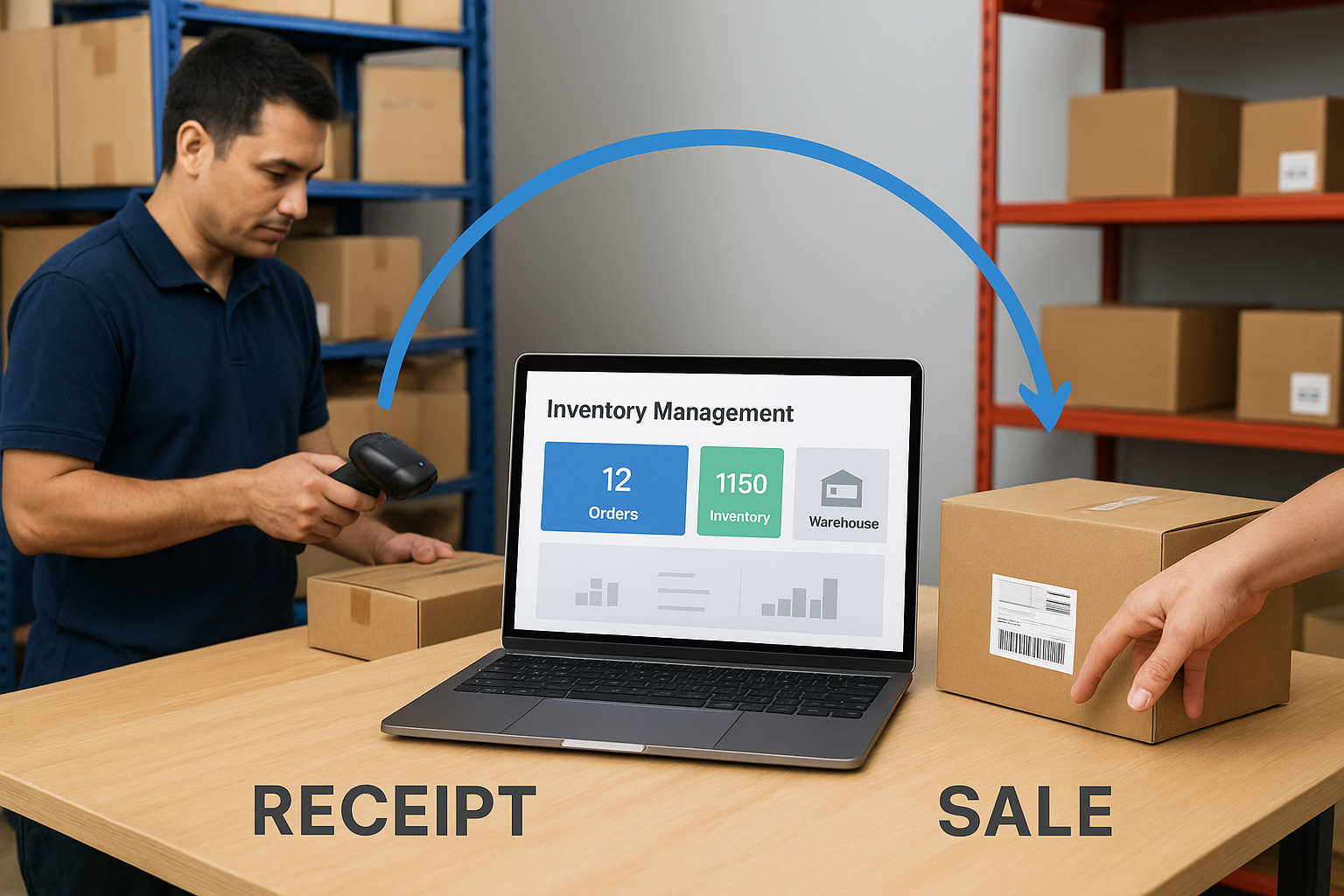
The moment a unit moves, the ledger moves with it. That’s what makes ERP different from a bolt-on inventory tool.
The core steps a good system automates
Most platforms follow the same operational sequence, even if the screens look different between NetSuite and Acumatica:
- Demand signal: A sales order, forecast, or reorder point triggers replenishment.
- Procurement: The system generates a purchase order and tracks it through receipt.
- Receiving: Goods are checked in, matched against the PO, and inventory quantities update in real time.
- Putaway and tracking: Stock is assigned to a location, lot, or serial number for traceability.
- Fulfillment: Orders pick, pack, and ship, relieving inventory and posting COGS.
- Valuation: Costing rules calculate the financial value of every movement automatically.
- Reporting: Dashboards and financial statements reflect the transaction immediately, not after a manual close process.
Why the integration matters more than the features list
Vendors love to list features, but the real value of erp software for inventory management is the integration layer connecting those features to your books. A system that tracks lots and bins but doesn’t tie those movements to your general ledger still leaves finance doing manual reconciliation. The platforms worth evaluating, NetSuite and Acumatica among them, are built so inventory, order management, and accounting share one database. That single source of truth is what lets a CFO trust a margin report without double-checking it against a separate spreadsheet first.
Key features to look for in an inventory ERP
Not every erp inventory management software package handles the same problems well, and the differences matter once you’re comparing NetSuite against Acumatica or weighing a rescue project against a rebuild. Before you sign a statement of work, walk through the features that actually move financial outcomes, not just the ones that look good in a demo. A vendor can show you a slick dashboard and still leave you without the traceability or costing flexibility your business needs six months in.
Multi-location and lot or serial tracking
If you run more than one warehouse, a 3PL relationship, or any regulated product line, your system needs to track inventory by location, lot, and serial number without extra customization. Manufacturers and distributors especially need this for recalls, warranty claims, and audit trails. A platform that only tracks aggregate quantity on hand forces your team back into spreadsheets the moment a customer asks which batch a defective unit came from.
Costing methods that match how you actually price
Your erp system for inventory management should support FIFO, weighted average, and standard costing, and let you apply different methods to different item categories if your business needs it. This isn’t a technical footnote. The costing method you use directly changes your reported gross margin, and getting it wrong distorts every pricing decision built on that number.
The costing method your ERP uses isn’t a back-office setting. It’s a lever on your reported margin.
Demand planning and reorder automation
Look for reorder point automation, demand forecasting based on historical sales, and the ability to set different replenishment rules by item or location. This is where erp for inventory management starts paying for itself: fewer emergency purchase orders, less cash tied up in safety stock nobody needed.
Reporting tied to financial statements, not a side dashboard
Inventory reports that live outside your general ledger create the same reconciliation problem you’re trying to eliminate. The features below matter most because they connect directly to what finance sees on the books:
| Feature | What it protects |
|---|---|
| Multi-location and lot tracking | Traceability, recall response, audit readiness |
| Flexible costing methods | Accurate gross margin reporting |
| Automated reorder points | Cash tied up in excess stock |
| Real-time GL posting | Close speed, financial accuracy |
| Landed cost tracking | True product profitability |
A platform missing even one of these usually means finance ends up building workarounds outside the system, which defeats the point of running an integrated inventory management system erp in the first place.
How to implement or fix your ERP inventory module
Whether you’re setting up erp in inventory management for the first time or repairing a module that’s already live, the sequence matters more than the software you pick. Companies that skip discovery, jump straight into configuration, and go live without testing usually end up rebuilding the same module a year later. A rescue project and a new implementation follow the same discipline, just starting from different points: one builds clean data from scratch, the other has to untangle bad data before anything new gets configured.
Signs your current module needs a rescue
Before you decide whether to fix or rebuild, look for these warning signs in your existing setup:
- Manual workarounds outside the system for costing, valuation, or reporting
- Recurring inventory adjustments at month-end that finance can’t fully explain
- Disconnected data between the warehouse system and the general ledger
- Reports that don’t tie out to physical counts without manual correction
- Custom fields or workflows nobody on the current team fully understands
If two or more of these sound familiar, you’re likely looking at a rescue, not a tune-up.
A phased approach that protects your data
Good implementations, and good rescues, follow a similar path:
- Audit current data for accuracy in costing, quantities, and item records before touching configuration.
- Map financial goals to the inventory metrics that matter, like turns, margin by SKU, and carrying cost.
- Configure the module around real transaction flows, not generic best practices from a vendor deck.
- Test with real transactions, including edge cases like returns, transfers, and negative inventory scenarios.
- Train the team who’ll actually run the system daily, not just the project sponsors.
- Go live with a parallel check against the old process for at least one full close cycle.
Skipping the data audit is the single most common reason inventory rescues happen in the first place.
Where rescues differ from new implementations
A rescue adds one more layer: forensic cleanup. Someone has to trace how bad data got into the system, whether through skipped receiving steps, incorrect costing setup, or workflows built around a process that changed years ago. Concentrus built its NetSuite ERP Rescue Roadmap specifically for this scenario, because a standard implementation checklist doesn’t account for years of accumulated data debt. Tying every fix back to a measurable financial outcome, faster closes, cleaner margins, accurate cash positions, keeps the rescue from becoming just a technical cleanup project with no business case attached.
From inventory data to financial results
An inventory management ERP system only earns its keep when the numbers it produces are ones finance can actually trust. Everything covered here, accurate stock data, real-time transaction flow, the right feature set, a disciplined implementation, points back to the same goal: turning inventory movement into financial clarity instead of month-end guesswork. Get the module right and you’ll see it in faster closes, cleaner margins, and cash that isn’t quietly locked up in stock you didn’t need.
Getting there takes more than picking software off a feature list. It takes a partner who ties every configuration decision back to a measurable outcome on your books. That’s the discipline behind Concentrus’s ROI Roadmap™ approach to NetSuite and Acumatica projects. If your inventory data isn’t giving finance the confidence it should, talk to Concentrus about your ERP project before you spend another quarter reconciling spreadsheets.