

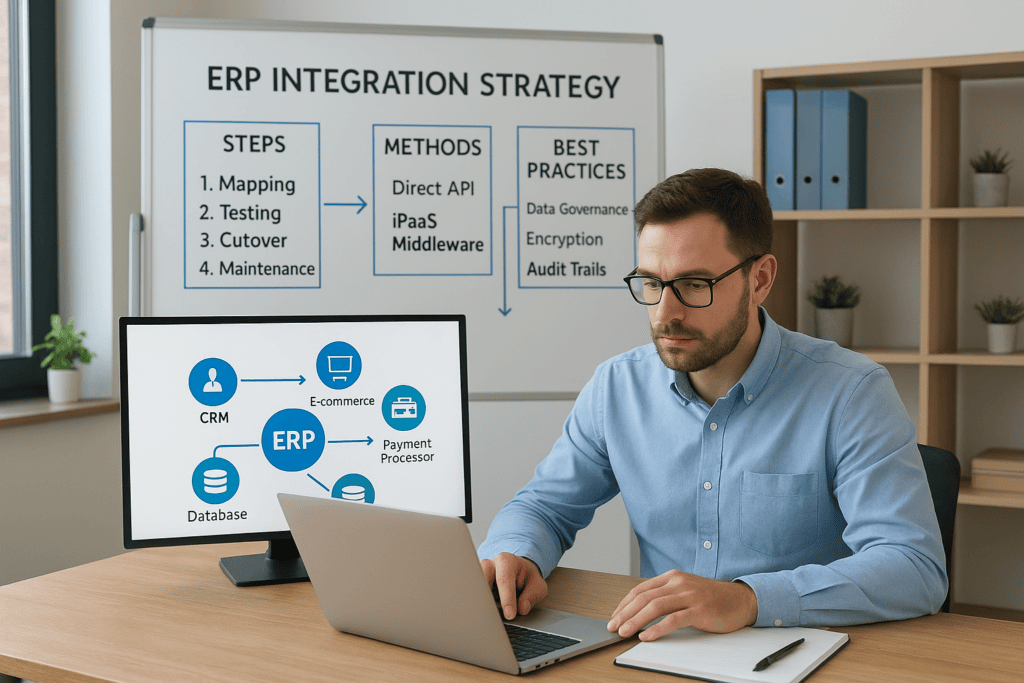
An ERP system only delivers its full value when it talks to everything around it, your CRM, your e-commerce platform, your warehouse management tools, your payment processors. Without a clear ERP integration strategy, you end up with data silos, manual workarounds, and reconciliation headaches that eat into the efficiency gains your ERP was supposed to create. For CFOs and finance leaders at midsized companies, disconnected systems are more than an IT problem, they’re a direct drag on margins, cash flow visibility, and close timelines.
The challenge isn’t whether to integrate. It’s how to do it without blowing past your budget, disrupting operations, or creating a fragile web of point-to-point connections that breaks every time you update something. A strong integration strategy accounts for your current tech stack, your growth plans, and the specific financial outcomes you need from your ERP investment. It also requires choosing the right integration methods and sequencing them in a way that delivers measurable ROI at each stage, not just a finished project with crossed fingers.
At Concentrus, we build ERP integrations into the broader ROI picture from day one. Our work with NetSuite and Acumatica implementations means we’ve seen what happens when integration is an afterthought, and what’s possible when it’s planned with financial and operational KPIs driving every decision. This guide breaks down the steps, methods, and best practices you need to connect your ERP to the rest of your business with confidence and clarity.
Why an ERP integration strategy matters
When you implement an ERP system without a clear integration plan, you’re solving one problem while creating several others. Data duplication, manual entry, and delayed reporting become daily realities because your ERP can’t communicate with the tools your teams already rely on. For a CFO managing a midsized business, this is not a minor inconvenience. It’s a structural problem that undermines the financial visibility and operational control your ERP was supposed to provide in the first place.
Disconnected systems create hidden costs
Most finance leaders underestimate how much disconnected systems actually cost their organizations. When your ERP and CRM aren’t synchronized, your sales team works from different customer data than your finance team. Orders get entered twice. Revenue recognition gets delayed. Your monthly close takes longer because someone has to reconcile records that should never have diverged in the first place.
The real cost of disconnected systems isn’t just wasted hours. It’s the decisions you make with incomplete or inaccurate data.
Beyond time, there’s measurable risk. Manual data transfers between systems introduce errors that can affect your financial statements, inventory counts, and customer billing. When auditors ask questions, you need to trace data back through spreadsheets, exports, and memory. That’s a risk posture no finance leader should accept when a well-designed integration layer can eliminate it.
Integration determines how much of your ERP investment you actually capture
Your ERP platform is capable of significant throughput, but its value depends entirely on the quality and completeness of data flowing into it. If your e-commerce orders, payroll records, or warehouse transactions have to be manually imported, you’re not running a connected business. You’re running an expensive system surrounded by workarounds. A formal ERP integration strategy changes that by defining exactly which systems connect, how data moves between them, and what triggers each transaction.
Midsized companies that see the strongest return from their ERP investments treat integration as a core component of the project, not an optional add-on. Integrated systems reduce close times, improve cash flow visibility, and deliver accurate data in real time, all of which translate directly into the financial outcomes your leadership team should be tracking month over month.
Planning early protects you from costly rework
Integration problems that surface after go-live are expensive to correct. Rebuilding connections between live systems forces you to manage a moving target. Your teams are already using the ERP, your data is live, and any change to an integration point carries operational risk. The rework cost, both in dollars and lost productivity, often exceeds what the integration would have cost if it had been built correctly from the start.
When you plan integration early, you also make better platform decisions overall. Knowing which systems your ERP needs to connect with helps you evaluate middleware options, data governance requirements, and scalability needs before you’re locked into a configuration that can’t support them. That early planning also gives your IT and finance teams a shared picture of how the business will operate once everything is live, which reduces surprises and improves adoption across departments.
The financial stakes for CFOs specifically
Finance leaders carry direct accountability for what an ERP investment delivers. If integrations are patched together after the fact, reporting accuracy suffers and audit trails become harder to maintain, which creates risk at precisely the moments you need clarity the most. Your ability to produce a clean, fast close depends on data moving predictably between systems without human intervention in the middle.
A strong integration strategy also gives you leverage when business requirements change, whether that’s adding a new sales channel, acquiring a business unit, or rolling out a new payment processor. When your integration layer is built on a sound architecture, absorbing those changes is manageable. When it isn’t, every change becomes a project in itself.
What an ERP integration strategy includes
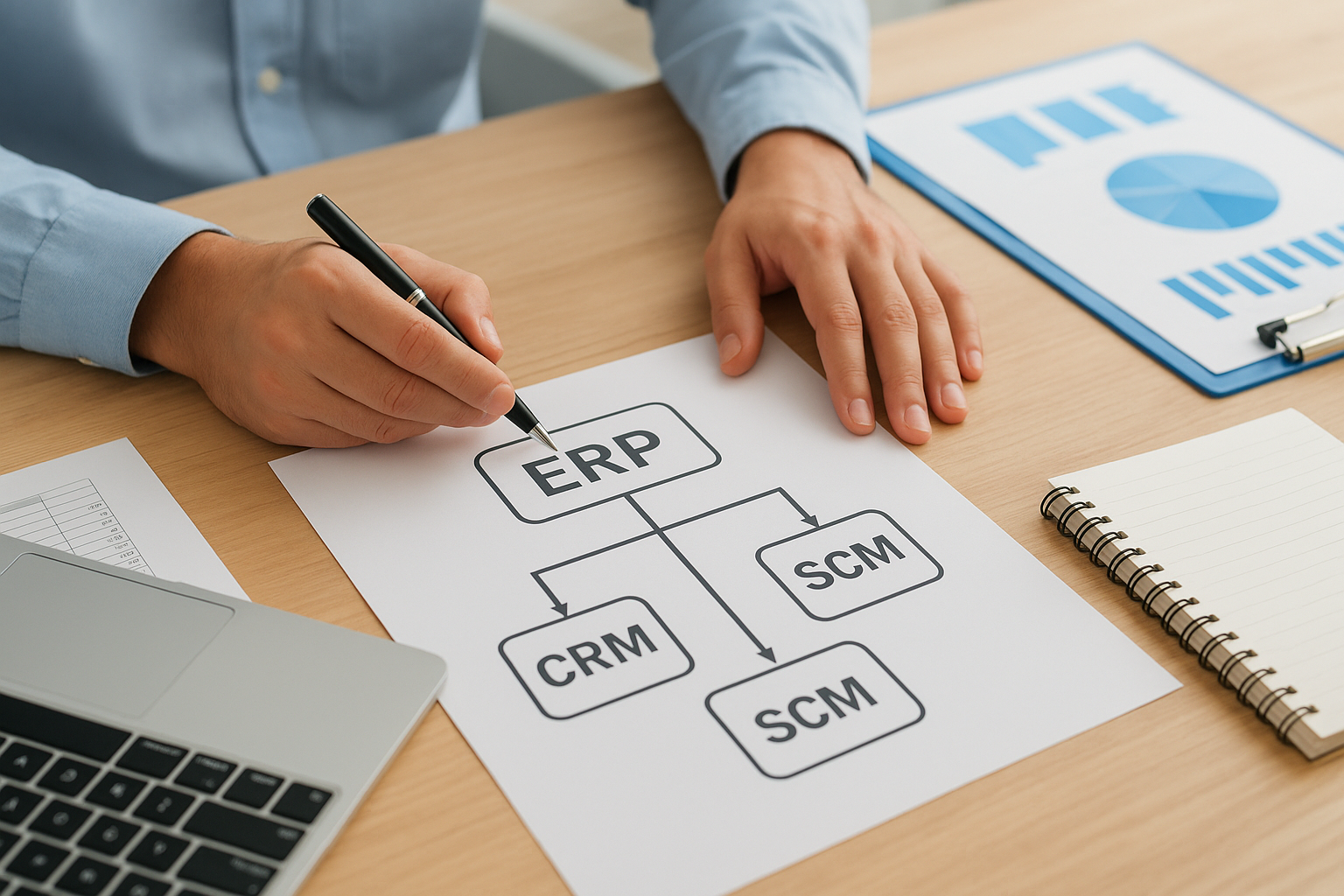
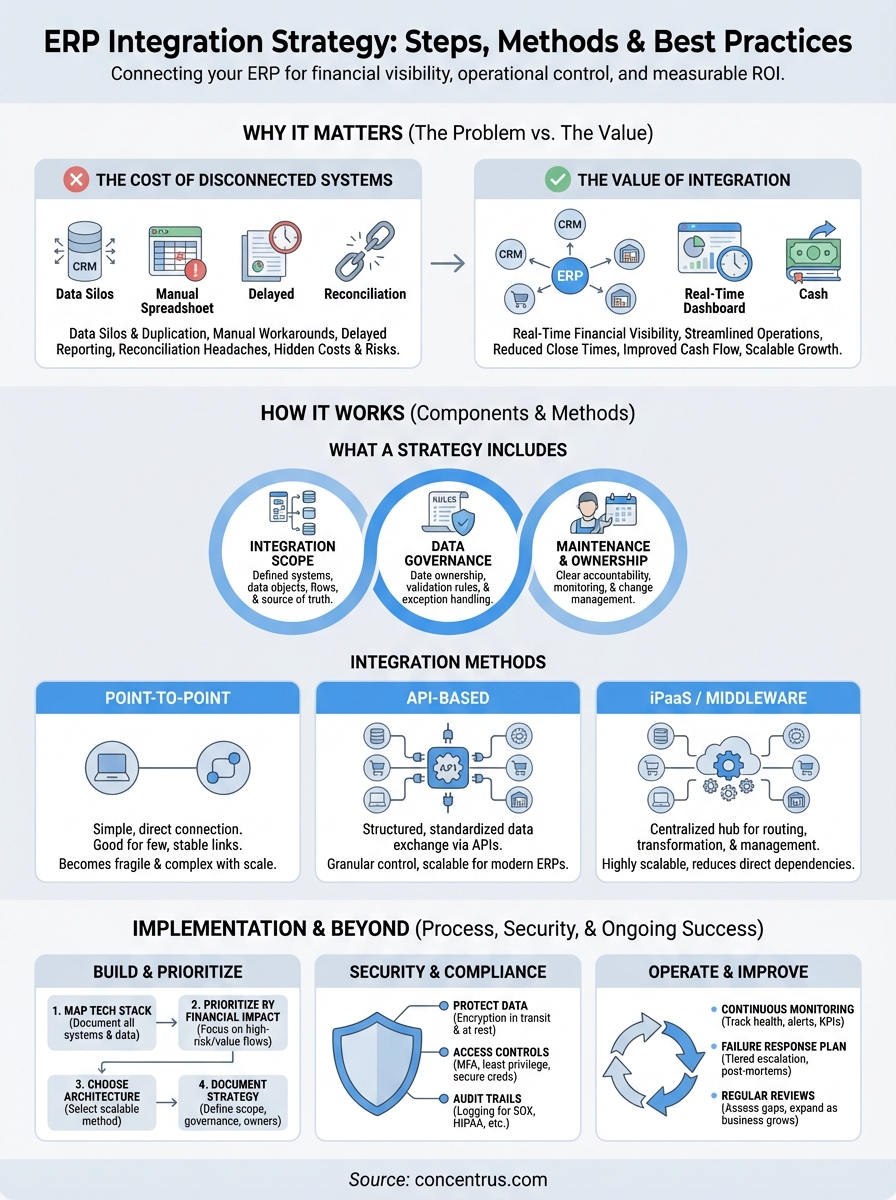
A complete ERP integration strategy goes well beyond a list of systems you plan to connect. It’s a governing document that captures how data moves, who owns it, and what happens when something breaks. Without this level of detail, even technically sound integrations drift over time and require constant firefighting to maintain. Getting this right up front is what separates integration work that scales from integration work that creates ongoing problems.
A defined integration scope
Your strategy needs to specify exactly which systems will connect to your ERP and what data each connection will carry. This means going beyond application names and documenting the specific data objects, directional flows, and frequency of each sync. Does your CRM push customer records to the ERP in real time, or does it batch-sync nightly? Which system is the source of truth when a conflict occurs? These details need to be answered in your strategy document, not during a production incident.
Unclear scope is the single most common reason integration projects overrun their budgets and timelines.
Documenting scope also forces your teams to make decisions early about what data your ERP actually needs versus what teams want to share out of habit. Not every field in your CRM belongs in your ERP. Tightening this scope reduces complexity, speeds up implementation, and lowers your ongoing maintenance burden significantly.
A data governance framework
Data governance defines the rules that keep your integrated systems reliable over time. This includes identifying data owners for each system, establishing validation rules that prevent bad data from crossing system boundaries, and setting clear procedures for handling exceptions when records don’t match. Your governance framework is what gives your integrations structure beyond the initial build.
Without governance rules in place, your integrations will eventually produce data quality problems that are hard to trace back to their source. Conflicting customer records, duplicate orders, and mismatched inventory counts are common symptoms of integration work that skipped this step. Specify what triggers a human review versus what the system resolves automatically, and document that decision clearly.
A maintenance and ownership plan
Technical connections need owners. Your strategy should assign clear accountability for each integration, including who monitors it, who gets alerted when it fails, and who has authority to approve changes. Finance leaders should be involved because integration failures often surface first as discrepancies in financial reports, not as system error messages.
Your plan also needs to account for change over time. When your ERP vendor releases an update or you add a new module, someone must test each integration against those changes before they reach your live environment. Building this into your strategy from the start prevents costly surprises later.
ERP integration methods and when to use each
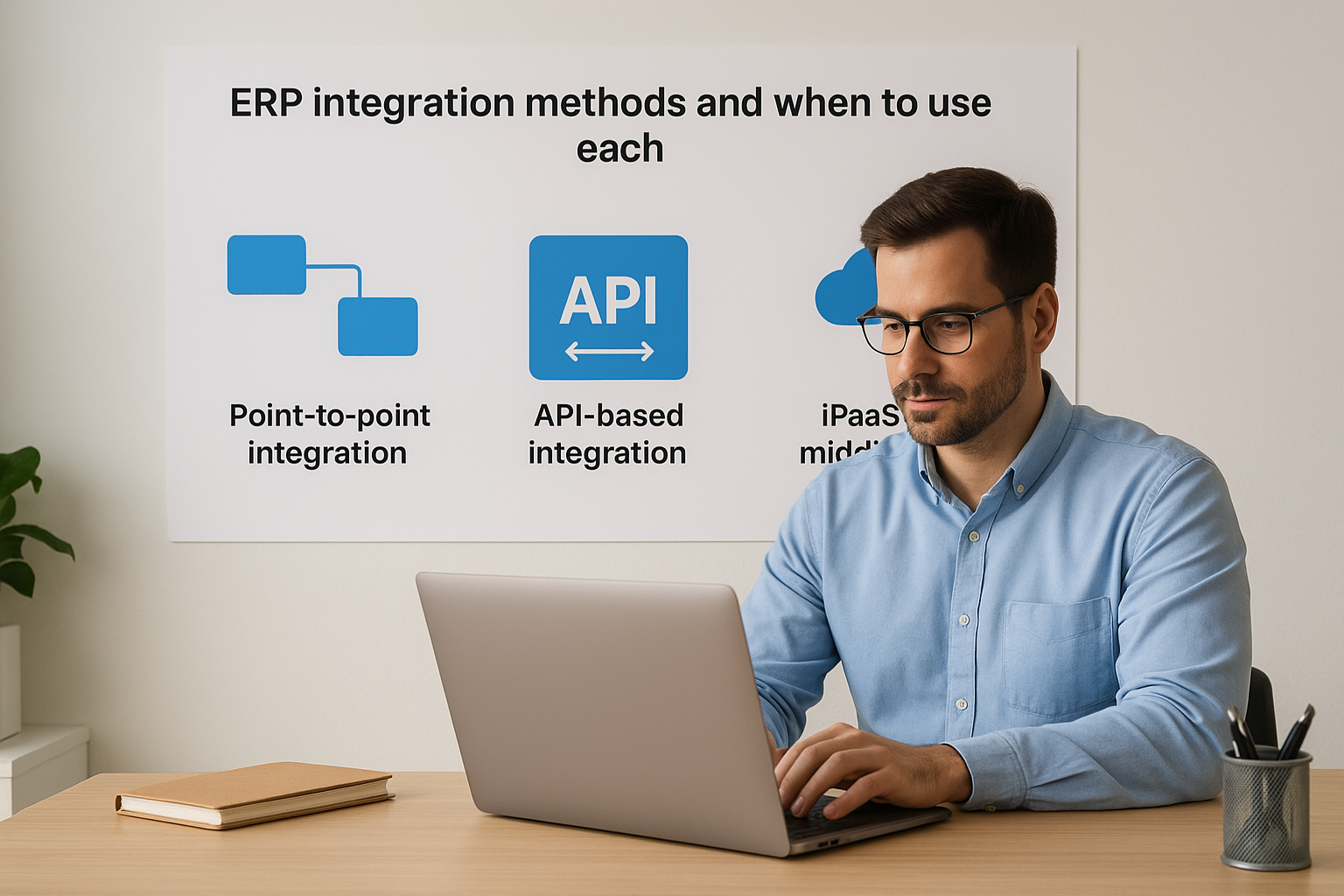
Your ERP integration strategy depends heavily on which connection method you choose for each system in your tech stack. Not every method fits every use case, and selecting the wrong one creates either unnecessary complexity or a fragile setup that breaks under pressure. Understanding the core options gives you the foundation to make deliberate choices rather than defaulting to whatever your IT team happens to be most familiar with.
Point-to-point integration
Point-to-point integration connects two specific systems directly, without any intermediary layer. It’s the fastest path to getting two applications talking, which makes it appealing for small, stable connections where the data flow is simple and unlikely to change. If you need your payment processor to push transaction confirmations into your ERP and nothing else, a direct point-to-point connection may be sufficient.
The problem surfaces when you scale. Each new system you add requires its own dedicated connection, and the web of dependencies grows quickly. When one application updates its API or changes a data schema, multiple connections can break at once. For midsized companies with more than a handful of integrated systems, point-to-point becomes a maintenance burden that far outweighs its initial simplicity.
API-based integration
API-based integration uses published application programming interfaces to move data between systems in a structured, standardized way. Most modern ERP platforms, including NetSuite and Acumatica, expose robust APIs that allow external systems to read and write data with precise control over what gets exchanged. This approach gives you granular control over data flows and pairs well with a governance framework because you define exactly what data crosses each boundary and when.
API-based integration is the most scalable option for midsized companies building toward a connected, real-time data environment.
iPaaS and middleware platforms
Integration Platform as a Service (iPaaS) tools sit between your ERP and other systems, acting as a centralized hub that manages data routing, transformation, and error handling. Solutions built specifically for ERP environments handle the complexity of mapping data fields, scheduling syncs, and alerting your team when something fails. Middleware reduces direct dependencies between systems, which means updating one application is less likely to break everything connected to it.
When your business operates multiple sales channels, fulfillment systems, or regional platforms, iPaaS is often the right architectural choice. It gives your integration layer structure that scales with your growth rather than compounding technical debt as your system count increases.
Systems to integrate with ERP first
Not every system in your tech stack needs to be connected on day one. Trying to integrate everything simultaneously is one of the most common ways ERP integration projects stall or fail mid-implementation. A smarter approach is to sequence your integrations based on where disconnected data creates the most immediate financial risk. Your erp integration strategy should prioritize the systems that directly affect your revenue cycle, cash position, and financial reporting before moving to operational or reporting-layer connections.
CRM and customer data
Your CRM holds the commercial backbone of your business: contacts, opportunities, contracts, and customer history. When your CRM and ERP operate independently, your sales team quotes from data that doesn’t reflect current inventory or pricing, and your finance team invoices based on records that may already be outdated. Syncing your CRM first gives you a single, reliable customer record across departments and eliminates the manual handoffs that slow down order-to-cash cycles.
Getting your CRM connected early also reduces your close timeline by ensuring that revenue data flows into your ERP without manual imports at month end.
Financial and payment systems
Your payment processors, banking platforms, and accounts payable tools touch cash directly, which makes them high-priority integration targets. When payment confirmations have to be manually entered into your ERP, you introduce both delay and error risk into your cash position reporting. Connecting these systems early gives your finance team real-time transaction visibility and reduces the reconciliation work that typically inflates your monthly close.
For companies running payroll through a third-party platform, payroll integration into your ERP also belongs in this first wave. Labor costs are a significant line item, and having them flow automatically into your general ledger prevents the variance surprises that otherwise show up when your actuals don’t match your forecast.
E-commerce and order management
If your business sells through an online channel, your e-commerce platform generates order, inventory, and fulfillment data continuously. Leaving that data outside your ERP means your inventory counts are perpetually behind, your revenue recognition is delayed, and your customer service team lacks visibility into order status. Connecting your e-commerce platform early gives your operations and finance teams a shared, accurate view of demand and fulfillment that supports better purchasing decisions and tighter cash flow management.
Warehouse management systems follow closely behind. Inventory accuracy depends on both the order coming in and the fulfillment going out being recorded in the same system, and your ERP is where those two data streams need to meet.
How to build your ERP integration strategy
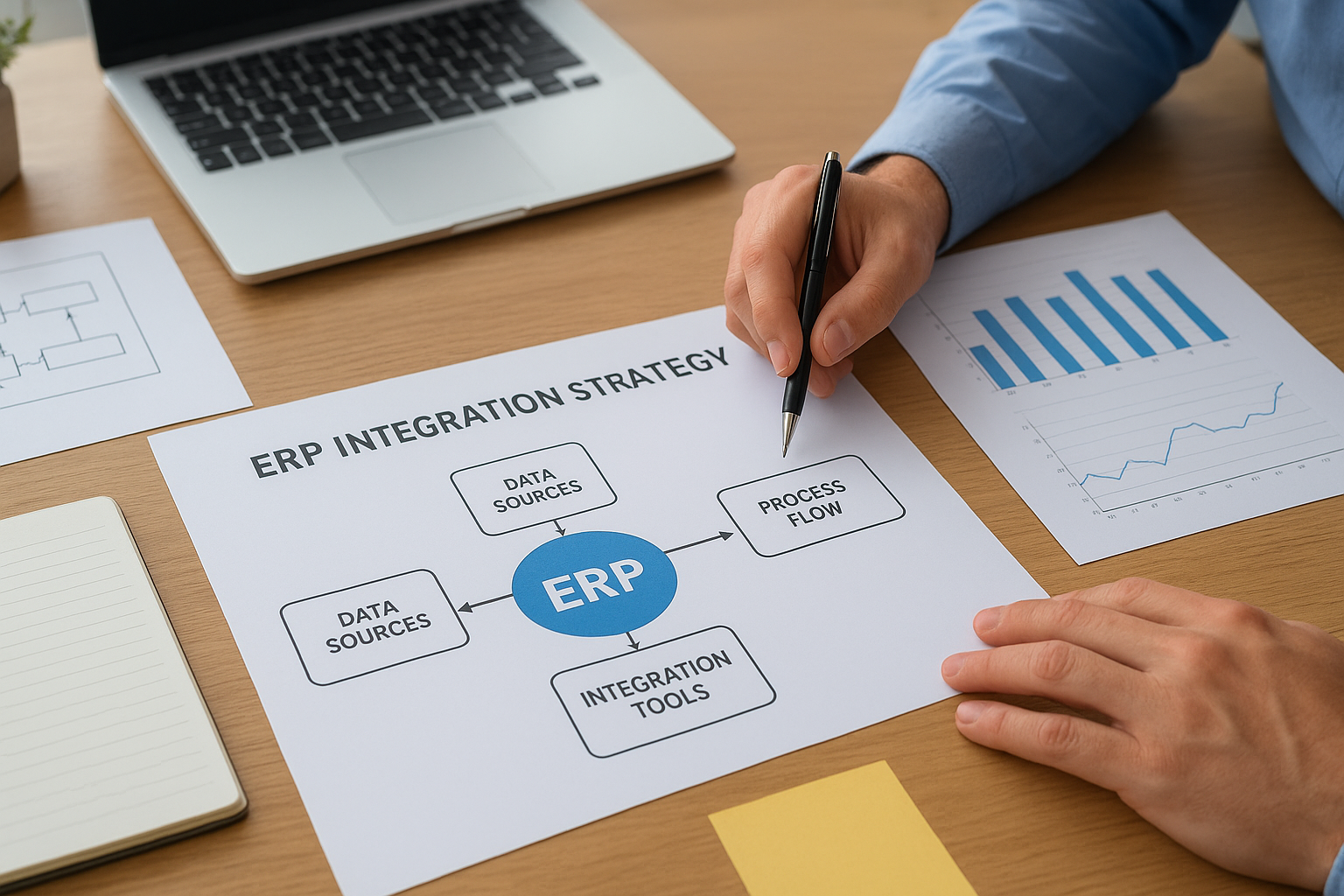
Building a solid erp integration strategy requires more than picking tools and assigning tickets. You need a structured approach that connects your technical decisions to measurable business outcomes before anyone writes a single line of code or configures a middleware platform. The steps below give you a repeatable framework for doing this in the right order.
Map your current tech stack
Your first task is to document every system your business currently uses and how each one handles data. This isn’t just an IT exercise. Finance leaders need to be part of this process because many critical data flows, including revenue recognition, cash applications, and procurement approvals, run through systems that IT may not fully understand in business terms. A simple inventory with columns for system name, data type, owner, and update frequency gives you the foundation for every integration decision that follows.
Getting this map wrong at the start costs you far more time and money than taking an extra week to get it right.
Define integration priorities by financial impact
Once you have your system inventory, rank each integration by the financial risk of leaving it disconnected. Ask which disconnections are currently delaying your close, creating reconciliation work, or causing your team to make decisions with stale data. High-impact, high-frequency data flows belong in your first integration wave, and lower-risk connections can follow once the foundation is stable. Prioritizing by financial impact keeps your project grounded in ROI rather than technical preference.
Choose your architecture before you build
Your architecture decision, whether you use direct API connections, a middleware layer, or an iPaaS platform, determines how maintainable your integrations will be over time. Make this decision at the strategy level, not during implementation. Consider how many systems you’ll be connecting over the next two to three years, not just today. Choosing an architecture that fits your current state but cannot scale with your growth forces a costly rebuild at exactly the moment your business needs stability.
Document the strategy and assign ownership
A strategy that exists only in conversations will not survive your first ERP update. Write down the integration scope, the data governance rules, and the ownership assignments for each connection. Assign a named owner for every integration, someone who monitors it, responds when it fails, and approves changes before they reach your live environment. Finance and IT need to co-own this document because integration failures tend to surface first as data discrepancies in your financial reports, not as system alerts.
Data, security, and compliance fundamentals
Your erp integration strategy isn’t complete until it accounts for how data is protected as it moves between systems. Every integration point is a potential exposure, and midsized companies are increasingly targeted precisely because they often have enterprise-level data but lean security infrastructure. Finance data, customer records, and transactional information that flow through your integrations require deliberate protection at both the architectural and policy levels.
Protect data in transit and at rest
Data moving between your ERP and connected systems needs to be encrypted in both directions. Transport Layer Security (TLS) protocols should be standard for any API-based connection, and you should confirm that your middleware or iPaaS platform applies encryption automatically rather than leaving it as an optional setting. Many integration failures expose sensitive data not through direct attacks but through misconfigured connections that transmit records in plain text.
A single unencrypted integration endpoint can expose your entire customer and financial dataset to interception, regardless of how well-secured your ERP itself is.
Data at rest also requires attention. Stored credentials, API keys, and authentication tokens used by your integration layer should be stored in secure vaults, not hard-coded into configuration files or shared through unsecured channels. Microsoft publishes detailed guidance on secret management practices that applies directly to integration infrastructure if your team needs a starting reference.
Access controls and authentication
Each integration should operate under a dedicated service account with the minimum permissions required to perform its specific function. Giving an integration account full administrative access because it’s convenient is a shortcut that creates serious risk. If that account is compromised, the blast radius covers every system it can reach.
Apply multi-factor authentication wherever your integration platform supports it, and audit service account permissions regularly. When team members who managed integrations leave your organization, their credentials and access levels need to be reviewed immediately rather than left dormant.
Compliance and audit trail requirements
If your business operates under SOX, HIPAA, or other regulatory frameworks, your integrations must generate and preserve audit trails that satisfy those requirements. Every data movement between systems should be logged with a timestamp, a source record identifier, and the user or service account that triggered it. Regulators and auditors increasingly scrutinize integration layers as part of their reviews because that’s where data transformations happen outside the native controls of either system.
Build logging and audit trail requirements into your integration design from the start, not as an afterthought after your compliance team raises questions. Retrofitting audit capabilities onto a live integration is significantly more disruptive than building them in during the initial configuration.
Testing, cutover, and change management
Your erp integration strategy doesn’t end when you finish building connections. Testing, cutover, and change management are where most integration projects either hold together or fall apart. Skipping or rushing these phases is how you end up with live systems pushing bad data into your ERP from day one, and cleaning that up is significantly harder than testing would have been.

Test integrations with realistic data
Unit testing individual connections is a starting point, but it won’t catch the problems that surface when multiple systems interact simultaneously. You need to run end-to-end tests that simulate real transaction volumes and edge cases, such as orders with partial fulfillments, customers with duplicate records, or payments that don’t match open invoices. Testing with sanitized copies of your actual production data gives you a far more accurate picture of what will happen at go-live than testing with placeholder records ever will.
Testing with synthetic data consistently produces a false sense of readiness that collapses the moment real transaction complexity enters the picture.
Document every test scenario, the expected result, the actual result, and who verified it. This record becomes your baseline for confirming that future ERP updates or platform changes haven’t broken anything that was working before.
Plan your cutover with precision
Cutover is the transition from your old way of operating to your integrated environment, and it needs a detailed rundown of every step, who owns it, and what the contingency is if something fails. Identify clear go and no-go criteria before cutover begins so your team isn’t making judgment calls under pressure at midnight. Specify the exact sequence for activating each integration, because some connections depend on others being live first.
A rollback plan is not optional. Define at what point you would pause cutover and revert to manual processes, and make sure the people executing cutover understand those thresholds before the window opens.
Prepare your teams for the change
Technical integrations change how people do their jobs. Finance, operations, and customer service teams need to understand what’s now automated, where to look when something doesn’t appear correct, and who to contact when they suspect an integration has failed. Without that preparation, your teams will revert to manual workarounds out of habit, which defeats the purpose of the integration entirely.
Invest in brief, role-specific training focused on the workflows each team directly touches rather than generic system overviews. People adopt new processes when they understand exactly how those processes affect their daily work, not because they attended a launch webinar.
Operating and improving integrations over time
Going live with your integrations is the beginning of your operational responsibility, not the end of your project. Your erp integration strategy needs to include a clear plan for how you monitor, maintain, and improve your connections on an ongoing basis. Without that plan, small failures accumulate quietly until they produce a large discrepancy in your financial data that takes days to trace back to its source.
Monitor integration health continuously
Every integration in your environment should report its status to a centralized monitoring dashboard that your team reviews on a defined schedule. Failure alerts, data volume anomalies, and sync delays need to surface proactively rather than being discovered when someone notices a missing transaction. Set threshold-based alerts that trigger when a sync runs longer than expected or when error rates exceed a defined baseline, and make sure those alerts route to someone who can act on them immediately.
Waiting for a downstream data discrepancy to reveal an integration failure means you’ve already been operating with bad data for an unknown amount of time.
Track key performance indicators for each connection, including sync frequency, error rate, average processing time, and record volume. Logging this data over time gives you a baseline that makes it easy to spot degradation before it affects your financial reporting.
Build a process for handling failures
Integration failures are inevitable, so your team needs a documented response process before the first one happens. A tiered escalation path should specify who handles minor errors automatically, which failures require manual intervention, and when a failure is serious enough to pause downstream processes until it’s resolved. Without this structure, your team improvises under pressure and makes inconsistent decisions that create new problems.
Post-failure reviews are also worth building into your process. When an integration fails, document what caused it, how long it took to resolve, and what change, if any, would prevent a recurrence. Over time, this log becomes a practical guide for improving integration resilience and reducing your mean time to recovery.
Review and expand your integrations as the business grows
Your business will add systems, enter new markets, and change how it operates, and your integration environment needs to keep pace. Schedule a formal integration review at least once per year to assess whether your current connections still reflect how the business actually works. Identify gaps where new systems are generating data that isn’t flowing into your ERP, and prioritize closing those gaps using the same financial-impact criteria you applied when you built your initial integration plan.
Treating integrations as a living part of your ERP investment rather than a finished deliverable is what separates companies that sustain long-term ROI from those that see their ERP value erode over time.
Next steps
A well-executed erp integration strategy connects your financial and operational systems in a way that produces measurable returns, not just a technically complete project. Every decision covered in this guide, from prioritizing your first integration wave to building audit trails and monitoring dashboards, comes back to the same outcome: your ERP investment should deliver real, trackable financial performance that your leadership team can see month over month.
The work involved is significant, but you don’t need to figure it out alone. Concentrus builds ERP integrations directly into a broader ROI framework, so every connection you make is tied to a specific financial outcome your business is working toward. Whether you’re starting a new NetSuite or Acumatica implementation or rescuing one that didn’t deliver what you expected, the approach is the same: strategy first, technology second. If you’re ready to build integrations that actually move the needle, connect with the Concentrus team to get started.