

Every ERP implementation starts with a simple question: how does your business actually work? Not how you think it works, how it actually works. That’s where business process mapping software comes in. These tools help you visualize workflows, identify bottlenecks, and document the processes that drive your operations. For CFOs and finance leaders at midsized companies, getting this step right directly impacts the ROI of any technology investment that follows.
At Concentrus, we see this firsthand. Our team implements and rescues NetSuite and Acumatica ERP systems, and the companies that map their processes before (or during) an implementation consistently hit their financial and operational targets faster. The ones that skip it? They’re often the ones calling us for an ERP rescue down the road.
Whether you’re preparing for a new ERP rollout, optimizing an existing system, or just trying to get a handle on how work flows through your organization, the right mapping tool matters. Below, we break down six of the strongest business process mapping platforms available in 2026, what they do well, where they fall short, and which types of teams they’re built for.
1. NetSuite SuiteFlow
NetSuite SuiteFlow is the workflow engine built directly into NetSuite, allowing you to automate and document the logic that drives your ERP processes. Rather than pulling in a separate business process mapping software tool, SuiteFlow lets you define states, transitions, and actions inside the platform where your financial data already lives. That tight integration is both its biggest strength and its most notable constraint.
Map NetSuite processes with workflows and states
SuiteFlow uses a state-based workflow model, where you define each stage a record can move through, the conditions that trigger transitions, and the actions that fire along the way. The visual editor gives you a clear, node-by-node view of how a process is configured, making it easier to communicate logic to stakeholders without a separate diagram. Common use cases inside NetSuite include:
- Approval routing for purchase orders and vendor bills
- Automated billing triggers tied to project milestones
- Data validation rules on customer or transaction records
Use it when you need ERP-native controls and audit trails
If your primary concern is compliance and process enforcement inside NetSuite, SuiteFlow delivers. Every workflow action is tied to a specific record, which means you get a built-in audit trail without additional setup. Finance teams that need to document approval sequences for auditors will find this capability directly useful.
SuiteFlow is most valuable when you need your process map to double as an enforceable control, not just a diagram on a slide deck.
Watch for limits on true end-to-end visualization
SuiteFlow documents how NetSuite handles a record, but it won’t show you how a process spans multiple departments or manual steps outside the platform. If you need cross-system process maps that include offline steps or handoffs from other tools, you’ll need a separate diagramming solution alongside SuiteFlow.
Understand SuiteFlow and NetSuite licensing costs
SuiteFlow is included with your core NetSuite license, so there’s no separate purchase to access the workflow engine. However, certain advanced modules and workflow features may require higher-tier licensing depending on your contract. Confirm with your NetSuite administrator which capabilities your current agreement covers before you invest time building complex workflows.
2. Acumatica Workflow Engine
Acumatica’s built-in workflow engine gives you a structured way to define process steps, approval chains, and conditional logic directly inside the platform. For teams running both finance and operations in Acumatica, this means you can document and enforce core business workflows without pulling in a separate business process mapping software tool.
Design approvals and process steps inside Acumatica
The workflow engine lets you configure multi-step approval sequences for transactions like purchase orders, expense reports, and invoices. You set conditions, assign approvers, and define escalation paths all within the same interface where your data lives.
Use it when you run finance and ops in Acumatica
If Acumatica is your primary system of record for both financial and operational data, the workflow engine is a natural fit for documenting process logic where it matters most.
The closer your process documentation lives to your transaction data, the easier it is to enforce controls and demonstrate compliance.
Plan for modeling gaps vs dedicated diagram tools
Acumatica’s workflow engine was built to enforce process logic, not produce presentation-ready diagrams. If you need to share process maps with external stakeholders or cross-functional teams, the output won’t match what a dedicated diagramming tool produces.
Understand Acumatica licensing and module impacts
Workflow capabilities in Acumatica are tied to specific modules, so the features available to you depend on which modules your license covers. Check with your Acumatica administrator before building workflows that rely on functionality outside your current subscription.
3. Microsoft Visio
Microsoft Visio is a dedicated diagramming application that gives you precise control over flowcharts, swimlane diagrams, and process maps. For finance and operations teams that need presentation-quality visuals alongside detailed process documentation, Visio remains one of the most recognized business process mapping software options in the market.
Build detailed flowcharts and BPMN-style diagrams
Visio supports BPMN 2.0 notation out of the box, which means you can model processes using a standard language that operations teams, auditors, and ERP consultants all recognize. The template library covers everything from basic flowcharts to complex cross-functional maps, so you spend less time setting up and more time documenting what actually matters.
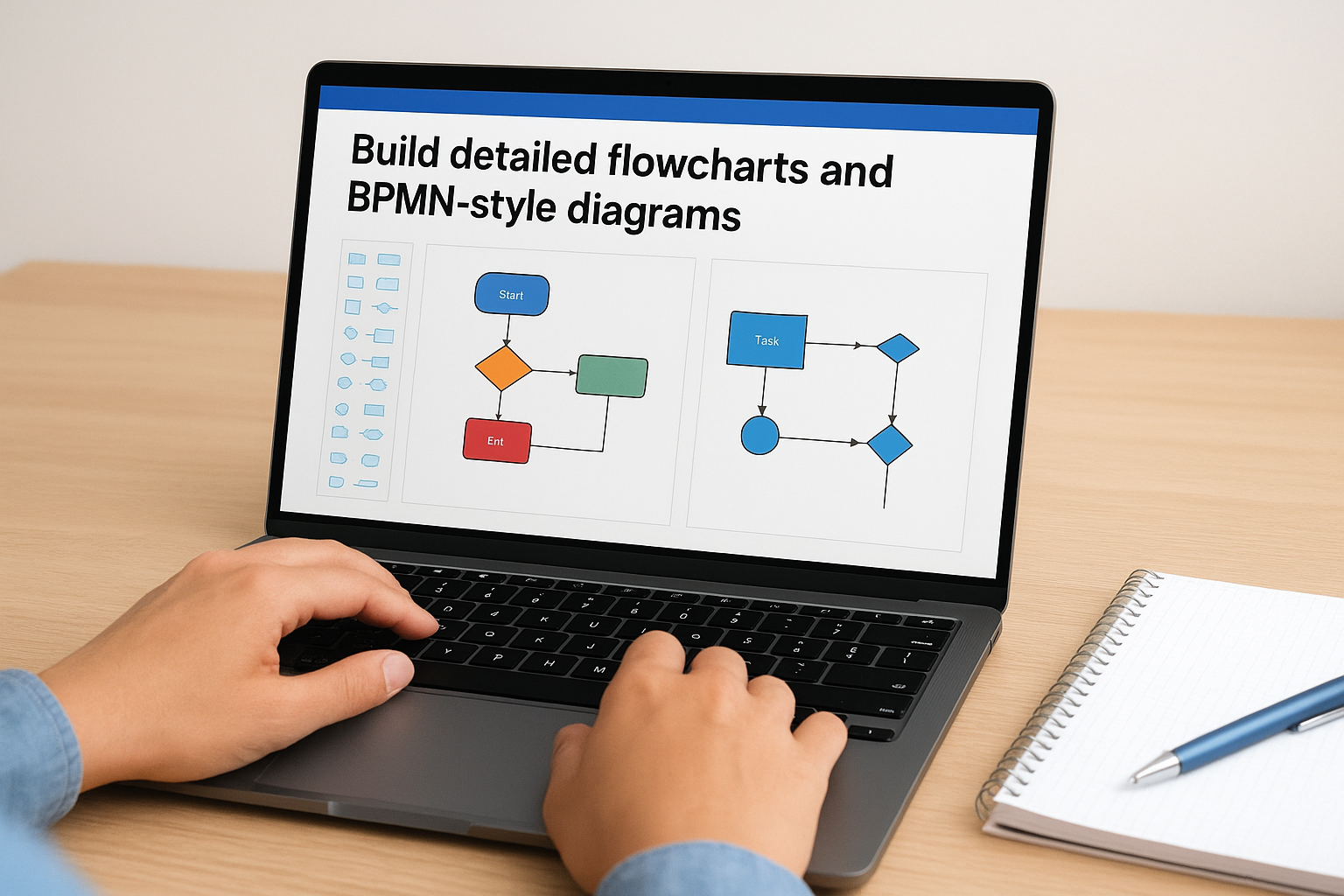
When you use a recognized notation standard like BPMN, your process maps become far easier to hand off to an implementation team or external auditor without a lengthy explanation.
Use it when you standardize on Microsoft 365
If your organization already runs on Microsoft 365, Visio integrates cleanly into that environment. You can store files in SharePoint or OneDrive, link diagrams to Excel data sources, and connect with Teams for review sessions without adding new tools to your stack.
Manage version control and stakeholder access
Visio files stored in SharePoint inherit version history automatically, which solves a common headache for teams maintaining multiple process drafts. You control permissions at the folder or file level to keep sensitive workflow documentation restricted to the right people.
Compare Visio Plan 1 vs Plan 2 pricing
Visio Plan 1 covers core diagramming and web-based editing. Visio Plan 2 adds data linking, advanced templates, and deeper Microsoft 365 integrations. For most finance teams, Plan 2 is worth the additional cost if you need to connect process diagrams directly to live data sources.
4. Lucidchart
Lucidchart is a browser-based business process mapping software that lets your team build, share, and update process diagrams without installing anything. It’s built around collaboration, which makes it a strong choice when your mapping effort involves multiple stakeholders across departments.
Collaborate on process maps in a browser
Lucidchart supports real-time co-editing, so multiple team members can work on the same diagram simultaneously. You can leave comments directly on shapes, tag reviewers, and track changes without emailing files back and forth. The template library includes flowcharts, swimlane diagrams, and BPMN layouts that give teams a solid starting point rather than a blank canvas.
Real-time collaboration cuts the revision cycle significantly when finance, operations, and IT all need to sign off on the same process map.
Use it when multiple teams need fast alignment
If your organization runs cross-functional projects where process ownership spans multiple departments, Lucidchart reduces the friction of getting everyone on the same page quickly. Shared links make it easy to pull stakeholders in without requiring them to hold a Lucidchart license.
Control permissions and keep diagrams governed
Lucidchart gives you granular sharing controls, including view-only and edit access at the document level. You can organize diagrams into team folders with defined ownership to keep your process library structured as it grows.
Review Lucidchart tiers and per-user pricing
Lucidchart offers a free tier with limited shapes and documents, which works for individual contributors exploring the tool. Paid plans unlock advanced integrations, unlimited documents, and admin controls, with pricing based on a per-user model that scales with your team size.
5. Miro
Miro is a visual collaboration platform that doubles as lightweight business process mapping software when your team needs to move fast. It’s built around real-time workshops and brainstorming sessions, making it useful when you need to capture how work actually flows before committing to a formal diagram.
Workshop processes live and turn notes into maps
Miro lets you facilitate live discovery sessions where participants add sticky notes, draw connections, and organize ideas on a shared board at the same time. After the session, you can convert that raw input into structured process maps using built-in flowchart shapes and swimlane templates without switching tools.

Running discovery in Miro removes the lag between capturing process knowledge and turning it into something your team can act on.
Use it when you run cross-functional discovery sessions
If your mapping effort starts with workshops across departments, Miro fits naturally into that workflow. The shared board keeps every participant’s input visible, which reduces the risk of missing critical steps that only surface when the right people engage together.
Keep maps consistent with templates and standards
Miro’s template library includes pre-built process mapping frameworks that give your team a consistent starting structure. You can lock elements to prevent accidental edits and apply board-level permissions to control who modifies finalized maps.
Compare free vs paid plans and AI add-ons
Miro’s free plan supports up to three editable boards, enough to test the tool on a single project. Paid plans unlock unlimited boards, admin controls, and AI features that generate diagram suggestions from text prompts.
6. Bizagi Modeler
Bizagi Modeler is a dedicated BPMN-focused tool built for teams that need to document processes with formal notation before handing them to developers, auditors, or implementation partners. As a free business process mapping software option, it delivers a surprisingly complete modeling environment without an upfront purchase.
Model BPMN processes with a process-first approach
Bizagi builds its entire interface around BPMN 2.0 standards, giving you access to the full notation set including events, gateways, and subprocesses. Your diagrams conform to a recognized standard from the start, which means external partners can read them without needing a walkthrough.
When your process maps follow BPMN 2.0 notation, any ERP implementation team or auditor can interpret them directly without a translation layer.
Use it when you need formal BPMN for handoffs
Bizagi works best when your team needs to pass finalized process documentation to a technical team or an outside consultant. The structured output reduces interpretation gaps during project kickoffs and keeps handoffs clean from day one.
Avoid over-modeling when teams need speed
The depth of BPMN notation in Bizagi can slow your team down if you are still discovering and refining workflows rather than documenting established ones. Reserve Bizagi for stable, agreed-upon processes that are genuinely ready for formal notation.
Understand Bizagi pricing for modeling vs automation
The Bizagi Modeler desktop application is free to download for process documentation purposes. Moving into process automation requires Bizagi’s separate paid platform, which carries its own licensing costs distinct from the modeling tool.
Next Steps
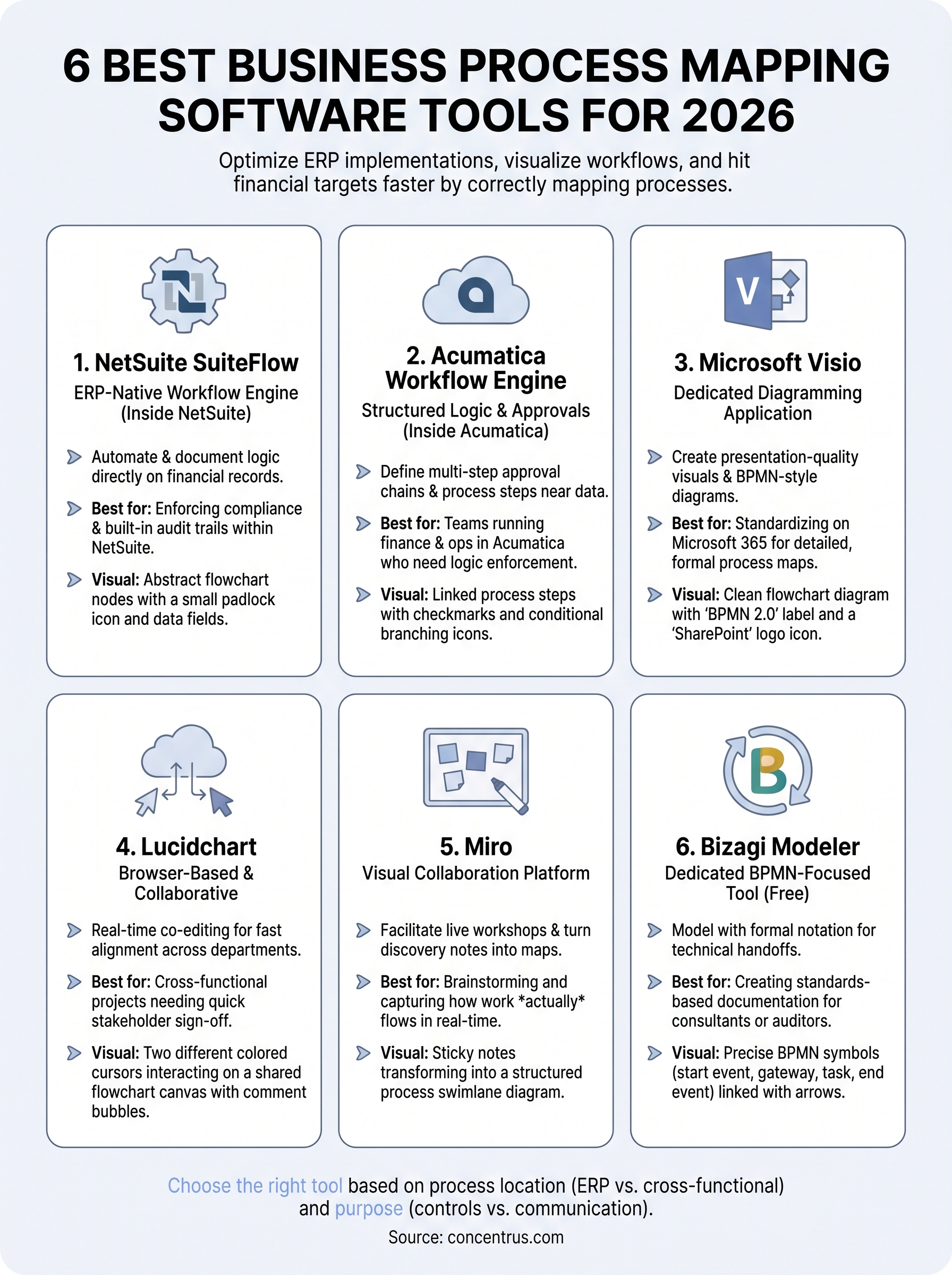
The six tools above cover a wide range of needs, from ERP-native workflow enforcement to collaborative discovery sessions. The right business process mapping software for your organization depends on where your processes live, who needs to work with them, and whether you need diagrams for communication or controls for compliance.
Before you commit to a tool, check it against your current ERP environment. If you run NetSuite or Acumatica, the built-in workflow engines give you a strong starting point. Layering in a dedicated diagramming tool like Lucidchart or Visio makes sense once you need stakeholder sign-off across departments.
If your ERP implementation is already underway and your processes are still unclear, that’s a signal you need more than a mapping tool. Talk to the Concentrus team to see how our ROI Roadmap™ methodology connects your documented processes directly to measurable financial outcomes at every stage of your ERP project.