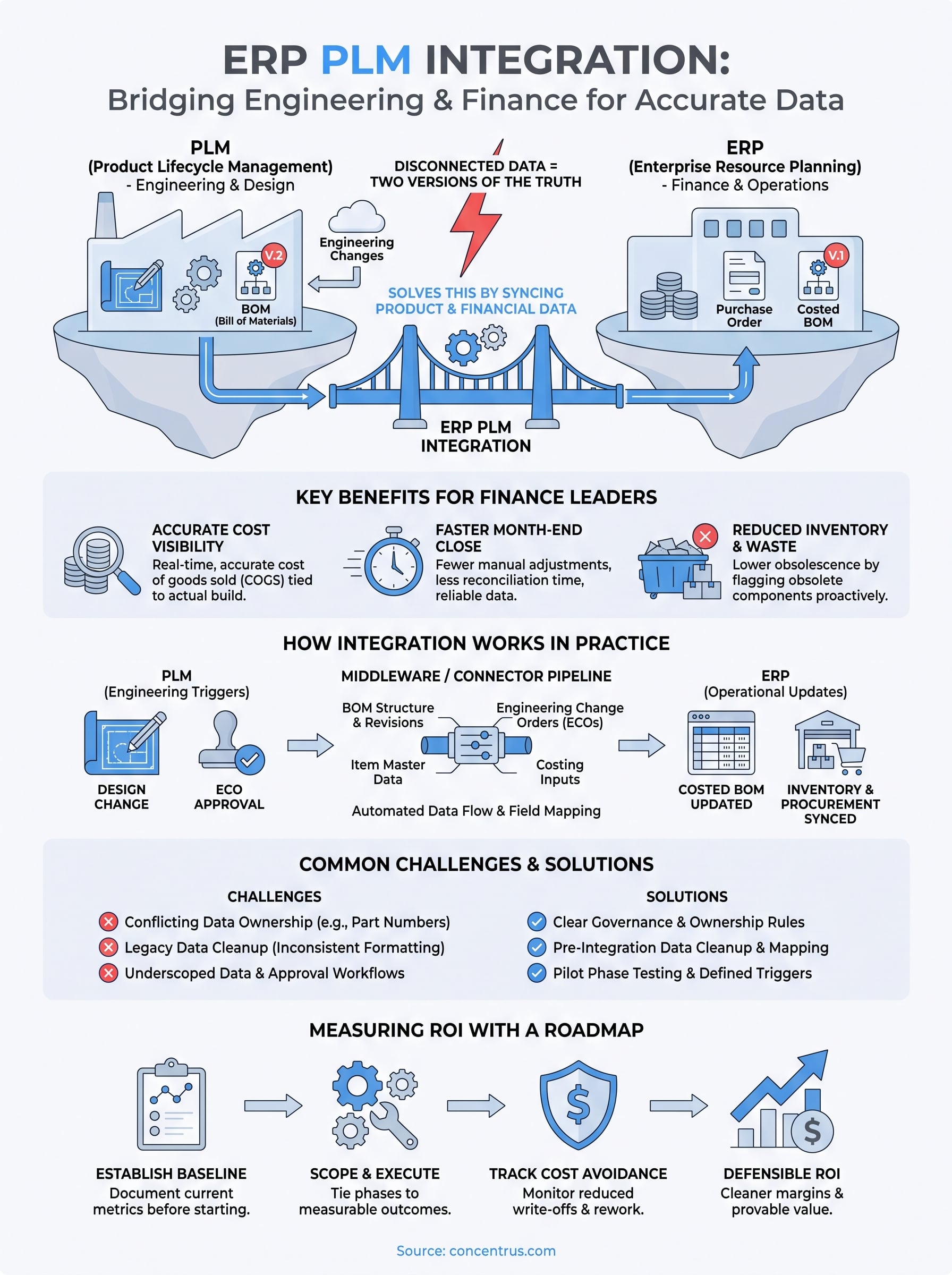
If your engineering team lives in PLM while finance and operations run on ERP, you already know the problem: two versions of the truth. Someone updates a bill of materials in PLM, and three weeks later a different version shows up in production because ERP never got the memo. ERP PLM integration solves this by connecting product lifecycle data with financial and operational systems so both sides work from the same numbers.
At its core, PLM-ERP integration means syncing product design, engineering changes, and BOM data with ERP modules like inventory, procurement, and costing, automatically, not through manual re-entry. Done right, it eliminates duplicate data entry, cuts costly BOM mismatches, and gives finance leaders accurate, real-time cost visibility tied directly to what’s actually being built.
This article breaks down what PLM integration with ERP actually involves, the specific benefits midsized manufacturers see once data flows correctly between systems, and the common challenges that derail these projects. We’ll also cover how a structured approach to PLM and ERP integration keeps the effort tied to measurable outcomes like faster closes and cleaner margins, rather than just another IT initiative.
Why ERP and PLM integration matters for finance leaders
Finance leaders don’t usually sit in on engineering change meetings, but they absorb the fallout when PLM and ERP disagree. A stale BOM means purchasing orders the wrong components, production stalls waiting on parts, and cost of goods sold gets calculated against a product configuration that no longer exists. ERP PLM integration turns this from a recurring fire drill into a non-issue, because engineering changes flow into ERP automatically instead of waiting for someone to notice the mismatch during month-end close.
The real cost of disconnected data
Gaps between PLM and ERP rarely show up as a single dramatic failure. They show up as small, constant leaks: excess inventory tied up in obsolete components, rework costs from building to an outdated revision, and finance teams spending days reconciling standard costs that never matched what actually shipped. Midsized manufacturers running disconnected systems often carry inflated inventory valuations because ERP still reflects a BOM that engineering revised months earlier. Add in the labor cost of manual data entry between the two systems, and you’re paying twice: once in wasted staff time, once in the bad decisions made from bad numbers.

When PLM and ERP don’t talk, your P&L is built on a product that no longer exists.
What accurate, synced data means for the P&L
Once PLM and ERP integration is working properly, cost visibility stops being a quarterly guessing game. Engineering change orders update costed BOMs in ERP the moment they’re approved, so standard costs reflect reality instead of last year’s design. Finance can trust gross margin figures at the SKU level, procurement can commit to purchase orders without second-guessing part numbers, and inventory carrying costs drop because obsolete components get flagged and cleared instead of sitting on the shelf. For a CFO trying to close the books faster, that accuracy compounds: fewer manual adjustments, fewer surprise write-offs, and a cleaner audit trail from design to delivery.
Key metrics finance leaders should watch
The financial impact of connecting these systems is measurable, and it’s worth tracking before and after integration rather than assuming the benefit. Here’s where midsized manufacturers typically see movement:
| Metric | Before integration | After integration |
|---|---|---|
| BOM accuracy at time of production | Frequently outdated | Synced in real time |
| Excess/obsolete inventory | Higher, tied to stale BOMs | Reduced, flagged proactively |
| Standard cost variance | Wide, hard to explain | Narrow, traceable to actual changes |
| Month-end close time | Extended by manual reconciliation | Shortened, fewer adjustments |
| Engineering-to-production lag | Days to weeks | Same-day to next-day |
Seeing these numbers move is exactly what a properly scoped integration should deliver, and it’s why Concentrus ties every project to a ROI Roadmap rather than treating the integration as a technical checkbox. Tracking these metrics also gives finance leaders a defensible answer when leadership asks whether the ERP investment is actually paying off, instead of relying on anecdotal feedback from the shop floor. Without that tracking, integration projects tend to drift into scope creep, chasing every possible data sync instead of the handful that actually move the needle on cost accuracy and cash flow.
How ERP and PLM integration works in practice
Understanding the mechanics matters because “integration” gets used loosely, and vague scoping is how these projects blow their budgets. ERP PLM integration isn’t a single feature you switch on. It’s a defined data pipeline that moves specific fields, on a specific trigger, between two systems that were never designed to talk to each other natively.
The data that actually needs to move
Not every field in PLM belongs in ERP, and treating the integration as an all-or-nothing data dump is a common mistake. In practice, the data that matters for finance and operations is narrower than engineering assumes:
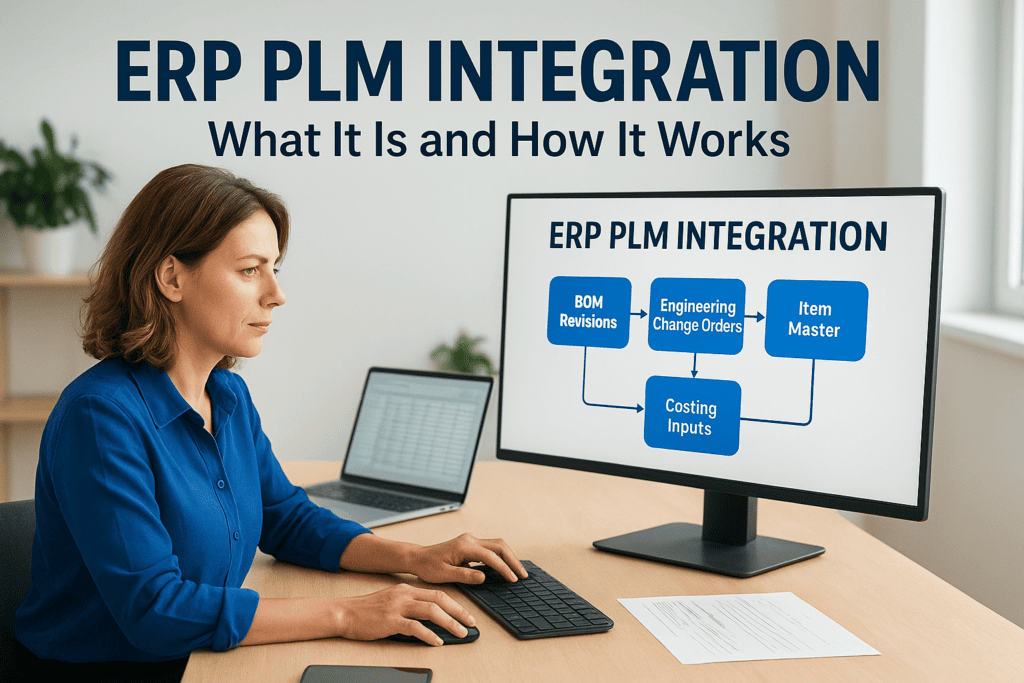
- Bill of materials (BOM) structure and revisions, so ERP always references the current approved configuration
- Engineering change orders (ECOs), triggering updates to costed BOMs and routing
- Item master data, including part numbers, descriptions, and units of measure
- Costing inputs, such as material and labor standards tied to a specific revision
- Document and drawing references, linked but not duplicated across systems
Good integration isn’t about syncing everything. It’s about syncing the handful of fields that actually change cost and production decisions.
Middleware, APIs, and connectors
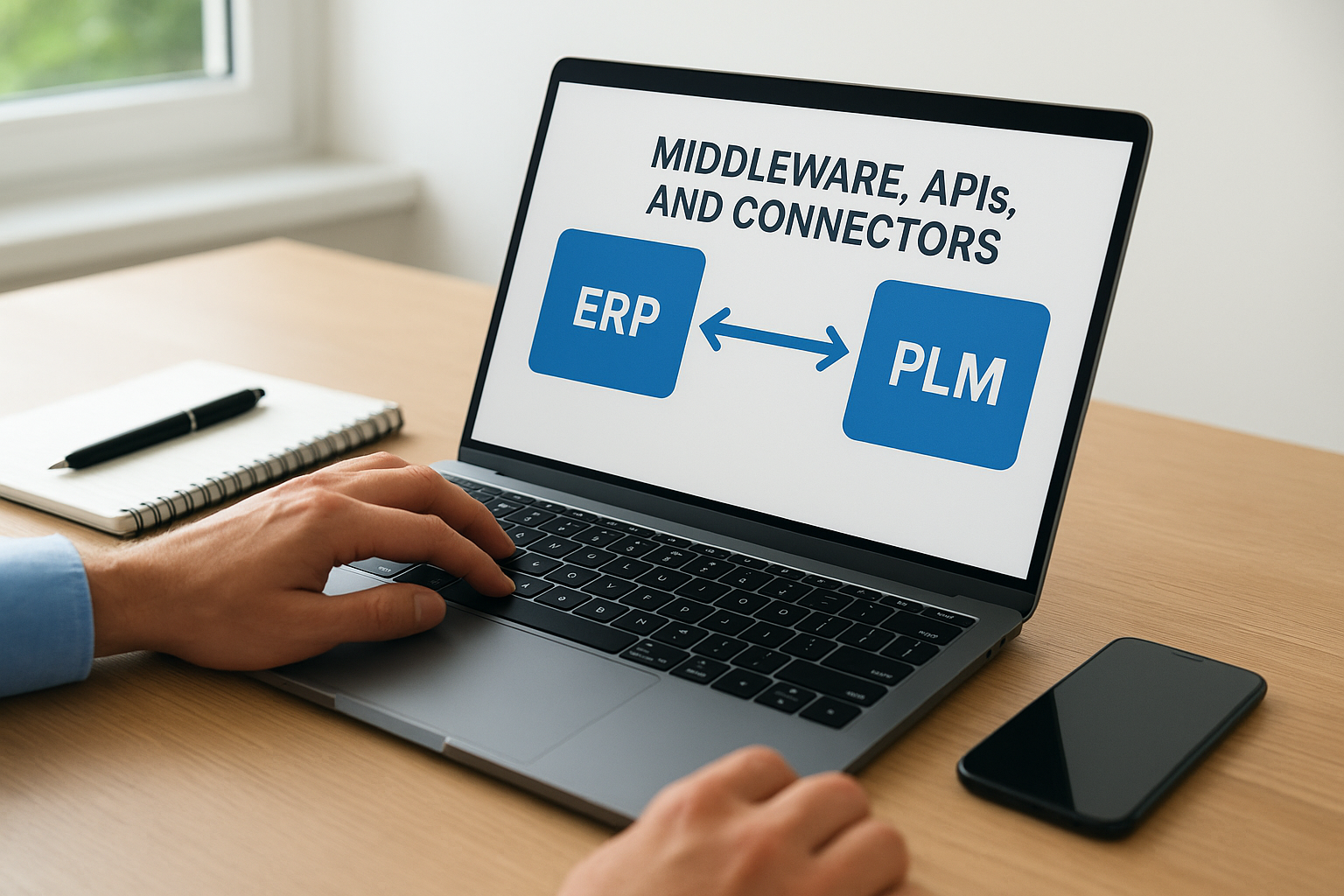
Most PLM and ERP integration projects rely on one of three approaches: a native connector built by the ERP or PLM vendor, a middleware platform like Celigo that sits between the two systems, or a custom API integration built for the client’s specific stack. For midsized manufacturers, middleware tends to win on flexibility, since it can handle field mapping, error logging, and retry logic without custom code that breaks every time either system gets updated. Concentrus works this into projects through the Concentrus Partner Network, pairing NetSuite or Acumatica with proven connector tools instead of building brittle one-off scripts.
Triggers, timing, and approval workflows
The integration also has to respect who approves what. An ECO shouldn’t push a new costed BOM into ERP the second an engineer saves a draft. Instead, the sync fires once the change clears its approval workflow in PLM, so ERP only ever reflects released, production-ready data. Getting this trigger logic right is what separates a PLM erp integration that finance trusts from one that just moves the reconciliation problem downstream instead of solving it.
Common challenges when connecting PLM and ERP systems
Getting ERP PLM integration right on paper is one thing. Getting it live and reliable in production is where most midsized manufacturers hit friction. The technology itself rarely fails outright, but the surrounding decisions, who owns what data, how fields map, and how much legacy mess gets carried forward, determine whether the integration actually holds up after go-live.
Conflicting data ownership
Engineering and finance often disagree about who “owns” a given field, and that disagreement doesn’t disappear just because you connect the systems. Item descriptions, unit of measure, and even part numbering conventions can differ between PLM and ERP because each team built its own habits over years of working in isolation. Without a clear rule for which system is the system of record for each data type, the integration just automates the conflict instead of resolving it.
An integration built on top of unresolved data ownership just automates the argument faster.
Legacy data and inconsistent formatting
Most midsized manufacturers carry years of inconsistent part numbers, duplicate SKUs, and BOMs built by different engineers with different conventions. Migrating that history into a clean, mapped structure takes real cleanup work before the integration ever goes live, and skipping this step is the single most common reason projects stall mid-implementation.
Change management and approval workflows
Field mapping is only half the challenge. Approval logic, deciding exactly when an engineering change is “released” enough to push into ERP, has to be built deliberately, or you end up with premature syncs that push draft BOMs into production planning. Teams also need to agree on exception handling: what happens when a sync fails, when a part number collides, or when someone bypasses the approval workflow entirely.
Where projects typically get stuck
A few patterns show up repeatedly across midsized manufacturers attempting this integration:
- Underscoping the data cleanup required before mapping fields between systems
- Assuming a native connector covers everything, then discovering it only handles a fraction of the required fields
- Skipping a pilot phase, pushing the full integration live before testing edge cases like engineering change reversals
- No single owner accountable for resolving mapping disputes between engineering and finance
Solving these issues isn’t a one-time technical fix. It’s a governance decision that has to be made before the first API call gets configured, which is exactly why Concentrus scopes data ownership and cleanup work as a distinct phase of every ERP implementation rather than an afterthought bolted onto the technical build.
Measuring the ROI of a PLM-ERP integration
Measuring the return on a PLM-ERP integration only works if you defined success before the project started. Too many midsized manufacturers treat the go-live date as the finish line, then struggle to prove the investment paid off because nobody captured what the numbers looked like beforehand. Baseline metrics matter here just as much as post-launch tracking, since without them you’re guessing at improvement instead of measuring it.
Setting a baseline before you integrate
Before any field mapping begins, pull the numbers that the integration is supposed to move: inventory carrying costs on obsolete parts, average days to close the books, hours spent per week reconciling BOMs between engineering and production, and the frequency of standard cost variance write-offs. Documented baselines give you something concrete to compare against six months after go-live, rather than relying on a general sense that things feel smoother.
Tracking cost avoidance, not just efficiency
Efficiency gains are the easy part to see, faster data entry, fewer manual touches. The harder number to capture, and the one that matters most to a CFO, is cost avoidance: the write-offs that never happened because an obsolete component got flagged before purchasing reordered it, or the rework that never occurred because production built to the current revision instead of a stale one.
The real ROI of PLM erp integration shows up in the write-offs and rework that never had to happen.
Tying integration to the ROI Roadmap
Once baselines exist, tie every milestone in the integration back to a specific financial outcome, faster close, tighter margin, lower carrying cost, rather than a generic “systems now talk to each other” statement. This is the discipline behind Concentrus’s ROI Roadmap methodology: every phase of the integration gets scoped against a measurable KPI, so finance leaders can point to a dollar figure, not a feeling, when justifying the project.
| Metric to track | How to measure it |
|---|---|
| Inventory write-offs avoided | Value of flagged obsolete stock vs. prior period |
| Rework hours avoided | Labor hours saved from building to current BOM |
| Close-cycle reduction | Days shaved off month-end close |
| Reconciliation labor saved | Hours reallocated from manual matching |
Tracking against a table like this, quarter over quarter, turns the integration from a one-time IT project into an ongoing accountability measure that finance leaders can defend in any budget review.
Bringing product and financial data together
Getting ERP PLM integration right isn’t about wiring two systems together and hoping the data lines up. It’s about deciding, deliberately, which fields matter, who owns them, and what financial outcome each sync is supposed to produce. Manufacturers who treat this as a governance project instead of a technical one end up with cleaner margins, faster closes, and inventory numbers finance can actually trust.
Skip that discipline, and you end up automating the same disconnect you started with, just faster. The manufacturers who get real value from PLM and ERP integration are the ones who baseline first, scope tightly, and tie every phase to a number a CFO can defend in a budget review.
If your product and financial data still live in separate worlds, that gap won’t close on its own. Talk to Concentrus about building an integration tied to measurable ROI from day one.