

Moving data between systems during an ERP implementation is where projects often go sideways. Manual transfers introduce errors, create bottlenecks, and extend timelines, all of which eat into the ROI you expected from your new system. That’s why data migration automation tools have become essential for midsized companies making the move to platforms like NetSuite or Acumatica. The right tool can reduce migration risk significantly while freeing your team to focus on higher-value work.
But with dozens of options available, choosing the right platform requires understanding what actually matters for your specific situation. At Concentrus, we’ve guided countless ERP implementations and rescues, and we’ve seen firsthand how the wrong migration tool can derail an otherwise solid project. Poor data quality, missed mappings, and integration failures don’t just cause headaches, they directly impact your financial close times, reporting accuracy, and operational efficiency.
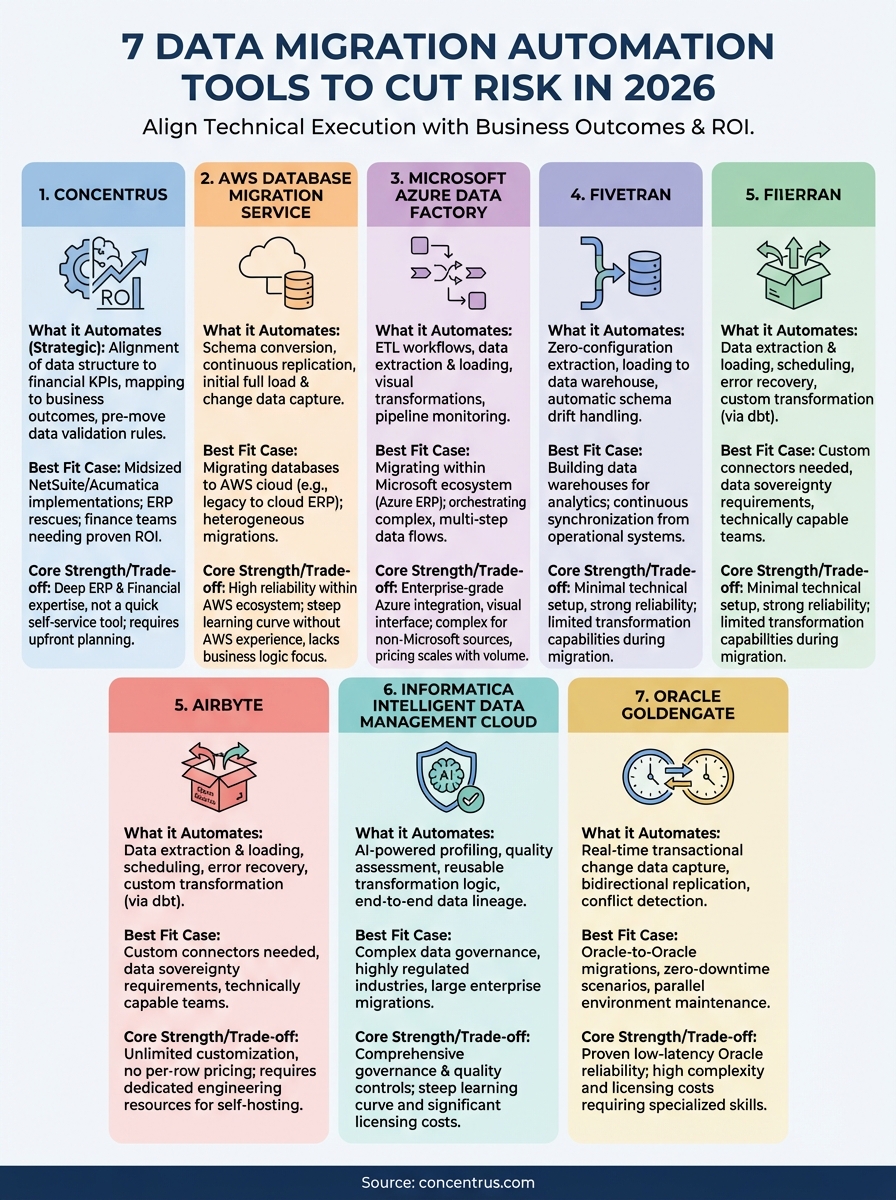
This guide breaks down seven data migration automation tools worth evaluating in 2026. We’ll cover their core features, ideal use cases, and what to watch out for before you commit, so you can make a decision that protects your ERP investment and keeps your implementation on track for measurable returns.
1. Concentrus
Concentrus isn’t a pure software platform like the other data migration automation tools on this list. We’re a consulting firm that combines ERP expertise with proven migration methodologies, specifically for NetSuite and Acumatica implementations. Our approach automates the strategic and financial planning layers that sit above the technical transfer, ensuring your data migration directly supports measurable business outcomes instead of just completing a technical checklist.
What it automates in an ERP migration
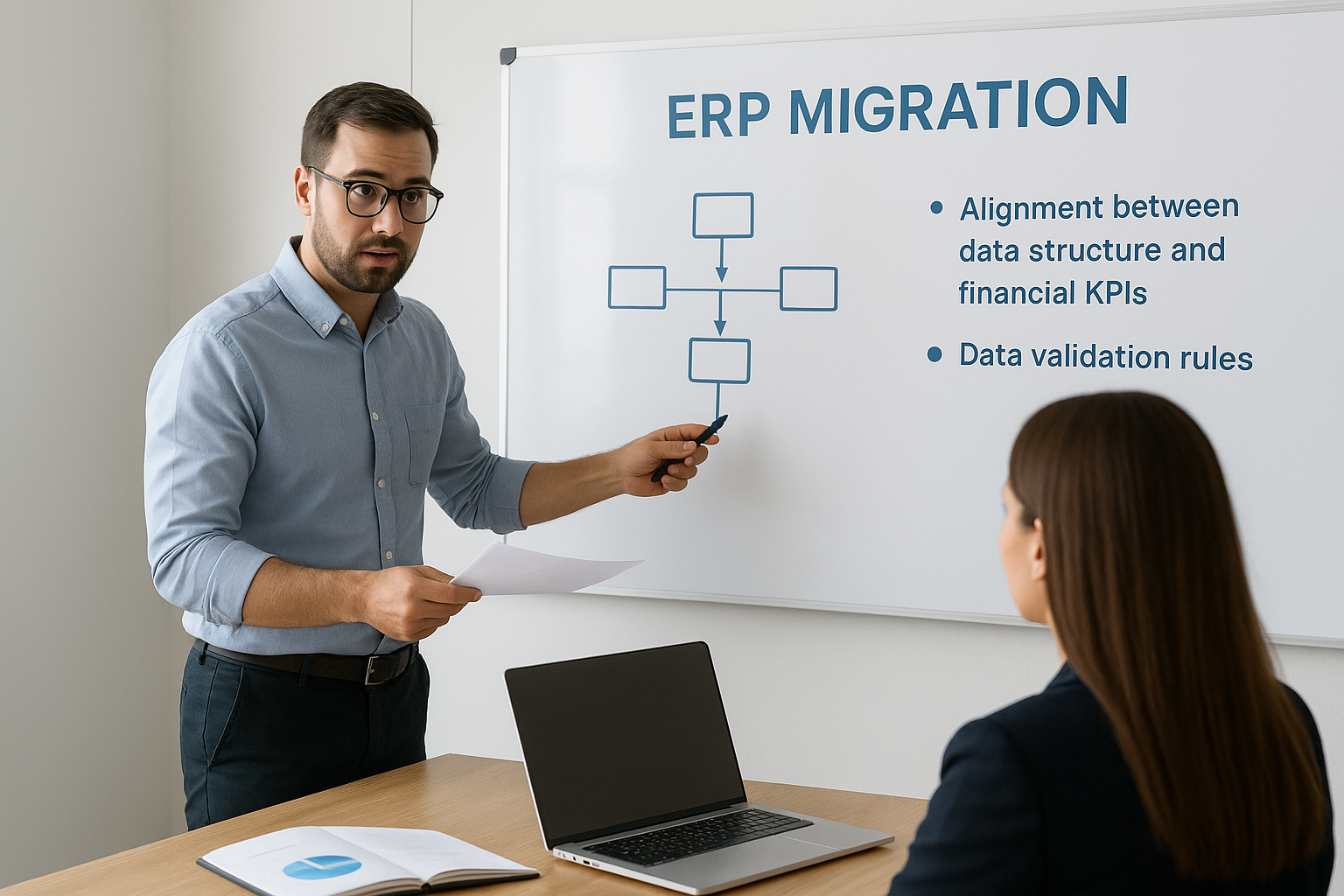
Our ROI Roadmap™ methodology automates the alignment between your data structure and your financial KPIs. We map your existing data to specific business outcomes (like faster month-end close or improved inventory turns) before any records move. This framework automatically identifies which data fields drive ROI and which create technical debt, so you’re not migrating unnecessary complexity into your new system. Data validation rules get built into the process from day one, catching errors before they compound downstream.
Where it fits best
You’ll get the most value from Concentrus if you’re a midsized company implementing NetSuite or Acumatica where internal teams lack deep ERP migration experience. Our approach works especially well for ERP rescue situations where a previous migration failed or underperformed. Finance teams under pressure to prove ROI and maintain operational continuity during the transition benefit most, since we tie every migration decision to your financial goals instead of leaving you to figure out the business impact after go-live.
The strongest migration plans tie technical execution directly to the financial metrics your board actually cares about.
Key strengths and trade-offs
Concentrus brings deep platform knowledge and financial accountability that generic migration tools can’t match. Our methodology prevents the common mistake of moving bad data into a new system just because the old system had it. However, we’re not a self-service solution. If you need a quick, automated point-and-click tool for a simple database transfer, other options on this list will be faster. Our value comes from the strategic layer we add, which requires collaboration and planning time upfront.
Pricing approach
We price based on project scope and guaranteed ROI milestones, not software licenses or data volume. Your investment depends on factors like system complexity, data quality challenges, and the financial outcomes you’re targeting. Most engagements include both migration execution and the strategic framework that ensures your ERP delivers returns, making the pricing model aligned with your success rather than just task completion.
2. AWS Database Migration Service
AWS Database Migration Service (DMS) is a cloud-native platform built specifically for moving databases between on-premises systems, AWS environments, or hybrid setups. Amazon designed it to handle continuous data replication with minimal downtime, making it a strong option if you’re already invested in the AWS ecosystem or planning to migrate your ERP infrastructure to the cloud alongside your data.
What it automates in a migration
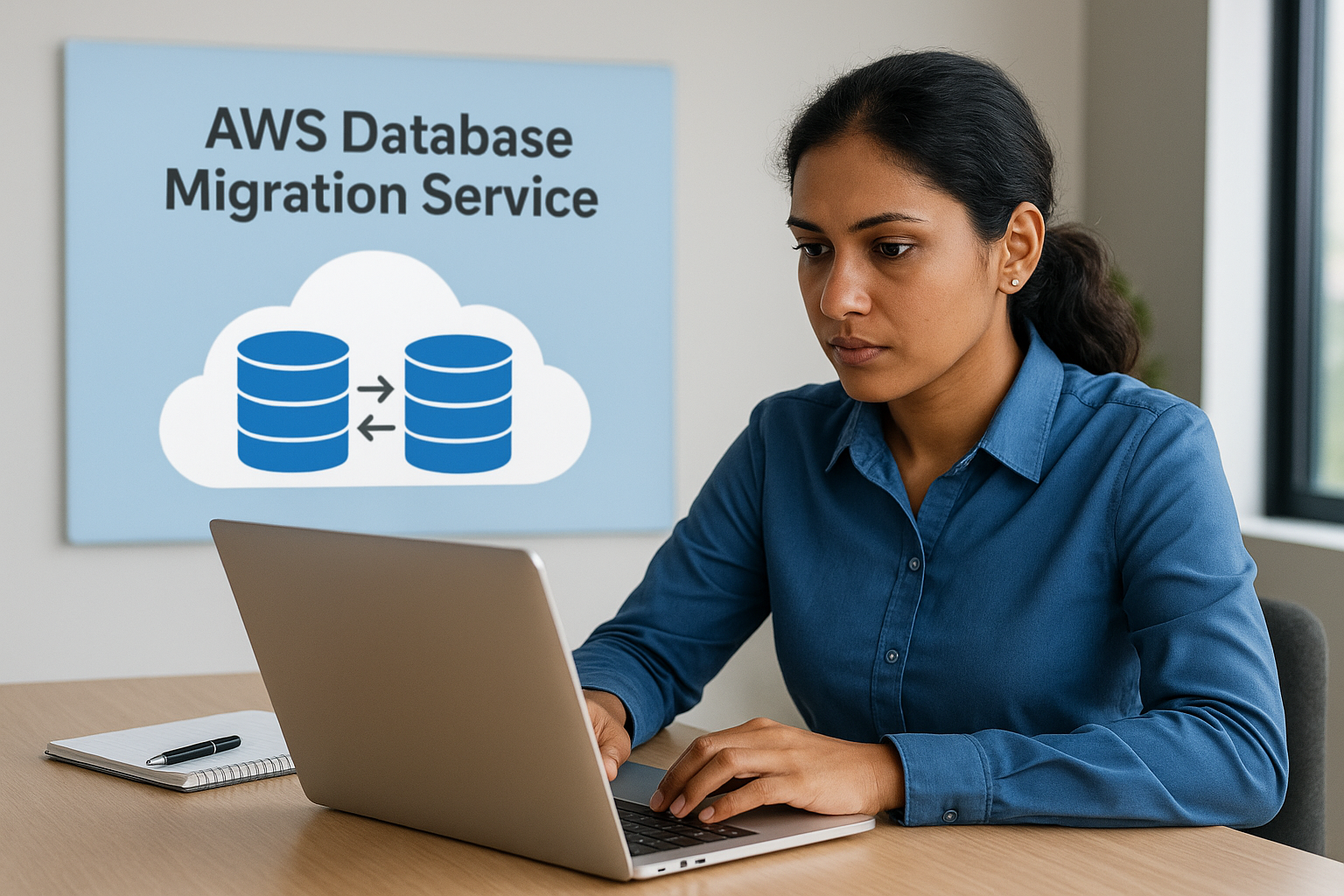
The platform automates schema conversion and ongoing replication between source and target databases. You can migrate data from Oracle, SQL Server, MySQL, PostgreSQL, and other common databases to AWS-hosted equivalents or different database engines entirely. AWS DMS handles the initial full load and continuous change data capture, so your source system keeps running while records sync in near real-time. Schema changes get detected and replicated automatically once you configure the rules.
Where it fits best
This tool works best when you’re migrating databases to AWS cloud infrastructure as part of a broader cloud strategy. Companies running ERP systems on legacy on-premises databases see strong value here, especially if you’re moving to cloud-hosted NetSuite or Acumatica instances. Heterogeneous migrations (like Oracle to PostgreSQL) benefit from the built-in schema conversion toolkit.
Cloud migrations require more than moving data; you need infrastructure alignment to avoid creating new operational silos.
Key strengths and trade-offs
AWS DMS delivers high reliability and scalability within the Amazon ecosystem, with strong security controls and compliance certifications. However, you’ll face a steep learning curve if your team lacks AWS experience. The tool focuses on database-level transfers, not business logic or ERP-specific data relationships, so you still need expertise to map your financial data correctly.
Pricing approach
Amazon charges based on instance hours and data transfer volume. You pay for the replication server runtime and any data moving out of AWS regions. Costs scale with your migration complexity and duration, making budgeting straightforward but potentially expensive for large, lengthy projects.
3. Microsoft Azure Data Factory
Microsoft Azure Data Factory (ADF) is a cloud-based data integration service that automates data movement and transformation across multiple sources. The platform handles extract, transform, and load (ETL) workflows at scale, making it a natural choice for companies already using Microsoft’s cloud infrastructure or running ERP systems on Azure-hosted environments. Unlike pure database migration tools, ADF focuses on orchestrating complex data pipelines that can include transformation logic during the transfer process.
What it automates in a migration
Azure Data Factory automates the extraction and loading of data from over 90 built-in connectors, including SQL databases, file systems, SaaS applications, and on-premises sources. You can build visual data flows that apply transformation rules during migration, handling tasks like data cleansing, type conversions, and field mapping without writing code. The platform supports both full data loads and incremental updates, with monitoring dashboards that track pipeline performance and flag errors automatically.
Where it fits best
This tool delivers the strongest value when you’re migrating data within the Microsoft ecosystem, particularly if your ERP infrastructure already runs on Azure. Companies moving from legacy systems to cloud-based NetSuite or Acumatica instances benefit from ADF’s ability to orchestrate multi-step workflows that involve data transformation and validation before final loading. Teams with existing Azure expertise will find the learning curve manageable.
Data migration automation tools only deliver ROI when they align with your existing infrastructure investments.
Key strengths and trade-offs
Azure Data Factory offers enterprise-grade security and compliance features built into the Microsoft cloud platform. The visual interface makes pipeline design accessible to less technical users. However, you’ll encounter complexity when handling non-Microsoft data sources, and pricing can escalate quickly with large-scale transformations. The tool requires Azure familiarity to use effectively.
Pricing approach
Microsoft charges based on pipeline orchestration activities, data flow execution time, and data movement volume. You pay per activity run and per hour of data flow compute usage, with additional costs for cross-region transfers.
4. Fivetran
Fivetran is a fully managed data pipeline platform that automates the extraction and loading of data from various sources into your data warehouse or data lake. The platform focuses on zero-configuration connectors that eliminate manual setup for common data sources, making it particularly attractive for teams that need to move data quickly without deep technical expertise. Companies use Fivetran primarily for analytics and reporting workflows, though it also handles migration scenarios where you need continuous data synchronization.
What it automates in a migration
The platform automates data extraction from over 400 pre-built connectors, including databases, SaaS applications, and cloud storage systems. Fivetran handles the initial historical data load and ongoing incremental updates automatically, detecting schema changes in your source systems and adapting the target structure without manual intervention. You configure the source and destination once, then the platform manages replication schedules, error handling, and data consistency checks behind the scenes.
Where it fits best
Fivetran delivers the strongest results when you’re building data warehouses for analytics rather than performing one-time ERP migrations. The platform works well for companies that need continuous data synchronization between operational systems and reporting environments. If your migration strategy involves keeping legacy systems running while populating a new data warehouse, Fivetran handles that ongoing replication effectively.
Data migration automation tools designed for continuous sync rarely optimize for one-time ERP transfers.
Key strengths and trade-offs
The platform requires minimal technical setup compared to custom ETL development, with strong reliability for supported connectors. However, Fivetran offers limited data transformation capabilities during the migration process, focusing instead on faithful replication. You’ll need separate tools to handle complex business logic or data cleansing before loading into your target system.
Pricing approach
Fivetran charges based on monthly active rows (MAR), counting unique records updated or created each month. Costs scale with data volume and connector usage, with different pricing tiers based on your total MAR across all pipelines.
5. Airbyte
Airbyte is an open-source data integration platform that automates data movement between hundreds of sources and destinations. The platform gives you full control over connector code and deployment options, making it attractive for companies that need customization flexibility or want to avoid vendor lock-in. Unlike fully managed services, Airbyte lets you host the infrastructure yourself or use their cloud offering, depending on your security and compliance requirements.
What it automates in a migration
The platform automates data extraction and loading from over 350 pre-built connectors, with an active community constantly adding new sources. Airbyte handles the scheduling of data sync jobs and error recovery automatically, detecting schema changes in your source systems and applying them to your target environment. You can define custom transformation logic using dbt integration, though basic migrations work without writing code. The platform tracks sync history and data lineage throughout the migration process.
Where it fits best
You’ll see the strongest results with Airbyte when you need custom connectors that commercial tools don’t support or when data sovereignty requirements prevent using external cloud services. The platform works well for technically capable teams comfortable with self-hosting infrastructure and troubleshooting issues when they arise. Companies running complex migrations involving proprietary systems benefit from the ability to modify connector code directly.
Open-source data migration automation tools trade ease of use for customization depth and infrastructure control.
Key strengths and trade-offs
Airbyte delivers no per-row pricing and unlimited customization through its open-source model. However, you’ll need dedicated engineering resources to maintain the platform and resolve connector issues. The self-hosted option requires infrastructure management expertise that smaller finance teams often lack.
Pricing approach
Airbyte offers a free open-source version you host yourself, plus a cloud-managed option with pricing based on credits consumed per connector and data volume processed monthly.
6. Informatica Intelligent Data Management Cloud
Informatica Intelligent Data Management Cloud (IDMC) is an enterprise-grade data integration platform that combines ETL capabilities, data quality tools, and master data management in a single cloud environment. The platform uses AI-powered automation to handle data profiling, mapping recommendations, and quality checks throughout the migration process. Companies with complex data governance requirements gravitate toward Informatica for its ability to enforce data policies and maintain compliance during large-scale ERP transitions.
What it automates in a migration
The platform automates data profiling and quality assessment before migration begins, identifying duplicate records, format inconsistencies, and referential integrity issues automatically. You can build reusable transformation logic through visual interfaces that apply business rules during extraction and loading. IDMC’s AI engine suggests field mappings based on data patterns and semantic analysis, reducing manual configuration time. The system tracks data lineage end-to-end, documenting how each record transforms from source to target for audit trails.
Where it fits best
You’ll get the strongest value from Informatica when you’re managing complex data governance frameworks across multiple systems and departments. The platform excels in highly regulated industries like finance and healthcare where data quality and compliance documentation matter as much as technical transfer speed. Large enterprises migrating to NetSuite or Acumatica from multiple legacy systems benefit from the master data management capabilities.
Enterprise data migration automation tools justify their cost when governance and compliance requirements outweigh pure transfer speed.
Key strengths and trade-offs
Informatica delivers comprehensive data quality controls and governance features that basic migration tools lack. However, you’ll face a steep implementation curve and significant licensing costs that smaller finance teams struggle to justify. The platform requires dedicated data engineering resources to configure effectively.
Pricing approach
Informatica charges based on annual subscription tiers tied to data volume processed and features enabled, with enterprise pricing that varies significantly based on your organization’s size and complexity requirements.
7. Oracle GoldenGate
Oracle GoldenGate is a real-time data replication platform that specializes in moving data between Oracle databases and other systems with minimal latency. The platform captures transactional changes at the database level and replicates them across heterogeneous environments, making it a standard choice for companies running Oracle ERP systems or managing Oracle database infrastructure. Unlike data migration automation tools designed for one-time transfers, GoldenGate focuses on continuous synchronization that keeps multiple systems aligned during extended transition periods.
What it automates in a migration
The platform automates change data capture at the transaction log level, extracting committed changes without impacting source system performance. You can replicate data bidirectionally between Oracle and non-Oracle databases, including SQL Server, PostgreSQL, and MySQL. GoldenGate handles conflict detection and resolution automatically when multiple systems update the same records, applying transformation rules during replication to map data structures between different schemas.
Where it fits best
You’ll see the strongest results with Oracle GoldenGate when you’re migrating Oracle ERP systems or maintaining parallel Oracle database environments during a phased transition. The platform excels in zero-downtime migration scenarios where you need both systems operational simultaneously. Companies with Oracle infrastructure investments benefit most from the deep database integration.
Real-time replication delivers value when you need transactional accuracy during extended migration windows.
Key strengths and trade-offs
Oracle GoldenGate provides proven reliability for Oracle-to-Oracle migrations with granular control over replication rules. However, you’ll face significant licensing costs and complexity that require dedicated Oracle database administrators. The platform demands technical expertise that smaller teams often lack.
Pricing approach
Oracle charges based on processor-based licensing tied to the number of CPUs running GoldenGate software, with separate costs for support and maintenance contracts.
Next steps
Selecting the right data migration automation tools requires matching technical capabilities to your specific ERP implementation goals. Each platform on this list handles different migration scenarios, from simple database transfers to complex multi-system orchestrations with ongoing synchronization. Your choice depends on factors like existing infrastructure, team technical expertise, data governance requirements, and whether you need continuous replication or a one-time migration. The wrong tool won’t just slow down your project; it can introduce data quality issues that undermine the entire ERP investment.
Strategic migration success goes beyond choosing software. You need a framework that ties your data transfer directly to measurable business outcomes, ensuring your new ERP system delivers the ROI your board expects. Concentrus helps CFOs and finance leaders implement NetSuite and Acumatica with proven methodologies that eliminate migration risk while building accountability into every phase. Our approach ensures your data migration supports faster closes, improved margins, and operational efficiency from day one.