

When you’re preparing for an ERP implementation or system upgrade, you’ll encounter two terms that often get confused: data migration vs data conversion. Understanding the distinction isn’t just semantics, it directly impacts your project timeline, budget, and whether your new system actually delivers the ROI you’re expecting.
For CFOs and finance leaders overseeing a NetSuite or Acumatica rollout, getting this right matters. Moving data incorrectly, or failing to transform it properly, can result in corrupted records, compliance issues, and months of cleanup that eats into your projected savings. The financial stakes are significant, and the technical nuances deserve your attention.
At Concentrus, we’ve guided hundreds of midsized companies through ERP implementations and rescues, and confusion around these two processes is one of the most common issues we see. This article breaks down what each term actually means, how they differ technically, and when you’ll need one, the other, or both during your ERP project.
Why the difference matters in ERP projects
The financial impact of confusing data migration and data conversion shows up fast in ERP projects. When your implementation team treats all data movement as the same process, you end up with incorrect budgets, missed timelines, and go-live delays that can cost your company hundreds of thousands in extended consulting fees and lost productivity. Your CFO dashboard depends on accurate data, and if your legacy system’s chart of accounts doesn’t map cleanly to NetSuite or Acumatica, you’re facing a conversion challenge that simple migration won’t solve.
You can’t afford to underestimate this distinction when planning your ERP implementation. Migration moves data from one place to another, while conversion transforms that data to fit new structures and business rules. Each process requires different resources, technical skills, and timelines. Your project budget needs to account for both, and your implementation partner should be able to articulate exactly which process applies to each dataset you’re moving.
Budget and resource implications you can’t ignore
Planning for data migration vs data conversion separately changes your cost projections significantly. A straightforward migration of customer records might take your team two weeks and require basic mapping skills. Conversion of your multi-currency transaction history, however, could demand specialized SQL expertise, custom validation scripts, and months of testing before you’re confident the numbers are right.
Your internal team’s bandwidth matters here. Migration work often requires business analysts who understand your current processes and can validate that records moved correctly. Conversion efforts need technical resources who can write transformation logic, handle data type conflicts, and ensure referential integrity across your new database schema. If you budget only for migration when you actually need conversion, you’ll blow through your contingency fund before you reach user acceptance testing.
Misclassifying conversion as simple migration is one of the fastest ways to double your ERP implementation timeline and halve your projected ROI.
Compliance and accuracy risks that impact financial close
Your audit trail depends on data accuracy, and the data migration vs data conversion distinction directly affects your ability to close books cleanly in the new system. Migration preserves your existing data structure, so if your legacy GL codes were inconsistent or your inventory SKUs had duplicates, those problems transfer directly into NetSuite or Acumatica. Conversion gives you the opportunity to clean and standardize during the transformation, but only if you plan for it upfront.
Financial compliance gets complicated when you move historical transactions. Your SOX controls and audit requirements don’t disappear just because you’re changing systems. If your conversion logic alters transaction dates, amounts, or posting periods without proper documentation and validation, you’re creating regulatory exposure that could trigger findings during your next external audit.
What data migration means in ERP implementations
Data migration is the technical process of moving data from your legacy system into your new ERP platform without changing the fundamental structure or format of that data. When you migrate customer records from your old accounting software into NetSuite, you’re essentially copying information from point A to point B while preserving the original values, relationships, and data types. Your customer names stay the same, addresses remain identical, and account balances transfer exactly as they existed in the source system.

The core migration process in NetSuite and Acumatica
Your migration process follows a defined sequence that your implementation team will execute systematically. First, you extract data from your legacy database into intermediate files, typically CSV or XML formats that both systems can read. Next, you map source fields to target fields in your new ERP, creating a translation layer that tells the system where each piece of data belongs. Finally, you load the mapped data into NetSuite or Acumatica using import tools, APIs, or custom integration scripts that your technical team builds specifically for your project.
The migration phase happens in iterative cycles before go-live. You run test migrations to validate that records transferred correctly, catch any mapping errors that cause data to land in wrong fields, and verify that referential integrity holds across related datasets like customers and invoices. Each cycle refines your migration scripts until you achieve the data quality standards your CFO requires for financial reporting.
Migration success depends on how well you preserve existing data relationships while moving them into a completely different database architecture.
What gets migrated vs what doesn’t
Not every piece of data in your legacy system makes the journey to your new ERP. Your master data like customer lists, vendor records, item catalogs, and employee files typically migrate in full because you need this information to operate from day one. Historical transactions require more careful decisions, since migrating ten years of detailed journal entries can bloat your new system and slow performance without adding real value to your financial analysis.
Understanding data migration vs data conversion helps you decide what to move and what to archive externally.
What data conversion means in ERP implementations
Data conversion is the process of transforming your legacy data into new formats, structures, and values that match your new ERP system’s requirements and business rules. Unlike simple movement of records, conversion alters the fundamental characteristics of your data to ensure it functions correctly within NetSuite or Acumatica’s architecture. Your old system’s account codes might follow a four-digit structure while your new chart of accounts requires eight digits with department and location segments, forcing you to restructure every GL code during the conversion process.
The transformation mechanics behind conversion
Your conversion process involves complex logic that changes data at a fundamental level. You might need to split single fields into multiple fields, such as breaking a legacy “Name” field into separate “First Name” and “Last Name” columns that your new ERP requires for customer relationship management. Currency conversions present another common challenge, where your historical transactions stored in multiple currencies must convert to your new functional currency using period-appropriate exchange rates that maintain financial accuracy.
Validation rules in your new system force additional transformations. Your legacy inventory module might have allowed alphanumeric SKUs of varying lengths, but NetSuite enforces a standardized format with specific prefix requirements for different product categories. Every existing SKU needs conversion to match these new rules, or your system will reject the data during import.
Conversion creates an opportunity to fix data quality issues that have accumulated over years in your legacy system.
Common conversion scenarios in ERP projects
Your finance team will face specific conversion challenges that directly impact reporting accuracy. Multi-entity consolidation requires converting separate company databases into a unified structure with proper subsidiary relationships and intercompany eliminations. Tax codes from your old system need mapping to NetSuite’s or Acumatica’s tax engine, often requiring complete restructuring to handle nexus rules and compliance requirements that your legacy system handled differently.
Understanding data migration vs data conversion helps you allocate the right technical resources for transformation work that demands SQL expertise and custom scripting abilities.
Data migration vs data conversion: key differences
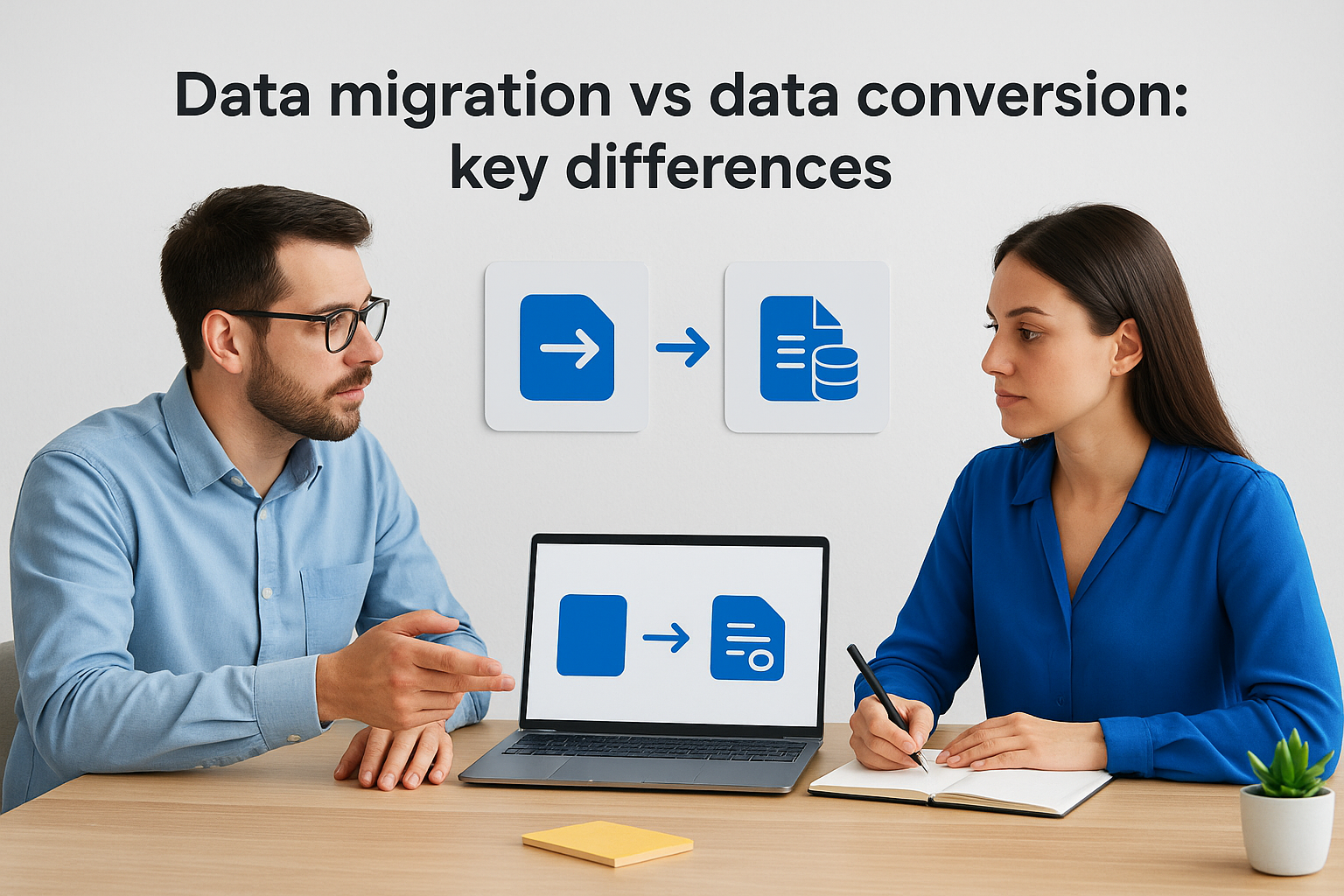
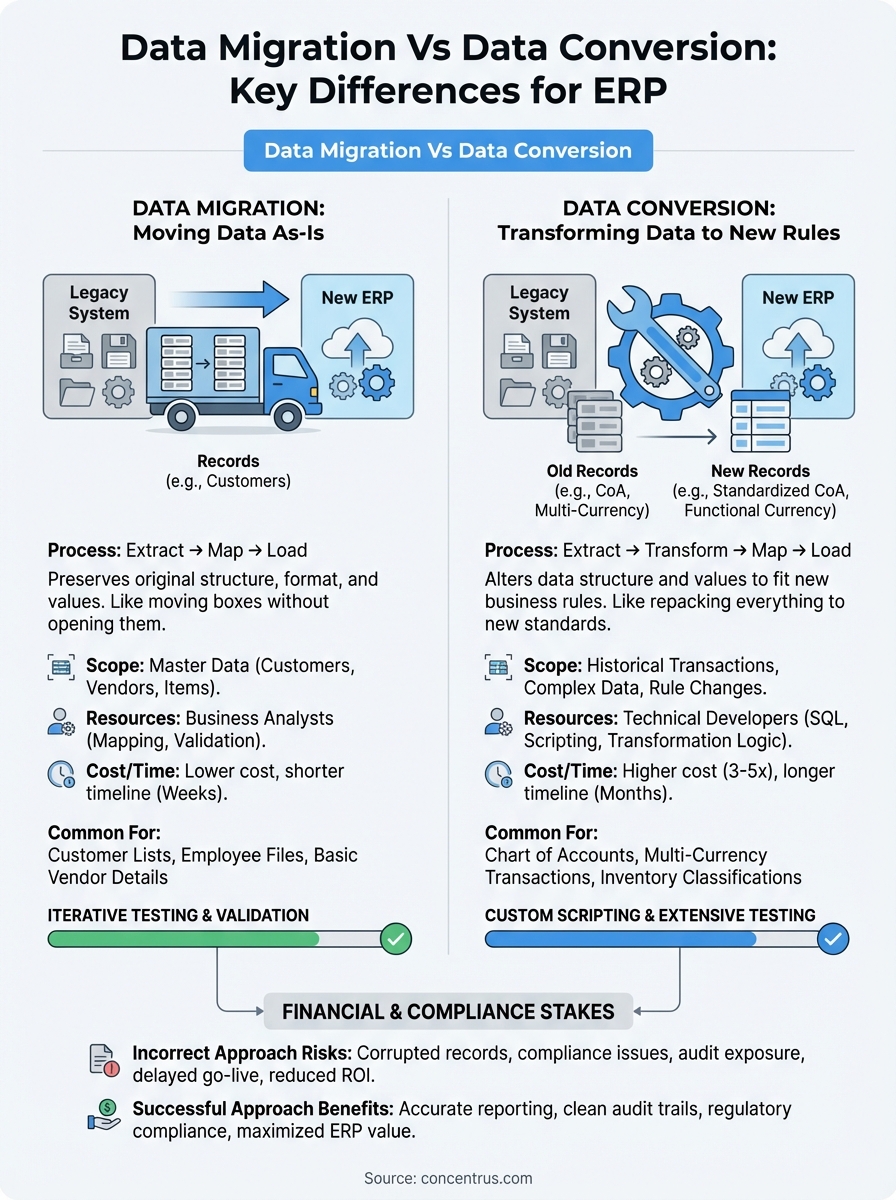
The fundamental distinction between data migration and data conversion lies in what happens to your data during the transfer process. Migration moves your records from one system to another while preserving their original form, like relocating boxes from one warehouse to another without opening them. Conversion transforms the contents of those records to match new requirements, forcing you to repack everything according to different rules and structures that your new ERP demands.
Scope and complexity differences
Your migration scope stays narrowly focused on the technical movement of data. You extract records, map fields between systems, and load information into NetSuite or Acumatica using standardized import tools that your implementation team configures. The process requires careful field mapping and validation testing, but your data values remain unchanged throughout the journey.
Conversion scope expands dramatically because you’re not just moving data but restructuring it entirely. Your team must write transformation logic that changes data types, splits or combines fields, recalculates values, and applies new business rules. Understanding data migration vs data conversion helps you recognize that conversion projects need custom scripting, extensive testing cycles, and validation procedures that verify transformed data still represents your business accurately. Each converted dataset requires its own transformation specification that documents exactly how old values map to new structures.
Conversion typically costs three to five times more than migration because transformation logic demands specialized technical resources and extensive quality assurance.
Technical requirements and skill sets
Migration projects need business analysts who understand your current system and can verify that records transferred correctly. Your team configures import templates, runs data quality checks, and confirms that relationships between datasets remain intact after the move. The technical barrier stays relatively low since most ERP platforms provide built-in migration utilities.
Conversion demands developers with SQL expertise, scripting abilities, and deep knowledge of both legacy and target system architectures. Your technical team must handle data type conflicts, write validation rules, and create custom transformation logic that doesn’t corrupt your financial records during the conversion process.
How to choose and plan the right approach
Your decision between data migration vs data conversion starts with a clear assessment of your legacy data quality and your new ERP’s structural requirements. Begin by auditing your current system to identify data that can transfer directly versus information that requires transformation. Customer addresses and basic vendor details typically migrate cleanly, while your chart of accounts, multi-currency transactions, and inventory classifications almost always need conversion logic to match NetSuite or Acumatica’s architecture.
Assessment criteria for your data strategy
Evaluate each dataset against three technical factors before deciding your approach. First, check if your legacy field structures match your new system’s requirements, since identical formats enable straightforward migration while mismatches force conversion. Second, analyze data quality issues like duplicates, inconsistent formatting, or missing values that conversion can fix during transformation. Third, review your business rule changes, because new approval workflows, tax calculations, or pricing structures require converting historical data to reflect updated logic.
Your finance team should prioritize datasets based on go-live criticality. Master data for customers, vendors, and items needs completion first since your operations depend on these records from day one. Historical transactions can follow a phased approach where you migrate recent periods and archive older data externally, reducing both your conversion scope and timeline pressure.
The most successful ERP implementations treat data movement as a strategic project phase with dedicated resources, not a technical afterthought handled during the final weeks before go-live.
Building your execution timeline
Plan your data work in parallel with configuration rather than waiting until testing begins. Your technical team should start conversion script development during the design phase when business requirements are fresh and your implementation partner can build transformation logic that matches your approved processes. Schedule multiple test cycles that move progressively from sample datasets to full volumes, giving your finance team time to validate accuracy before committing to production loads.
Next steps for a clean go-live
Your ERP project’s success depends on executing your data strategy with precision and accountability. Understanding data migration vs data conversion isn’t enough, you need dedicated project governance that tracks every dataset through extraction, transformation, validation, and final load. Assign clear ownership for each data workstream to team members who will validate accuracy and report progress against your go-live timeline.
Schedule your final production cutover only after completing at least three full test cycles with real data volumes. Your finance team should verify that opening balances match your legacy system’s closing figures, referential relationships work correctly, and your first financial close produces reports that reconcile to the penny. Document every transformation rule and migration mapping so your team can troubleshoot issues after go-live without external consultants.
If you’re planning a NetSuite or Acumatica implementation and want guaranteed ROI from your data strategy, Concentrus builds ERP projects around measurable financial outcomes that protect your investment from day one.