

Your sales team closes a deal in Salesforce, and then someone retypes that same order into NetSuite or Acumatica by hand. Inventory numbers lag behind what reps see on their screens. Finance closes the month without a clear line between bookings and revenue. If that sounds familiar, you’re not dealing with a Salesforce problem or an ERP problem, you’re dealing with a connection problem.
ERP integration with Salesforce links your CRM’s customer, order, and quote data to your ERP’s financial, inventory, and fulfillment systems, so both platforms work from the same numbers in real time. Done right, a salesforce-erp integration eliminates duplicate data entry, speeds up order-to-cash cycles, and gives finance leaders accurate visibility into revenue and margins without waiting on manual reconciliation.
This article breaks down what ERP-Salesforce integration actually involves, the methods and tools companies use to connect NetSuite or Acumatica with Salesforce, and the practical benefits CFOs care about most: cleaner data, faster closes, and fewer surprises in your financial reporting.
Why integrating Salesforce with your ERP matters
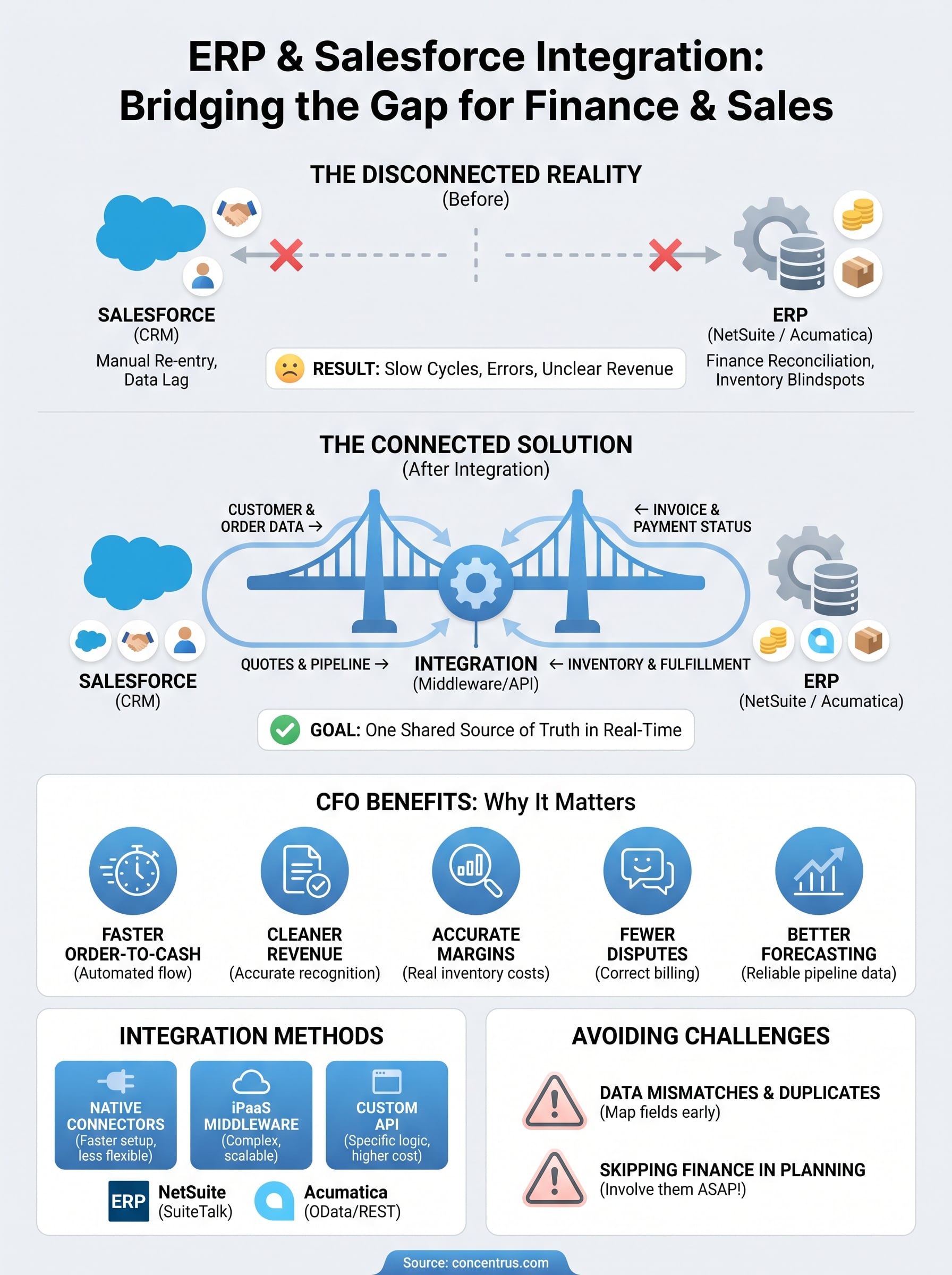
Every disconnected system in your tech stack costs you something, whether it’s an hour of a rep’s time re-entering an order or a finance team scrambling to reconcile bookings against invoiced revenue at month-end. When Salesforce and your ERP don’t talk to each other, that cost compounds daily. Salesforce integration with ERP systems closes that gap by giving sales, operations, and finance one shared source of truth instead of three separate versions of the same customer relationship.
The hidden cost of disconnected systems
Manual data entry between Salesforce and NetSuite or Acumatica isn’t just tedious, it’s a direct source of financial risk. A rep updates a quote in Salesforce, but the change never makes it to the ERP, so the invoice goes out for the wrong amount. A customer’s credit hold in the ERP never surfaces in Salesforce, so a rep closes a deal that finance can’t fulfill. Disconnected data like this shows up in your books as write-offs, delayed collections, and inaccurate revenue forecasts, and none of it is visible until it’s already a problem.
When Salesforce and your ERP don’t share data automatically, your finance team is always reconciling the past instead of managing the present.
What CFOs actually gain from a connected system
Once quote-to-cash data flows automatically between the two platforms, the benefits show up in the numbers finance tracks every month:
- Faster order-to-cash cycles because orders move into the ERP the moment they’re won, without waiting on manual entry.
- Cleaner revenue recognition because invoicing and fulfillment data match what sales recorded, cutting down on adjustments during close.
- Accurate margin visibility because sales can see real inventory costs and availability instead of stale numbers.
- Fewer billing disputes because customers get invoiced for what they actually ordered, at the price they were quoted.
- Better forecasting because pipeline data in Salesforce reflects what’s actually happening in production, inventory, and fulfillment.
Why this matters more as you scale
The pain of disconnected systems grows with your order volume, not against it. A ten-person sales team can absorb some manual double-entry without much damage. A fifty-person team generating hundreds of orders a month can’t, not without hiring extra headcount just to keep the two systems roughly in sync. Growing midsized companies that put off ERP integration with Salesforce often find themselves adding administrative staff to manage a problem that automation would have solved for a fraction of the cost. That’s the real argument for treating integration as a financial decision, not just an IT project: it’s cheaper to build the connection now than to keep paying people to bridge it manually later.
How ERP integration with Salesforce works
At its core, a salesforce integration erp system connects two databases so that a change in one place updates the other automatically, without a human retyping anything. When a rep marks an opportunity closed-won in Salesforce, that same event can trigger a sales order in NetSuite or Acumatica, pull real inventory levels back into the quote, and push invoice status back to the account record sales sees every day. The mechanics vary by company, but the goal is always the same: one transaction, reflected accurately in both systems, in close to real time.
The data flow between Salesforce and your ERP
Most integrations move a defined set of records back and forth: customer and account details, quotes and orders, pricing and product catalogs, invoices and payment status, and inventory or fulfillment updates. Sales-side data like opportunity stage and contact history typically flows from Salesforce to the ERP, while financial and operational data like credit holds, stock levels, and shipment tracking flows the other way. Getting this mapping right matters more than picking any particular tool, because a salesforce erp integration built on sloppy field mapping just moves bad data faster.
An integration is only as good as the data mapping behind it, sync speed doesn’t fix a mismatched field.
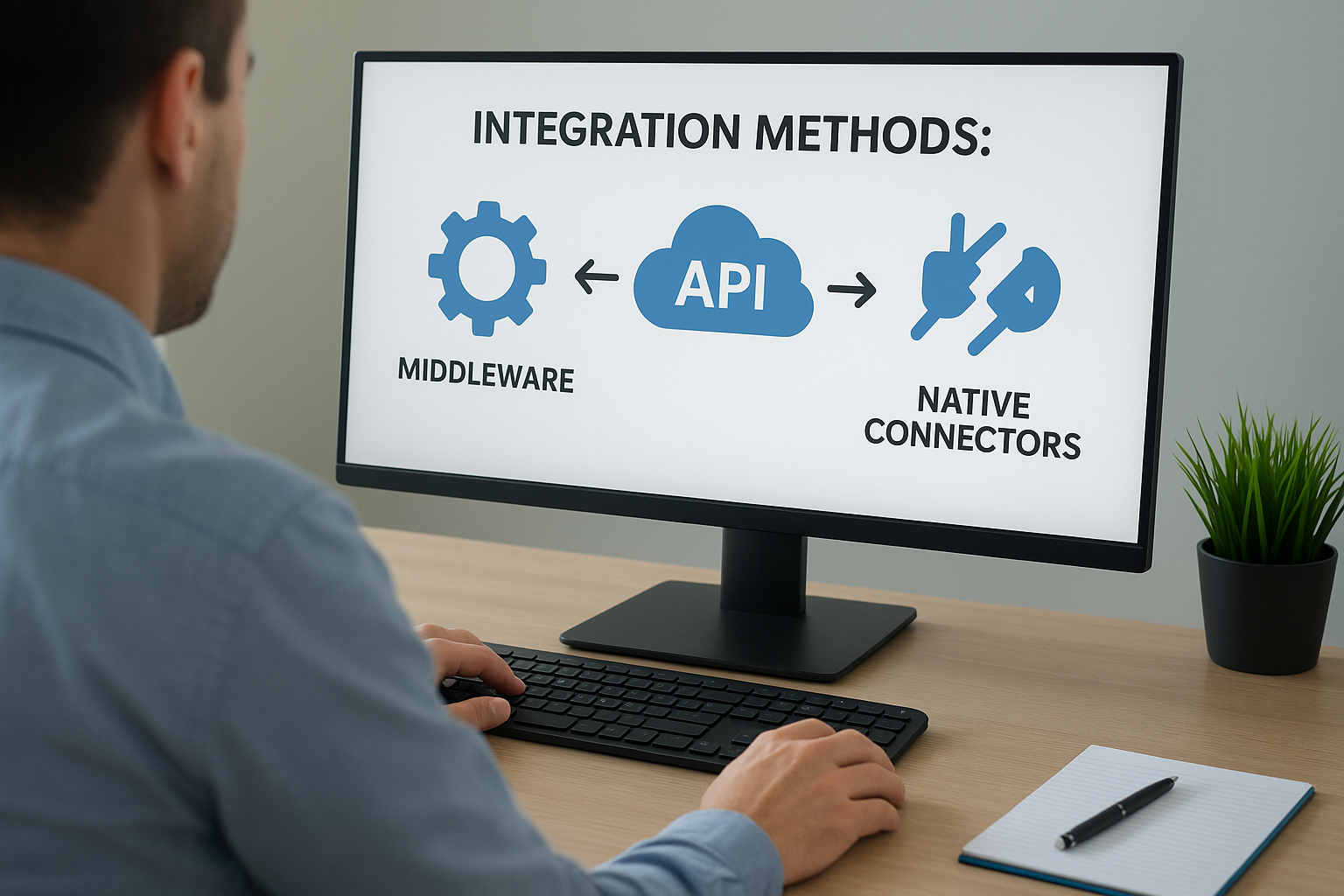
Integration methods: middleware, APIs, and native connectors
Companies typically choose one of three approaches, each with real tradeoffs:
| Method | Best for | Tradeoff |
|---|---|---|
| Native/prebuilt connectors | Standard workflows, faster setup | Less flexibility for custom processes |
| iPaaS middleware (e.g., Celigo) | Complex, multi-system environments | Ongoing subscription and configuration |
| Custom API integration | Highly specific business logic | Higher upfront build and maintenance cost |
Most midsized companies land somewhere between the first two options, using middleware to handle the messy edge cases that prebuilt connectors weren’t designed for.
Which ERP systems integrate best with Salesforce
Not every ERP connects to Salesforce with the same ease, and the platform you’re running changes how much work the project takes. NetSuite and Acumatica both offer mature paths into Salesforce, but each brings a different set of native tools, partner ecosystems, and API depth to the table. If you’re evaluating erp integration with Salesforce as a project, the ERP you already run, or the one you’re about to implement, should shape your approach before you pick a method or a vendor.
NetSuite and Salesforce
NetSuite ships with SuiteTalk, a mature web services API that most middleware platforms and prebuilt connectors are built to work with directly. That maturity means companies running NetSuite typically have more options for a salesforce integration erp system project, from Celigo’s prebuilt connector to a fully custom build using SuiteScript on the NetSuite side. Concentrus works with clients through NetSuite implementation and rescue projects where Salesforce connectivity gets planned into the broader financial architecture, not bolted on after go-live.
Acumatica and Salesforce
Acumatica’s open API architecture, built on OData and REST endpoints, makes it straightforward for developers to build custom integrations, though the partner ecosystem for prebuilt Salesforce connectors is smaller than NetSuite’s. Companies running Acumatica ERP often lean on middleware or a custom API build rather than an off-the-shelf connector, especially when their quoting or approval process doesn’t match standard workflows.
The ERP you choose shapes your Salesforce integration options as much as the integration method you pick.
Comparing your options at a glance
| ERP | Native API | Prebuilt connectors | Typical integration path |
|---|---|---|---|
| NetSuite | SuiteTalk (SOAP/REST) | Widely available | Middleware or prebuilt connector |
| Acumatica | OData/REST | Fewer options | Custom API or middleware |
Whichever platform you run, the integration method matters less than whether your ERP partner understands both the technical connection and the financial data flowing through it.
Common integration challenges and how to avoid them
Even a well-planned ERP integration with Salesforce runs into predictable friction points. Knowing them upfront saves you from discovering them the hard way, usually during month-end close when finance notices numbers that don’t reconcile.
Data mismatches and duplicate records
Duplicate customer records are the most common headache in any erp salesforce integration. A rep creates a new account in Salesforce instead of searching for the existing one, and now you’ve got two versions of the same customer with different addresses, payment terms, and order histories. Field mapping errors compound this: a custom field in Salesforce that doesn’t map cleanly to its ERP counterpart can silently drop data or overwrite it with blanks. Fixing this after the fact means manually merging records and re-auditing months of transactions, so it pays to set matching rules and validation logic before the first sync ever runs.
Bad data synced faster is still bad data, integration doesn’t fix a dirty database, it just spreads the mess.
Sync timing and system downtime
Real-time sync sounds ideal until two systems try to update the same record simultaneously and create a conflict neither one can resolve automatically. Batch syncs avoid that collision risk but introduce lag, meaning a rep might quote against inventory numbers that are already a few hours stale. Either approach needs a clear failure plan: what happens when the connection drops mid-sync, and who gets alerted when records stop updating.
Skipping the finance team in planning
Too many integration projects get treated as an IT initiative, with sales operations picking the tool and finance finding out what data flows where after launch. That’s backwards. Finance needs a say in which fields sync, how invoicing triggers, and where credit holds and revenue recognition rules live, because those decisions directly affect the close process. Involve your finance leaders in the mapping and testing phases, not just the rollout announcement.
Real-world examples of ERP and Salesforce integration
Abstract benefits are easy to nod along with, but the pattern gets clearer once you look at how it plays out on the floor. Here’s what a working erp integration salesforce setup typically looks like across a few common midsized-company scenarios.
Manufacturing: quotes that respect real inventory
A custom equipment manufacturer running NetSuite used to let reps quote off a spreadsheet that was updated weekly, which meant promised ship dates rarely matched what production could actually deliver. After connecting Salesforce to NetSuite, reps see live inventory and production lead times directly inside the quote screen. Real-time inventory visibility cut order cancellations tied to missed ship dates and gave finance cleaner backlog numbers for forecasting.

The best integrations don’t just move data, they stop sales from making promises finance and operations can’t keep.
Wholesale distribution: eliminating duplicate order entry
A distributor running Acumatica used to have an order desk retype every Salesforce opportunity into the ERP by hand, a process that added a full day to fulfillment on busy weeks. With a middleware connection in place, closed-won opportunities generate ERP sales orders automatically, complete with correct pricing and customer terms. Faster order-to-cash cycles followed almost immediately, along with fewer pricing disputes since both systems now reference the same quote.
Professional services: billing that matches the contract
A services firm using NetSuite struggled to reconcile project milestones tracked in Salesforce with invoicing schedules in the ERP, leading to late or mismatched bills. Syncing contract terms and milestone completion between the two systems let invoices trigger automatically once a milestone closes in Salesforce. That single change removed a recurring source of billing disputes and gave the finance team a much shorter close checklist each month.
Making integration work for your finance team
Getting Salesforce and your ERP talking to each other isn’t a technical nicety, it’s how you stop paying people to bridge a gap software should close automatically. Every example in this article traces back to the same root fix: one shared source of truth replacing three versions of the same customer relationship. The method you pick, the ERP you run, the challenges you plan around, none of that matters as much as whether finance has a seat at the table from day one.
If your reps are still re-entering orders and your close still depends on reconciling numbers that should already match, the fix isn’t another spreadsheet or a stopgap headcount hire. It’s a properly scoped integration built around the financial outcomes you actually need. Talk to Concentrus about connecting Salesforce to your ERP the right way, with ROI tied to the project from the start.