


If your team still keys purchase orders and invoices into NetSuite or Acumatica by hand after receiving them from a trading partner’s EDI system, you already know the cost. Double entry breeds typos, delays your financial close, and buries your staff in busywork that adds zero value. EDI integration with ERP fixes that by letting electronic data interchange documents flow straight into your ERP without a person touching them.
In plain terms, EDI ERP integration connects the messages your customers and suppliers send (purchase orders, invoices, shipping notices) directly to the records inside your ERP system, so orders create sales transactions automatically and invoices post without manual re-typing. Done right, an ERP and EDI integration cuts order errors, speeds up cash application, and gives you real-time visibility into inventory and receivables instead of a weekly guess.
This article breaks down exactly how EDI and ERP talk to each other, walks through the integration architecture step by step, and covers the benefits finance leaders care about most: faster closes, fewer chargebacks, and cleaner data. We’ll also flag the best practices that separate a smooth erp and edi integration system from one that turns into a maintenance headache.
Why EDI-ERP integration matters for CFOs and finance teams
For finance leaders, EDI integration with ERP isn’t a technical nicety, it’s a control issue. Every purchase order, invoice, and shipping notice that gets rekeyed by hand is a chance for a wrong quantity, a mistyped price, or a missed deadline to slip into your books. Multiply that across dozens of trading partners and thousands of documents a month, and you’re looking at a data integrity problem that shows up in your close, your AR aging, and your margin reports.
The real cost of manual data entry
Manual entry isn’t just slow, it’s expensive in ways that rarely show up on a single line item. Staff hours spent retyping documents could go toward analysis or partner relationships instead. Order errors caused by manual keying trigger returns, credit memos, and partner disputes that eat into margin long after the original transaction closed.
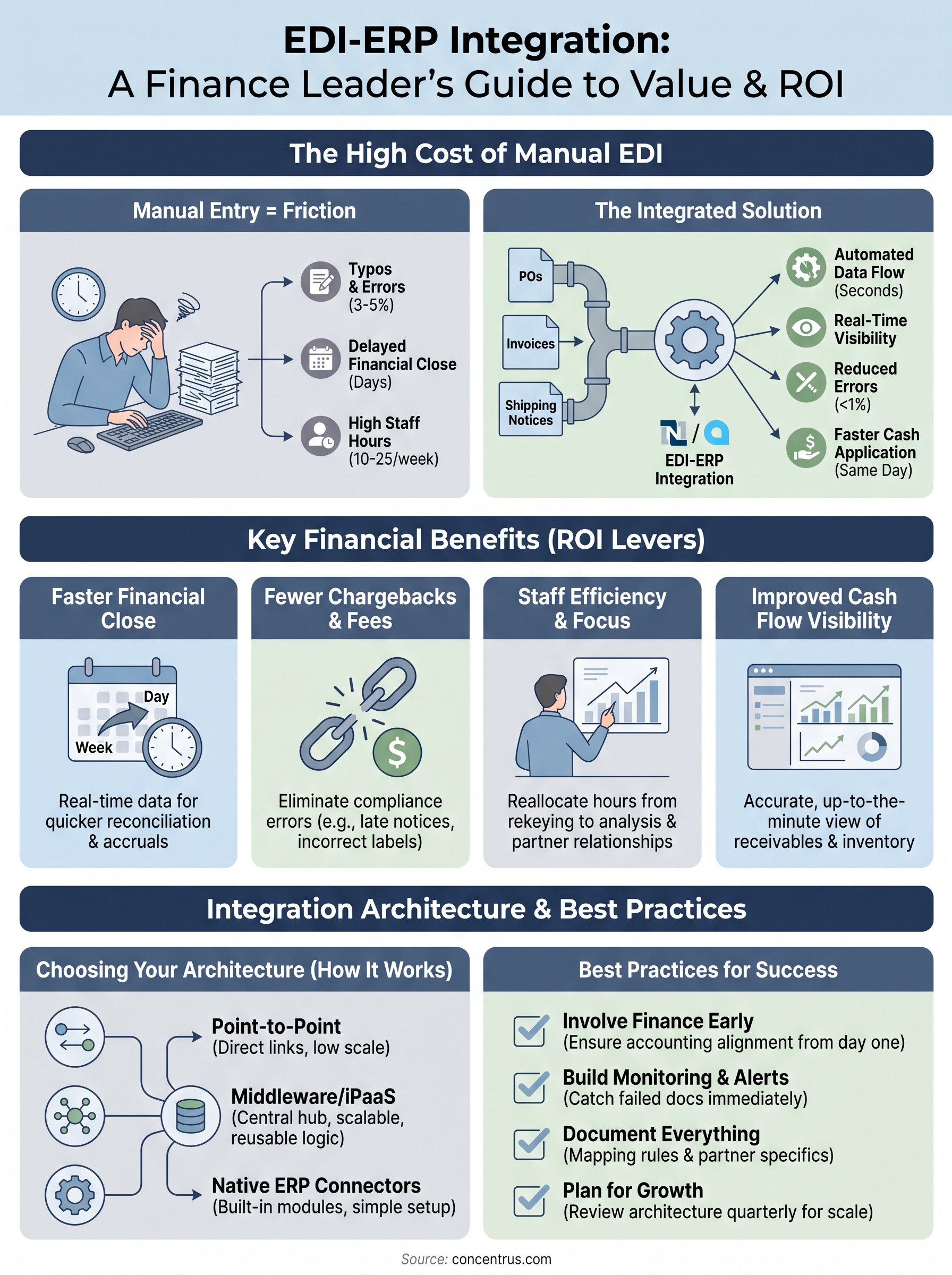
| Process step | Manual entry | Integrated EDI-ERP |
|---|---|---|
| Time per document | 8-15 minutes | Seconds |
| Typical error rate | 3-5% of line items | Under 1% |
| Order-to-cash delay | 2-5 days | Same day |
| Staff hours per week (mid-market volume) | 10-25 hours | 1-2 hours |
Chargebacks, compliance fees, and lost trust with trading partners
Big-box retailers and distributors don’t tolerate sloppy EDI compliance, and they’ll deduct chargebacks straight from your remittance when you miss a requirement. Common triggers include:
- Late shipment notices (856 documents) sent after the delivery window
- Invoice totals that don’t match the original purchase order
- Missing or incorrect UCC-128 shipping labels
- Advance ship notices with mismatched carton counts
Given how automated ERP EDI integration eliminates most of these errors at the source, this is usually the fastest ROI case a CFO can make to the board.
Every chargeback you avoid through clean EDI-ERP integration goes straight back to gross margin, no sales required.
Retailers like Walmart and Target publish detailed EDI compliance guides, and repeated violations can put your vendor status at risk, not just your margin. Losing preferred vendor standing with a major trading partner costs far more than the integration project ever would.
Faster financial close and real-time cash visibility
Holding invoices and receipts in an inbox or a shared drive until someone has time to enter them delays everything downstream: cash application, AP accruals, inventory counts, and ultimately your close. Integrated EDI feeds post transactions into NetSuite or Acumatica the moment they arrive, so your AR team can apply cash same-day and your controller can trust the numbers on the dashboard without a week-long reconciliation.
Giving finance a real-time view of open orders, in-transit inventory, and outstanding invoices changes how you forecast cash flow. Instead of waiting for month-end to find out where you stand, you’re working from live data that updates as trading partners send documents.
Turning integration into a measurable ROI lever
Tying EDI-ERP integration to specific financial outcomes, not just “automation for automation’s sake,” is what separates a project that pays for itself from one that just adds another system to maintain. That’s the thinking behind our ROI Roadmap™ methodology, which maps every integration milestone to a metric your CFO already tracks: days sales outstanding, chargeback rate, or order cycle time.
Building that accountability into the project plan from day one keeps IT, finance, and operations focused on the same outcome instead of arguing over scope later. When integration is framed as a finance initiative with engineering support, rather than the other way around, it gets funded, staffed, and finished.
How to integrate EDI with your ERP system
Getting EDI integration with ERP working reliably comes down to a handful of decisions made early: how documents get translated, where the connection point lives, and how errors get caught before they touch your books. Skip any of these steps and you end up with an integration that works fine until it doesn’t, usually right when transaction volume spikes.
Choose your integration architecture
Most mid-market companies pick one of three paths for connecting EDI to NetSuite or Acumatica, and the right choice depends on your document volume and how many trading partners you manage.
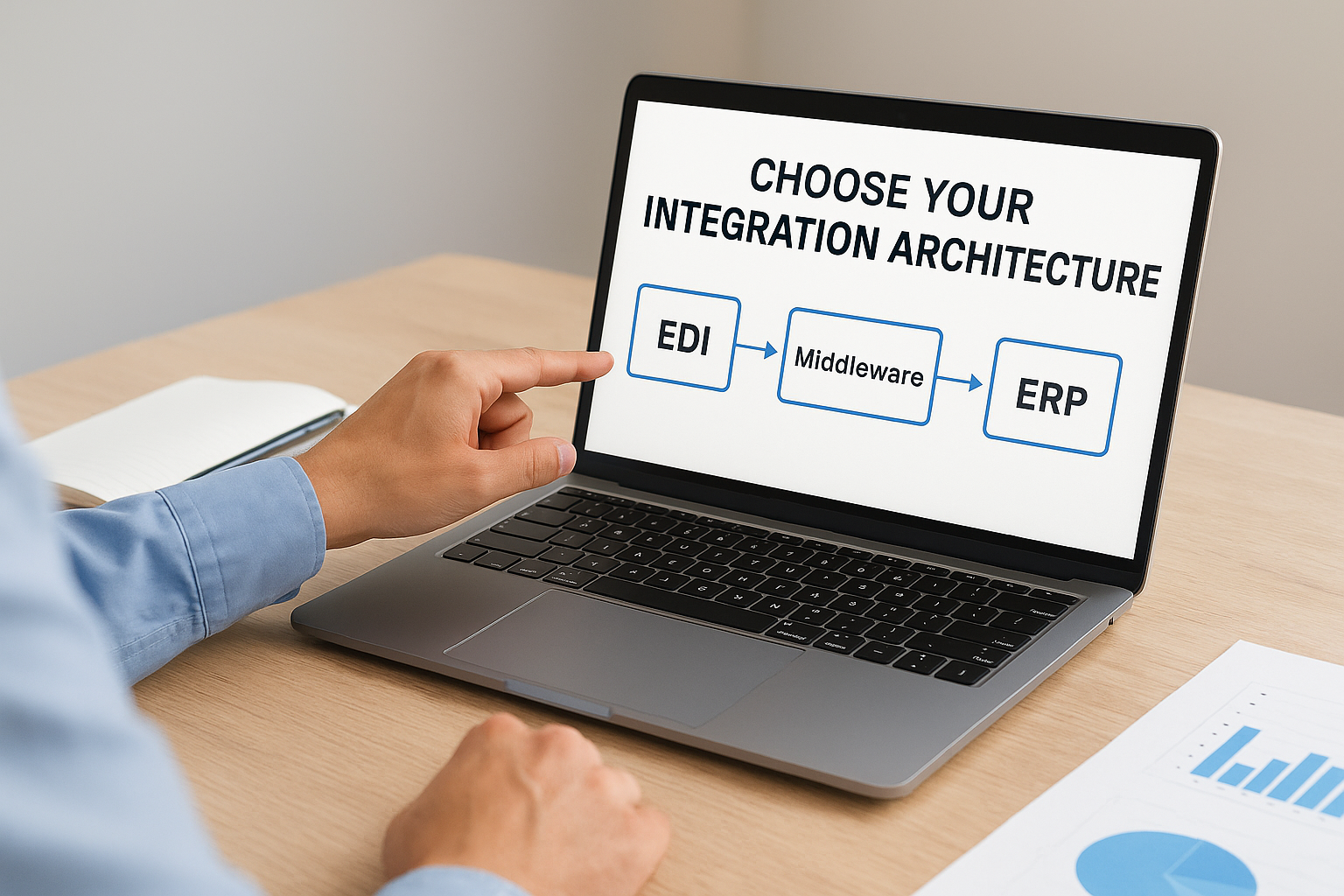
- Point-to-point connectors: Direct links between your EDI translator and your ERP, built for a specific document type or partner. Cheap to start, expensive to scale past a handful of partners.
- Middleware or iPaaS platforms: Tools like Celigo sit between your EDI network and your ERP, mapping data once and reusing that logic across every trading partner. This is where most of our clients land once they pass 15-20 active partners.
- Native ERP connectors: Built-in EDI modules or SuiteApps that handle translation inside the ERP itself, useful for smaller partner counts but limited on custom mapping.
Pick your architecture based on where you’ll be in two years, not where you are today, because ripping out a point-to-point setup later costs more than building it right the first time.
Map your documents and set validation rules
Every EDI document type, an 850 purchase order, an 810 invoice, an 856 ship notice, needs a field-by-field map to the corresponding ERP record. Skipping this step is where most erp and edi integration system projects go sideways.
EDI 850 (Purchase Order) → NetSuite Sales Order
BEG segment (PO number, date) → tranId, tranDate
PO1 segment (item, qty, price) → item line, quantity, rate
N1 segment (ship-to address) → shipping address record
Build validation rules into that mapping layer so a malformed document gets flagged and held, not pushed into your ERP as a broken transaction. Catching a bad quantity field before it becomes a sales order saves your team from unwinding it later.
Test with real trading partner data before going live
Running a pilot with your two or three highest-volume trading partners surfaces the edge cases that generic test files never catch, things like inconsistent unit-of-measure codes or partners who send partial shipments across multiple 856s. Testing against actual production data, not sample files from your EDI provider, is the difference between a smooth go-live and a week of firefighting.
Sequencing the rollout by partner, rather than flipping every connection live at once, gives your team room to fix mapping issues on a small scale before they multiply across your full partner network.
Common EDI-ERP integration challenges and how to solve them
Even a well-designed EDI ERP integration hits friction once real trading partners and real volume show up. Knowing which problems are common lets you build a fix into the project plan instead of scrambling after go-live.
Data mapping mismatches that break transactions
Partners rarely follow the EDI standard exactly the same way. One customer sends a unit of measure as “EA” while another sends “1”, and both are technically valid X12 850 documents. Your integration mapping needs to normalize these variations before they reach NetSuite or Acumatica, or you’ll end up with sales orders that have the wrong quantity or a rejected line item nobody notices until the invoice doesn’t match.
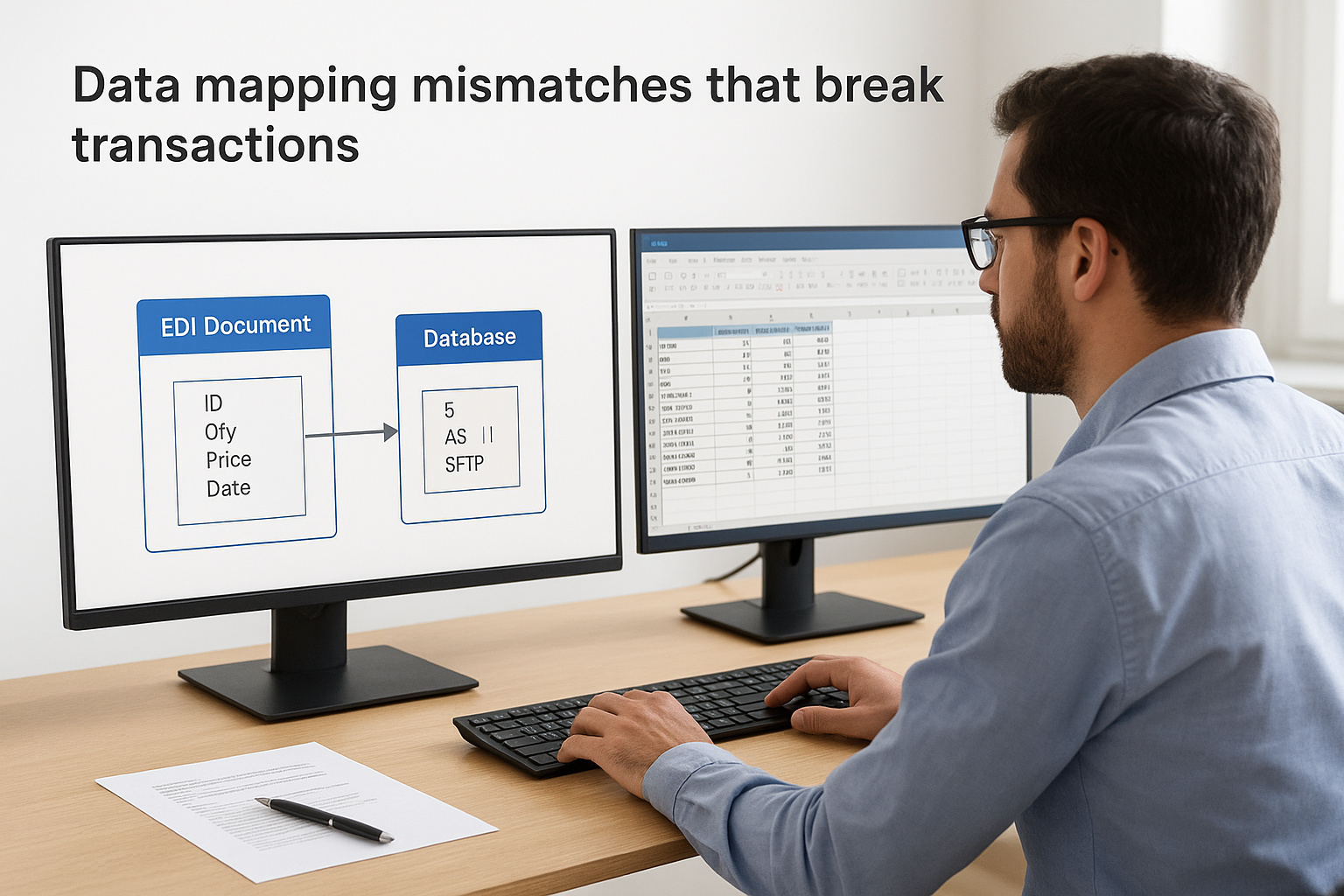
A mapping error caught in testing costs an hour. The same error caught after 200 orders have posted costs a week of cleanup.
Solve this by building a translation layer with explicit rules for every field variation you’ve seen from your top partners, and log any value your rules don’t recognize instead of guessing at a default.
Onboarding new trading partners without slowing down
Growing your partner network means repeating the mapping and testing work for every new connection, and that overhead adds up fast if each onboarding starts from scratch. Middleware platforms solve this by letting you reuse a base map and adjust only the partner-specific fields, cutting onboarding time from weeks to days.
- Document the standard version each partner uses (4010, 5010, etc.)
- Confirm the communication method (AS2, SFTP, VAN) before building the connection
- Request sample production files, not generic test files, from every new partner
- Set a target go-live date and hold both sides accountable to it
Exception handling when documents fail silently
Failures are less dangerous than failures nobody sees. A malformed 810 invoice that gets dropped instead of flagged will quietly create a gap in your AP, and that gap surfaces weeks later during reconciliation when it’s much harder to trace back to the source. Exception handling needs to catch failed documents, hold them in a queue, and alert someone on your team the same day, not the same month.
Scaling volume without scaling your support burden
Adding trading partners and document volume without revisiting your architecture eventually overwhelms a point-to-point setup built for a handful of connections. Symptoms include slow processing during peak periods, mapping logic scattered across multiple connectors, and a support team that spends more time firefighting than improving the system. Revisiting your architecture before volume forces the issue, rather than after, keeps your team ahead of the problem instead of reacting to it.
Understanding these failure points before you build, rather than discovering them in production, is exactly why an experienced implementation partner earns their fee. Concentrus builds exception handling and partner onboarding processes into every ERP EDI integration project from day one, so these issues get caught in testing instead of your general ledger.
Best practices for a successful EDI-ERP integration
A handful of habits separate an EDI ERP integration that runs quietly in the background from one that generates a support ticket every week. None of these require exotic technology, they just require treating the integration as an ongoing operational asset rather than a one-time project.
Involve finance from day one, not after IT builds the map
Getting finance leaders into the room during mapping decisions, not just at the go-live review, catches issues that IT alone will miss, like how a partial shipment should hit revenue recognition or which GL account a chargeback deduction should post against. Finance involvement early in the project means the integration reflects how your controller actually closes the books, not just how the documents technically map. Skipping this step is how you end up with a technically correct integration that still requires manual journal entries every month to fix the accounting.
Build monitoring and alerts before you need them
Assuming an integration will keep working just because it worked at go-live is the fastest way to get blindsided by a silent failure. Set up dashboards and alerts that flag stalled documents, failed transmissions, and mapping errors the same day they happen, not the same month.
- Alert on any document stuck in a queue longer than a set threshold (start with 4 hours)
- Track error rates by trading partner, not just in aggregate
- Review chargeback data monthly against your EDI compliance rules
- Assign one owner, not a rotating team, for exception resolution
An integration you don’t monitor isn’t automated, it’s just broken and waiting to be noticed.
Document everything for the team that inherits it
Capturing your mapping logic, validation rules, and partner-specific quirks in a shared document saves the next person, whether that’s a new hire or a different vendor, from reverse-engineering your setup from scratch. Documentation quality matters more than most teams expect until the person who built the integration leaves and nobody else understands why a certain field gets transformed a certain way.
Plan for growth instead of reacting to it
Revisiting your integration architecture every time you add ten new trading partners, rather than waiting until performance degrades, keeps your system scaled to your actual volume instead of your volume from two years ago. Reviewing partner counts, document volume, and error rates on a quarterly basis gives you an early warning before a slow system becomes a broken one.
Combining these habits with a methodology that ties each milestone to a financial outcome, the approach we use in every Concentrus ROI Roadmap™ engagement, keeps your erp and edi integration system accountable long after the initial rollout is done.
The bottom line on EDI-ERP integration
Getting EDI integration with ERP right comes down to treating it as a finance project with engineering support, not the other way around. The architecture, mapping, and monitoring decisions you make early determine whether your team spends the next three years fixing exceptions or trusting the numbers on the dashboard. Skip the planning and you’ll pay for it in chargebacks, manual journal entries, and a controller who doesn’t trust the close.
Done well, an erp and edi integration system pays for itself through faster cash application, fewer disputes, and hours your staff gets back for actual analysis. That’s the outcome CFOs should expect from any integration project, not just cleaner data for its own sake.
If your team is weighing a new EDI-ERP connection or trying to fix one that’s already causing headaches, talk to Concentrus about building a roadmap tied to the financial outcomes you actually care about.