

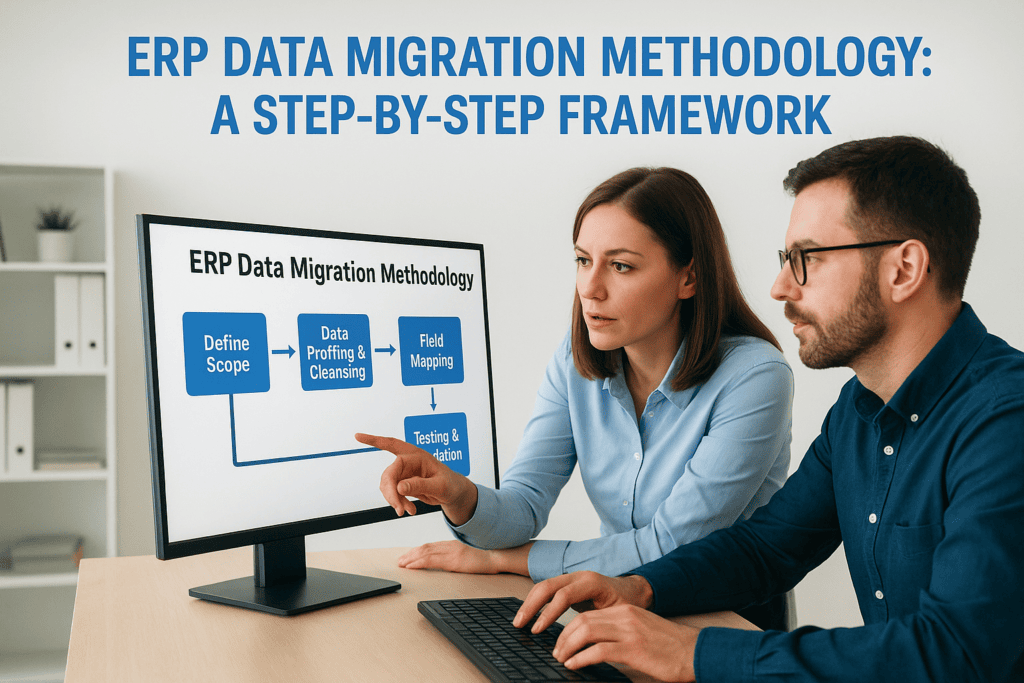
Your ERP system is only as valuable as the data inside it. That’s why a proven ERP data migration methodology can determine whether your implementation succeeds or fails. Get it right, and you unlock clean, reliable data that drives better decisions from day one. Get it wrong, and you’re facing corrupted records, delayed go-lives, and an ROI that never materializes.
For CFOs overseeing a NetSuite or Acumatica implementation, data migration often becomes the most underestimated risk on the project timeline. Legacy systems hold years of financial history, customer relationships, and operational intelligence, but extracting and transforming that data requires more than a simple export-import routine. It demands a structured approach with clear validation checkpoints and accountability at every stage.
At Concentrus, we’ve guided midsized companies through hundreds of ERP implementations and rescues, and data migration issues are among the most common problems we solve. This guide walks you through a step-by-step framework built on that experience, one designed to protect your data integrity, keep your project on schedule, and ensure your ERP investment delivers the measurable returns your business needs.
What an ERP data migration methodology includes
A proven ERP data migration methodology gives you a repeatable, documented framework for moving data from legacy systems into your new ERP platform. Unlike a one-off script or manual export, a structured methodology defines who does what, when, and how you verify success at each stage. You need this level of discipline because data migration involves multiple technical teams, business stakeholders, and sequential dependencies where one mistake compounds into dozens more downstream.
Core phases and deliverables
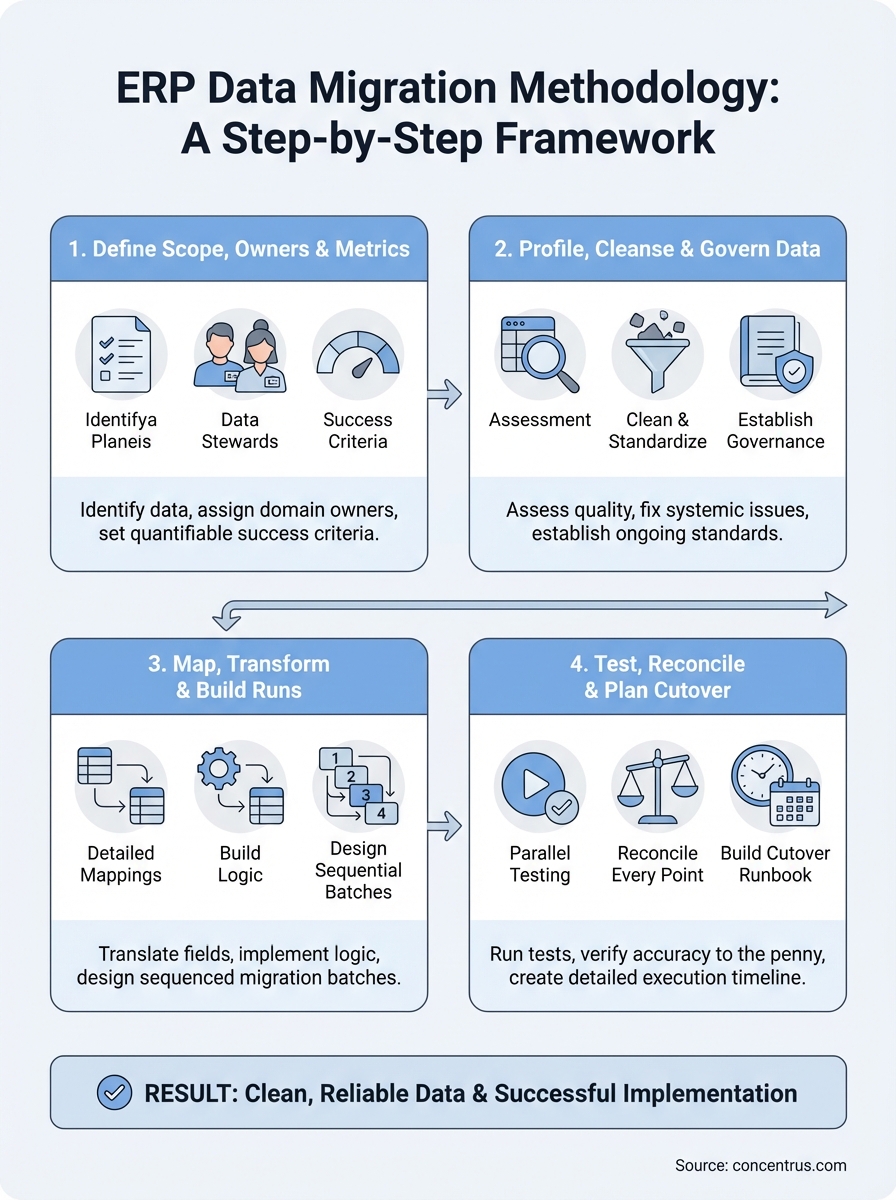
Your methodology should break the migration project into distinct phases with clear outputs. Each phase builds on the previous one, so you can’t skip ahead without completing the prerequisites. The typical flow moves from planning and discovery, through profiling and cleansing, into mapping and transformation, then testing and validation, and finally cutover execution. You’ll produce specific deliverables at each stage: data inventory documents, transformation rules, test scripts, reconciliation reports, and cutover runbooks that your team can reference months or even years later.
An effective erp data migration methodology transforms a chaotic, high-risk process into a series of controlled, measurable steps.
Most implementations fail during migration because teams treat it as a technical exercise rather than a business-critical process. Your methodology needs to include decision gates where stakeholders approve the quality and completeness of each phase before work proceeds. This prevents you from discovering missing customer records or incorrect financial balances during your go-live weekend when it’s too late to fix them properly.
Key roles and responsibilities
You can’t execute a migration without assigning clear accountability. Your methodology must define who owns each data domain, who performs the technical extraction and loading, who validates business rules, and who has final approval authority. Typical roles include a migration lead who coordinates all activities, data stewards from each business unit who verify accuracy, technical developers who build ETL scripts, and a CFO or finance leader who signs off on financial data reconciliation before cutover.
Without these explicit role assignments, you end up with finger-pointing when data quality issues surface. Your IT team assumes finance validated the chart of accounts mapping, while your finance team thought IT was handling it. The result is broken reporting and manual workarounds that undermine your entire ERP investment.
Documentation requirements
A complete methodology demands thorough documentation at every step. You need data mapping specifications that show exactly how legacy fields translate into new ERP fields, including any business logic or calculations applied during transformation. Your team should maintain a data dictionary that catalogs every source system, table, field, and relationship, along with notes about data quality issues discovered during profiling.
Beyond technical specs, your methodology should require decision logs and test evidence. When you decide to exclude certain legacy records or modify transformation rules, you document the reasoning, who approved it, and when. During testing, you capture reconciliation results that prove row counts, financial totals, and business metrics match between source and target systems. This documentation becomes essential if you need to audit migration decisions six months post-go-live or train new team members on why certain data appears the way it does.
Step 1. Define scope, owners, and success metrics
Before you extract a single record, you need to establish clear boundaries and accountability for your migration project. This first step prevents the most common failure mode: teams attempting to migrate everything without understanding what data truly matters or who verifies its accuracy. You should convene your core stakeholders from finance, operations, and IT to make explicit decisions about scope, assign data domain owners, and define what success looks like in measurable terms.
Identify what data moves and what stays behind
Start by cataloging every data type in your legacy systems: customer records, financial transactions, inventory items, vendor information, open orders, and historical archives. You don’t need to migrate everything. Work with each business owner to determine which data supports ongoing operations versus what you can archive externally or leave behind entirely. Most companies discover they can exclude obsolete records, one-time customers from years ago, and transactions beyond a specific retention period.
Document these scope decisions in a migration charter that explains what you’re moving, what you’re archiving, and the business justification for each choice.
Your erp data migration methodology should include a data inventory template that lists each object type, its source system, estimated record volume, business criticality, and migration decision. This becomes your single source of truth when someone questions why certain data didn’t make the cut.
Assign clear data ownership
Designate a data steward for each domain who takes responsibility for validation and sign-off. Your finance lead owns chart of accounts, customer payment terms, and all financial dimensions. Operations owns inventory records, bills of material, and routing data. Sales owns customer master data and pricing. These stewards must commit time to review mapping rules, validate test results, and approve cutover execution for their domains.
Create a simple responsibility matrix:
| Data Domain | Data Steward | Technical Lead | Approval Authority |
|---|---|---|---|
| Chart of Accounts | Controller | ERP Developer | CFO |
| Customer Master | Sales VP | Integration Specialist | Sales VP |
| Inventory Items | Operations Manager | ERP Developer | COO |
| Vendor Records | AP Manager | Integration Specialist | Controller |
Set measurable migration success criteria
Define specific, quantifiable metrics that prove migration quality before go-live. Your criteria should include exact record count matches between source and target, financial balance reconciliation to the penny, and critical business process validation. Establish tolerance thresholds for acceptable variance: zero tolerance for financial data, perhaps 0.1% for descriptive fields with known quality issues.
Your success criteria might include:
- 100% of active customer records migrated with complete contact and payment term data
- General ledger trial balance matches legacy system within $100 or 0.01%
- All open orders transferred with accurate line items, pricing, and delivery dates
- Key operational reports produce identical results in new and old systems
Step 2. Profile, cleanse, and govern your data
Once you’ve defined what data moves and who owns it, you need to assess quality and fix systemic issues before migration begins. This step prevents the “garbage in, garbage out” problem that plagues most ERP implementations. Your legacy systems likely contain duplicate records, inconsistent formatting, incomplete fields, and outdated information accumulated over years of use. If you migrate these flaws into your new ERP, you’ll spend months correcting them while users lose trust in the system.

Run data quality assessments
Start by profiling each data domain to quantify quality issues. Use SQL queries or data profiling tools to analyze completeness, accuracy, consistency, and uniqueness across your source systems. Your profiling should reveal exactly how many customer records lack email addresses, what percentage of inventory items have missing cost data, and where you have duplicate vendor entries with slightly different names.
Document your findings in a data quality scorecard:
| Data Domain | Total Records | Complete Records | Duplicates Found | Invalid Formats | Quality Score |
|---|---|---|---|---|---|
| Customers | 45,230 | 38,900 (86%) | 1,240 | 520 | 83% |
| Vendors | 12,450 | 11,200 (90%) | 340 | 180 | 88% |
| Items | 23,680 | 19,850 (84%) | 890 | 450 | 80% |
Your erp data migration methodology must include time and resources for cleansing because you’ll never have a better opportunity to fix these issues than before go-live.
Clean and standardize records
Work with your data stewards to resolve the issues identified during profiling. Merge duplicate records using clear business rules, standardize formatting for phone numbers and addresses, and fill critical gaps by researching missing information or setting default values. Your finance team should reconcile any transactions with missing GL accounts and operations should correct inventory records that lack unit of measure data.
Create a cleansing log that tracks each correction, who made it, and when. This audit trail proves you didn’t alter financial records inappropriately and helps you understand patterns that indicate process improvements needed post-go-live.
Establish data governance rules
Define ongoing standards that prevent quality degradation during and after migration. Your governance rules should specify required fields for new records, validation logic for data entry, and approval workflows for master data changes. These rules become configuration requirements in your new ERP and training topics for end users who will maintain data quality going forward.
Step 3. Map, transform, and build migration runs
With clean, validated data ready for migration, you now translate how information moves from legacy system fields into your new ERP structure. This step requires precision because incorrect mappings cause financial reporting errors, operational disruptions, and data that becomes unusable the moment you go live. Your technical team works closely with data stewards to document exactly how each source field transforms into target fields, including any business rules or calculations applied during the process.
Create detailed field mappings
Build a comprehensive mapping spreadsheet that shows every source field, its target destination, data type conversions, and any transformation rules. Your mapping document should include sample values from legacy systems alongside their expected output in the new ERP, making it easy for business users to verify accuracy without technical expertise.
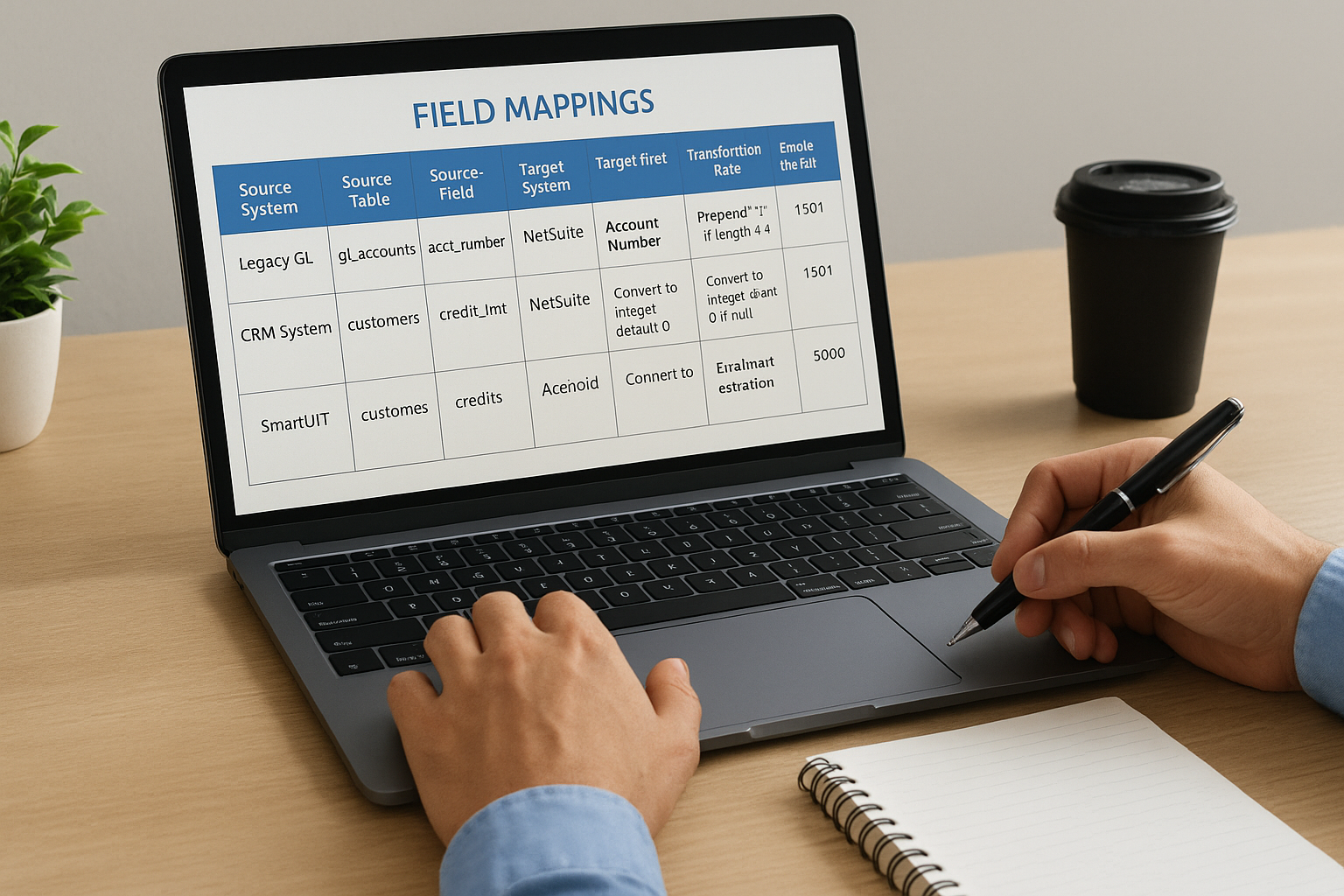
Here’s a basic mapping template structure:
| Source System | Source Table | Source Field | Target System | Target Field | Transformation Rule | Sample Input | Expected Output |
|---|---|---|---|---|---|---|---|
| Legacy GL | gl_accounts | acct_number | NetSuite | Account Number | Prepend “1” if length < 4 | 501 | 1501 |
| CRM System | customers | credit_lmt | NetSuite | Credit Limit | Convert to integer, default 0 if null | 5000.00 | 5000 |
Your erp data migration methodology depends on mappings detailed enough that any team member can understand and validate the transformation logic without guessing.
Build transformation logic
Write SQL scripts, ETL workflows, or custom code that implements your mapping specifications. Your transformation logic should handle data type conversions, conditional rules, and calculated fields that don’t exist in source systems. Test each transformation against sample data to confirm it produces the expected results before applying it to full datasets.
Document any complex business rules in plain language alongside the technical code. When you concatenate customer name fields, apply pricing tier calculations, or derive GL segments from multiple sources, both your technical team and business stakeholders need to understand what’s happening and why.
Design migration runs
Break your migration into logical batches that respect data dependencies. You must load chart of accounts before transactions that reference those accounts, customer records before orders tied to those customers, and parent items before child assemblies. Create a sequenced migration plan that lists each object type, its prerequisite dependencies, and estimated load time.
Schedule test migrations during development phases to identify performance bottlenecks and adjust batch sizes before production cutover. Your migration runs should include validation checkpoints between batches so you can stop and fix issues rather than loading millions of invalid records.
Step 4. Test, reconcile, and plan cutover
Your migration scripts and mappings mean nothing until you prove they work correctly under real conditions. This step validates that your transformed data produces accurate results in the new ERP and that you have a concrete plan to execute cutover without disrupting business operations. Testing catches errors while you still have time to fix them, reconciliation proves financial accuracy to the penny, and cutover planning eliminates the chaos that derails most go-live weekends.
Run parallel testing cycles
Execute your migration scripts against full production datasets in a test environment, then validate results through multiple lenses. Your technical team should verify record counts match between source and target, check for failed loads or transformation errors, and confirm all relationships between related records remain intact. Run critical business processes in the test system using real scenarios: create customer orders, process payments, generate financial reports, and perform inventory transactions.
Testing your erp data migration methodology with actual production data reveals issues that never surface during small sample runs.
Schedule at least three complete migration cycles, fixing issues between each run. Your first test typically uncovers data quality problems and mapping errors, the second reveals edge cases and system performance bottlenecks, while the third validates your fixes and confirms you’re ready for production cutover.
Reconcile every critical data point
Build reconciliation reports that compare key metrics between legacy and new systems down to individual transaction details. Your finance team must verify trial balance totals, accounts receivable aging, accounts payable balances, and inventory valuations match exactly. Operations should confirm open order counts, customer shipment history, and vendor purchase records transferred completely.
Document any variances in a reconciliation log:
| Data Category | Legacy Total | ERP Total | Variance | Root Cause | Resolution |
|---|---|---|---|---|---|
| AR Balance | $1,245,680.50 | $1,245,680.50 | $0.00 | None | Approved |
| Open Orders | 347 orders | 345 orders | 2 missing | Cancelled orders migrated | Exclude cancelled status |
| Inventory Value | $892,340.25 | $892,355.30 | $15.05 | Rounding difference | Acceptable variance |
Build your cutover runbook
Create a detailed timeline that lists every task, who performs it, and when during your cutover weekend. Your runbook should include final data extraction from legacy systems, migration script execution sequences, validation checkpoints, and rollback procedures if critical errors occur. Assign specific team members to each task with backup resources identified in case someone becomes unavailable.
Include communication templates for notifying users about system downtime, providing status updates during cutover, and announcing successful go-live once validation completes.
Next steps
Your ERP data migration success depends on following a structured methodology that builds quality controls into every phase. The framework outlined above gives you a proven approach that protects your financial data, maintains operational continuity, and delivers the ROI your business expects from its ERP investment. You can’t afford to treat migration as an afterthought or purely technical exercise when it directly impacts your ability to close books, fulfill orders, and make decisions based on accurate information.
The difference between implementations that succeed and those that struggle often comes down to experienced guidance during migration planning. If you’re implementing NetSuite or Acumatica and need partners who understand both the technology and the financial stakes, Concentrus specializes in ERP implementations that deliver measurable returns from day one. Our team has rescued dozens of migrations gone wrong and launched hundreds more successfully using the proven erp data migration methodology principles outlined here.